
Action1 vs. ManageEngine OS Deployer
| Product | Rating | Most Used By | Product Summary | Starting Price |
|---|---|---|---|---|
 Action1 | Score9.4 out of 10 | N/A | Action1 is an autonomous endpoint management platform that is cloud-native, scalable, and configurable in 5 minutes. It is free for the first 200 endpoints, with no functional limits. By pioneering autonomous OS and third-party patching - AEM’s foundational use case - through peer-to-peer patch distribution and real-time vulnerability assessment without needing a VPN, it eliminates costly, time-consuming routine labor, preempts ransomware and security risks, and protects the digital… | N/A |
 ManageEngine OS Deployer | Score8.4 out of 10 | N/A | ManageEngine OS Deployer streamlines OS imaging and deployment, helping IT teams accelerate device rollouts across physical and remote environments. It supports hardware-independent imaging, automated driver management, user state migration, and a range of deployment and boot options, including PXE, bootable USB, ISO, and multicast. Whether you're deploying new devices, refreshing existing hardware, or migrating to Windows 11, OS Deployer reduces deployment time and simplifies large-scale… | N/A |
| Action1 | ManageEngine OS Deployer | |||||||||||||||
|---|---|---|---|---|---|---|---|---|---|---|---|---|---|---|---|---|
| Editions & Modules | No answers on this topic | No answers on this topic | ||||||||||||||
| Offerings |
| |||||||||||||||
| Entry-level Setup Fee | Optional | No setup fee | ||||||||||||||
| Additional Details | — | — | ||||||||||||||
| More Pricing Information | ||||||||||||||||
| Action1 | ManageEngine OS Deployer | |
|---|---|---|
| Considered Both Products | No answer on this topic | No answer on this topic |
| Key User Insights | ||
| Would buy again | ||
100% Would buy again 20 Answers | No answers on this topic | |
| Delivers good value for the price | ||
100% Delivers good value for the price 19 Answers | No answers on this topic | |
| Happy with the feature set | ||
100% Happy with the feature set 20 Answers | No answers on this topic | |
| Lived up to sales and marketing promises | ||
100% Lived up to sales and marketing promises 19 Answers | No answers on this topic | |
| Implementation went as expected | ||
100% Implementation went as expected 20 Answers | No answers on this topic | |
| Action1 | ManageEngine OS Deployer | |
|---|---|---|
| Small Businesses |  Avast CloudCare Score10 out of 10 | No answers on this topic |
| Medium-sized Companies |  LogMeIn Resolve Score9.1 out of 10 | No answers on this topic |
| Enterprises |  ManageEngine Endpoint Central Score9 out of 10 | No answers on this topic |
| All Alternatives | View all alternatives | View all alternatives |
| Action1 | ManageEngine OS Deployer | |
|---|---|---|
| Likelihood to Recommend | 9.7 | 8.0 |
| Likelihood to Renew | 9.4 | - |
| Usability | 9.5 | 8.0 |
| Support Rating | 5.0 | - |
| Implementation Rating | 10.0 | - |
| Action1 | ManageEngine OS Deployer | |
|---|---|---|
| Likelihood to Recommend |
|
|
| Pros |
|
|
| Cons |
|
|
| Likelihood to Renew |
| No answers on this topic |
| Usability |
|
|
| Support Rating |
| No answers on this topic |
| Implementation Rating |
| No answers on this topic |
| Alternatives Considered |
|
|
| Return on Investment |
|
|
| ScreenShots | Action1 Screenshots      | ManageEngine OS Deployer Screenshots  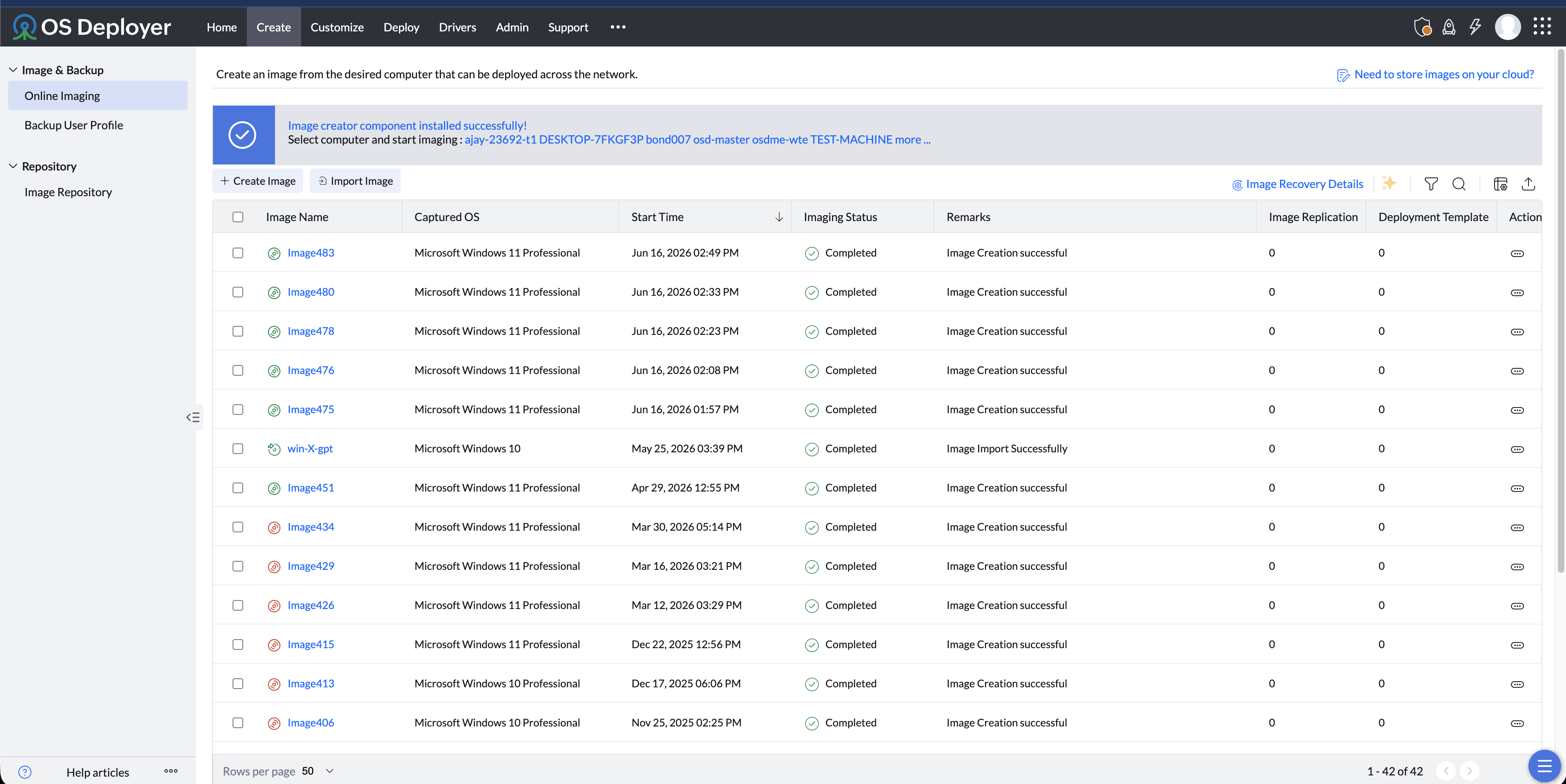  |




