Acrobat Reader is a PDF viewer and converter, available as a free download from Adobe. Users can view, sign, collaborate on and annotate PDF files, or edit and convert PDFs into file formats like Excel and Word.
N/A
Autodesk Build
Score 8.1 out of 10
N/A
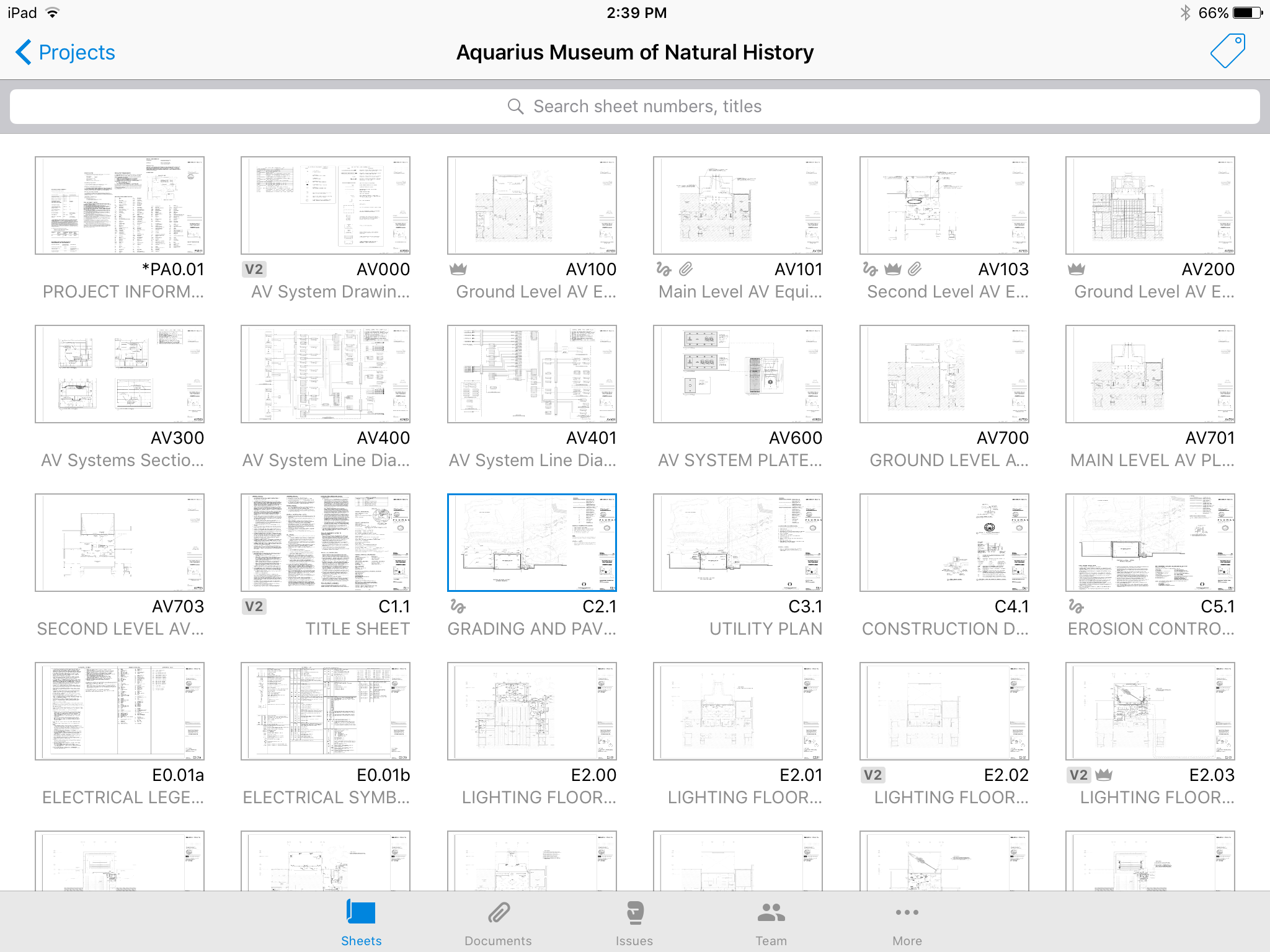
Autodesk Build, based on the former PlanGrid, is construction productivity software. It includes tools to collaborate, collect, and manage project information throughout the project’s construction and operations lifespan. It enables document centralization and tracking.
$39
user per month
Pricing
Adobe Acrobat Reader
Autodesk Build
Editions & Modules
No answers on this topic
Nailgun
$39
user per month
Dozer
$59
user per month
Crane
$139
user per month
Offerings
Pricing Offerings
Adobe Acrobat Reader
Autodesk Build
Free Trial
No
Yes
Free/Freemium Version
No
No
Premium Consulting/Integration Services
No
Yes
Entry-level Setup Fee
No setup fee
No setup fee
Additional Details
—
—
More Pricing Information
Community Pulse
Adobe Acrobat Reader
Autodesk Build
Features
Adobe Acrobat Reader
Autodesk Build
PDF Editors
Comparison of PDF Editors features of Product A and Product B
Adobe Acrobat Reader
9.1
2 Ratings
4% above category average
Autodesk Build
-
Ratings
Edit Text and Images
9.02 Ratings
00 Ratings
Merge or Split PDFs
9.52 Ratings
00 Ratings
Add Annotations
9.02 Ratings
00 Ratings
Text Recognition (OCR)
8.02 Ratings
00 Ratings
Page Management
8.52 Ratings
00 Ratings
Form Creation and Editing
10.01 Ratings
00 Ratings
Secure PDFs
10.01 Ratings
00 Ratings
Convert to Different Formats
9.02 Ratings
00 Ratings
Comment and Review Tools
9.02 Ratings
00 Ratings
Undo and Redo Actions
8.52 Ratings
00 Ratings
Construction Project & Field Management
Comparison of Construction Project & Field Management features of Product A and Product B
After creating a document, converting it into Adobe Acrobat Reader is usually very easy for storage in my computer, sending/sharing via emails, etc. This also saves a significant amount of unnecessary printing and paper waste, which is great for reducing waste. I don't have to worry about not having the right software/app to view, edit, and share with anyone.
PlanGrid performs really well in all aspects of construction from the general to the sub/trade. The platform distributes and communicates project documentation in an extremely user-friendly manner. As with most software, it is cheaper the larger the scale of the project. In situations where the project is relatively small, and the trade contracts are also of relatively low dollar value, the product can be cost-prohibitive.
Plangrid is the best SaaS I have seen for ease of uploading construction plans and automated organization of those plans.
For companies that are not using other products for mobile access, the Plangrid mobile apps are perfect to allow people on and off site to share and collaborate in many phases of construction project documentation.
Plangrid has a very responsive technical support team (although it is pretty much email only).
Plangrid's website layout is easy to use and understand and allows new users to jump right in and do basic to moderate tasks without little training.
Being able to add image "stamps" to a document is a little tricky as the stamp has to already be in PDF format (at least on Mac) to work. This mean you have to convert the image to PDF before you can use it as a stamp.
Being only able to save one signature and one set of initials is a bit of a pain but you can actually use stamps if you need different versions frequently used scribbles for various reasons. The stamp won't secure the document and prevent future changes the same way the signature would though.
All of the other features you might want to use are only included with Acrobat Pro but the options are all displayed in the Reader app. When clicked they will offer the free trial that leads to a paid subscription. This is more of an annoyance but you can't fault Adobe for trying to make a sale.
The photo attachment process is a bit complicated. In ProCore (another similar software I've used), you can upload photos directly into RFIs for your reference, or into e-mails. For PlanGrid, you have to first upload the photo into the documents tab, then link them into the RFI. It's not intuitive and can add confusion to the documents tab.
Photos can't be directly uploaded. Between different devices and colleagues, it's possible you'll get an important photo outside of the PlanGrid photo capture feature within its app. Again, it's complicated for users to use.
In their new drawings viewer, the icons for actions do not have icons available. I had to use them all in order to understand what they meant, and I'm fairly tech savvy. I'm not sure if a new person to PlanGrid will pick up on each icon's abilities very easily.
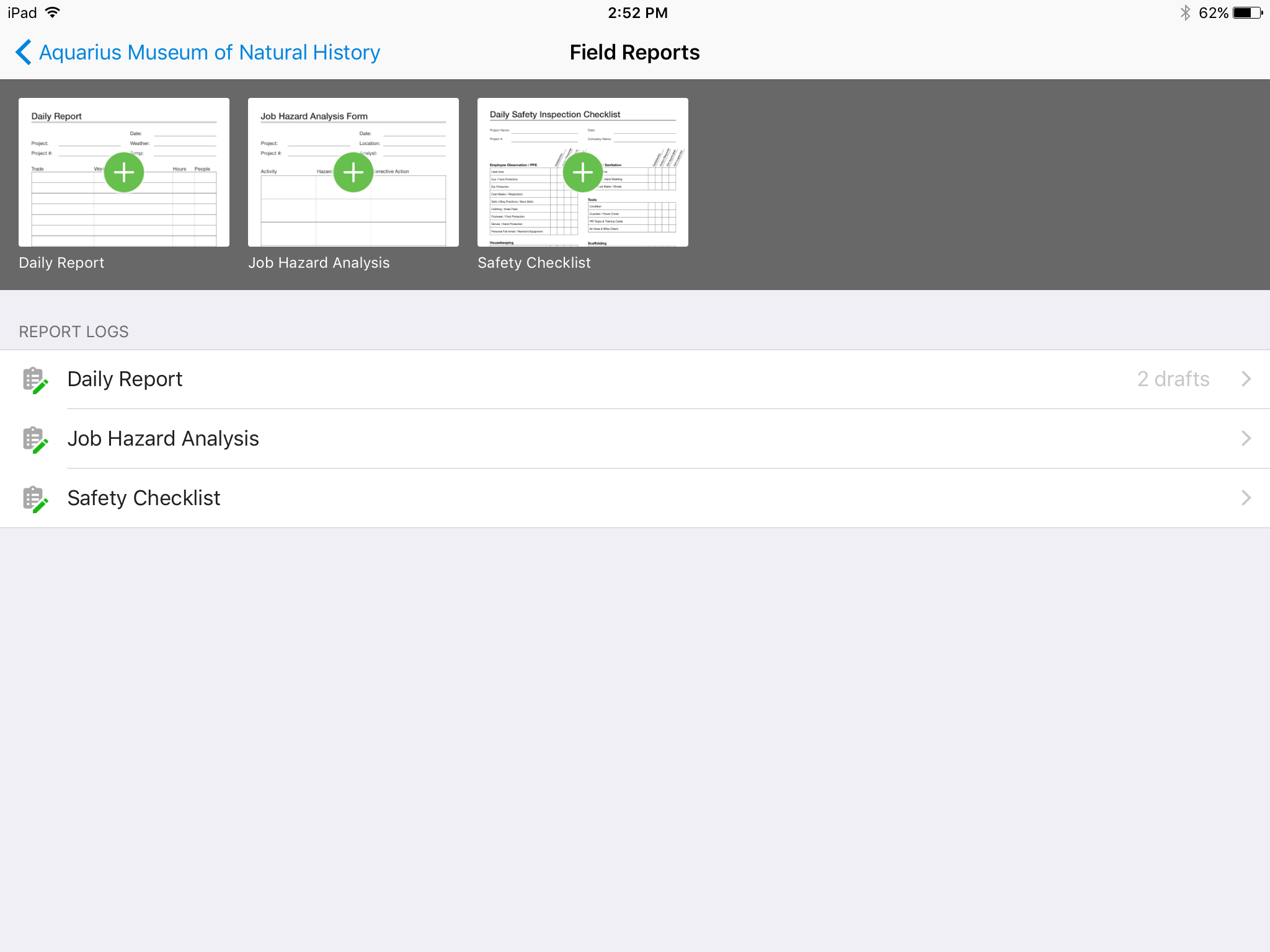
There's no all-in-one solution in CM, but PlanGrid is fairly barebones, and I don't believe it has any ability to connect to other software. There's no ability to take meeting munites; you can hack the field reports feature to accomplish this, but it's clear that was not the intent of the designers.
To be honest, I do not have any say in the renewal of Adobe Acrobat Reader DC. It is managed at an enterprise level, and the decision to renew or not renew is handled well above my pay grade as an external consultant.
We are at the point where we have shown our teams what is possible with this software. We cannot take it away and go back to the way we used to do things. I think that they would push back on us to give them access to something electronic. It is a good program that we will continue to use
Again, Adobe Creative Suite is widely used and backed by an industry leader, making the experience very familiar and common for anyone who has used a PDF and wants more features to interact with it. It also makes copy text a lot easier than just previewing the file.
Hard to get the hang of this software, but with time it become very repetitive and easier to navigate. I have used this software for over a year now and the constant updates by Autodesk have made the software better and better to use at work. This allows me to use this tool more effectively
Online chat during business hours is extremely helpful. The Plangrid staff has gone above and beyond many times to help us. One time they even offered to completely rebuild our 900+ sheet project so I could slip sheet a few old drawing revisions! This undoubtedly would have taken hours on Plangrid's end. They are always responsive and are continually improving, listening to user feedback.
We have reviewed DocuSign in comparison to [Adobe] Acrobat Reader [DC's] e-sign capabilities. We found that DocuSign has more robust options when creating contracts and consent capabilities. DocuSign's online UI is much more suited to this type of task as well. However, we decided to stick with [Adobe] Acrobat Reader DC because of the price (DocuSign is more expensive) and we felt we didn't need all of the bells and whistles for contract signature and consent.
Plangrid, while not serving the external document distribution function, is unrivaled for internal document distribution and sharing in the construction industry. The speed at which documents are navigatable, the ability to download your projects for viewing without an internet connection, and the document mark-up and photo tools place it head and shoulders above the competition.
It helped us "wow" a joint commission survey in 2016 and have a successful survey because he loved how we could access plans on an iPad, check suite sizes, and didn't have to carry around huge, heavy sets of life safety plans.