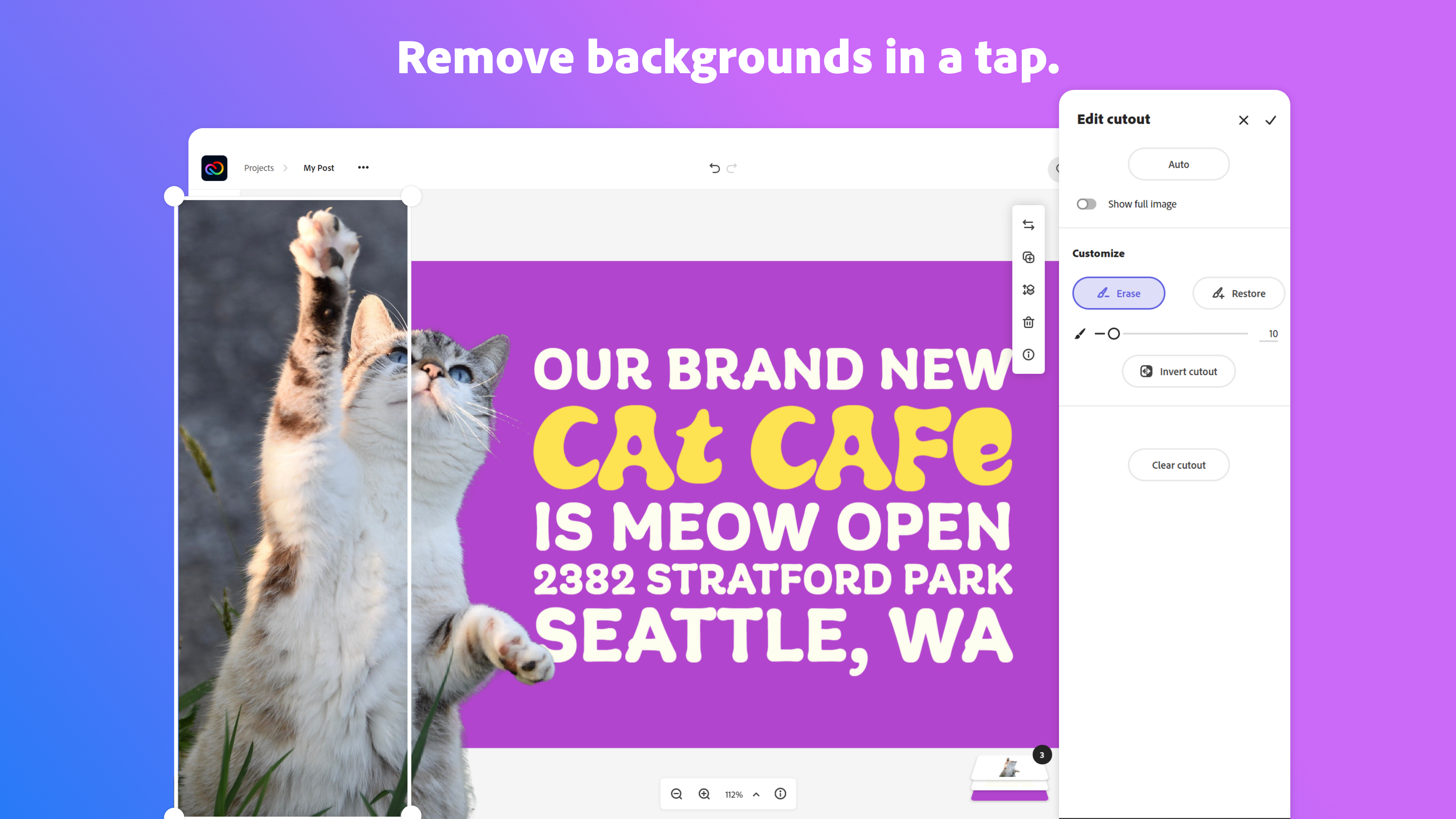
Adobe Creative Cloud Express (formerly Adobe Spark) is a task-based, web and mobile product used to create and share rich multimedia content – from social media posts and stories to invitations to marketing materials like logos, flyers and banners.
$0
Affinity by Canva
Score8.8 out of 10
N/A
Affinity by Canva is a professional creative application that combines vector illustration, raster photo editing, and page layout in a single program and a single .af file. Vector, Pixel, and Layout modes operate on the same document, so users can draw, retouch, and lay out work without exporting between tools. The application runs on macOS (native on Apple silicon and Intel), Windows, and iPad.
N/A
Pricing
Adobe Express
Affinity by Canva
Editions & Modules
Free
$0.00
Premium
$9.99 / $99.99
per month
Teams
$9.99
per month per user
No answers on this topic
Offerings
Pricing Offerings
Adobe Express
Affinity by Canva
Free Trial
Yes
No
Free/Freemium Version
Yes
No
Premium Consulting/Integration Services
No
No
Entry-level Setup Fee
No setup fee
No setup fee
Additional Details
Contact Adobe directly for Enterprise pricing plan details.
Creative Genius in Marketing at challenges games and comics (Arts & Crafts, 1-10 employees)
Chose Adobe Express
Express has put all the tools a design agency will need for day-to-day operations, production, and creation. And with the addition of the Calendar, scheduling these posts is a breeze and very important in a designer's tool belt. We used other products before and found ourselves …
A de minimis incentive was given to thank the reviewer for their time. The incentive was not used to bias or drive a particular response, nor was the incentive contingent on a positive endorsement. More Info
Design Faculty at Pikes Peak State College (Design, 501-1000 employees)
Chose Adobe Express
Adobe Express is a mighty little program. To be clear, it won't do everything you can do in Illustrator or Premiere, but it will do about 75% of it, which is plenty about 75% of the time. It's not going to replace the Creative Cloud programs for pro users, but it will allow pro …
A de minimis incentive was given to thank the reviewer for their time. The incentive was not used to bias or drive a particular response, nor was the incentive contingent on a positive endorsement. More Info
Digital Technologist in Marketing at CSUDH (Higher Education, 1-10 employees)
Chose Adobe Express
I use Adobe Express and Canva equally, due to the types of features that are/aren't available (need for overlap), and due to the team licensing features/access.
A de minimis incentive was given to thank the reviewer for their time. The incentive was not used to bias or drive a particular response, nor was the incentive contingent on a positive endorsement. More Info
Adobe Express is well suited for beginners. It is also suited for designers who need something simple and quick they can alter from an existing template. It does not work well for any type of newsletter or long layout design. It also does not have a lot of frame or mockup options that are very popular in Canva.
A de minimis incentive was given to thank the reviewer for their time. The incentive was not used to bias or drive a particular response, nor was the incentive contingent on a positive endorsement. More Info
If you are looking to get started using a publishing / creation application, Affinity Publisher is the one to go for. With a quick learning curve on all the basic functions, you'll be flying in no time. And then there is a whole heap of great features to get into as you become more comfortable with the software. The only down side is if clients are using Adobe programs, there are sometimes problems working with imported layers, but this is minor compared to the ease of use and features.
A de minimis incentive was given to thank the reviewer for their time. The incentive was not used to bias or drive a particular response, nor was the incentive contingent on a positive endorsement. More Info
A de minimis incentive was given to thank the reviewer for their time. The incentive was not used to bias or drive a particular response, nor was the incentive contingent on a positive endorsement. More Info
Better shapes or more shapes, or more control to create cool shapes.
Better templates - templates on Canva are better for inspo.
Better animations in reels - they are super basic.
QR code tracking.
Gradient design that goes from a solid color into transparent because it'd be going over an image. Don't want a harsh line when the gradient at the top.
Video uploading - I try to upload videos from reels (usually just from my phone) and it gives an error message and Adobe crashes and it's super frustrating.
A de minimis incentive was given to thank the reviewer for their time. The incentive was not used to bias or drive a particular response, nor was the incentive contingent on a positive endorsement. More Info
A de minimis incentive was given to thank the reviewer for their time. The incentive was not used to bias or drive a particular response, nor was the incentive contingent on a positive endorsement. TR verified that a representative sample of customers was invited. More Info
I foresee Adobe Express becoming the "go-to" platform for everyone except professional, high-level designers. It is a relatively easy-to-use tool that allows users to create a wide variety of visuals quickly. Because it is a template-driven tool, the in-house design team has the ability to make brand kit available to keep visuals on point
A de minimis incentive was given to thank the reviewer for their time. The incentive was not used to bias or drive a particular response, nor was the incentive contingent on a positive endorsement. More Info
The user interface is pretty straightforward to use. It has easy to navigate navigations, and the canvas UX is also pretty good. One thing i would like to add it to use shortcuts to add elements on canvas. Like if I am on canvas and I press 'T' on my keyboard the text box should be added automatically
A de minimis incentive was given to thank the reviewer for their time. The incentive was not used to bias or drive a particular response, nor was the incentive contingent on a positive endorsement. More Info
Because the software is great. I have forced myself to learn it. I highly recommend to others. This is a game changer. Adobe is evil for going all subscription and not giving anyone the option to purchase lifetime versions of Illustrator, Photoshop and InDesign it is CRIMINAL
A de minimis incentive was given to thank the reviewer for their time. The incentive was not used to bias or drive a particular response, nor was the incentive contingent on a positive endorsement. More Info
Overall, the Adobe Creative Cloud Express is worth a try and may be a good fit for many organizations and businesses. At a monthly rate, the cost is not prohibitive, but the tools are somewhat limited and not necessarily worthwhile when compared to standard applications and software that are often available free or through a package of services commonly found on workplace computers.
A de minimis incentive was given to thank the reviewer for their time. The incentive was not used to bias or drive a particular response, nor was the incentive contingent on a positive endorsement. More Info
Our team typically uses other online resources instead of contacting developers/manufacturers for support. That being said, there is a forum and a growing, vibrant community of users available to answer questions and "make the switch." A simple "whatever function we used to use in Adobe InDesign," followed by "Affinity," usually gets us on the right track to an answer. YouTube and their forums are our team's go-to sources for help.
A de minimis incentive was given to thank the reviewer for their time. The incentive was not used to bias or drive a particular response, nor was the incentive contingent on a positive endorsement. More Info
These other Adobe projects are great for those who are more skilled in them but can be tough for those who are new. Express gives new users a chance to design closer to industry standards. Similar to Canva, but with better tools and easier access to design assets from other Adobe programs.
A de minimis incentive was given to thank the reviewer for their time. The incentive was not used to bias or drive a particular response, nor was the incentive contingent on a positive endorsement. More Info
Every app has something to offer. Affinity Designer is a great alternative to the high price and usage limitation of Adobe apps and Clip Studio's convoluted pricing/installation pricing. If you want a quick and easy to use app to get started on your art, then Affinity Designer has the tools for you. If you are a professional artist and needs the latest file types for professional clients, then this is the app for you!
A de minimis incentive was given to thank the reviewer for their time. The incentive was not used to bias or drive a particular response, nor was the incentive contingent on a positive endorsement. More Info
Adobe Creative Cloud Express is included with an Adobe Creative Cloud account. Our company has a corporate team membership so it is nice to have a professional and powerful tool that anyone on our team can use for free. The pricing structure of giving the tool away for free will be fundamental to users utilizing the tool. Similar tools, such as Canva, cost significantly more but do not offer the same features
A de minimis incentive was given to thank the reviewer for their time. The incentive was not used to bias or drive a particular response, nor was the incentive contingent on a positive endorsement. More Info
The professional services for Adobe Creative Cloud Express is top notch and should be highly commended. I am thoroughly impressed with how far Adobe has come. In the past, I had several issues with how something were handled, but in the past few years things have been better than ever and they get no complaints from me
A de minimis incentive was given to thank the reviewer for their time. The incentive was not used to bias or drive a particular response, nor was the incentive contingent on a positive endorsement. More Info
I’m in education. I use it in my classroom so this one is a hard question to answer.
Again, I like how compatible it is. In my intro, immediate technology we start out using Adobe Express then we move on to Photoshop. Then we go to Premier and finally we work on Dreamwaver.
A de minimis incentive was given to thank the reviewer for their time. The incentive was not used to bias or drive a particular response, nor was the incentive contingent on a positive endorsement. TR verified that a representative sample of customers was invited. More Info
A de minimis incentive was given to thank the reviewer for their time. The incentive was not used to bias or drive a particular response, nor was the incentive contingent on a positive endorsement. TR verified that a representative sample of customers was invited. More Info