The WorkForce Suite, by WorkForce Software, is a mobile-first, cloud-based modern workforce management solution with integrated employee communications and collaboration capabilities. The WorkForce Suite aims to help global enterprise organizations optimize their labor, protect against compliance risks, and maximize productivity while building a highly engaged, resilient, and agile workforce.
N/A
Vena
Score 8.1 out of 10
Mid-Size Companies (51-1,000 employees)
Vena Solutions provides a financial process automation solution to automate Corporate Performance Management, accounting and budgeting, Regulatory & Compliance, and other finance-related processes. It is scaled for medium to large-sized organizations.
N/A
Pricing
ADP WorkForce Suite
Vena
Editions & Modules
No answers on this topic
Professional
N/A
Complete
N/A
Offerings
Pricing Offerings
ADP WorkForce Suite
Vena
Free Trial
No
No
Free/Freemium Version
No
No
Premium Consulting/Integration Services
No
Yes
Entry-level Setup Fee
No setup fee
Optional
Additional Details
—
The Professional Plan is the most flexible way to get started quickly and can be added onto as a company grows. The plan includes: Vena Platform, Customer Success Manager, Standard Support and Customer Portal.
Complete Plan includes everything in Professional, plus: Vena Insights, Premium Support, Sandbox Environment, and Expert Managed Services.
For a limited time, new customers who use Microsoft Dynamics 365 Business Central (Online) as their primary ERP can get a free year of Vena and 40% off implementation costs.
Vena also offers special pricing for not for profit organizations. To learn more, speak to an expert.
EmpCenter is really well suited for companies with minimal variety in time keeping needs. Certainly somewhere that has fairly regular work schedules and operational needs the system would be programmed for and meet those needs quite well. I think they assert themselves as a product specifically for those more complex companies, and I believe it is one of a few products available for companies with many employee types and complex work schedule and pay needs, but because of those complexities each have their own specific customizations I feel it is difficult for the company to then manage the different products that end up existing. Each ends up being unique so applying large scale changes doesn't work well as something we may request and need if applied over EmpCenter in general may cause problems for another company. Therefore everything has to be done on an individual basis and is more time consuming and costly.
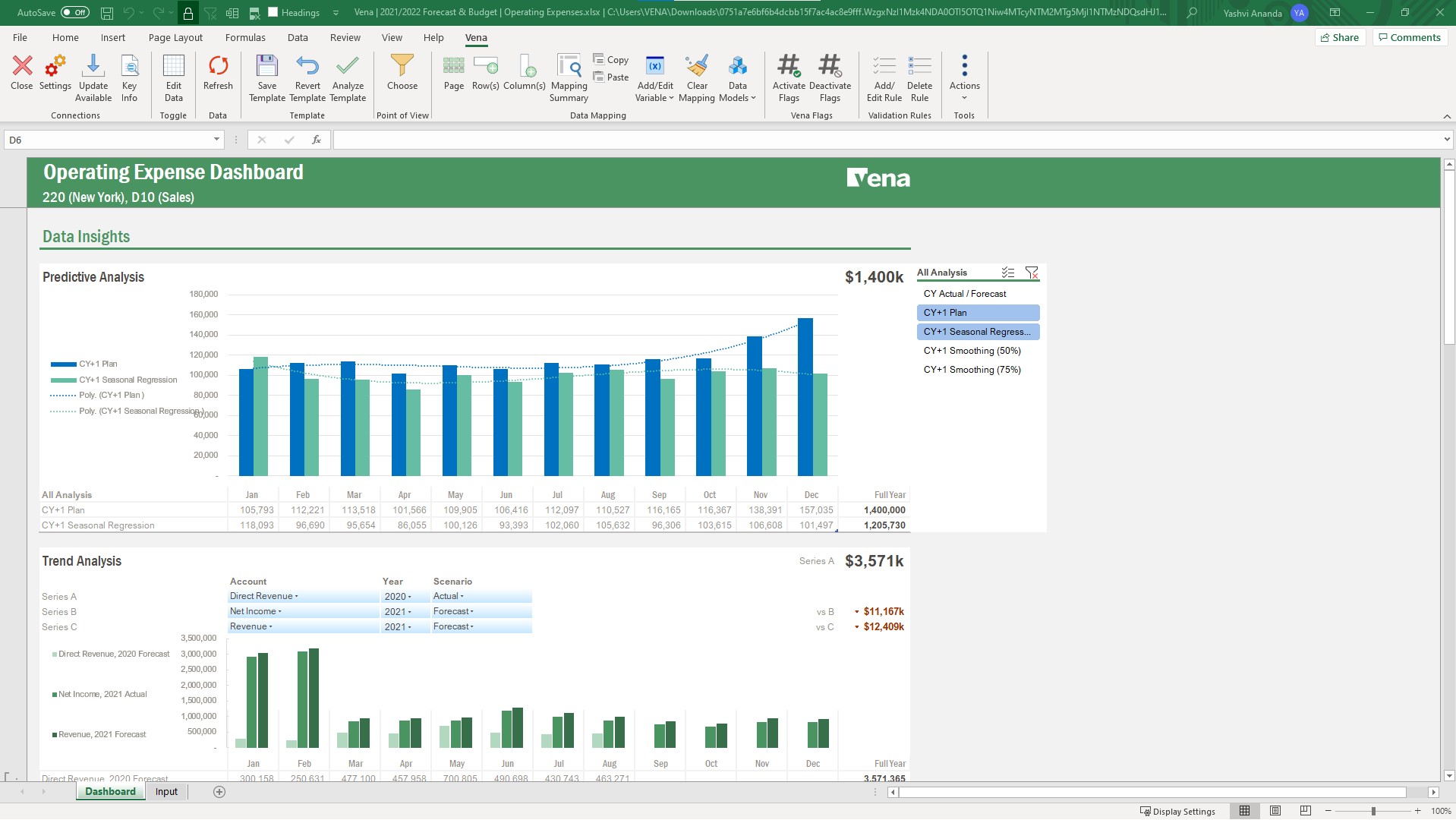
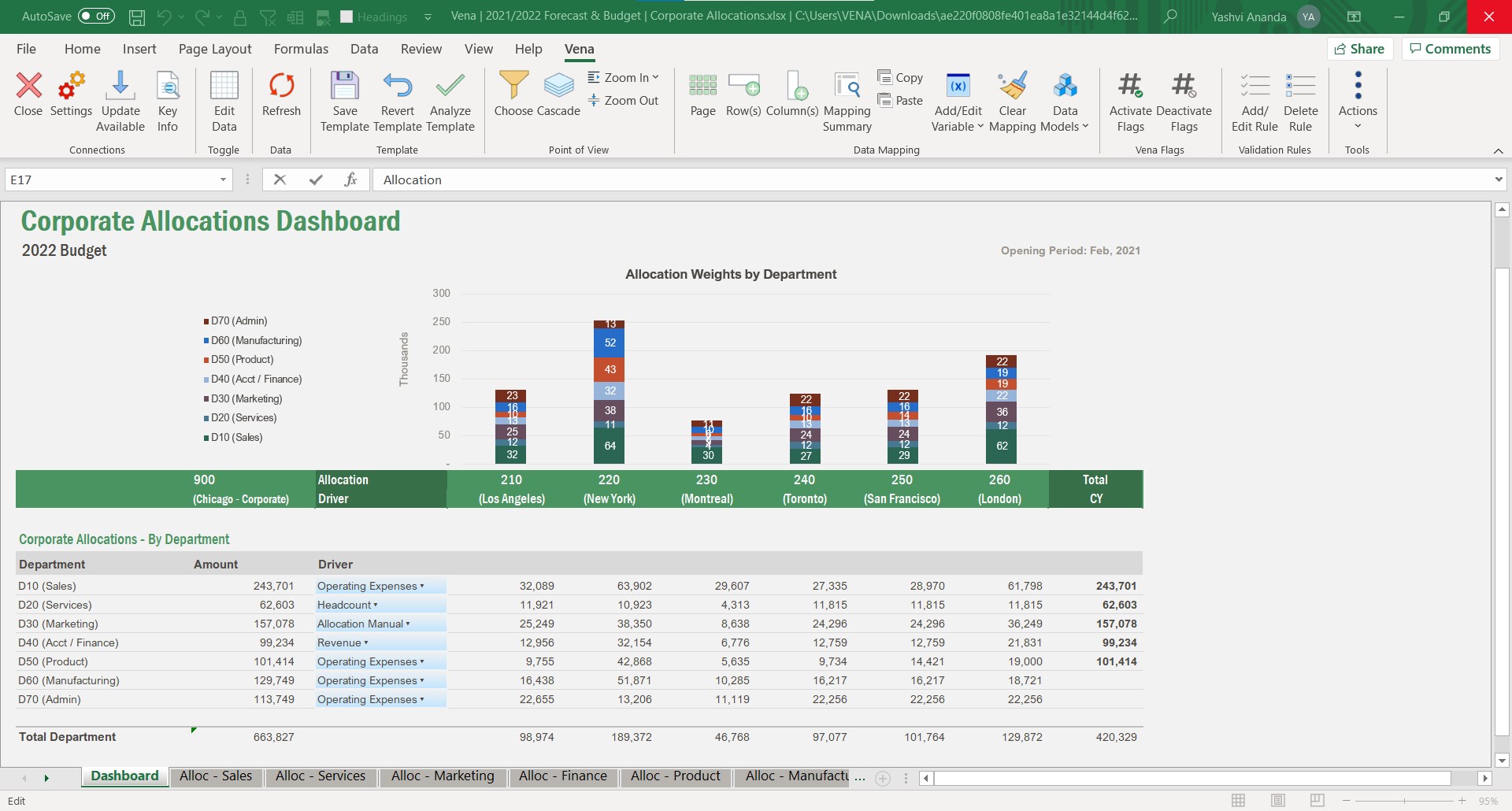
Vena suited to our environment because we do have so many different budget owners that are in so many different places in our organization and for them to all be able to go onto the software and bring it down in two native Excel where they are all used to work in Excel and putting in the line items and pieces that go with their budget is super helpful a scenario where it might not be as helpful is when we are bringing people on and trying to teach them how to report and map because we struggle with that so much ourselves that it is a difficult situation to try to get people to understand things that we’re you know may be struggling to understand ourselves.
works well with other systems. We were able to collect data from another time system, Avaya phone systems and even a point of sale system with not a lot of difficulty.
They know their product and integration points. They were able to troubleshoot problems with hardware time collection devices quite quickly. We found the devices they sold to be quite durable.
Out of the box they have more reports than I would have anticipated. Creating new reports was sometimes a task if it was complex but there were usually similar reports you could use as a starter template
Have another license between power user and contributor that allows building reports that aren't ad hoc, but don't have all the admin rights of a power user.
Have a session on best in class Workforce Planning prior to implementation.
After spending close to 5 years to decide on which payroll product to acquire for our University, I cannot image we would switch now that we have it in use.
Vena has become an integral part of finance and our daily process. Without it we would take longer to prepare results and decisions will be delayed. Vena has given the whole organization more visibility of results and budgets so that all departments participate more actively in managing their budgets rather than it being the sole responsibility of finance.
I would rate Vena's overall usability as an 8 out of 10. Vena offers a user-friendly interface, especially for those familiar with Excel, making it relatively easy to use. Most features are intuitive. However, some advanced functionalities may require more training or time to master, so it's not a perfect score. Overall, Vena provides a solid user experience that supports efficient financial planning.
Vena is seemingly always available. They plan maintenance windows well in advance and always off hours (typically over a weekend) and communicate clearly throughout maintenance about what will be affected. Over 5 years of using the product, I can only remember one time when the platform was unavailable (I believe due to an underlying server hosting issue from their provider), and they resolved the issue and had everything up and running again within 8 hours.
The performance is dependent on how much data and calculations are involved and how complex the security settings are. A simple template or report loads in seconds. A complex template or report can take a while. If there are many users with complex security settings, that will be a factor in the load time.
They are very quick to respond when you submit a ticket and typically fix issues quickly as well. I only didn't give this a 10 because there is still an open issue with our Salesforce connection that we've been waiting on now for a few months.
This is the best way to learn and buy-in. The in person effect gives students both a hands on approach but an instruction to be there to customize assistance and understanding. In person also builds greater buy in with your future team on creators. However if your audience is better at on line learning this is another good option.
The training was structured as a group training to learn the basics of creating a data model and mapping a template. While we had nearly 10 participants, I was the only actual implementer so we probably didn't actually need the training and could have just learned the initial skills from the implementation consultant. Two years later, when we hired a new team member, they completed several modules in Vena Academy (a self paced learning course) which allowed them to get up to speed on the basics with just a bit of supplemental guidance from me as our existing admin.
The Vena consultant had great knowledge of both the Vena solution and Excel and Excel functions. He was able to help suggest ways to build our templates that met our requirements using Excel functions we had not previously considered using. And we have been able to use the Excel information he provided in other ways outside of Vena. He was very patient and flexible as we learned the Vena tool and created templates
EmpCenter is a new software to the company however, I only trained on the old software for a few months before EmpCenter was introduced. I think EmpCenter has a smoother data entry process and can run more in depth reports, but since this is the system I know best I cannot accurately compare it to previous software.
Vena is Excel-based, which is what our users wanted. Pigment was web-based, like Adaptive, but our users did not fully trust or adopt it. Adoption drives success for any software. Amy's software, which is not adopted, has a negative ROI by definition. Vena was the right choice for us.
Vena solutios is a software that provides robust tools that help different departments in their statistics and we can visualize a lot of promising and visually attractive data. Vena Solutions' level of scalability is high and sustainable over time thanks to the fabulous technical support that is ready to help us at all times
EmpCenter has reduced the amount of time administrators are spending on payroll. Certainly it has made our entry to our pay system more efficient since we can simply load the data from the time keeping system and we are not collecting actual physical signatures and paper timesheets that must be reviewed for accuracy and completeness. The system does this for us and some automatic calculating of certain pay due that we were hand adding. However the feedback I am getting is that the supervisors feel their work has been increased greatly. They are spending more time correcting and approving time. Essentially the work we were doing in our central offices to review and correct time the supervisor must now do as they approve the time. We have now asked them to be more responsible for proper reporting and use which requires they know more about the rules and many different aspects of pay than they had before. We have employees who are union represented and get some benefits from the contract others do not receive, contract employees who have certain pay aspects in their contracts that must be known, as well as temporary employees and students who get very different pay from the other employees. While some things have been programmed for the system to know and handle, some things must be added to the time sheet to pay properly or the way time is reported is different (some clock out for lunch some don't) supervisors must now know these differences while that used to be a role that was more mine as an administrator. Now I just help them and audit and review.
Automated monthly financial statements saves us 3 hours a month.
Moving reporting away from IT has begun to save hours of IT involvement, which will only grow as we shift more reports to Vena. This frees up IT to work on more important IT initiatives.
Using budget templates saved hours of copy and paste time when gathering inputs from each department.