Alloy Navigator vs. Microsoft System Center Service Manager

Overview
ProductRatingMost Used ByProduct SummaryStarting Price
Alloy Navigator
Score 2.5 out of 10
N/A
Alloy Navigator is an IT Service and Asset Management solution featuring a workflow process automation engine fortified by an intelligent interface that automatically creates meaningful relationships between the data that matters. Alloy Navigator is designed for small, medium and enterprise businesses, and covers several IT disciplines ranging from Help Desk, Inventory and Knowledge Base Management to ITIL-driven standards such as Change & Configuration…
$19
per month per tech
Microsoft System Center Service Manager
Score 8.7 out of 10
N/A
Microsoft System Center Service Manager is an integrated platform that is designed for automating and adapting IT Service Management best practices to an organization’s requirements. The platform includes built-in processes for incident and problem resolution, change control and asset lifecycle management.N/A
Pricing
Alloy NavigatorMicrosoft System Center Service Manager
Editions & Modules
ALLOY NAVIGATOR EXPLORER
$19
per month per tech
ALLOY NAVIGATOR EXPRESS
$49
per month per tech
ALLOY NAVIGATOR ENTERPRISE
$79
per month per tech
No answers on this topic
Offerings
Pricing Offerings
Alloy NavigatorMicrosoft System Center Service Manager
Free Trial
YesNo
Free/Freemium Version
NoNo
Premium Consulting/Integration Services
YesNo
Entry-level Setup FeeRequiredNo setup fee
Additional DetailsPricing is solely based on the number of technicians supporting your end users and computers that require auditing. There are no other licenses required.
More Pricing Information
Community Pulse
Alloy NavigatorMicrosoft System Center Service Manager
Features
Alloy NavigatorMicrosoft System Center Service Manager
Incident and problem management
Comparison of Incident and problem management features of Product A and Product B
Alloy Navigator
-
Ratings
Microsoft System Center Service Manager
9.7
8 Ratings
16% above category average
Organize and prioritize service tickets00 Ratings10.05 Ratings
Expert directory00 Ratings10.04 Ratings
Service restoration00 Ratings9.05 Ratings
Self-service tools00 Ratings9.06 Ratings
Subscription-based notifications00 Ratings10.05 Ratings
ITSM collaboration and documentation00 Ratings10.07 Ratings
ITSM reports and dashboards00 Ratings10.07 Ratings
ITSM asset management
Comparison of ITSM asset management features of Product A and Product B
Alloy Navigator
-
Ratings
Microsoft System Center Service Manager
9.7
8 Ratings
16% above category average
Configuration mangement00 Ratings10.07 Ratings
Asset management dashboard00 Ratings9.08 Ratings
Policy and contract enforcement00 Ratings10.06 Ratings
Change management
Comparison of Change management features of Product A and Product B
Alloy Navigator
-
Ratings
Microsoft System Center Service Manager
9.7
7 Ratings
12% above category average
Change requests repository00 Ratings9.07 Ratings
Change calendar00 Ratings10.06 Ratings
Service-level management00 Ratings10.06 Ratings
Best Alternatives
Alloy NavigatorMicrosoft System Center Service Manager
Small Businesses
Agiloft Service Desk (discontinued)
Score 9.0 out of 10
Agiloft Service Desk (discontinued)
Score 9.0 out of 10
Medium-sized Companies
Agiloft Service Desk (discontinued)
Score 9.0 out of 10
Agiloft Service Desk (discontinued)
Score 9.0 out of 10
Enterprises
ManageEngine ServiceDesk Plus
Score 9.2 out of 10
ManageEngine ServiceDesk Plus
Score 9.2 out of 10
All AlternativesView all alternativesView all alternatives
User Ratings
Alloy NavigatorMicrosoft System Center Service Manager
Likelihood to Recommend
-
(0 ratings)
8.8
(7 ratings)
Support Rating
-
(0 ratings)
8.9
(2 ratings)
User Testimonials
Alloy NavigatorMicrosoft System Center Service Manager
Likelihood to Recommend
Alloy Software
No answers on this topic
Microsoft
We use Microsoft System Center Service Manager in the education sector. We believe this is the only real way to manage our IT systems and ensure compliance for not only today but tomorrow as well (what ever that brings!) Our IT management team significantly streamlined our working practices to mold a slick IT support service which serves our end users efficiently. Microsoft System Center Service Manager brought added automation and clarity for all major stakeholders in our organization through detailed reporting and scheduling, ensuring a complete realtime picture of the IT estate.
Read full review
Pros
Alloy Software
No answers on this topic
Microsoft
  • This tool is used to track support requests among our IT staff.
  • We use this tool to automate some more routine tasks.
Read full review
Cons
Alloy Software
No answers on this topic
Microsoft
  • The software requires a lot of memory to run smoothly, otherwise it will be slow.
  • It takes some time to learn, and training prices are a bit high.
  • The price is a bit high; System Center is not a cheap solution.
Read full review
Usability
Alloy Software
No answers on this topic
Microsoft
As with all software, Microsoft System Center Service Manager has its quirks but it has more than made up for them with the sheer amount of functions the system brings to the table. Being based on the ITIL framework really shows with its design/terminology and, generally, we have found it 'just clicks' with our ITIL trained staff which makes operating our system straightforward and enables us to report to end users and all stakeholders consistently with ease.
Read full review
Support Rating
Alloy Software
No answers on this topic
Microsoft
The customer support service is excellent. They help from start/deployment through to any time later on. They responded quickly and resolved our issues professionally and in no time.
Read full review
Alternatives Considered
Alloy Software
No answers on this topic
Microsoft
I can't really compare them as we haven't used an "all in one" tool like SCCM. There are other patch management software, other remote control applications, and to be honest, I find those work better when compared to SCCM. However, there hasn't been an application yet that does it all, so I feel it's unfair to compare. All of these tools that SCCM offers could/should be fine-tuned and made to be a bit more user-friendly.
Read full review
Return on Investment
Alloy Software
No answers on this topic
Microsoft
  • The tool has saved money in a transition from another 3rd party tool
  • It simplifies the ease of use for users. This is similar to other Microsoft tools
  • We are able to provide reports of system performance when questions arise about availability.
Read full review
ScreenShots

Alloy Navigator Screenshots

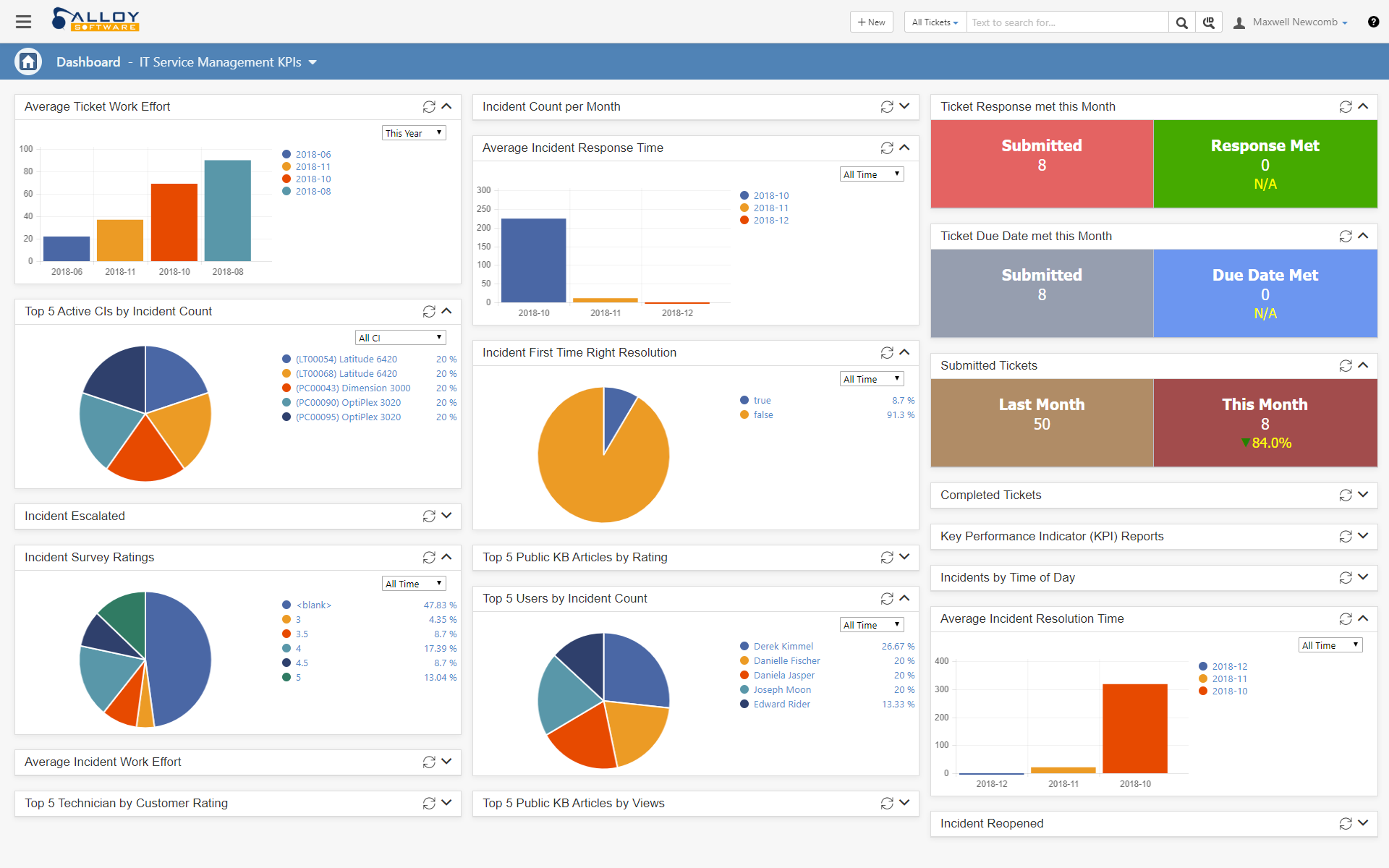
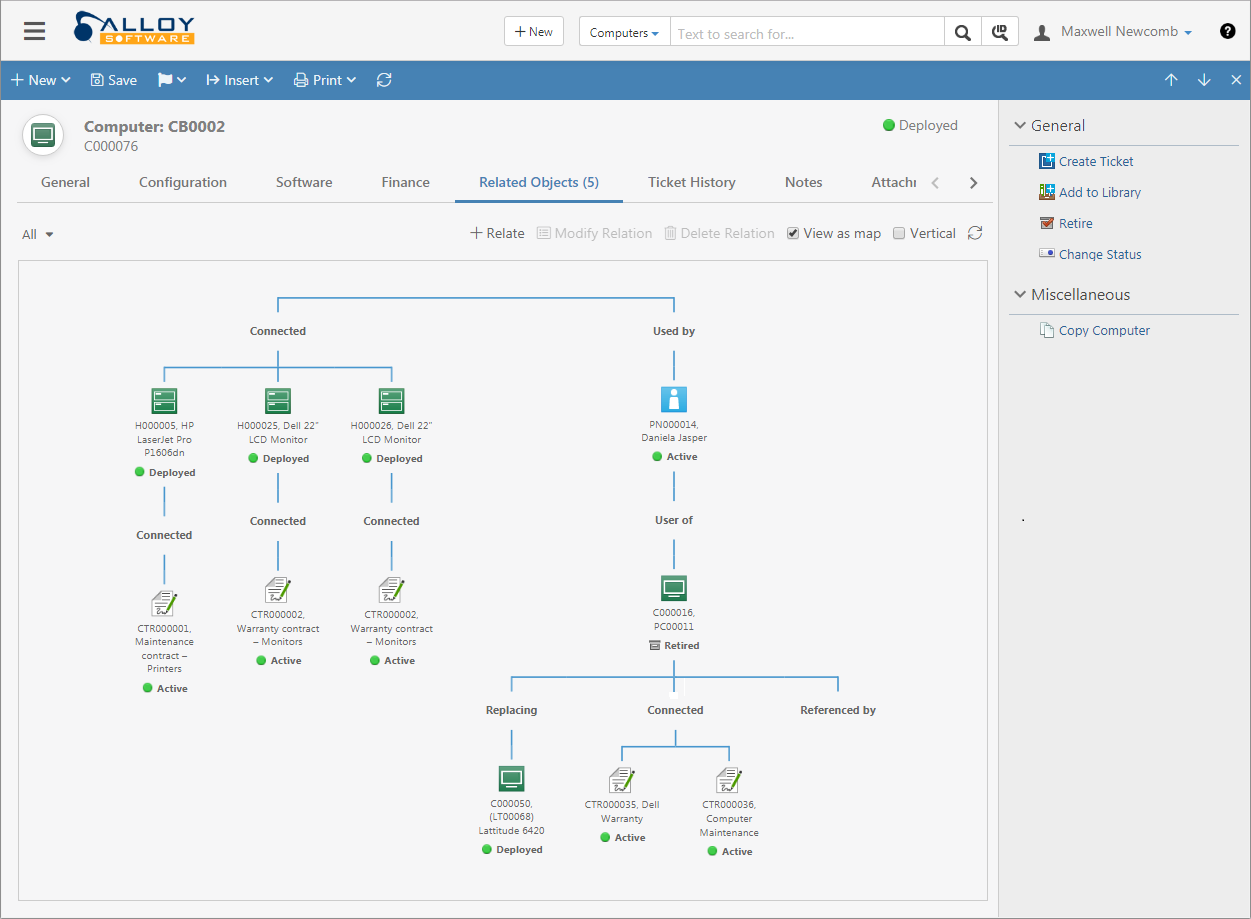
Screenshot of Real-Time AnalyticsScreenshot of Graphical RelationshipsScreenshot of Seamless CommunicationScreenshot of Vibrant KnowledgeScreenshot of Self-Service Portal