Anaconda vs. GoodData.AI

Overview
ProductRatingMost Used ByProduct SummaryStarting Price
Anaconda
Score 8.7 out of 10
N/A
Anaconda is an enterprise Python platform that provides access to open-source Python and R packages used in AI, data science, and machine learning. These enterprise-grade solutions are used by corporate, research, and academic institutions for competitive advantage and research.
$0
per month
GoodData.AI
Score 8.8 out of 10
N/A
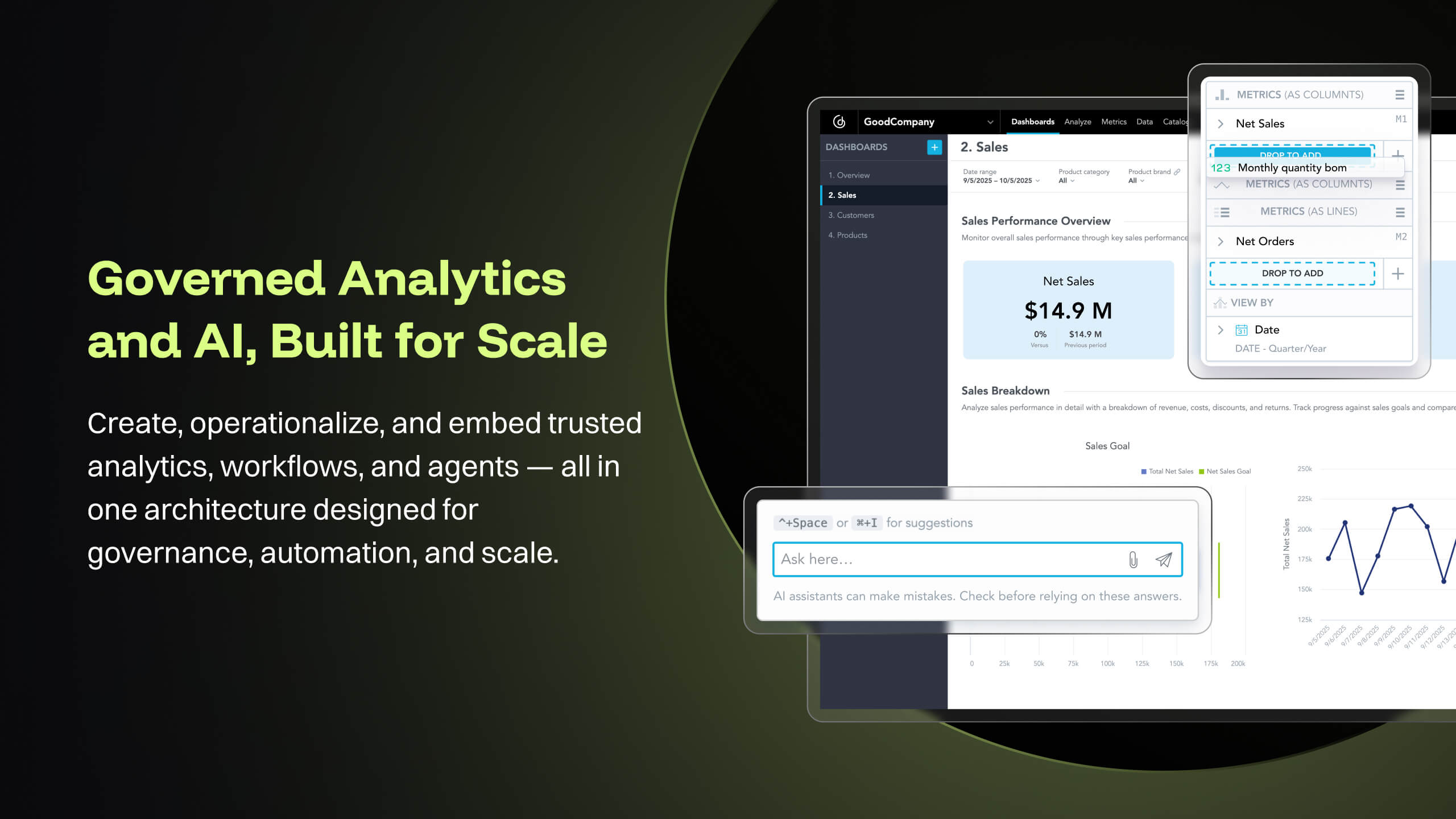
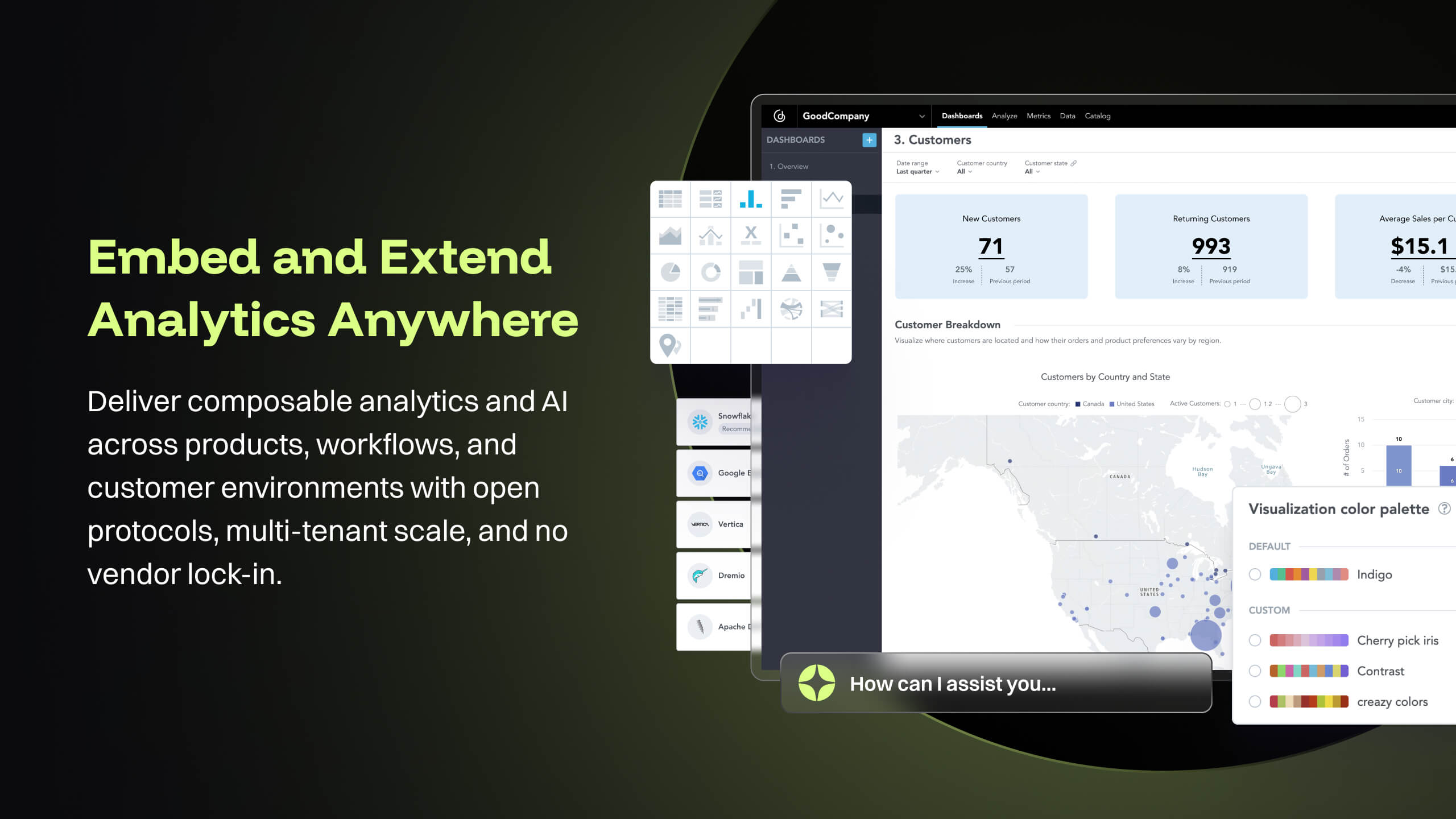
GoodData is an analytics platform used by organizations to deliver real-time, governed insights, embedded into products, customized for users, and integrated into any data environment.N/A
Pricing
AnacondaGoodData.AI
Editions & Modules
Free Tier
$0
per month
Starter Tier
$15
per month per user
Business
$50
per month per user
Custom
Contact Sales
No answers on this topic
Offerings
Pricing Offerings
AnacondaGoodData.AI
Free Trial
NoYes
Free/Freemium Version
YesNo
Premium Consulting/Integration Services
NoNo
Entry-level Setup FeeNo setup feeOptional
Additional DetailsUsers within organizations with 200+ employees/contractors (including Affiliates) require a paid Business license. Academic and non-profit research institutions may qualify for exemptions.
More Pricing Information
Community Pulse
AnacondaGoodData.AI
Considered Both Products
Anaconda
Chose Anaconda
I am using both; when it comes to application deployment on the server, I use Docker, and sometimes, I use Docker with conda image for deployment when it comes to ML/DL apps.
Chose Anaconda
There are several reasons why Anaconda is better to use for me including that it is much easier to use than Baycharm. Also, the user interface is not as complicated as that of Baycharm. Even Anaconda does not slow down my device, using PaySharm slowed down my device in an …
Chose Anaconda
It provides several IDEs like Spyder and Jupiter that would be enough for me to write my Python script. You can easily install it on a Windows or Linux computer and supports many libraries.
Chose Anaconda
In Anaconda, [it is easy] to find and install the required libraries. Here, we can work on multiple projects with different sets of the environment. [It is] easy to create the notebook for developing the ML model and deployment. Right now, it is the best data science version …
Chose Anaconda
I have used many other tools for coding purposes.
But for python programming, the best fit tool is Anaconda.
Memory management is best in Anaconda.
Chose Anaconda
One of the main competitors to Anaconda can be Google products such as Colab. Colab gives you the flexibility to handle large datasets gives it an edge over Anaconda. But again, the ease of access and usability of Anaconda stacks up against Colab. Besides, Anaconda relies more …
Chose Anaconda
It is almost dishonest to compare Anaconda with PyCharm as they do different things in their basic forms unless you spend a lot of time configuring plugins on your PyCharm environment. Anaconda has a lot of things ready and you just need to install your libs and dependencies.
Chose Anaconda
This is an open source tool and used very easily. All the notebooks are under one navigator solved the whole problem.
Chose Anaconda
Anaconda has features which overpowers it over the other analytical tools I have used. Also it provides multiple ways to reach to the solution, depending on the developers expertise. When I was a beginner at using Anaconda, since it is open source and the community using …
Chose Anaconda
Free ware, better design ease of use
Chose Anaconda
On top of all the software that I have used, Anaconda is the best because in Anaconda we have built-in packages that provide no headache to install packages and we can design a separate environment for different projects. Anaconda has versions made for special use cases. …
Chose Anaconda
Some analyzed tools, such as Pycharm and Spyder, are simpler to use but still do not have all the libraries needed for those starting out in data science--or in institutions that need to grow in that direction. Anaconda is more robust but stable, more complete, and the …
Chose Anaconda
If the project is not large scale then Jupiter notebooks or Visual Studio Code serve well. If you don't have any dependency on Python versions, these IDEs can be well suited for fast development and deployment.
Chose Anaconda
Anaconda includes many standard data science packages where as the regular python installation does not.
Depending on use case, some may feel Anaconda may be "bloated"
For ease Anaconda is better, for minimizing extraneous package installation, the regular python installer is …
Chose Anaconda
I know that Pycharm is a IDE and Anaconda is a distribution. However I use Anaconda largely due to Jupyter Notebook, which more or less does the same job as Pycharm. 1 year ago I decided to use Anaconda (Jupiyer Notebook) as it is easier to use it as a beginner(at least my …
Chose Anaconda
Anaconda has 64-bit support in the community edition, and package management is more in line with the way we think.
Chose Anaconda
I have not used another program like Anaconda before.
Chose Anaconda
MATLAB is more of a pay-as-you-go alternative, which not only does not use Python but is also more bloated and costly. MATLAB takes longer to install, setup, and configure for new users who may require specific packages - such as the Classification Learner (machine learning), …
Chose Anaconda
Compare Anaconda to Unix coding system. You can use PIP to install and create requirement.txt to replace environment.yml to avoid using Anaconda. However, Anaconda is such an excellent tool to maintain your environment and check the version of your package and update the …
Chose Anaconda
Anaconda is very strong in the environment and version control that make data science work much easier. The only thing that might be comparable to Anaconda would be using Kubernetes to control Docker. Another potential improvement would be replacing spyder with PyCharm and Atom …
Chose Anaconda
I like SpyDER, which comes with Anaconda better for its intuitive layout and variable explorer options.
Chose Anaconda
Anaconda gives freedom to do anything with its packages, compared to other non-programming language-based softwares. It is almost possible to do anything with Anaconda. Anaconda brings ease of integrity because it is possible to integrate anything with a Python Py script, …
Chose Anaconda
Suitable for Python development where there’s internal supporting for Python; otherwise, other platform offers similar capabilities with lower cost.
Chose Anaconda
I prefer Anaconda due to the control I have at every level over the data and the visualizations. Power BI does a better job at guessing what graphics to use, but these usually aren't the most helpful. Anaconda and the slew of Python extensions that add incredible functionality, …
Chose Anaconda
Other systems might be easier to set-up but Anaconda is a fairly flexible analytics toolkit. It can be configured in a way that truly matches the way in which your business or analytics department works. Built on top of lots of open source projects so things aren't siloed and …
GoodData.AI
Chose GoodData.AI
We did our investigation years ago and I wasn't the one leading it but what I do remember was that GoodData had the best balance of price compared to infrastructure demand while not compromising on the power of available features around insight and dashboarding
Chose GoodData.AI
GoodData has good cost to value ratio but we are currently transitioning to another tool that provides more options to visualize the data.
Chose GoodData.AI
Looker, Microsoft Power BI and Copperleaf Enterprise Decision Analytics
Chose GoodData.AI
GoodData is easier to understand and designed to detail critical data within a dashboard system. Visualization is essential, and the filters are quite varied. Metrics are also easy to use, so users only need to think a little more carefully about setting up the SQL required for …
Chose GoodData.AI
We evaluated several business intelligence and analytics platforms, including Tableau, Power BI, before selecting GoodData.
Chose GoodData.AI
Embedding flexibility was the main reason we chose GoodData. Interactivity, customization options, and programmatic ability were all very important to us and GoodData's embedding via React SDK offers exactly that. Implementation time was 50% shorter with GoodData than with …
Chose GoodData.AI
GoodData seems less user friendly and doesn't provide that many visualization options so we are slowly moving to other solution in part of the company. There are still teams that plan to continue with GoodData and use React code in orther to supply missing functions.
Chose GoodData.AI
I was not a part of the process to choose GoodData. From other teammates: the ability to really control the look of pixel perfect dashboards was important.
Chose GoodData.AI
GoodData is much more customisable in our case so we choose this. Also when it comes to pricing part GoodData is the best economically as well and in terms of features and functionalities. As compared to others similar products I believe that GoodData is much more reliable with …
Chose GoodData.AI
GoodData is much more focused on our use case of embedding into an existing web product, and their licensing was far more suitable for this.
Chose GoodData.AI
GoodData has been proven best for us as it has given the most accurate analytical insights on our data. I've used other tools too but no one has been this good in terms of reporting, handling data, decision making.
Using GoodData for almost every organisational decision and …
Chose GoodData.AI
GoodData comparing to other platform is very easy to use, customer support and on-boarding support. Set of features, speed of integration in our platform. Also great benefit for us was very competetive pricing.
Chose GoodData.AI
All of the tools have their plusses and minuses. The one thing that stands out with Qlik is that it allows for two-way API integrations with Salesforce. This means that analytics reporting results can interact with the Salesforce application.
Chose GoodData.AI
The primary reasons GoodData was selected was data modeling capability, ability to standardize complex metrics, quality of viaualization and multi-tenancy
Chose GoodData.AI
GoodData has been cost effective and flexible.
Chose GoodData.AI
GoodData cloud has been on an upward trend in terms of speed of improvements and new features. It is easier to maintain and mange than most other products in terms of the behind the scenes updates etc however the hosted nature of the dashboards does reduce the flexibility to …
Chose GoodData.AI
GoodData provides the largest amount of OOB features that meet our end-user needs. It means a lot that we don't need to perform development on our own. At some point, it may make sense to take items in house, but its hte best current fit.
Chose GoodData.AI
N\A, I wasn't the one comparing the possibilities between the different products.
Chose GoodData.AI
Microsoft Power BI, Tableau Cloud and Looker
Chose GoodData.AI
I have used all softwares in my past 10 years of experience. GoodData stands out with its seamless data integration, advanced predictive analytics, and collaborative features. Unlike Tableau and Power BI, GoodData offers scalable solutions with a user-friendly interface for …
Chose GoodData.AI
Choosing between GoodData and other platforms was clear for me as the superiority of GoodData over others due to our needs. GoodData stands out for its awesome dashboards, robust predictive analytics, reports, and analysis. Data integration helps us for business intelligence …
Chose GoodData.AI
Tableau is fantastic for visuals, and Zoho Analytics is user-friendly, but GoodData takes the cake with its seamless integration and powerful analytics. It stacks up well because it's not just about pretty graphs but it's about making data work for you. It's the perfect fit for …
Chose GoodData.AI
GoodData is best among every other platform I used because it's a cloud based platform and way to easy to use. Its robust predictive analytics and unified data view set it way apart. While Power BI and Tableau excel in visualization, GoodData's focus on comprehensive business …
Features
AnacondaGoodData.AI
Platform Connectivity
Comparison of Platform Connectivity features of Product A and Product B
Anaconda
9.3
Ratings
11% above category average
GoodData.AI
-
Ratings
Connect to Multiple Data Sources9.80 Ratings00 Ratings
Extend Existing Data Sources8.00 Ratings00 Ratings
Automatic Data Format Detection9.70 Ratings00 Ratings
MDM Integration9.60 Ratings00 Ratings
Data Exploration
Comparison of Data Exploration features of Product A and Product B
Anaconda
8.5
Ratings
1% above category average
GoodData.AI
-
Ratings
Visualization9.00 Ratings00 Ratings
Interactive Data Analysis8.00 Ratings00 Ratings
Data Preparation
Comparison of Data Preparation features of Product A and Product B
Anaconda
9.0
Ratings
10% above category average
GoodData.AI
-
Ratings
Interactive Data Cleaning and Enrichment8.80 Ratings00 Ratings
Data Transformations8.00 Ratings00 Ratings
Data Encryption9.70 Ratings00 Ratings
Built-in Processors9.60 Ratings00 Ratings
Platform Data Modeling
Comparison of Platform Data Modeling features of Product A and Product B
Anaconda
9.2
Ratings
9% above category average
GoodData.AI
-
Ratings
Multiple Model Development Languages and Tools9.00 Ratings00 Ratings
Automated Machine Learning8.90 Ratings00 Ratings
Single platform for multiple model development10.00 Ratings00 Ratings
Self-Service Model Delivery9.00 Ratings00 Ratings
Model Deployment
Comparison of Model Deployment features of Product A and Product B
Anaconda
9.5
Ratings
11% above category average
GoodData.AI
-
Ratings
Flexible Model Publishing Options10.00 Ratings00 Ratings
Security, Governance, and Cost Controls9.00 Ratings00 Ratings
BI Standard Reporting
Comparison of BI Standard Reporting features of Product A and Product B
Anaconda
-
Ratings
GoodData.AI
8.1
Ratings
12% above category average
Pixel Perfect reports00 Ratings7.90 Ratings
Customizable dashboards00 Ratings8.90 Ratings
Report Formatting Templates00 Ratings7.30 Ratings
Ad-hoc Reporting
Comparison of Ad-hoc Reporting features of Product A and Product B
Anaconda
-
Ratings
GoodData.AI
8.0
Ratings
2% above category average
Drill-down analysis00 Ratings7.70 Ratings
Formatting capabilities00 Ratings7.60 Ratings
Report sharing and collaboration00 Ratings7.90 Ratings
Data Discovery and Visualization
Comparison of Data Discovery and Visualization features of Product A and Product B
Anaconda
-
Ratings
GoodData.AI
7.9
Ratings
2% above category average
Pre-built visualization formats (heatmaps, scatter plots etc.)00 Ratings8.00 Ratings
Location Analytics / Geographic Visualization00 Ratings7.60 Ratings
Predictive Analytics00 Ratings6.60 Ratings
Pattern Recognition and Data Mining00 Ratings9.40 Ratings
Access Control and Security
Comparison of Access Control and Security features of Product A and Product B
Anaconda
-
Ratings
GoodData.AI
8.0
Ratings
5% above category average
Multi-User Support (named login)00 Ratings8.90 Ratings
Role-Based Security Model00 Ratings8.60 Ratings
Multiple Access Permission Levels (Create, Read, Delete)00 Ratings8.00 Ratings
Single Sign-On (SSO)00 Ratings6.60 Ratings
Application Program Interfaces (APIs) / Embedding
Comparison of Application Program Interfaces (APIs) / Embedding features of Product A and Product B
Anaconda
-
Ratings
GoodData.AI
8.3
Ratings
14% above category average
REST API00 Ratings8.40 Ratings
Javascript API00 Ratings8.30 Ratings
iFrames00 Ratings8.30 Ratings
Best Alternatives
AnacondaGoodData.AI
Small Businesses
Jupyter Notebook
Jupyter Notebook
Score 8.6 out of 10
Yellowfin
Yellowfin
Score 8.6 out of 10
Medium-sized Companies
Posit
Posit
Score 10.0 out of 10
Reveal
Reveal
Score 10.0 out of 10
Enterprises
Posit
Posit
Score 10.0 out of 10
Infor Birst
Infor Birst
Score 6.4 out of 10
All AlternativesView all alternativesView all alternatives
User Ratings
AnacondaGoodData.AI
Likelihood to Recommend
10.0
(0 ratings)
9.2
(0 ratings)
Likelihood to Renew
7.0
(0 ratings)
9.0
(0 ratings)
Usability
9.0
(0 ratings)
9.2
(0 ratings)
Availability
-
(0 ratings)
10.0
(0 ratings)
Performance
-
(0 ratings)
10.0
(0 ratings)
Support Rating
8.9
(0 ratings)
10.0
(0 ratings)
In-Person Training
-
(0 ratings)
9.0
(0 ratings)
Online Training
-
(0 ratings)
8.0
(0 ratings)
Implementation Rating
-
(0 ratings)
6.0
(0 ratings)
Configurability
-
(0 ratings)
8.0
(0 ratings)
Ease of integration
-
(0 ratings)
7.2
(0 ratings)
Product Scalability
-
(0 ratings)
10.0
(0 ratings)
Vendor post-sale
-
(0 ratings)
10.0
(0 ratings)
Vendor pre-sale
-
(0 ratings)
8.0
(0 ratings)
User Testimonials
AnacondaGoodData.AI
Likelihood to Recommend
I have asked all my juniors to work with Anaconda and Pycharm only, as this is the best combination for now. Coming to use cases: 1. When you have multiple applications using multiple Python variants, it is a really good tool instead of Venv (I never like it). 2. If you have to work on multiple tools and you are someone who needs to work on data analytics, development, and machine learning, this is good. 3. If you have to work with both R and Python, then also this is a good tool, and it provides support for both.
Read full review
If you have consistently formatted data, that you want regular reports on, plus flexibility to let end users build their own reports, GoodData is perfect. Especially if your end users are less technical. If you want to be able to embed your reporting into your app, GoodData excels, though the start up process can be involved. If your data structure varies, it could be more challenging to integrate. It may also not be worth the integration if you have people who can already run their own SQL queries.
Read full review
Pros
  • Installing packages is very easy with Anaconda. Anaconda comes with 'anaconda navigator', a terminal-like utility from which you can easily install R packages and python libraries.
  • Launching R and python IDEs as well as Jupyter notebooks from anaconda navigator is simple, and Anaconda makes it very easy to keep these packages up-to-date.
  • I really like the fact that if you don't want to install the full version of Anaconda, you can opt to install a lightweight version (called Miniconda) that includes less python libraries and only core conda. I've installed it when I didn't want to take up as much disk space as Anaconda requires, but it works just the same.
Read full review
  • GoodData helps in simplifying complex data into easy-to-understand visuals. We can create personalized dashboards & tailor them as per requirements. This data can be used from an executive level employee to a team lead employee in the business
  • GoodData is a very user friendly platform. The collaborative features simplify sharing and discussing reports among team members which promotes a culture of data-driven decision-making.
  • GoodData connects with various data sources and consolidate information from multiple platforms. This flexibility proves invaluable for businesses dealing with data spread across different systems as they can access large amount of data on a single platform.
Read full review
Cons
  • More graphics need in Spyder book. If you work for couple of years then you will be bored with the graphics.
  • Extra tools are required for making it secure. We uses extra tools for adding Username /Password to Jupyter.
  • R Studio Hangs a lot when open from Anaconda Navigator.
Read full review
  • would be nice to be able to add the same filter to a multi-tab dashboard once instead of having to do it for each tab; tedious and time consuming
  • Variable use is kind of clunky and would like to be able to hide/show easier
  • The newer insight based dashboard method does not have the flexibility classic does
Read full review
Likelihood to Renew
It's really good at data processing, but needs to grow more in publishing in a way that a non-programmer can interact with. It also introduces confusion for programmers that are familiar with normal Python processes which are slightly different in Anaconda such as virtualenvs.
Read full review
Because gooddata really helps us in processing data to make reports or dashboards. So we are very satisfied when we use it. What we like is the flexible use of charts. We change at will the use of charts to display in reports or dashboards. Thank you Gooddata for helping companies like us who need flexibility in usage
Read full review
Usability
I am giving this rating because I have been using this tool since 2017, and I was in college at that time. Initially, I hesitated to use it as I was not very aware of the workings of Python and how difficult it is to manage its dependency from project to project. Anaconda really helped me with that. The first machine-learning model that I deployed on the Live server was with Anaconda only. It was so managed that I only installed libraries from the requirement.txt file, and it started working. There was no need to manually install cuda or tensor flow as it was a very difficult job at that time. Graphical data modeling also provides tools for it, and they can be easily saved to the system and used anywhere.
Read full review
From my experience, overall usability of GoodData platform is great very easy to use, but there is still few features as GoodData platform and interface continuosly evolves, which are not yet available within user interface, but only available via API. For regular users all main and key features and tools are perfect, well defined and very easy to use.
Read full review
Reliability and Availability
No answers on this topic
We are approximately one month since go-live. There has been one short outage.
Read full review
Performance
No answers on this topic
I'm generally impressed with how fast it reflects so much data.
Read full review
Support Rating
Anaconda provides fast support, and a large number of users moderate its online community. This enables any questions you may have to be answered in a timely fashion, regardless of the topic. The fact that it is based in a Python environment only adds to the size of the online community.
Read full review
The fast and comprehensive responses we got from GoodData regarding the doubts we had experienced while starting to use the products and metrics were of great help in ensuring the metrics we were obtaining were accurate to what we wanted to know about our customers' experience and our product areas of opportunity.
Read full review
In-Person Training
No answers on this topic
Petr was a rock star - patient, knowledgeable, clear and easy to work with.
Read full review
Online Training
No answers on this topic
GoodData implementation team was professional and courteous
Read full review
Implementation Rating
No answers on this topic
Implementations are hard and we had limited technical resources. We relied too heavily on GD care team. When we found technical gaps, they weren't simple to overcome
Read full review
Alternatives Considered
One of the main competitors to Anaconda can be Google products such as Colab. Colab gives you the flexibility to handle large datasets gives it an edge over Anaconda. But again, the ease of access and usability of Anaconda stacks up against Colab. Besides, Anaconda relies more on your machine which makes it safe to use.
Read full review
We did our investigation years ago and I wasn't the one leading it but what I do remember was that GoodData had the best balance of price compared to infrastructure demand while not compromising on the power of available features around insight and dashboarding
Read full review
Scalability
No answers on this topic
We now have hundreds of customers on multiple product lines. It's very flexible and we can troubleshoot ourselves.
Read full review
Return on Investment
  • Positive impact - Multiple options for data presenting , visualizing and sharing. (Eg: R-Markdown).
  • Positive impact - Ease of access to build complex machine learning models. (I work in NLP, it has multiple built in models to analyze the various contexts).
  • Positive impact - Conda package let's to deal with external packages which can be used in Jupyter.
Read full review
  • I personally pushed our management to get GoodData implemented, and there on we have been making much more profits than we ever did!
  • Last month we made a decision using the platform and withing a short span of time our ROI gets 7X.
  • We also made a marketing spend of $100,000 every quater using the insights and metrics, and we are really happy with the returs.
Read full review
ScreenShots

GoodData.AI Screenshots

Screenshot of Screenshot of Screenshot of Screenshot of Screenshot of Screenshot of