ApprovalMax
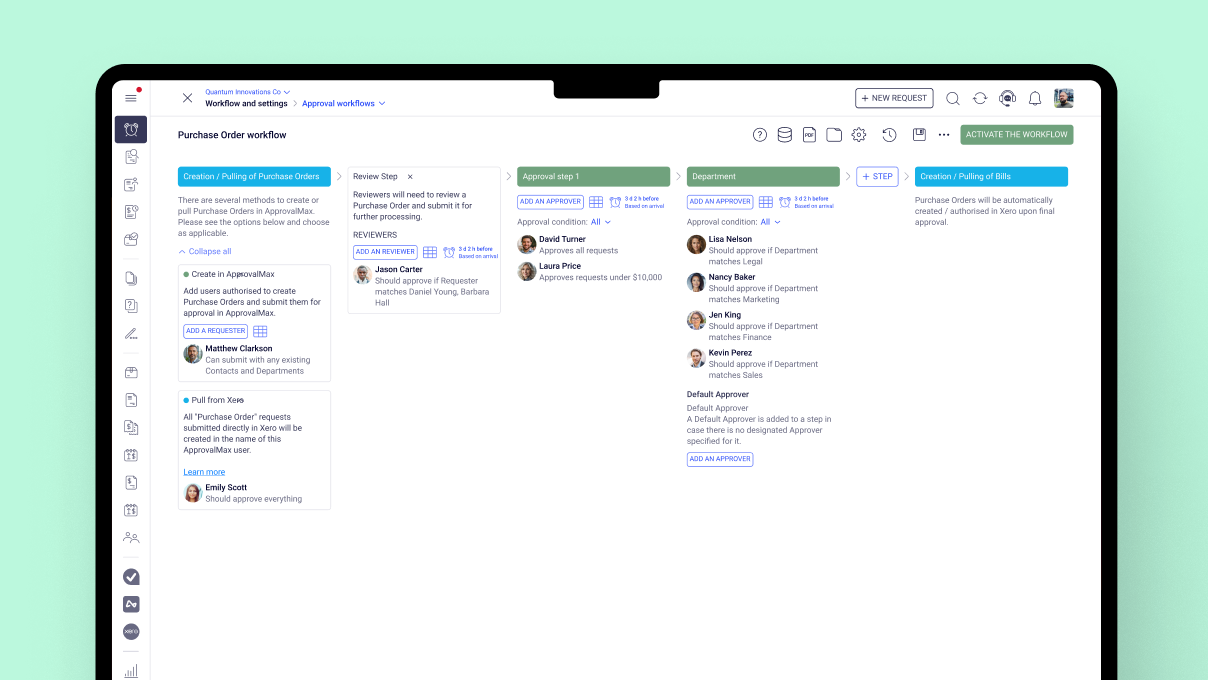
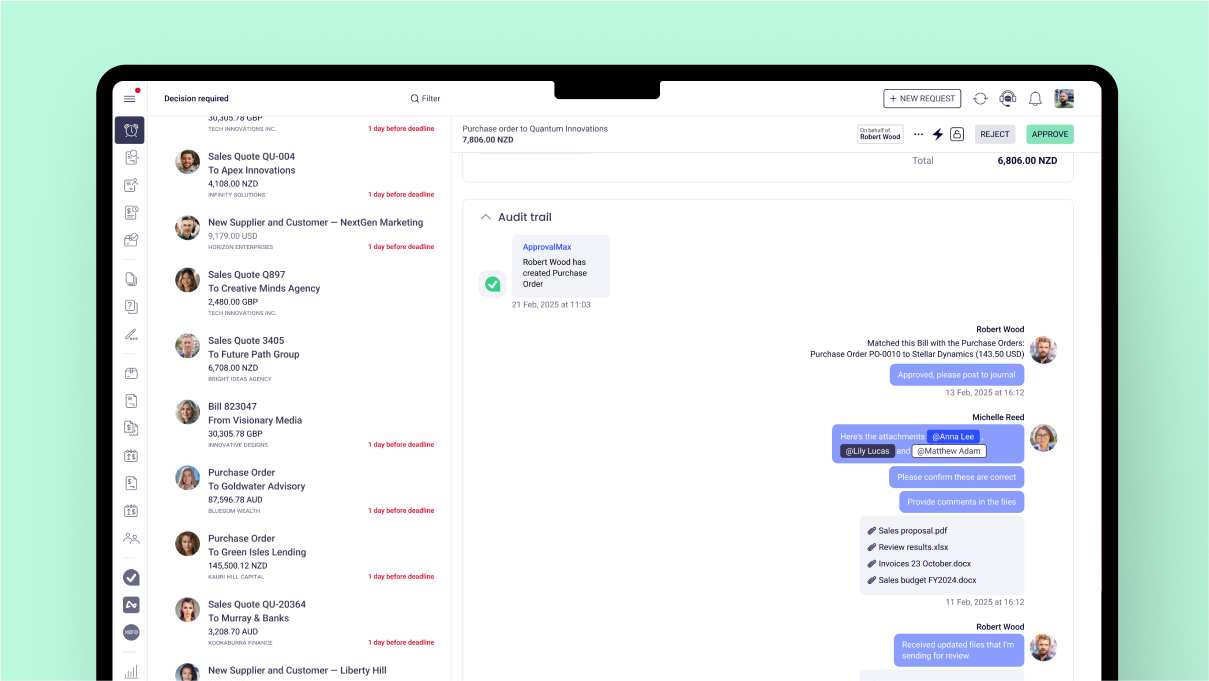
provides approval workflow automation for cloud accounting platforms such as
Xero and QuickBooks Online. It replaces paper- and email-based approval
processes with multi-step and multi-role automated approval workflows that
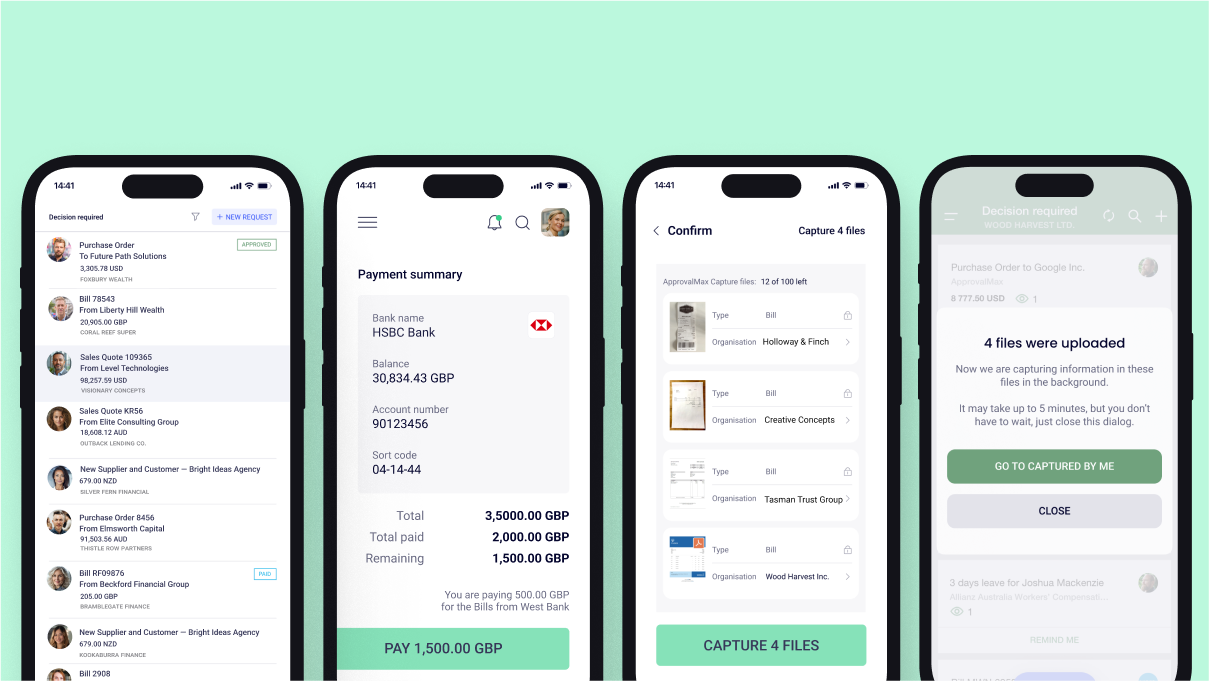
enable automated notifications to approvers, automated audit trails, and mobile
approvals.
Approval
workflows include:
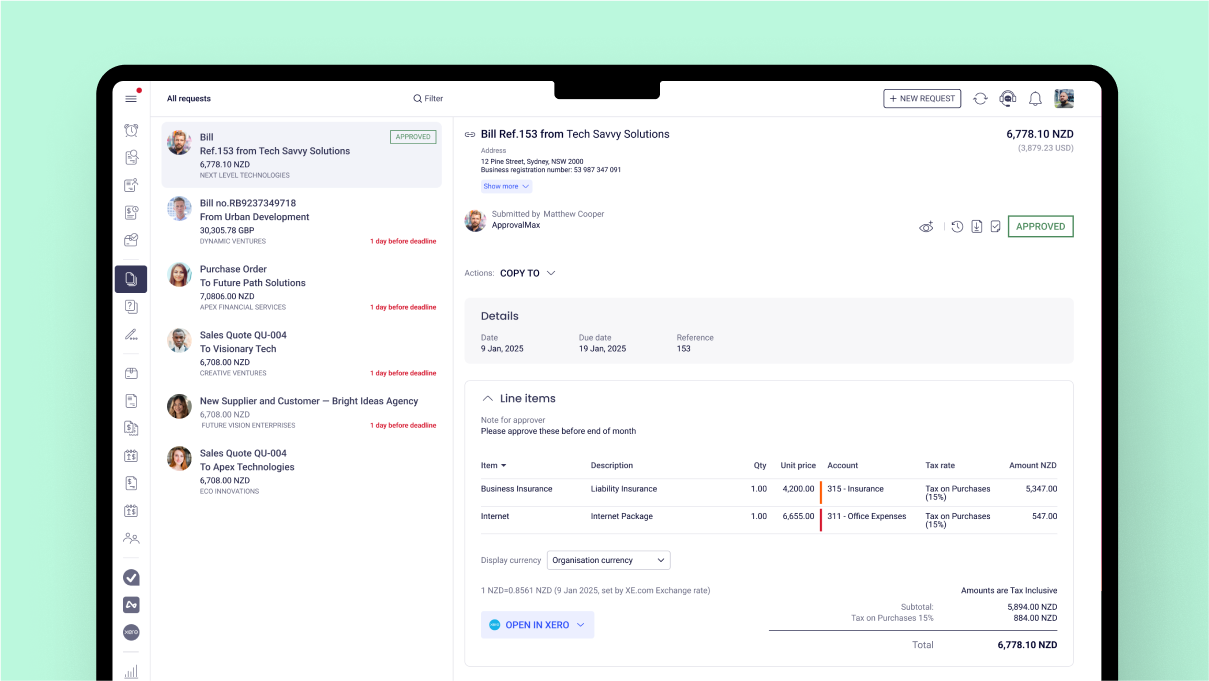
Invoice approvals / bill review and
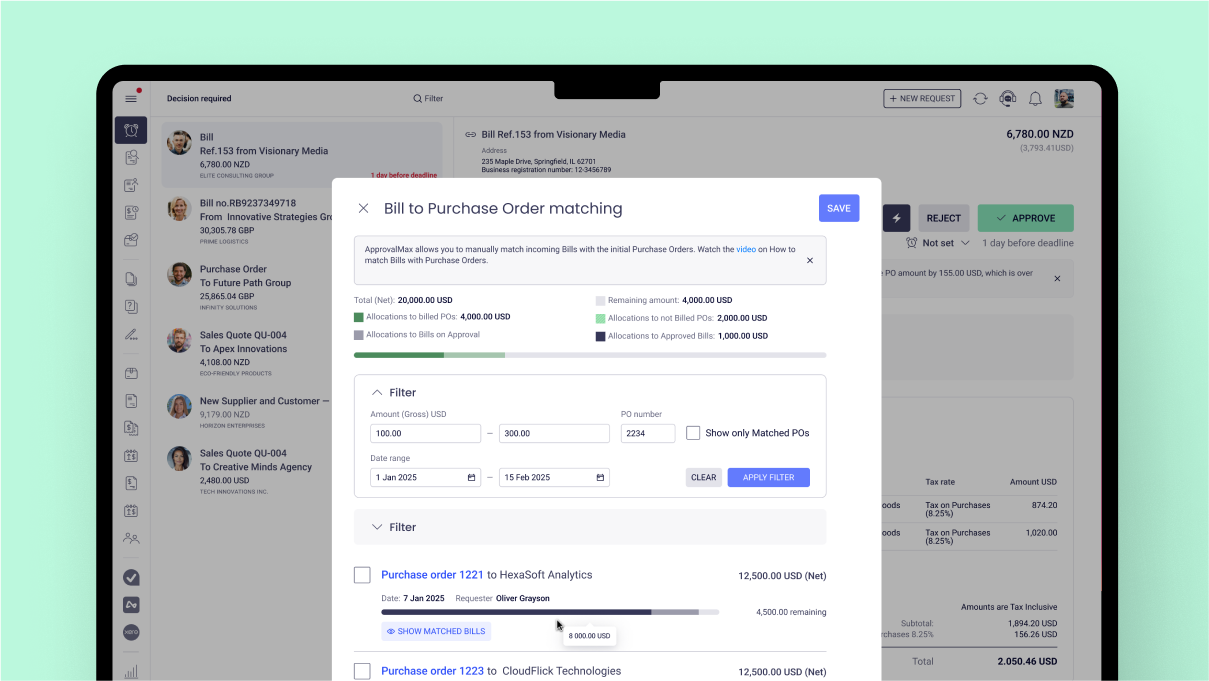
bill approval Purchase order approval, including
the functionality to create…
$54
per month
QuickBooks Desktop Pro
Score7.8 out of 10
N/A
Quickbooks Desktop Pro is accounting software from Intuit, Inc. It includes core accounting features, plus analytics and exportable reports. It is offered in on-premise and SaaS forms.
N/A
Pricing
ApprovalMax
QuickBooks Desktop Pro
Editions & Modules
ApprovalMax Standard
$54
per month per organization
ApprovalMax Advanced
$83
per month per organization
ApprovalMax Premium
$121
per month per organization
No answers on this topic
Offerings
Pricing Offerings
ApprovalMax
QuickBooks Desktop Pro
Free Trial
Yes
No
Free/Freemium Version
No
No
Premium Consulting/Integration Services
Yes
No
Entry-level Setup Fee
Optional
No setup fee
Additional Details
Discount available for annual pricing and for management of multiple organizations.
As mentioned previously - able to send invoice based on amount , program code and division code ,supplier is very useful feature ; If an invoice does not fit into approval process than it is rejected and an email is received mentioning the reason
A de minimis incentive was given to thank the reviewer for their time. The incentive was not used to bias or drive a particular response, nor was the incentive contingent on a positive endorsement. More Info
For a small business, QuickBooks Desktop Pro is great! For a larger, more complex business, another system may be more beneficial. We actually run multiple businesses on QuickBooks Desktop Pro, but all are very small. The help feature is sometimes so beneficial, and sometimes it seems like you just can't get the right answer and need to find a workaround - but this is usually for more complex issues.
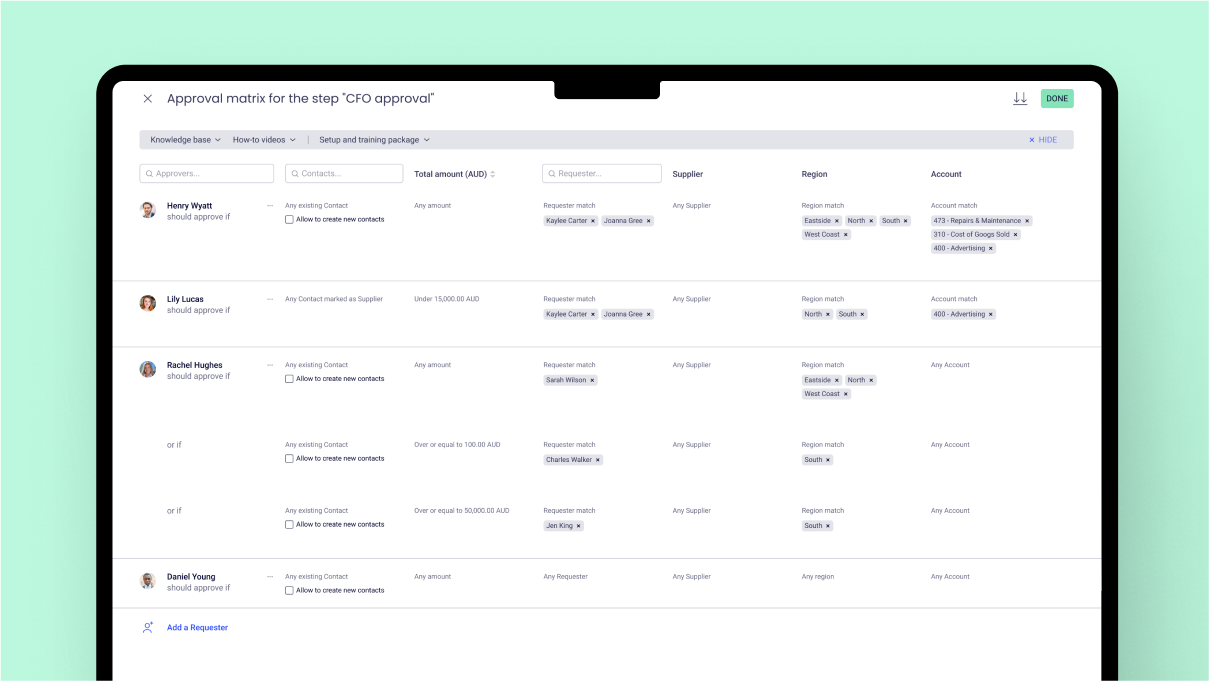
choice based on Program codes / division codes - we use Xero accounting system and we have 22 program codes and 11 divison codes ; once invoice is entered in Xero depending on relevant program code and divison code, Approval max automatically send invoice to relevant person depending on approval workflow process . One manager could be handling multiple divison and program codes; if our approval work flow process is properly designed - it is accurate in sending invoice to relevant manager.
invoice can also send to various managers based on General ledger codes ; this flexibility makes useful when manager is handling only certain nature of expenses regardless of program codes / divisionl.
Approval process can also be designed based on level of amount ; and level of amount is derived from our Delegation policy. it makes audit of application of delegation policy easy ; we give copy of delegation policy and print of approval work flow process to auditor.
A de minimis incentive was given to thank the reviewer for their time. The incentive was not used to bias or drive a particular response, nor was the incentive contingent on a positive endorsement. More Info
A de minimis incentive was given to thank the reviewer for their time. The incentive was not used to bias or drive a particular response, nor was the incentive contingent on a positive endorsement. More Info
date and time of change in approval process ; for example if Mr. A was responsible for all expenses above $1000 in Oct 23 and from Nov 23 it is changed to $5000 . in Dec 23 if it is checked - it will show approval limit of $5000 ; but will not show from which date limit was changed. Auditor always asks this question when the limit was changed in approval max - we cannot prove it.
If there is audit trail of who made the changes , when and what changes were made ; will be good.
when we are in main page of seeing invoices awaiting approval - there are hundreds of invoices - searching for one invoice from particular supplier is very cumbersome job - we have to go by each and every invoice in order to find that invoice ; it will be good if we have search function on main page itself ; in current scenario we have to go to report section - input all filters and than search for that particular invoice.
A de minimis incentive was given to thank the reviewer for their time. The incentive was not used to bias or drive a particular response, nor was the incentive contingent on a positive endorsement. More Info
QuickBooks Desktop Pro has been around for a few years and after an update[,] they force you to look at the changes/updates before you can use [them] after updating.
QuickBooks Desktop Pro does not have 2FA.
QuickBooks Desktop Pro should offer a way to store backups to a personal cloud without having to map a local network drive.
A de minimis incentive was given to thank the reviewer for their time. The incentive was not used to bias or drive a particular response, nor was the incentive contingent on a positive endorsement. More Info
I'd love to keep using it, and do intend to - though we've not been pleased with price increases over the past several years. In fact, we used to subscribe to the payroll service, but QuickBooks priced themselves out of reach for us, so we discontinued that. Currently, pricing would be the primary reason for NOT renewing, if we didn't.
A de minimis incentive was given to thank the reviewer for their time. The incentive was not used to bias or drive a particular response, nor was the incentive contingent on a positive endorsement. More Info
The set up was quite easy. I took some online training causes, and figured our the rest pretty quickly. The only issue I had during the implementation process was it was very hard to change some of the GL Account name to reflect the needs of a non-profit organization, such as Net Assets. At the end I had to scratch what I did, and used the existing formats that the third-party bookkeeping firm shared. Everything else is simple and easy to manage and implement.
A de minimis incentive was given to thank the reviewer for their time. The incentive was not used to bias or drive a particular response, nor was the incentive contingent on a positive endorsement. More Info
A de minimis incentive was given to thank the reviewer for their time. The incentive was not used to bias or drive a particular response, nor was the incentive contingent on a positive endorsement. More Info
They are awful. Intuit doesn't spend real money on support. They appear to have typically said, first-level script readers who are sending messages to the senior people for anything even a little bit difficult. Many of them don't speak particularly good English. Considering that they recently doubled (or, if you are paying annually, tripled) their pricing, and touted as one of the benefits that it includes [..] support, it's a real ripoff. However, we have to use the product because it is ubiquitous. I look forward to the day a competitor comes up with something good enough, which has excellent support, that matches all the features QuickBooks Desktop Pro currently has [...] or at least gives us a way to have all the functionality we currently have without excessive sacrifice [...] so that we can switch. I was very satisfied with QuickBooks for many years. This latest [rise] in price, and their sheer gall at touting the benefit of the 100 to 200% increase as being [the] inclusion of support, is what turned me so far against them.
A de minimis incentive was given to thank the reviewer for their time. The incentive was not used to bias or drive a particular response, nor was the incentive contingent on a positive endorsement. More Info
Best thing I ever did was to attend a two day training seminar on QuickBooks, I learned an immense amount in a short time with hands on training by experts. I strongly recommend such training for anyone using any part of the software. It will pay for itself in the first month.
We implemented the software ourselves. The training we received on the software was done by taking a community course teaching us how to use QuickBooks. It allowed me to get started with some basics of how to use the program and have not needed much assistance since completing the course work.
A de minimis incentive was given to thank the reviewer for their time. The incentive was not used to bias or drive a particular response, nor was the incentive contingent on a positive endorsement. More Info
A de minimis incentive was given to thank the reviewer for their time. The incentive was not used to bias or drive a particular response, nor was the incentive contingent on a positive endorsement. More Info
We tried switching from QuickBooks Desktop Pro to QuickBooks Online, but there were a lot of issues and bugs so we ultimately decided to stay with Desktop Pro. Unfortunately, we are losing a lot of Online Banking capabilities on 5/31 as we have an older version of QB, but we plan to stick with Desktop Pro. In terms of invoicing, SaaSOptics beats QuickBooks in almost all aspects as it's all automated and takes seconds to create and send invoices. However, SaaSOptics is not really a full ERP program so it wouldn't serve us as a main bookkeeping software like QB.
A de minimis incentive was given to thank the reviewer for their time. The incentive was not used to bias or drive a particular response, nor was the incentive contingent on a positive endorsement. More Info
It has certainly made a positive impact ; it is definately worth its value ; when we are processing hundreds of invoices every fortnight ; getting approval of invoices in timely manner for all invoices is of paramount importance . as approval max has its own app - approval can be done on mobile phone also ; this is particularly helpful when staff is travelling .
A de minimis incentive was given to thank the reviewer for their time. The incentive was not used to bias or drive a particular response, nor was the incentive contingent on a positive endorsement. More Info
A de minimis incentive was given to thank the reviewer for their time. The incentive was not used to bias or drive a particular response, nor was the incentive contingent on a positive endorsement. More Info