Asana is a web and mobile project management app. With tasks, projects, conversations, and dashboards, Asana lets an entire team know who's doing what by when, enabling workload balancing. Users can also add integrations for GANTT charts, time tracking and more.
$13.49
per month per user
livepro
Score9.1 out of 10
Mid-Size Companies (51-1,000 employees)
livepro headquartered in North Sydney aims to help users provide improved customer service quality and delivery through their simple knowledge management system.
N/A
Pricing
Asana
livepro
Editions & Modules
Starter
$13.49
per month per user
Advanced
$30.49
per month per user
Enterprise
Contact Sales
Personal
Free
No answers on this topic
Offerings
Pricing Offerings
Asana
livepro
Free Trial
Yes
Yes
Free/Freemium Version
Yes
No
Premium Consulting/Integration Services
Yes
Yes
Entry-level Setup Fee
Optional
No setup fee
Additional Details
A discount is offered for annual billing.
Products and plans are priced per user and only when that user accesses knowledge in that monthly period.
The usability of Asana is broad since it's available in a variety of platforms that are widely used nowadays. I think that it would be great for people who are constantly on the move and switching devices, since it has allowed me to work from my phone, too. I also think that Asana has proven itself to handle a large quantity of work
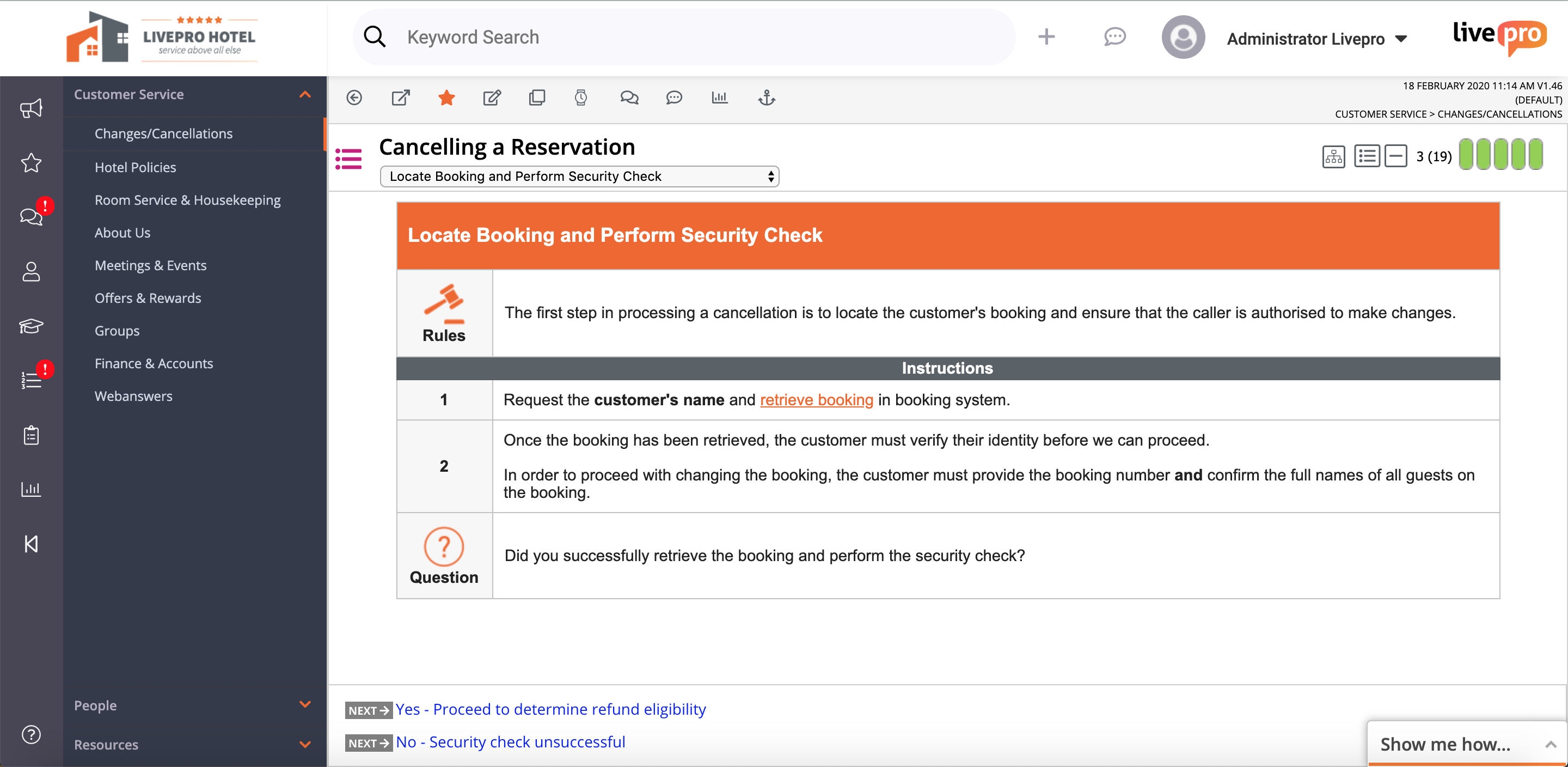
The great thing about livepro is you can structure your content the way that suits your organisation. livepro are there to support you in deciding what may work best for your team, it is not a one size fits all solution. The system allows you to write complex processes in a simplified view so staff can easily navigate to the solution they need. The 'rocket' knowledge object allows your processes that have a lot of variation to be written up in a simple decision tree setup, taking your staff to the right outcome every time.
Through it, we were able to communicate and cooperate with the rest of the team to complete the work in the required manner and at the appropriate time.
Easy to use--livepro is used by our casuals (who have never used the system before) and also our more knowledgeable and experienced staff, all in the same capacity.
Positive and engaging training--before implementing livepro, we had on-the-ground training with the livepro team and they have provided us with ongoing support ever since.
Anything is possible--livepro encourages users to experiment and to create a system that is unique to their organization/department and to always think outside the box.
A de minimis incentive was given to thank the reviewer for their time. The incentive was not used to bias or drive a particular response, nor was the incentive contingent on a positive endorsement. More Info
Feedback module. I'm scratching for things to record in cons here. The feedback module could be improved by having further display options - being able to preview feedback without clicking into it. However, livepro have taken this feedback on board and are already looking at ways to improve.
Admin/roles. The current way to set up the roles/permissions is clunky however this is not a space you need to use often. I'm looking forward to the new and improved version that is being worked on.
A de minimis incentive was given to thank the reviewer for their time. The incentive was not used to bias or drive a particular response, nor was the incentive contingent on a positive endorsement. More Info
It is very user-friendly. Takes a new employee an hour to start figuring out how the system works. That's an important factor. You don't want to encounter the issue where employees need a week to understand how the system works. For example, JIRA, I tried using it for a week and I still don't understand the complicated layout. Asana has a simple interface. Once you see it, you get it type of program.
A de minimis incentive was given to thank the reviewer for their time. The incentive was not used to bias or drive a particular response, nor was the incentive contingent on a positive endorsement. More Info
I haven't had to use their support so I can't rate it. The fact that I haven't needed them reflects the ease of use of the product. I would recommend that any new users schedule a complete demo of the product to ensure that they are using it to it's fullest (there's a lot of useful features).
A de minimis incentive was given to thank the reviewer for their time. The incentive was not used to bias or drive a particular response, nor was the incentive contingent on a positive endorsement. More Info
Asana is a top-tier project management software that helps us organize and track projects from start to finish. It allows us to apply tasks/to-dos to multiple projects without duplication, divide complex projects into smaller tasks, and track project progress. It also helps us organize work on Kanban boards or linear lists. It stands out from the crowd in a big way compared to the competition.
A de minimis incentive was given to thank the reviewer for their time. The incentive was not used to bias or drive a particular response, nor was the incentive contingent on a positive endorsement. More Info
livepro has improved our right first time response for our customer contact center. In the first six months of going live, our RFT response increased to the 60th percentile from 50 percent.
One source of truth--our customer service team is confident in the answers they are providing and that they can rely on the accuracy and quality of information.
Providing a superior level of customer service--as the team becomes more efficient in using the system, they are processing more calls and creating more meaningful outcomes for our customers. The teams percentage of missed (abandoned) calls has dropped from 4.26 percent to 3 percent since implementation of livepro.