ShotGrid is a production management and review toolset for VFX, animation, and games teams. ShotGrid is equipped to handle creative production tracking needs, supporting teams from large to smaller studios.
$45
per month per user
Nifty
Score8.2 out of 10
N/A
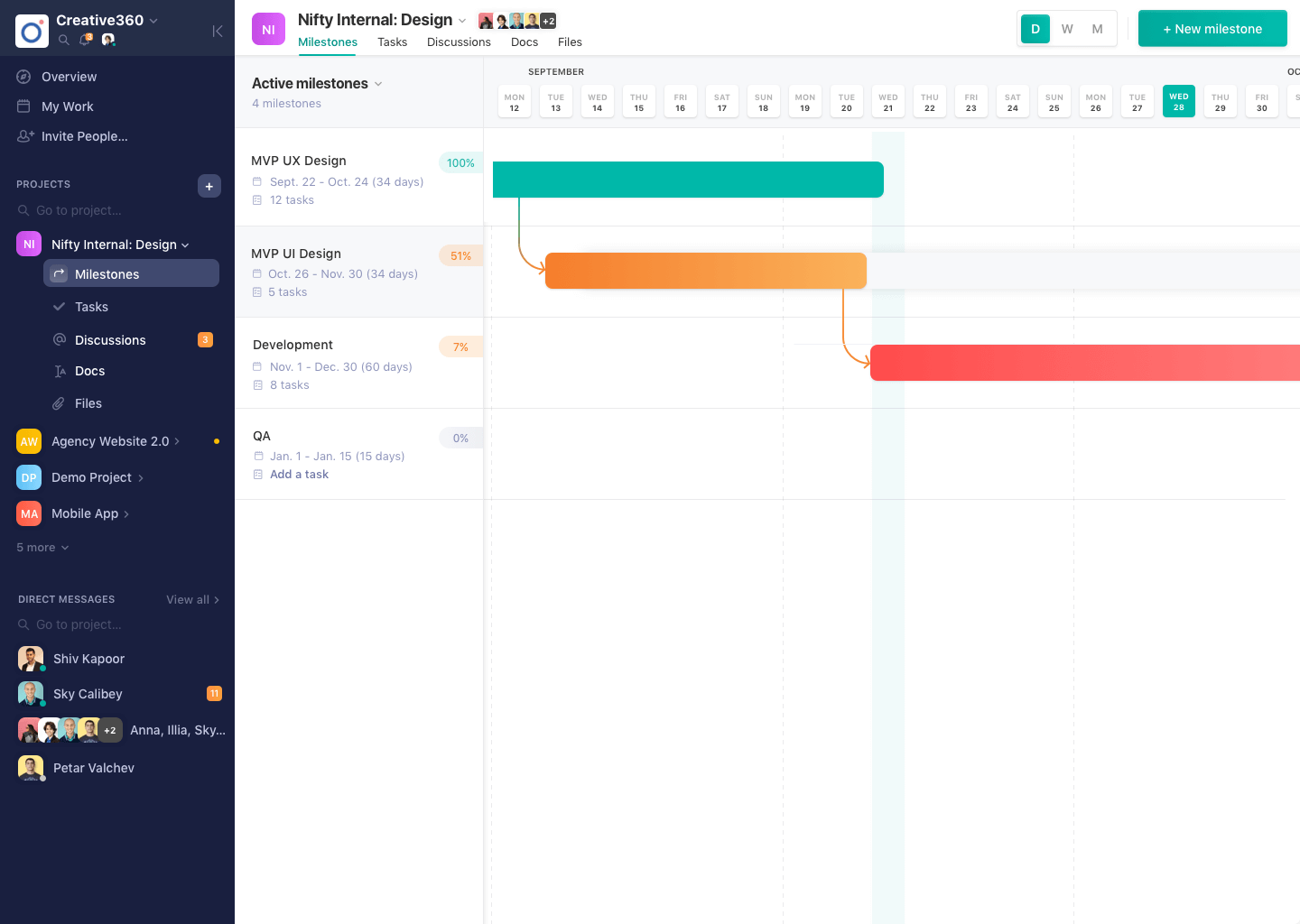
Nifty consolidates projects, work, and communications in one place. Nifty simplifies and automates the tracking of project milestones, communications with teammates and clients, collaborative document creation, and more in a centralized workspace! Nifty enables organizational oversight across projects and teammates with project & team workload overviews. With communications, project management, and workflow collaboration centralized in one place, teams can consolidate their workday as well…
N/A
Pricing
ShotGrid
Nifty
Editions & Modules
No answers on this topic
No answers on this topic
Offerings
Pricing Offerings
ShotGrid
Nifty
Free Trial
Yes
Yes
Free/Freemium Version
No
Yes
Premium Consulting/Integration Services
No
Yes
Entry-level Setup Fee
No setup fee
$89 simple flat-rate pricing
Additional Details
—
—
More Pricing Information
Features
ShotGrid
Nifty
Project Management
Comparison of Project Management features of Autodesk ShotGrid and Nifty
Feature
Autodesk ShotGrid
-
Ratings
Nifty
9.6
3 Ratings
22% above category average
Task Management
00 Ratings
8.83 Ratings
Resource Management
00 Ratings
9.43 Ratings
Gantt Charts
00 Ratings
10.03 Ratings
Scheduling
00 Ratings
10.03 Ratings
Workflow Automation
00 Ratings
9.43 Ratings
Team Collaboration
00 Ratings
10.03 Ratings
Support for Agile Methodology
00 Ratings
10.01 Ratings
Support for Waterfall Methodology
00 Ratings
10.03 Ratings
Document Management
00 Ratings
9.43 Ratings
Email integration
00 Ratings
10.02 Ratings
Mobile Access
00 Ratings
10.03 Ratings
Timesheet Tracking
00 Ratings
8.53 Ratings
Change request and Case Management
00 Ratings
9.03 Ratings
Budget and Expense Management
00 Ratings
10.02 Ratings
Professional Services Automation
Comparison of Professional Services Automation features of Autodesk ShotGrid and Nifty
ShotGrid seems to be well suited for a video team for reviews and project tracking. It may not be well suited for Project managers who need to see the bigger picture of the project.
A de minimis incentive was given to thank the reviewer for their time. The incentive was not used to bias or drive a particular response, nor was the incentive contingent on a positive endorsement. More Info
A de minimis incentive was given to thank the reviewer for their time. The incentive was not used to bias or drive a particular response, nor was the incentive contingent on a positive endorsement. More Info
A de minimis incentive was given to thank the reviewer for their time. The incentive was not used to bias or drive a particular response, nor was the incentive contingent on a positive endorsement. More Info
A de minimis incentive was given to thank the reviewer for their time. The incentive was not used to bias or drive a particular response, nor was the incentive contingent on a positive endorsement. More Info
Ordering comments made by different people by timecode/frame number, instead by the time and date the comment was made
Being able to move an uploaded video from shots to assets and vice versa. Right now we have to re-upload but lose any comments made already if they were in the wrong place
Custom filters are great but they could get a little confusing with all the options. Might help with guidelines or a place we could ask what we want and someone could answer with the best way to achieve those specific filters we want
A de minimis incentive was given to thank the reviewer for their time. The incentive was not used to bias or drive a particular response, nor was the incentive contingent on a positive endorsement. More Info
Time Expense could be improved since we cannot edit the previous/past time logs entered.
Lacks expense management and Purchase order management functionality
Newest product updates are not always stable and I had to reach Nifty's support team a couple of times in the past to fix the issues with new updates e.g. our document management and meeting integrations had to be re-authorized
A de minimis incentive was given to thank the reviewer for their time. The incentive was not used to bias or drive a particular response, nor was the incentive contingent on a positive endorsement. More Info
A de minimis incentive was given to thank the reviewer for their time. The incentive was not used to bias or drive a particular response, nor was the incentive contingent on a positive endorsement. More Info
It's UI/UX is very robust. There's a lot of functionality but it's not very intuitive or intuitive. I spend time with new hires and contractors to overview ShotGrid for a day and revisit after a week or two. Questions always arise down the line
A de minimis incentive was given to thank the reviewer for their time. The incentive was not used to bias or drive a particular response, nor was the incentive contingent on a positive endorsement. More Info
Wipster had limitations on video uploads, which was a major drawback. One thing we liked with Wipster was how we can see comments made in order on the timeline while watching the video.
A de minimis incentive was given to thank the reviewer for their time. The incentive was not used to bias or drive a particular response, nor was the incentive contingent on a positive endorsement. More Info
There's no comparison. Nifty does what all of these do all in one place (with the exception of Slack's community aspect with hashtagging - not sure if Nifty can do this, never tried) Nifty even has the ability to import directly from many other platforms - I've personally imported projects from Trello and Asana, saving tons of time in migration.
A de minimis incentive was given to thank the reviewer for their time. The incentive was not used to bias or drive a particular response, nor was the incentive contingent on a positive endorsement. More Info
A de minimis incentive was given to thank the reviewer for their time. The incentive was not used to bias or drive a particular response, nor was the incentive contingent on a positive endorsement. More Info
A de minimis incentive was given to thank the reviewer for their time. The incentive was not used to bias or drive a particular response, nor was the incentive contingent on a positive endorsement. More Info