
Azure Batch vs. OpenText Magellan
Azure Batch vs. OpenText Magellan
| Product | Rating | Most Used By | Product Summary | Starting Price |
|---|---|---|---|---|
 Azure Batch | N/A | Azure Batch is cloud-scale job scheduling and compute management. | N/A | |
 OpenText Magellan | N/A | OpenText Magellan Analytics Suite leverages a comprehensive set of data analytics software to identify patterns, relationships and trends through data visualizations and interactive dashboards. | N/A |
| Azure Batch | OpenText Magellan | |||||||||||||||
|---|---|---|---|---|---|---|---|---|---|---|---|---|---|---|---|---|
| Editions & Modules | No answers on this topic | No answers on this topic | ||||||||||||||
| Offerings |
| |||||||||||||||
| Entry-level Setup Fee | No setup fee | No setup fee | ||||||||||||||
| Additional Details | — | — | ||||||||||||||
| More Pricing Information | ||||||||||||||||
| Azure Batch | OpenText Magellan |
|---|
| Azure Batch | OpenText Magellan | ||||||||||||||||||
|---|---|---|---|---|---|---|---|---|---|---|---|---|---|---|---|---|---|---|---|
| BI Standard Reporting |
| ||||||||||||||||||
| Ad-hoc Reporting |
| ||||||||||||||||||
| Report Output and Scheduling |
| ||||||||||||||||||
| Data Discovery and Visualization |
| ||||||||||||||||||
| Access Control and Security |
| ||||||||||||||||||
| Mobile Capabilities |
| ||||||||||||||||||
| Application Program Interfaces (APIs) / Embedding |
|
| Azure Batch | OpenText Magellan | |
|---|---|---|
| Small Businesses | No answers on this topic |  Yellowfin Score 8.7 out of 10 |
| Medium-sized Companies | No answers on this topic |  Reveal Score 10.0 out of 10 |
| Enterprises |  AWS Batch Score 7.8 out of 10 |  Kyvos Semantic Layer Score 9.5 out of 10 |
| All Alternatives | View all alternatives | View all alternatives |
| Azure Batch | OpenText Magellan | |
|---|---|---|
| Likelihood to Recommend | 8.5 (2 ratings) | 9.0 (11 ratings) |
| Likelihood to Renew | - (0 ratings) | 3.9 (9 ratings) |
| Usability | - (0 ratings) | 9.0 (1 ratings) |
| Support Rating | - (0 ratings) | 9.0 (2 ratings) |
| Azure Batch | OpenText Magellan | |
|---|---|---|
| Likelihood to Recommend |  Microsoft
|  OpenText
 Christopher Noyes Director Advertising Technology |
| Pros | Microsoft
| OpenText
 Bri Gipson Sr. Systems Engineer |
| Cons | Microsoft
| OpenText
 Martin Rubens IT solutions Manager |
| Likelihood to Renew | Microsoft No answers on this topic | OpenText
 Todd Bellamy Systems Analyst |
| Usability | Microsoft No answers on this topic | OpenText
|
| Support Rating | Microsoft No answers on this topic | OpenText
 Jeffrey Fischer Business and Channel Development Director |
| Alternatives Considered | Microsoft
| OpenText
Christopher Noyes Director Advertising Technology |
| Return on Investment | Microsoft
| OpenText
|
| ScreenShots | OpenText Magellan Screenshots   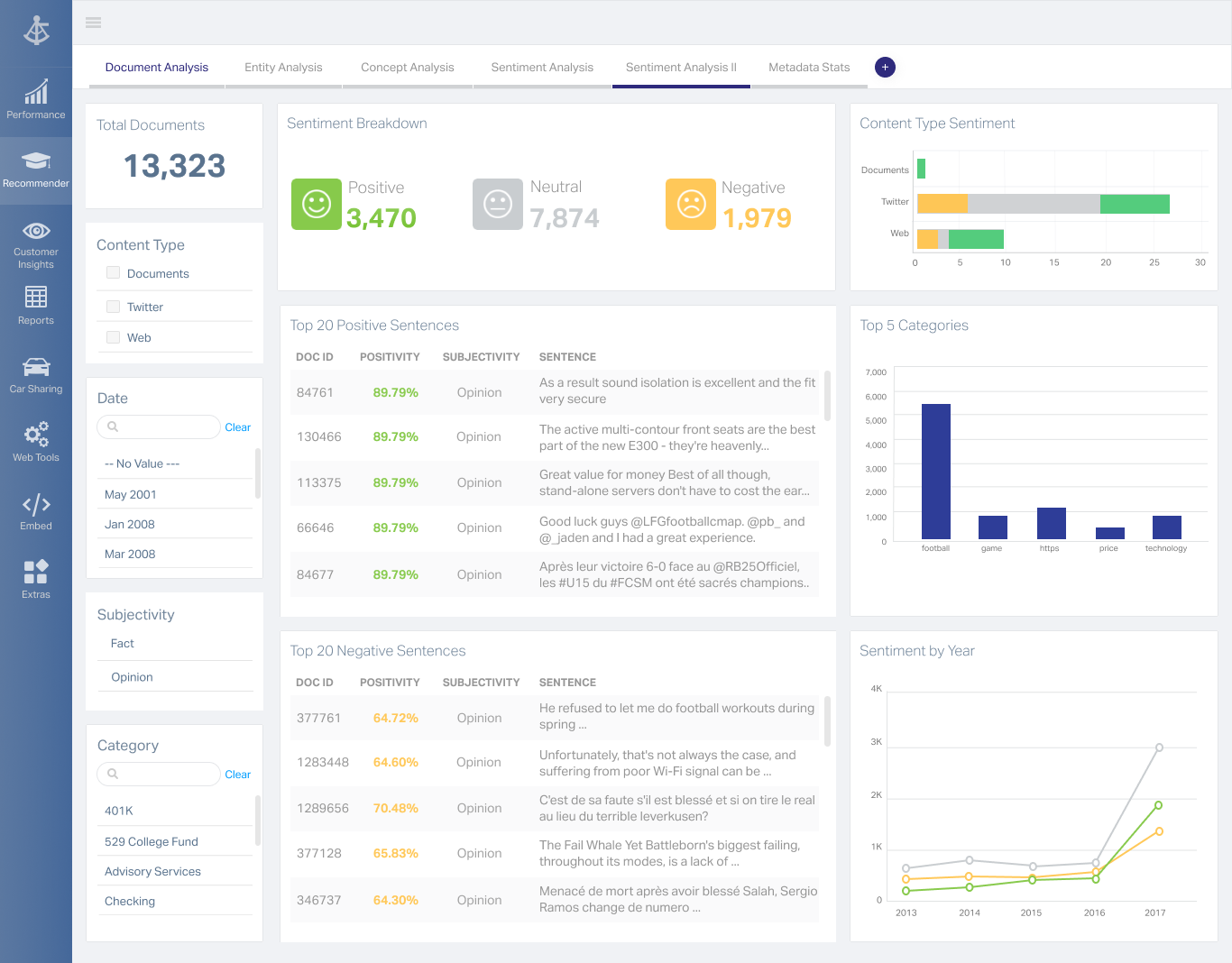 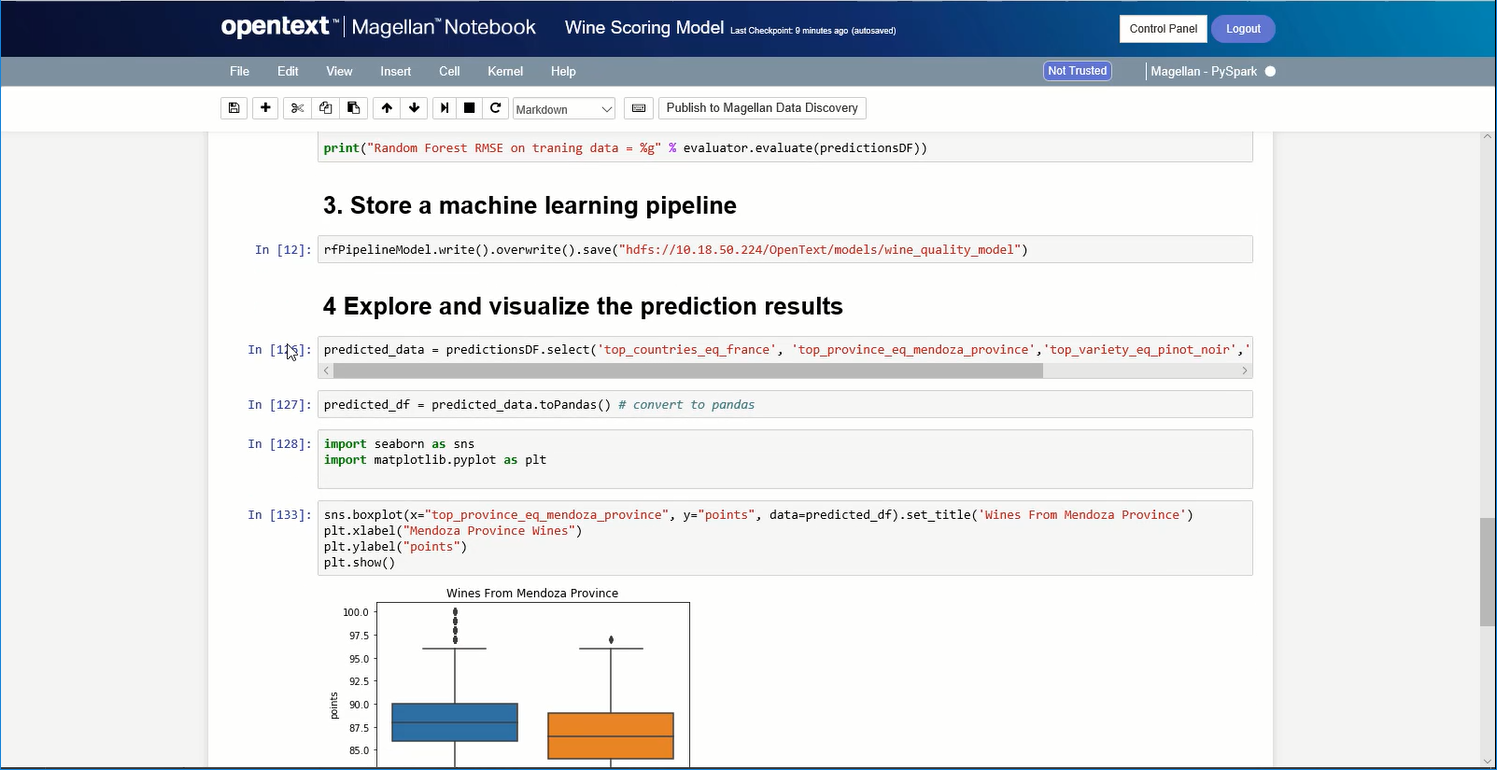 |