TrustRadius: an HG Insights company

BMC Helix Remedyforce vs. Lightning Tools Actions

Save this comparison

Save this comparison

Add Product

Recommended Comparisons

    Overview
    ProductRatingMost Used ByProduct SummaryStarting Price

    BMC Helix Remedyforce

    Score8.5 out of 10
    N/ABMC Helix Remedyforce is a cloud-delivered SaaS solution for IT Helpdesk and Ticketing Management.

    $67.90

    per user/per month

    Lightning Tools Actions

    Score10 out of 10
    Mid-Size Companies (51-1,000 employees)
    Lightning Tools Actions is a complement to Lightning Forms, but can also be used independently of Lightning Forms. Rather than opening individual items to update fields such as Approval Status, Resetting field values such as holiday entitlement, or sending emails to notify creators of items that a request has been approved, Lightning Tools Actions provides the ability to create new command bar buttons with actions that can be performed against multiple selected items.

    $1,200

    per year per installation

    Pricing
    BMC Helix RemedyforceLightning Tools Actions
    Editions & Modules
    BMC Helix Remedyforce
    $67.90
    per user/per month
    List Actions
    From $1200
    per year per installation
    List Actions Enterprise Edition
    POA
    per year per installation
    List Actions Plus (with Document Generator)
    From $1800
    per year per installation
    Offerings
    Pricing Offerings
    BMC Helix RemedyforceLightning Tools Actions
    Free Trial
    YesYes
    Free/Freemium Version
    NoNo
    Premium Consulting/Integration Services
    YesYes
    Entry-level Setup FeeOptionalNo setup fee
    Additional Details—Prices stated are minimum per installation for "stock" products. $1.20 per user on top of annual fee. Enterprise editions can be amended to suit business needs if deemed necessary, additional costs incurred and TBD. All packages include free technical support. Free upgrades available to latest versions of tool as they are released. (online version)Prices stated are minimum per installation for "stock" products. Not available for SharePoint OnPremises (2007 - 2019)
    More Pricing Information
    Features
    BMC Helix RemedyforceLightning Tools Actions
    Incident and problem management
    Comparison of Incident and problem management features of BMC Helix Remedyforce and Lightning Tools Actions
    Feature
    BMC Helix Remedyforce
    7.7
    7 Ratings
    6% below category average
    Lightning Tools Actions
    -
    Ratings
    Organize and prioritize service tickets9.07 Ratings00 Ratings
    Expert directory6.05 Ratings00 Ratings
    Service restoration9.07 Ratings00 Ratings
    Self-service tools7.95 Ratings00 Ratings
    Subscription-based notifications6.06 Ratings00 Ratings
    ITSM collaboration and documentation8.07 Ratings00 Ratings
    ITSM reports and dashboards8.07 Ratings00 Ratings
    ITSM asset management
    Comparison of ITSM asset management features of BMC Helix Remedyforce and Lightning Tools Actions
    Feature
    BMC Helix Remedyforce
    8.0
    7 Ratings
    1% below category average
    Lightning Tools Actions
    -
    Ratings
    Configuration mangement9.07 Ratings00 Ratings
    Asset management dashboard9.05 Ratings00 Ratings
    Policy and contract enforcement6.03 Ratings00 Ratings
    Change management
    Comparison of Change management features of BMC Helix Remedyforce and Lightning Tools Actions
    Feature
    BMC Helix Remedyforce
    9.0
    7 Ratings
    6% above category average
    Lightning Tools Actions
    -
    Ratings
    Change requests repository9.07 Ratings00 Ratings
    Change calendar9.07 Ratings00 Ratings
    Service-level management9.07 Ratings00 Ratings
    Workload Automation
    Comparison of Workload Automation features of BMC Helix Remedyforce and Lightning Tools Actions
    Feature
    BMC Helix Remedyforce
    -
    Ratings
    Lightning Tools Actions
    10.0
    1 Ratings
    19% above category average
    Alerts and notifications00 Ratings10.01 Ratings
    Best Alternatives
    BMC Helix RemedyforceLightning Tools Actions
    Small Businesses
    Agiloft Service Desk (discontinued)
    Score9 out of 10
    No answers on this topic
    Medium-sized Companies
    ManageEngine ServiceDesk Plus
    Score9.2 out of 10
    Apache Airflow
    Score8.7 out of 10
    Enterprises
    Ivanti ITSM
    Score6.4 out of 10
    Redwood RunMyJobs
    Score9.7 out of 10
    All AlternativesView all alternativesView all alternatives
    User Ratings
    BMC Helix RemedyforceLightning Tools Actions
    Likelihood to Recommend
    9.0
    (12 ratings)
    10.0
    (1 ratings)
    Likelihood to Renew
    7.5
    (4 ratings)
    -
    (0 ratings)
    Support Rating
    8.0
    (1 ratings)
    -
    (0 ratings)
    Implementation Rating
    7.0
    (1 ratings)
    -
    (0 ratings)
    User Testimonials
    BMC Helix RemedyforceLightning Tools Actions
    Likelihood to Recommend
    BMC Helix
    [BMC Helix Remedyforce] is probably best suited for an MSP who needs to keep multiple clients separated. If you were an internal IT department I think the additional features it has would be lost. When dealing with an MSP who needs to know what software and what issues have effected specific clients it is very well suited to do that.
    Incentivized
    Read full review
    Lightning Tools
    We use SharePoint to manage over 100 legal litigation cases. We also use SharePoint for all of our internal billing and time keeping. There is great need for different SharePoint sites to be able to have access to other lists and data sources. List Actions provides an easy-to-use interface that we use to implement file copies between sites, workflow tracking of medical records through our medical collections department, send out medical record requests using the enhanced SendMail options. We have automated many tasks that used to take up considerable time and were error-prone. Having the logic of a workflow with all the steps carried out with a click of a button is great. Plus it is very fast.
    Read full review
    Pros
    BMC Helix
    • An admin user is able to quickly create a request definition with all of its components from one screen. We use to have to go to the 7 or 8 different screens to create each piece of the request definition.
    • Ability to update multiple Incidents/Service Requests at once with the update button. This allows essentially an inline edit functionality within Remedyforce.
    • Change management schedule is a great feature as well to be able to see how changes align and what there expected start dates/times are.
    Read full review
    Lightning Tools
    • Allow for workflow actions to be executed at the view level.
    • Has a full range of available tools. It's not just email for an approval.
    • Super easy to use and configure.
    Read full review
    Cons
    BMC Helix
    • The ability to monitor/regulate the volume of tickets when you integrate with your monitoring software. We have so many items that trigger alerts, creating a ticket for each is somewhat overwhelming. Would like to be able to better control when an incident should be created.
    • Being able to report on Service requests and tasks together would be nice. Right now I have to do it separately as they are in different buckets, so to speak.
    • Remedy console is an improvement from where it started but can still be a cleaner interface for a tech to be able to work out of for their day to day work.
    Read full review
    Lightning Tools
    No answers on this topic
    Likelihood to Renew
    BMC Helix
    The total amount of time spent from installation to configuration for a minimal ticketing system was 2 hours. Maintenance and customization for the application can be completed with a great amount of ease. In addition having a customer portal is an added benefit that pays for itself
    Incentivized
    Read full review
    Lightning Tools
    No answers on this topic
    Support Rating
    BMC Helix
    They care about your success.
    Incentivized
    Read full review
    Lightning Tools
    No answers on this topic
    Implementation Rating
    BMC Helix
    Learning industry best practices or gaining insight on them from either BMC or an implementation partner would have saved some headaches we faced after roll-out.
    Incentivized
    Read full review
    Lightning Tools
    No answers on this topic
    Alternatives Considered
    BMC Helix
    I previously worked with tools like Service Manager which were difficult to configure, administer and maintain. The support options were very limited. Remedyforce has local US support, dedicated reps, and a more developed infrastructure to work from to support an organization. This runs on the Salesforce platform so worrying about server failures and unscheduled outages was no longer going to be an issue for us. Self service, knowledge base, and change control were just a few highly utilized features that helped employees support themselves and automate very manual processes.
    Read full review
    Lightning Tools
    Read full review
    Return on Investment
    BMC Helix
    • Remedyforce has allowed us to eliminate other solutions that provided similar features. By now using one true ITSM we have been able to save money which in higher education is always a concern.
    • The reports and dashboards allow for a birds-eye view of our daily operations and provide managers and executives the information they need to make important cost saving decisions.
    Read full review
    Lightning Tools
    • I have looked at every competitor out there and this tool plus the Forms designer is very affordable. It has become an integral part of our business.
    Read full review
    ScreenShots

    BMC Helix Remedyforce Screenshots

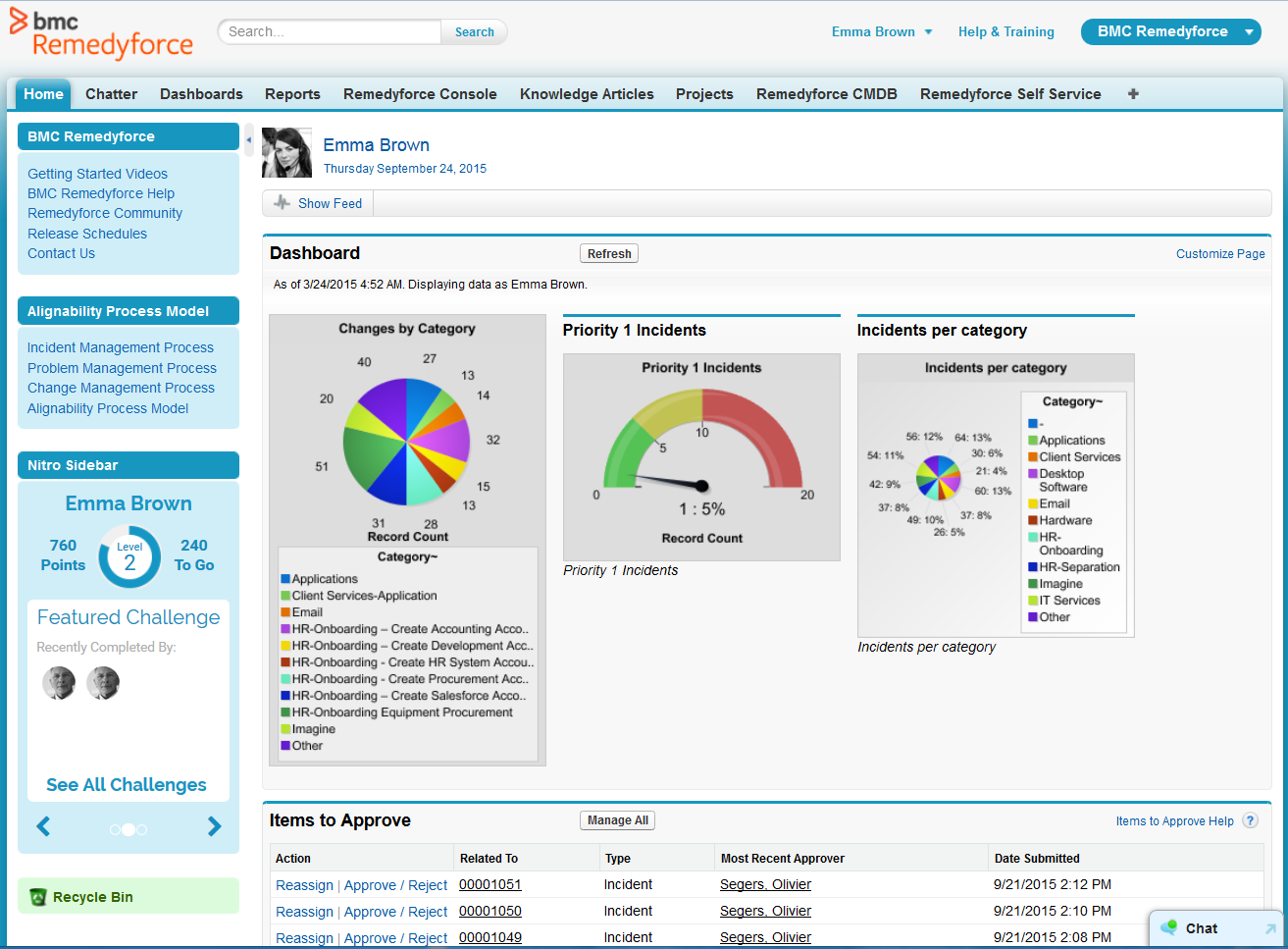
    Product screenshotProduct screenshot

    Lightning Tools Actions Screenshots

    Screenshot of SHAREPOINT LIST ACTION BUTTONS
Action buttons can be added to SharePoint lists, like this Expense Approval button. The button performs multiple actions on the SharePoint list items such as modifying the Approved field to Yes, Sending an email notification to the Expense Claimant, and Reloading the page. The Line Manager can select multiple items and approve them all in one click, rather than visit each item individually.Screenshot of ADDING SHAREPOINT LIST ACTION BUTTONS
SharePoint List Action buttons can be created quickly, with no coding experience required, and List Owners or Designers can create the buttons and actions within the context of the list itself.  Action buttons can also be configured to display only to the user with the rights to perform the action.Screenshot of BUILDING A SERIES OF LIST ACTIONS
Actions that can be configured include Updating field values with simple or complex expressions, sending emails, adding list items, creating list items or folders, running custom script, and calling other workflows.