Chose Bonita Platform
We liked Bonita's architecture, the open-source framework, and the licensing and support model. Maybe fewer features than other BPM platforms but easier to implement and maintain.

| Product | Rating | Most Used By | Product Summary | Starting Price |
|---|---|---|---|---|
 Bonita Platform | N/A | Bonita is an open-source business process and workflow management platform created by the French National Institute for Research in Computer Science. It is available as a free community edition or as a commercial subscription product. | N/A | |
 Retool | N/A | Retool is a UI software component library presenting a fast way to build custom internal tools, from the company of the same name in San Francisco, California. | $10 per month per user |
| Bonita Platform | Retool | |||||||||||||||
|---|---|---|---|---|---|---|---|---|---|---|---|---|---|---|---|---|
| Editions & Modules | No answers on this topic |
| ||||||||||||||
| Offerings |
| |||||||||||||||
| Entry-level Setup Fee | No setup fee | No setup fee | ||||||||||||||
| Additional Details | — | — | ||||||||||||||
| More Pricing Information | ||||||||||||||||
| Bonita Platform | Retool | |
|---|---|---|
| Considered Both Products |  Bonita Platform  Edison Jovanny Lider BPM Chose Bonita Platform for its flexibility, which is greater, and support for open source  Antoine Chami Responsable du Developpement Chose Bonita Platform Far better design and more intuitive than other solutions. BDM is a great tool for non IT users and help[s] them understand how structured data will improve the work. Community Edition allows us to already manipulate the software and appreciate the power of the tool. I enjoyed …  Armando Miguel Brito Criado Lider BPM Chose Bonita Platform Bizagi and Bonitasoft have many similarities, an excellent process engine and integrated Data Model, unlike Kofax TotalAgility. But Bizagi beats it in the form designer.  Pranshu Sharma BSS Application Sr Specialist Chose Bonita Platform Bonita is lightweight. It is easy to configure as against SOA which requires heavy lifting and complex code/configuration management.  Maciej Michalak Software developer Chose Bonita Platform I found Bonita BPM a more friendly environment, especially when it comes to front-end development. It is also better suited for a gradual introduction to an organization - PoC with Community edition, later upgrade to one of the subscription editions as needed. Tibco's product …  John Wadie Solutions Architect Chose Bonita Platform Implementing Bonita was more cost effective than the other options.  richard gay IT applications manager Chose Bonita Platform
 Clive Rethman Authorised Partner Chose Bonita Platform Bonitasoft is easier to implement and support.  David Edson Principal Consultant - Solution Architect Chose Bonita Platform The extensibility or ability to add functions or modify existing capabilities is much easier and better supported in Bonita. The ability to integrate the Bonita system into customer solutions is much easier and allows for tightener coupling to the existing customer portals. The … | Retool |
| Bonita Platform | Retool | |||||||||||||||||||||||||||
|---|---|---|---|---|---|---|---|---|---|---|---|---|---|---|---|---|---|---|---|---|---|---|---|---|---|---|---|---|
| Reporting & Analytics |
| |||||||||||||||||||||||||||
| Process Engine |
| |||||||||||||||||||||||||||
| Collaboration |
| |||||||||||||||||||||||||||
| Content Management Capabilties |
| |||||||||||||||||||||||||||
| Low-Code Development |
|
| Bonita Platform | Retool | |
|---|---|---|
| Small Businesses |  Square 9 Softworks Score 9.3 out of 10 |  Creatio Score 9.3 out of 10 |
| Medium-sized Companies | Square 9 Softworks Score 9.3 out of 10 |  Quixy Score 9.9 out of 10 |
| Enterprises |  CMW Platform Score 9.4 out of 10 | Creatio Score 9.3 out of 10 |
| All Alternatives | View all alternatives | View all alternatives |
| Bonita Platform | Retool | |
|---|---|---|
| Likelihood to Recommend | 8.2 (0 ratings) | 8.4 (0 ratings) |
| Likelihood to Renew | 6.4 (0 ratings) | - (0 ratings) |
| Usability | 7.7 (0 ratings) | 7.8 (0 ratings) |
| Performance | 8.0 (0 ratings) | - (0 ratings) |
| Support Rating | 4.6 (0 ratings) | - (0 ratings) |
| Implementation Rating | 4.5 (0 ratings) | - (0 ratings) |
| Ease of integration | 7.3 (0 ratings) | - (0 ratings) |
| Product Scalability | 7.5 (0 ratings) | - (0 ratings) |
| Bonita Platform | Retool | |
|---|---|---|
| Likelihood to Recommend |
|
|
| Pros |
 William Wolf Architect |
|
| Cons |
Maciej Michalak Software developer |
|
| Likelihood to Renew |
| No answers on this topic |
| Usability |
|
|
| Performance |
Maciej Michalak Software developer | No answers on this topic |
| Support Rating |
| No answers on this topic |
| Implementation Rating |
| No answers on this topic |
| Alternatives Considered |
|
|
| Scalability |
richard gay IT applications manager | No answers on this topic |
| Return on Investment |
|
|
| ScreenShots | Bonita Platform Screenshots   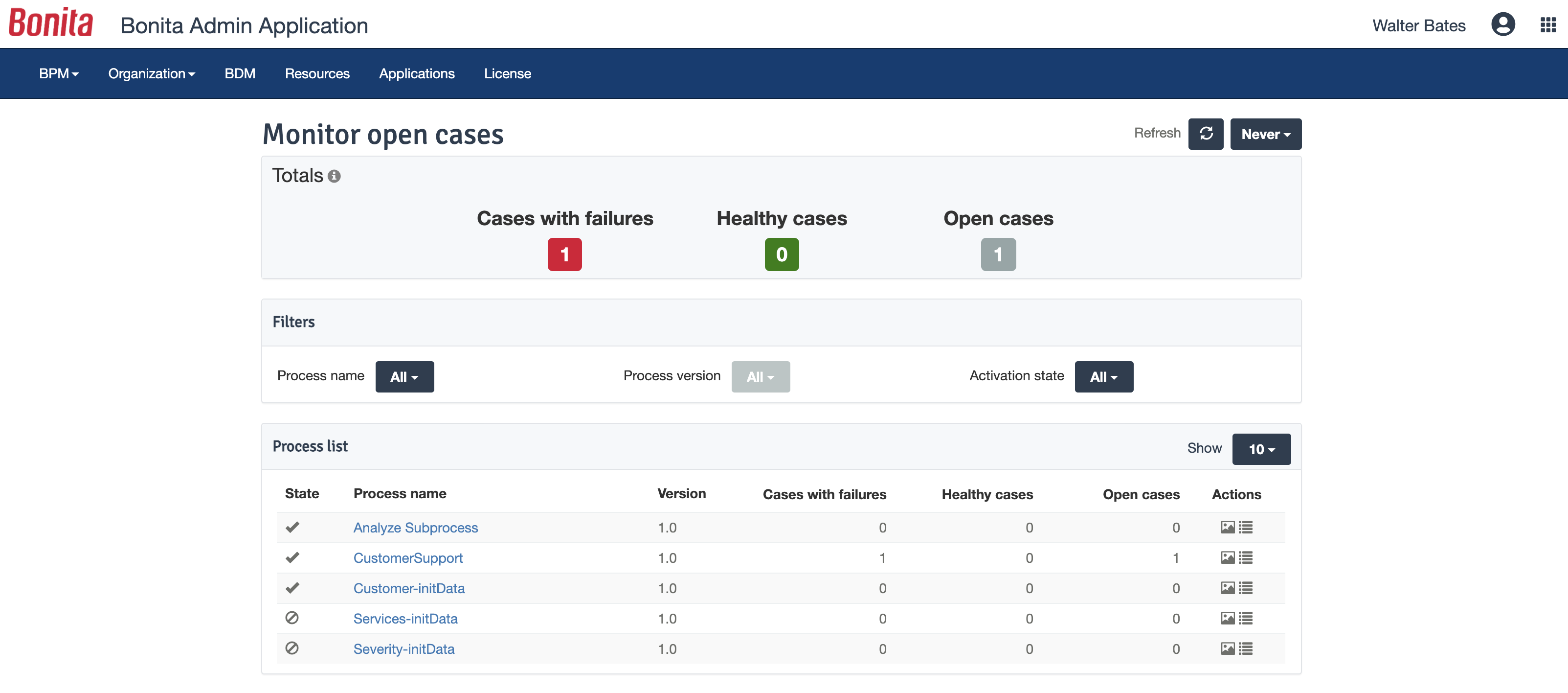  |