Boomi is a cloud-based, on-premise, or hybrid integration platform. It offers a low-code/no-code
interface with the capacity for API and EDI connections for integrating with external organizations and
systems, as well as compliance with data protection regulations.
$550
per month
Clear Analytics
Score 8.8 out of 10
Enterprise companies (1,001+ employees)
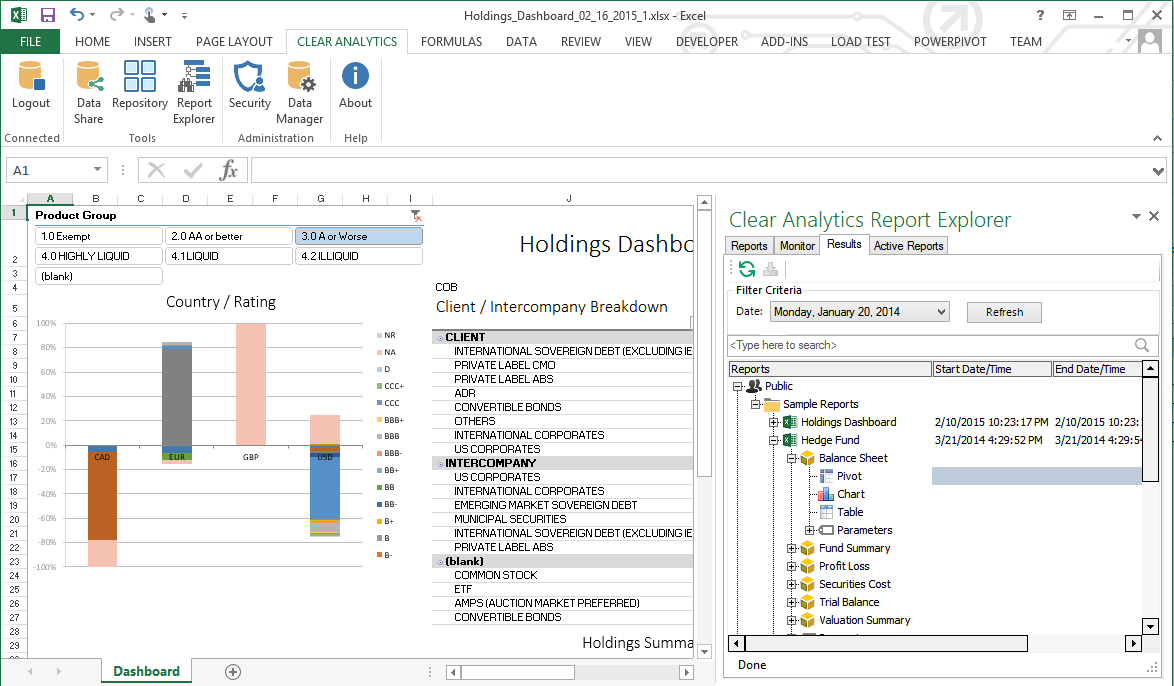
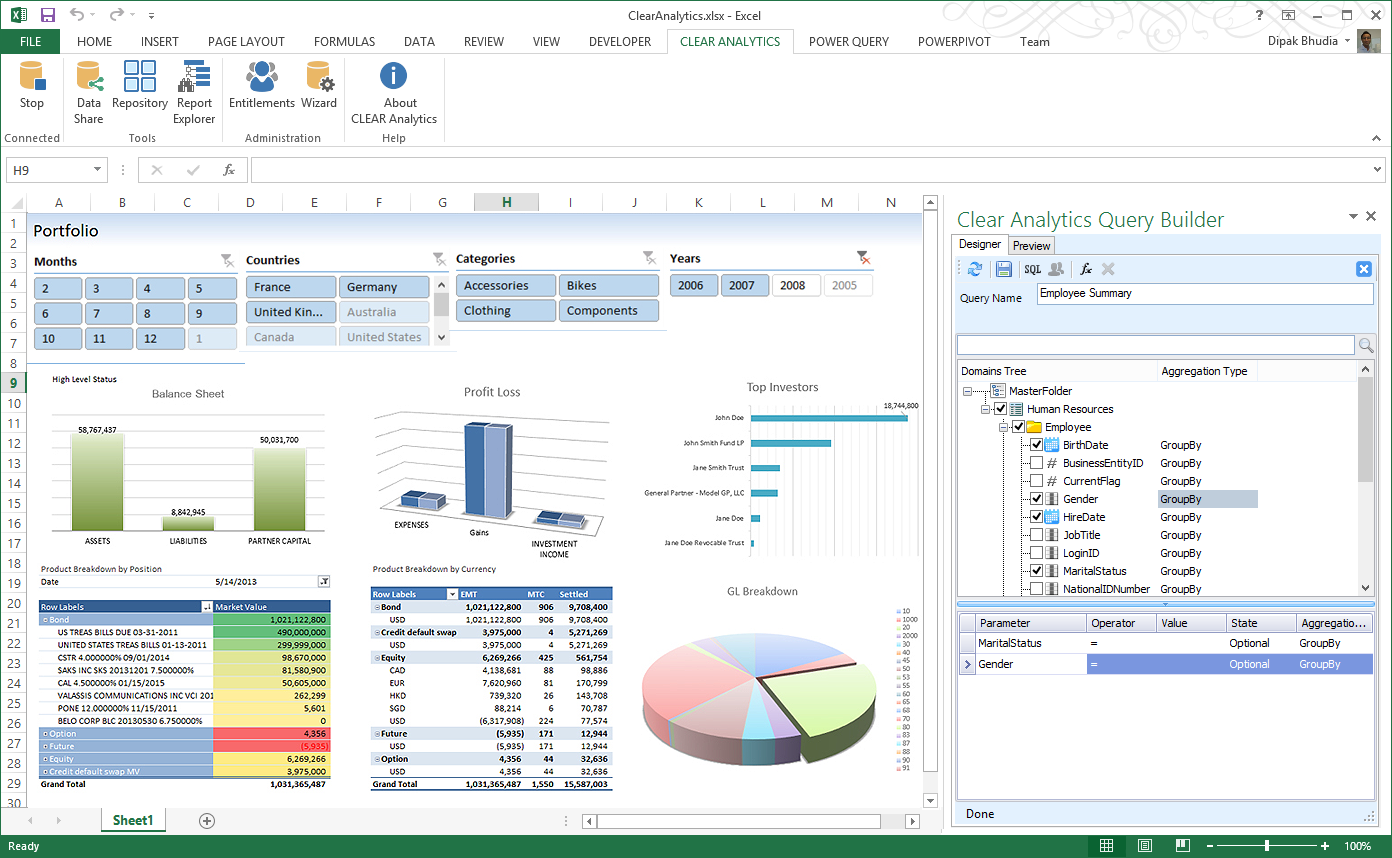
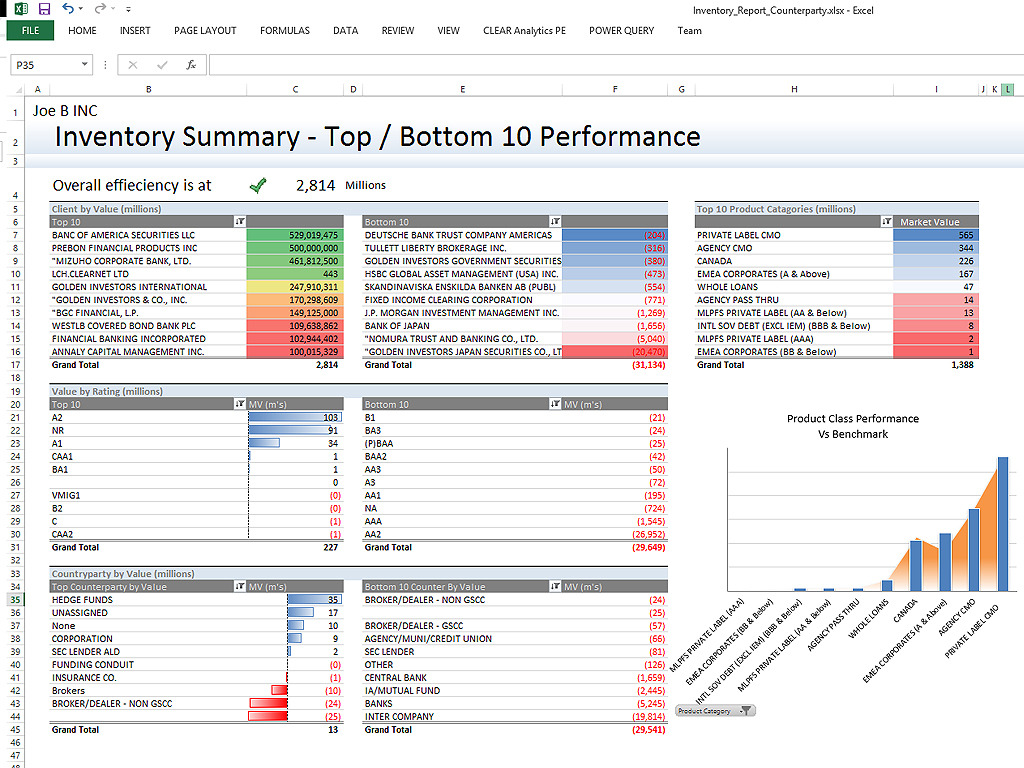
Clear Analytics is a business intelligence solution that enables non technical end users to perform analytics by leveraging existing knowledge of Excel coupled with a built in query builder. Some key features include: Dynamic Data Refresh, Data Share and In-Excel Collaboration.
$29
Per Seat per Month
SAS Data Management
Score 8.0 out of 10
N/A
A suite of solutions for data connectivity, enhanced transformations and robust governance. Solutions provide a unified view of data with access to data across databases, data warehouses and data lakes. Connects with cloud platforms, on-premises systems and multicloud data sources.
N/A
Pricing
Boomi
Clear Analytics
SAS Data Management
Editions & Modules
Boomi
$550
per month
Personal
$29
Per Seat per Month
Team
$165
upto 10 Seat per Month
Department
$265
upto 25 Seat per month
Organization
$565
Upto 100 per seat per month
No answers on this topic
Offerings
Pricing Offerings
Boomi
Clear Analytics
SAS Data Management
Free Trial
No
Yes
No
Free/Freemium Version
No
No
No
Premium Consulting/Integration Services
No
Yes
No
Entry-level Setup Fee
No setup fee
$800 Initial OnBoarding
No setup fee
Additional Details
—
Certain Enterprise level features can be made available to Small Business edition at additional cost. Such services include Scheduler and OLAP connectivity.
Custom adapters can also be created to connect to SaaS services.
—
More Pricing Information
Community Pulse
Boomi
Clear Analytics
SAS Data Management
Features
Boomi
Clear Analytics
SAS Data Management
Cloud Data Integration
Comparison of Cloud Data Integration features of Product A and Product B
Boomi
8.0
33 Ratings
0% below category average
Clear Analytics
-
Ratings
SAS Data Management
-
Ratings
Pre-built connectors
10.032 Ratings
00 Ratings
00 Ratings
Connector modification
5.029 Ratings
00 Ratings
00 Ratings
Support for real-time and batch integration
10.031 Ratings
00 Ratings
00 Ratings
Data quality services
10.029 Ratings
00 Ratings
00 Ratings
Data security features
5.131 Ratings
00 Ratings
00 Ratings
Monitoring console
8.033 Ratings
00 Ratings
00 Ratings
BI Standard Reporting
Comparison of BI Standard Reporting features of Product A and Product B
Boomi
-
Ratings
Clear Analytics
9.0
8 Ratings
9% above category average
SAS Data Management
-
Ratings
Pixel Perfect reports
00 Ratings
9.08 Ratings
00 Ratings
Customizable dashboards
00 Ratings
9.18 Ratings
00 Ratings
Report Formatting Templates
00 Ratings
8.78 Ratings
00 Ratings
Ad-hoc Reporting
Comparison of Ad-hoc Reporting features of Product A and Product B
Boomi
-
Ratings
Clear Analytics
8.9
8 Ratings
10% above category average
SAS Data Management
-
Ratings
Drill-down analysis
00 Ratings
9.28 Ratings
00 Ratings
Formatting capabilities
00 Ratings
8.78 Ratings
00 Ratings
Report sharing and collaboration
00 Ratings
8.98 Ratings
00 Ratings
Report Output and Scheduling
Comparison of Report Output and Scheduling features of Product A and Product B
Boomi
-
Ratings
Clear Analytics
9.0
8 Ratings
9% above category average
SAS Data Management
-
Ratings
Publish to Web
00 Ratings
9.08 Ratings
00 Ratings
Publish to PDF
00 Ratings
9.17 Ratings
00 Ratings
Report Versioning
00 Ratings
8.98 Ratings
00 Ratings
Report Delivery Scheduling
00 Ratings
8.87 Ratings
00 Ratings
Data Discovery and Visualization
Comparison of Data Discovery and Visualization features of Product A and Product B
Legacy systems often need to be replaced or integrated with new applications in order to modernize businesses. A strong API strategy that avoids custom coding and third-party programs is essential to enable this integration. Boomi's new-age connectivity and integration solutions ensure safe, secure, and robust integration. In the age of information, businesses are under more pressure than ever to be able to collect and manage large amounts of data. This data comes in from a variety of sources, including personalized devices such as voice assistants and wearable tech. While this data can be immensely valuable to businesses, they often lack the infrastructure necessary to handle it effectively. This can lead to data build-up in databases or silos, and can eventually lead to problems with integration and security.
Clear Analytics has almost all the features which are mostly required by the organizations for their data analytics and transformation activities. Clear Analytics is built on the support of a parallel query engine which makes it handle large volume requests and also provides optimized results. However, every solution has some limitations, Clear Analytics lacks advanced features such as Predictive Analytics which is a very demanding feature in the market as most organizations are adopting AI/ML automation for their businesses. Also, it needs to add a lot of advanced visualizations so that the user has the choice of selection. Overall a good solution to be recommended.
When data is in a system that needs a complex transformation to be usable for an average user. Such tasks as data residing in systems that have very different connection speeds. It can be integrated and used together after passing through the SAS Data Integration Studio removing timing issues from the users' worries. A part that is perhaps less appropriate is getting users who are not familiar with the source data to set up the load processes.
SAS/Access is great for manipulating large and complex databases.
SAS/Access makes it easy to format reports and graphics from your data.
Data Management and data storage using the Hadoop environment in SAS/Access allows for rapid analysis and simple programming language for all your data needs.
More from a development perspective. It is always difficult to use the properties features. It takes a while to understand how the data/variables can be used across an integration.
Dell Boomi should also invest more on API Management and not just seen as a ETL,ESB tool.
Should roll out features more often based on users reviews.
Dell Boomi has provided us with the ability to connect our campus together using our various existing platforms. There are many supported features and have yet to run into something that we cannot do. Its user interface is very intuitive which would allow users to begin developing fairly easily. There is a myriad of resources available
My IT and Finance teams have noted that setting up the tool is a breeze. Dell Boomi has never caused an issue during a system implementation that I am aware of. We are pleased with the tool and recommend others consider it.
I have really enjoyed working with Clear Analytics. This platform has contributed to increased production and reliable data control processes. It has flexible user interface that can be operated by any organization member. Reports are shared on simple and transparent way in the dashboard for easy access. Data analytics from all departments have created manageable working environment that have increased production.
The main negative point is the use of a non-standard language for customizations, as well as the poor integration with non-SAS systems. However, there is no doubt that it is a high-performance and powerful product capable of responding optimally to certain requirements.
The atom sphere takes a time to load, when I open a process or when I open a log. One more slow processing is when I import objects from NetSuite.
About the performance of processing, it looks like Boomi takes a time to initialize some things such as connectors before starting the process. This is also performance we have.
Boomi support was responsive and knowledgable, however being a closed cloud service, it doesn't have good community support. We found the learning curve to be steep and there aren't avenues like google, forums, or blogs that provide community driven insight into the product or how to go about designing solutions using the tool
I have had multiple scenarios where I had to reach out to the support team of Clear Analytics, be it access-related, general queries, during initial implementation, etc. My overall experience has always been good. I got the needed support every time without any delay. I can definitely recommend Clear Analytics simply on the basis of its excellent support team.
With SAS, you pay a license fee annually to use this product. Support is incredible. You get what you pay for, whether it's SAS forums on the SAS support site, technical support tickets via email or phone calls, or example documentation. It's not open source. It's documented thoroughly, and it works.
We decided to go with Dell Boomi because another department in our company was already using the software. We did not research competitor applications to use as our business solution. Dell Boomi was very easy and quick to set up, so once we decided to use Dell Boomi for systems integration, we had it set up and running within a few working days.
There are other great tools that are out there but Clear Analytics is reasonable for our business and provides a lot of features that we specifically needed
Because of ease of using SAS DI and data processing speed. There were lots of issues with AWS Redshift on cloud environment in terms of making connections with the data sources and while fetching the data we need to write complex queries.
It has allowed us to scale significantly without having to add headcount, specifically those geared towards data entry. We went from a $10m ARR business to $200m ARR business with the same amount of Order Processors and 12x amount of transactions by leveraging Boomi to perform a lot of the work, and then having the Order Processing team to simply review that the transaction was processed successfully.