TrustRadius: an HG Insights company

Save this comparison

Save this comparison

Add Product

Recommended Comparisons

    Overview
    ProductRatingMost Used ByProduct SummaryStarting Price

    Box

    Score8.9 out of 10
    N/ABox is an online Intelligent Content Management solution that caters to individual users as well as businesses.

    $20

    per month 3 users (minimum)

    Hornetsecurity 365 Total Protection

    Score10 out of 10
    N/AWith 365 Total Protection, Hornetsecurity offers users enterprise security management in conjunction with Microsoft Office 365. The Enterprise version gives users enhanced functionality and protection, and covers legally compliant email archiving with advanced features such as eDiscovery and 10-year email retention. It also offers protection against advanced persistent threats through the use of AI-based analysis mechanisms.N/A
    Pricing
    BoxHornetsecurity 365 Total Protection
    Editions & Modules
    Business Starter
    $7
    per month per user (3 minimum)
    Business
    $20
    per month per user (3 minimum)
    Business Plus
    $33
    per month per user (3 minimum)
    Enterprise
    $47
    per month per user (3 minimum)
    Enterprise Plus
    $50
    per month (billed annually) per user (3 minimum)
    Enterprise Advanced
    Contact us
    per month per user (35 minimum)
    No answers on this topic
    Offerings
    Pricing Offerings
    BoxHornetsecurity 365 Total Protection
    Free Trial
    YesNo
    Free/Freemium Version
    YesNo
    Premium Consulting/Integration Services
    YesNo
    Entry-level Setup FeeOptionalOptional
    Additional DetailsA discount is available for annual pricing.—
    More Pricing Information
    Community Pulse
    BoxHornetsecurity 365 Total Protection
    Considered Both Products
    Box
    No answer on this topic
    Hornetsecurity Inc.
    No answer on this topic
    Key User Insights
    Would buy again
    93%
    Would buy again
    96 Answers
    No answers on this topic
    Delivers good value for the price
    99%
    Delivers good value for the price
    81 Answers
    No answers on this topic
    Happy with the feature set
    96%
    Happy with the feature set
    99 Answers
    No answers on this topic
    Lived up to sales and marketing promises
    100%
    Lived up to sales and marketing promises
    61 Answers
    No answers on this topic
    Implementation went as expected
    97%
    Implementation went as expected
    68 Answers
    No answers on this topic
    Features
    BoxHornetsecurity 365 Total Protection
    Enterprise Content Management
    Comparison of Enterprise Content Management features of Box and Hornetsecurity 365 Total Protection
    Feature
    Box
    8.0
    26 Ratings
    1% below category average
    Hornetsecurity 365 Total Protection
    -
    Ratings
    Content capture & imaging8.119 Ratings00 Ratings
    File sync, storage & archiving9.825 Ratings00 Ratings
    Document management9.024 Ratings00 Ratings
    Records management7.420 Ratings00 Ratings
    Content search & retrieval8.624 Ratings00 Ratings
    Enterprise content collaboration8.021 Ratings00 Ratings
    Content publishing & creation5.015 Ratings00 Ratings
    Security, risk management & information governance8.926 Ratings00 Ratings
    Contract lifecycle management9.612 Ratings00 Ratings
    Automated workflows9.614 Ratings00 Ratings
    Artificial intelligence2.011 Ratings00 Ratings
    Mobile support7.723 Ratings00 Ratings
    Integration9.823 Ratings00 Ratings
    Best Alternatives
    BoxHornetsecurity 365 Total Protection
    Small Businesses
    Egnyte
    Score9.3 out of 10
    Backupify
    Score5.6 out of 10
    Medium-sized Companies
    Epicor ECM
    Score7.7 out of 10
    Spanning Backup
    Score7.3 out of 10
    Enterprises
    Dashpivot - By Sitemate
    Score10 out of 10
    Veeam Data Cloud for Azure
    Score7.9 out of 10
    All AlternativesView all alternativesView all alternatives
    User Ratings
    BoxHornetsecurity 365 Total Protection
    Likelihood to Recommend
    8.4
    (154 ratings)
    -
    (0 ratings)
    Likelihood to Renew
    8.0
    (12 ratings)
    -
    (0 ratings)
    Usability
    8.4
    (21 ratings)
    -
    (0 ratings)
    Availability
    10.0
    (5 ratings)
    -
    (0 ratings)
    Performance
    9.1
    (12 ratings)
    -
    (0 ratings)
    Support Rating
    8.5
    (29 ratings)
    -
    (0 ratings)
    In-Person Training
    10.0
    (1 ratings)
    -
    (0 ratings)
    Online Training
    10.0
    (3 ratings)
    -
    (0 ratings)
    Implementation Rating
    10.0
    (6 ratings)
    -
    (0 ratings)
    Configurability
    10.0
    (1 ratings)
    -
    (0 ratings)
    Ease of integration
    10.0
    (1 ratings)
    -
    (0 ratings)
    Product Scalability
    10.0
    (1 ratings)
    -
    (0 ratings)
    Vendor post-sale
    10.0
    (1 ratings)
    -
    (0 ratings)
    Vendor pre-sale
    10.0
    (1 ratings)
    -
    (0 ratings)
    User Testimonials
    BoxHornetsecurity 365 Total Protection
    Likelihood to Recommend
    Box
    I think Box is great for research teams or anyone that has a large number of files that need to be securely stored. Particularly in the case of social science research, where it is important to protect identifying data, Box is a great option. In cases where teams need a more reliable means for real-time collaboration, I would probably consider a different alternative
    Read full review
    Hornetsecurity Inc.
    No answers on this topic
    Pros
    Box
    • The main feature that I like the most in Box is that it makes collaboration seamless, workers can easily check the documents any time and make changes according to the needs.
    • Box manages and backs up all of your files on its cloud servers, and provides a very nice interface for creating, viewing, editing, and collaborating on the most commonly used file types (PDF, XLS, DOC, etc.).
    • Over the past few years, Box has built on top of its basic cloud storage management with a host of other tools, such as workflows, AI, monitoring, and analytics.
    • It is helping us to make good connections with clients and our workers themselves as to its syncing and viewing feature to all is very much helpful and easy to go.
    Incentivized
    Read full review
    Hornetsecurity Inc.
    No answers on this topic
    Cons
    Box
    • The graphic design of the dashboard should be simpler and more tangible that can be changed to the liking of the Admin.
    • Sometimes there are some syncing issues in the background.
    • The product has very limited functionality in some areas which could be a bit frustrating at times.
    Incentivized
    Read full review
    Hornetsecurity Inc.
    No answers on this topic
    Likelihood to Renew
    Box
    I like the security features and I like the website. It's easy to use and create and move things around as needed. The main reason for a lower rating is because the Box Sync app is just not a good program. It's a memory hog, it's slow, transfer speeds are slow, and it's not the most efficient route. If you have a large Box account and you need to get a computer up to speed on a large amount of data within Box, you are in for the long haul. Last time I had to do this, it took 3 days to sync all of the files and we are talking around 100 GB worth of data
    Read full review
    Hornetsecurity Inc.
    No answers on this topic
    Usability
    Box
    Everything with Box is seamless. It can be integrated into virtually any other software or application. You can even get the app for your phone or tablet to work on the go. File syncing is so quick. The only reason I gave it a 9 is the issue I discussed earlier about the local file application rebooting and not continuing to sync files. Other than that, it's great!
    Incentivized
    Read full review
    Hornetsecurity Inc.
    No answers on this topic
    Reliability and Availability
    Box
    Yeah, it's always worked, I've never had any kind of connection issues, the only issues I've had it I've been on our end when the Internet hasn't worked.
    Incentivized
    Read full review
    Hornetsecurity Inc.
    No answers on this topic
    Performance
    Box
    The general operation and management of Box is very efficient, both when accessing the account, and when adding files, downloading or modifying any document directly. The web platform, mobile and desktop versions work really well and quickly, making all the work and process flow smoothly and without setbacks. So far I have not been able to observe any inconvenience
    Incentivized
    Read full review
    Hornetsecurity Inc.
    No answers on this topic
    Support Rating
    Box
    I found their support community lacking in clarity when I experienced a login issue. The error messaging was poor on my Box Sync application. I did not reach out to support staff for help, instead, I reasoned that I should try downloading the Box Sync application again and reinstall it. That fixed my issue, thankfully. I think a less computer-savvy user would've been much more frustrated.
    Incentivized
    Read full review
    Hornetsecurity Inc.
    No answers on this topic
    In-Person Training
    Box
    The in person training was done in house and I helped with the training, people seem to respond well.
    Incentivized
    Read full review
    Hornetsecurity Inc.
    No answers on this topic
    Online Training
    Box
    The documentation is good. Since Box is a popular service, there were also a number of YouTube videos and other sources that were helpful as we were considering the product and planning for deployment. Also, the ability to try the free version helped to prepare us.
    Read full review
    Hornetsecurity Inc.
    No answers on this topic
    Implementation Rating
    Box
    Be careful with settings. It is easy to get overwhelmed with updates. For example, you don’t want to be updated when doing historical data uploads. I recommend taking off notifications initially and then turn on post you have done your historical data upload.
    Read full review
    Hornetsecurity Inc.
    No answers on this topic
    Alternatives Considered
    Box
    They are kind of the same. And both of them do their job as promised. But for company and project wise I think that Box slightly wins for some points. Which [makes him] win over Google Drive (don't forget that Google Drive is very easy to use and has a lot [of] nice features too).
    Read full review
    Hornetsecurity Inc.
    No answers on this topic
    Scalability
    Box
    It's great, as we put more files on there it's done very well.
    Incentivized
    Read full review
    Hornetsecurity Inc.
    No answers on this topic
    Return on Investment
    Box
    • Box has been an only positive experience. It provides a seamless way for me and my team to collaborate on documents in such a way where we're not sending the document back/forth via email. It's a huge timesaver.
    • Box reduces the risk of sharing a sensitive document to the wrong person via email.
    • Box has provided a platform where my team can share notes in meetings - this has helped streamline and organize our meetings. Our meetings are more productive and actionable.
    Incentivized
    Read full review
    Hornetsecurity Inc.
    No answers on this topic
    ScreenShots

    Box Screenshots

    Screenshot of an overview of Box's intelligent content management platform. It provides a unified, AI-powered approach to managing and securing your unstructured data, or content. ICM provides organizations with collaboration, AI, security, compliance, and workflow tools, interoperable and customizable, to get the most from their content.Screenshot of how with Box AI, AI can be accessed right where enterprise content exists. While that work can reside within Microsoft, Google, Apple, and other productivity suites, Box helps users to tap the full potential of AI for unstructured data.Screenshot of how Box creates a central workspace to edit, review, and assign tasks. Users can automate business processes and centralize content workflows in Box, including a configurable content submission, unlimited e-signatures, user-drive no-code workflow, and task assignment to power approvals.Screenshot of how Box secures content from threats, including malware and ransomware, and recover from attacks if they happen. This helps to maintain a zero trust architecture to ensure proper usage of corporate data, and prevent data theft.Screenshot of how Box can connect to any productivity suite, including Microsoft, Google, and Apple. This extends any existing security investments with integrations into key DLP, SIEM, and network security tools. Thus, seamless experiences can be built for users in any system they use, whether that’s a business tool like Salesforce or ServiceNow, or communications engines like Zoom and Slack.Screenshot of an overview describing Box's scalability. With unlimited storage capabilities Box has an exabyte (1,000PB) of customer data plus 1 gigabit per second upload and download speed. At its core, Box is a multi-tenant global SaaS platform with enterprise-grade reliability and end-to-end encryption to secure content.

    Hornetsecurity 365 Total Protection Screenshots
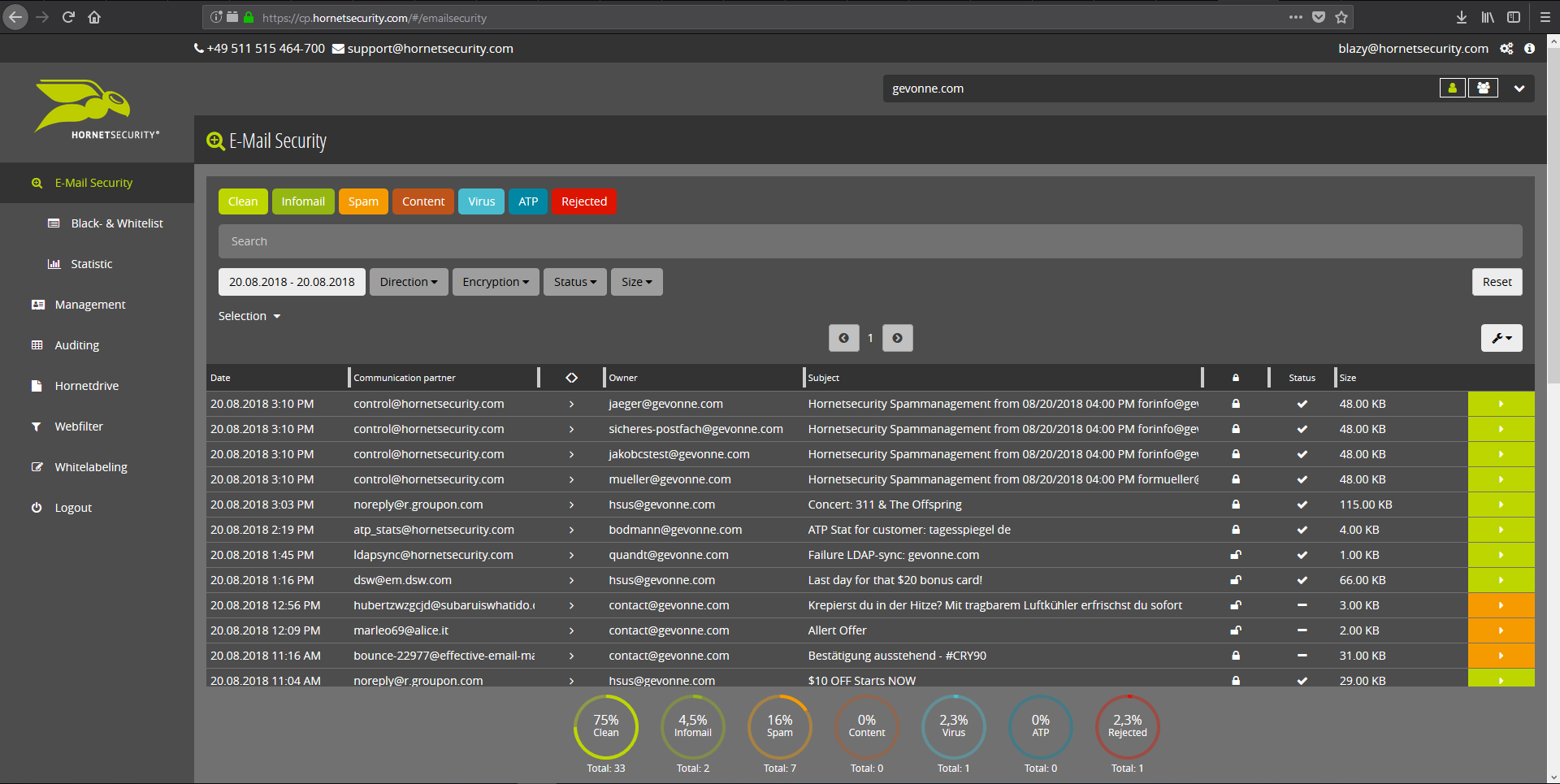
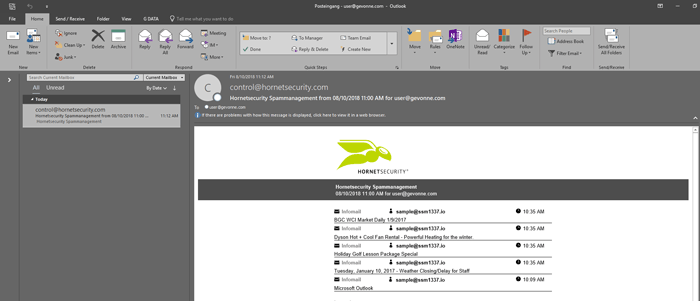
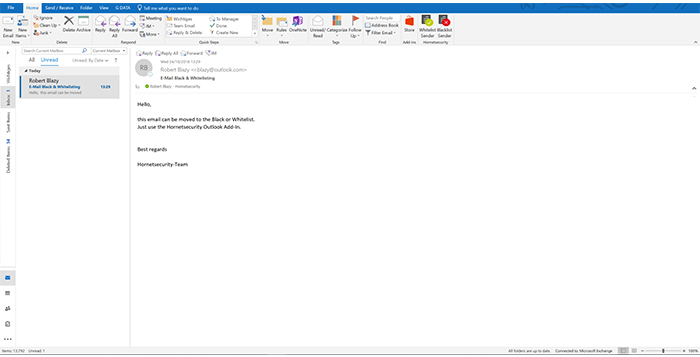
    Screenshot of Email Live Tracking with user-defined settings offers users a complete overview of all Emails addressed to them. If an incoming Email has, for example, been classified as spam, you will receive comprehensive information and can individually determine any further interaction. This means that you can always quickly find any email you are searching for and delivery options can be defined for the future.Screenshot of With the help of Infomail Handlings, the inboxes or smartphones of your users will no longer be flooded with newsletters and ad mails. Users are no longer distracted by the constant arrival of unimportant emails, thus making it easier for them to keep track of relevant business matters.Screenshot of Content Control protects your email communication from receiving or sending unwanted or unauthorized file attachments in keeping with your company policy. When running Content Control, umbrella terms and categories (e.g., .docmacro or .executable) may be blocked, for example in the default group (mailboxes that are not allocated to any particular group). For a department such as Marketing, however, the receipt of media files and macros can, on the other hand, be necessary for daily business: In this respect, one can create, for example, a group for the Marketing department and adjust the settings in Content Control so that only potentially dangerous, e.g. executable, file formats are blocked for this group.Screenshot of If an incoming email (e.g. phishing or spam mail) constitutes a threat, the attack is immediately detected by the multi-stage filter systems of 365 Total Protection. Unwanted emails are directly rejected by the Threat Blocking function or detected in later analyses by Threat Intelligence and sent straight to Quarantine. In both cases, these emails will not be delivered to your mailbox.Screenshot of If you do not want to receive emails from one or several specific senders, you can put these on your personal Blacklist. With just one click directly in your in-box the selected senders can be added to the Blacklist to prevent emails from the same sender from being delivered to you in future. If an email from a generally unobjectionable sender lands in Quarantine by mistake, thus appearing in the spam report, the “Whitelist” function can be used. Emails from senders on your Whitelist will always be delivered to your in-box in future.Screenshot of Every email sent out by a company is not only relevant to the business, but is also your company’s business card. In terms of content, a company-wide standardized structure and the completeness of signature datasets are essential. In this context, all email signatures also have the same visual design and layout. This task can also be allocated to the Marketing department or office management via the “What You See is What You Get” editor.