Overview
ProductRatingMost Used ByProduct SummaryStarting Price
Braze
Score 8.7 out of 10
N/A
Braze is a customer engagement platform that enables relevant and memorable experiences between consumers and the brands they love. With Braze, global brands can ingest and process customer data in real time, orchestrate and optimize contextually relevant, cross-channel marketing campaigns and continuously evolve their customer engagement strategies.N/A
MailUp
Score 6.0 out of 10
N/A
MailUp is the eponymous email & SMS platform from the Italian company that was founded in 2002 that now has a modest but respectable presence across the western world with a diverse customer base (Yamaha, Amnesty International, Korean Air, etc.). Mailup's platform combines email marketing, with transactional email and SMS features, and offers SMTP relay and plugins for ecommerce, CRM and CMS systems. Their unusual pricing scheme is tiered just on subscribers but on volume of sends and that…N/A
Pricing
BrazeMailUp
Editions & Modules
No answers on this topic
Offerings
Pricing Offerings
BrazeMailUp
Free Trial
YesYes
Free/Freemium Version
NoNo
Premium Consulting/Integration Services
NoYes
Entry-level Setup FeeOptionalOptional
Additional Details
More Pricing Information
Community Pulse
BrazeMailUp
Features
BrazeMailUp
Email & Online Marketing
Comparison of Email & Online Marketing features of Product A and Product B
Braze
-
Ratings
MailUp
9.5
1 Ratings
18% above category average
WYSIWYG email editor00 Ratings10.01 Ratings
Dynamic content00 Ratings10.01 Ratings
Ability to test dynamic content00 Ratings8.01 Ratings
Mobile optimization00 Ratings10.01 Ratings
Best Alternatives
BrazeMailUp
Small Businesses
Simplify360
Simplify360
Score 7.8 out of 10
Mad Mimi
Mad Mimi
Score 10.0 out of 10
Medium-sized Companies
Dialpad Support
Dialpad Support
Score 9.1 out of 10
VerticalResponse
VerticalResponse
Score 10.0 out of 10
Enterprises
Verint Community
Verint Community
Score 9.8 out of 10
Emma by Marigold
Emma by Marigold
Score 9.3 out of 10
All AlternativesView all alternativesView all alternatives
User Ratings
BrazeMailUp
Likelihood to Recommend
8.6
(145 ratings)
10.0
(1 ratings)
Likelihood to Renew
9.1
(2 ratings)
-
(0 ratings)
Usability
7.1
(112 ratings)
-
(0 ratings)
Support Rating
4.5
(21 ratings)
-
(0 ratings)
User Testimonials
BrazeMailUp
Likelihood to Recommend
Braze
Braze is a fantastic tool if you're looking to build a large number of CRM journeys using complex canvas structures and maximising use of customer data to segment and personalise. There are numerous tools to ensure each channel is maximising impact and engagement. Braze offers great features for testing, managing message frequency and control groups and using dynamic attributes and liquid code. If you're looking to limit your use to single-send campaigns with no or few automations, I don't think this is the right tool. From my experience, many Braze users also use external tools for analytics rather than Braze's native analytics.
Read full review
MailUp
Great for marketing teams looking to quickly deploy emails without the need for HTML coding.
Read full review
Pros
Braze
  • Canvas feature has been really good for creating customer journey paths and long-term messaging campaigns.
  • They have been addressing feature requests to continue to improve the Canvas feature. One of the simplest but most-handy features is allowing Delay steps wait for a very specific date on a calendar -- so you can plan seasonal campaigns or when you have evergreen-style drip campaigns it allows for avoiding public holidays/etc.
  • The catalog feature provides a lot of use-cases and flexibility for personalizing comms or customizing comms for whitelabeled versions of our standard comms (for our B2B2C scenarios).
  • We use the catalog as a repository of our B2B2C brand info, messaging customization - it basically allows us to offer a whitelabeled configurable version of our optimized automated in-life comms in the branding of our b2b customers.
Read full review
MailUp
  • Email marketing creation
  • Email design
  • HTML template creation
Read full review
Cons
Braze
  • Enabling GIF/videos to be directly uploaded on to Braze's platform
  • Easier way of creating canvases; right now it is too complex for someone new who is starting off in the company to understand what things do and where things are
  • Ability to track duplicate user profiles within the entire audience segment
  • Automated deduplicating email addresses/phone numbers in each targeting segment; right now it's done manually after extracting csv files
Read full review
MailUp
  • Alt tag styling within the editor
Read full review
Likelihood to Renew
Braze
We are on a mission for an omnichannel experience for our customers and are already making good progress with Braze able to fully support and optimise this
Read full review
MailUp
No answers on this topic
Usability
Braze
It is an easy-to-understand platform, thanks to its design and accessibility. You can, for example, easily find any users and their data, check exact volumes of segments, follow the history of messages sent, and create reports. We can connect Braze with other platforms for analysis or email design (Snowflake, Hightouch, Stripo...).
Read full review
MailUp
No answers on this topic
Support Rating
Braze
Very responsive and helpful on simple questions, but not great other than that. They do not have a way for the customer/user to escalate a ticket. You have to contact your rep and in some cases, they don't respond within 24 hours so you have no idea if they have escalated it. There is no phone number for an urgent issue - you have to rely on email
Read full review
MailUp
No answers on this topic
Alternatives Considered
Braze
Braze is just the best one when it comes to aesthetics and usability, which matter when you're working every day, making complex or even simple changes to highly contextual campaigns for multiple stakeholders. Even without following tutorials, you just get it instantly and start crafting journeys very quickly. And they continue to keep adding new features at a rapid pace, so credit where it's due.
Read full review
MailUp
Mailup has hands down the best editor for creating responsive emails, I've tried almost everything out there and this is the best, I recommend this to colleagues all the time!
Read full review
Return on Investment
Braze
  • We are currently trying to reduce churn of our members, numbers are stable but not as good as they could be.
  • We have achieved well in the upselling of our products, and expect to see a good proportion of revenue from this at the end of the year.
  • Higher engagement in our app work, performing much better than email. Keeping things interactive really helps.
Read full review
MailUp
  • Faster email development
  • More team members able to contribute to the email development process
  • Better templates
Read full review
ScreenShots

MailUp Screenshots

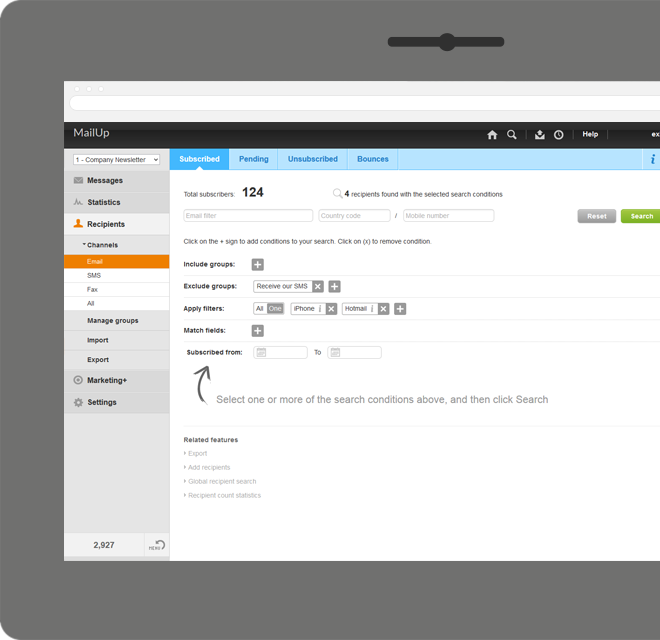
Screenshot of Manage lists. With MailUp, you can manage mailing lists, groups and sending profiles, automatically eliminating duplicate addresses and handling users who cancel their subscription. The procedure is guided, quick and safe. The utmost simplicity, with no need to install additional software. Not bad, right?Screenshot of he winning variable, with mathematical certainty
With A/B testing, discover, prior to mailing, what your recipients prefer to read, by automatically testing several versions of the same text, measuring its effectiveness on a select group. Opening results improve by up to 30% and, for each version, you have more statistical information. Mailing after mailing, you can only do better!Screenshot of Creating emails for mobile devices is easy
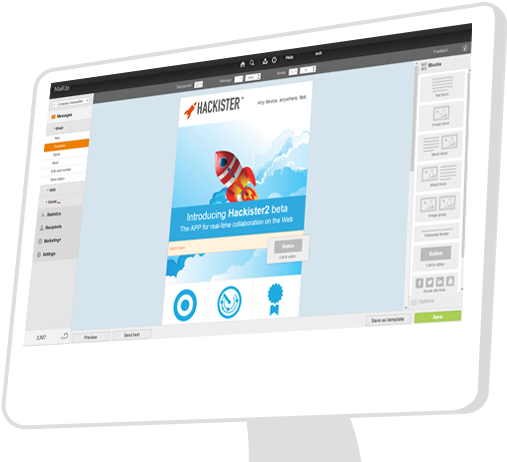
Free your creativity and create emails and newsletters that have great visual impact, optimised for mobile devices. While you concentrate on the content of your campaign, MailUp takes care of the rest with the aid of an intelligent editor and plenty of cutting-edge functions. Not bad, right?Screenshot of Countless ways to create your messages.

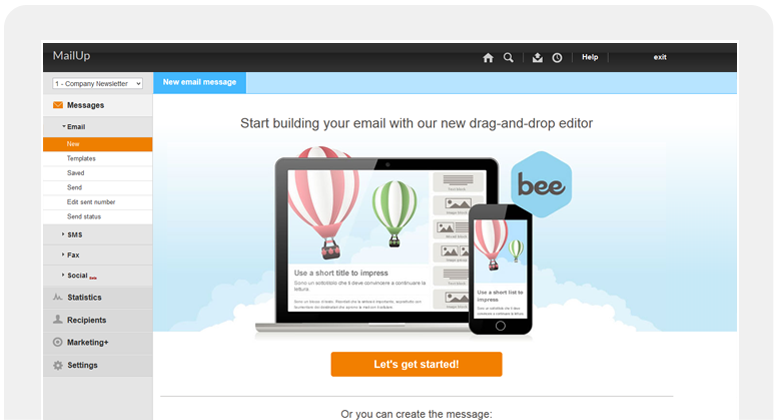
There's not only BEE with which create messages. You can start with HTML documents, RSS/Atom, URL or choose from hundreds of graphic models. Starting with an empty email? The convenient WYSIWYG editor helps you put your messages together with just a few clicks. It's all up to you!Screenshot of .and you can do the same with unsubscribe lists.

Automatic management of unsubscribe lists allows you to activate the UNSUBSCRIBE button directly in the email client interface. The unsubscribers list also shows a list of users who performed this action, which may be edited and exported. This function also allows you to make up random groups of users, specifying the number of subscribers. This makes it easier to manage random sampling and A/B testing.Screenshot of