build.works vs. NoteVault

Overview
ProductRatingMost Used ByProduct SummaryStarting Price
build.works
Score 0.0 out of 10
Small Businesses (1-50 employees)
build.works is a BIM model information based business management software (SaaS) for manufacturing, prefabrication of building elements and on-site construction. The software provides a solution for running business processes. The features of build.works cover the project execution life-cycle - starting from BIM model based take-off and project specifications, providing tools for budgeting and scheduling and finishing with task management and real-time reporting…
$55
per month per user
NoteVault
Score 7.9 out of 10
N/A
NoteVault is a construction reporting tool with three components. The Notes! app is supported by an audio-to-text translation service, and the Crew! app allows users to track labor, materials, and equipment quantities. The AlertMe! app supports group calls for issue notification.N/A
Pricing
build.worksNoteVault
Editions & Modules
Worker
$10
per month per user
Define
$55
per month per user
Plan
$55
per month per user
Execute
$55
per month per user
No answers on this topic
Offerings
Pricing Offerings
build.worksNoteVault
Free Trial
YesNo
Free/Freemium Version
NoNo
Premium Consulting/Integration Services
NoNo
Entry-level Setup FeeOptionalNo setup fee
Additional Detailsbuild.works is a monthly user-subscription based software as a service (SaaS). Subscriptions are usage and role based allowing flexible pricing for companies of all sizes.
More Pricing Information
Community Pulse
build.worksNoteVault
Features
build.worksNoteVault
Construction Project & Field Management
Comparison of Construction Project & Field Management features of Product A and Product B
build.works
-
Ratings
NoteVault
9.1
1 Ratings
21% above category average
Photo documentation00 Ratings9.11 Ratings
Jobsite reports00 Ratings9.11 Ratings
Best Alternatives
build.worksNoteVault
Small Businesses
FollowUp CRM
FollowUp CRM
Score 10.0 out of 10
FollowUp CRM
FollowUp CRM
Score 10.0 out of 10
Medium-sized Companies
InEight
InEight
Score 8.5 out of 10
InEight
InEight
Score 8.5 out of 10
Enterprises
InEight
InEight
Score 8.5 out of 10
InEight
InEight
Score 8.5 out of 10
All AlternativesView all alternativesView all alternatives
User Ratings
build.worksNoteVault
Likelihood to Recommend
-
(0 ratings)
8.2
(14 ratings)
Likelihood to Renew
-
(0 ratings)
9.1
(1 ratings)
Usability
-
(0 ratings)
8.6
(2 ratings)
User Testimonials
build.worksNoteVault
Likelihood to Recommend
build.works
No answers on this topic
NoteVault
It's is absolutely well suited for all daily reporting/documentation needs, also since it essentially 'self archives' you can revisit past projects by logging into the admin panel faster than going to my own archived job files. It saved our skin by documenting where a bad GC Superintendent had been giving false information to the office, and we were able to prove our conditions/progress and alleviate the issue. It's very well suited for large projects, and ongoing projects. A bit less suited for small fast service type projects. We keep one 'service' job open to document the fast turn over stuff to alleviate that issue.
Read full review
Pros
build.works
No answers on this topic
NoteVault
  • As a delay has occurred in the field, the foremen are able to report it immediately. The project manager now gets this information as it happened, not just trying to remember the next time they talk or see each other.
  • As an RFI arises, the foremen can ask their questions immediately so that the PM can address it right away.
  • We input our manpower on a daily basis, which helps us project where we are as it pertains to hours on a job.
Read full review
Cons
build.works
No answers on this topic
NoteVault
  • Difficult to bring back reports from the archives. I don't archive any more; I just sequentially date my projects and keep them all live.
  • Notevault is set up for normal work shifts. But I mostly work night shifts from about 10 pm to 6 am. You then have to sort and filter the notes from two separate "days" in the system to get a coherent report from a single night shift. I live with it, but I don't like it.
Read full review
Likelihood to Renew
build.works
No answers on this topic
NoteVault
It flat works and has paid for itself quickly.
Read full review
Usability
build.works
No answers on this topic
NoteVault
Simple use of functions. Majority of people can become familiar with this product fairly quick
Read full review
Alternatives Considered
build.works
No answers on this topic
NoteVault
I have used both Raken and NoteVault. It is my preference to use NoteVault due to the simplicity of it. Raken tended to be a bit cumbersome. I did not like the photo features used with Raken as opposed to the very simple straight forward approach with NoteVault
Read full review
Return on Investment
build.works
No answers on this topic
NoteVault
  • Daily reports get published the following day after downloaded to NoteVault.
  • From an executive standpoint, I am able to track the progress of each project on a daily basis and to be able to focus my efforts to the project that needs help.
Read full review
ScreenShots

build.works Screenshots

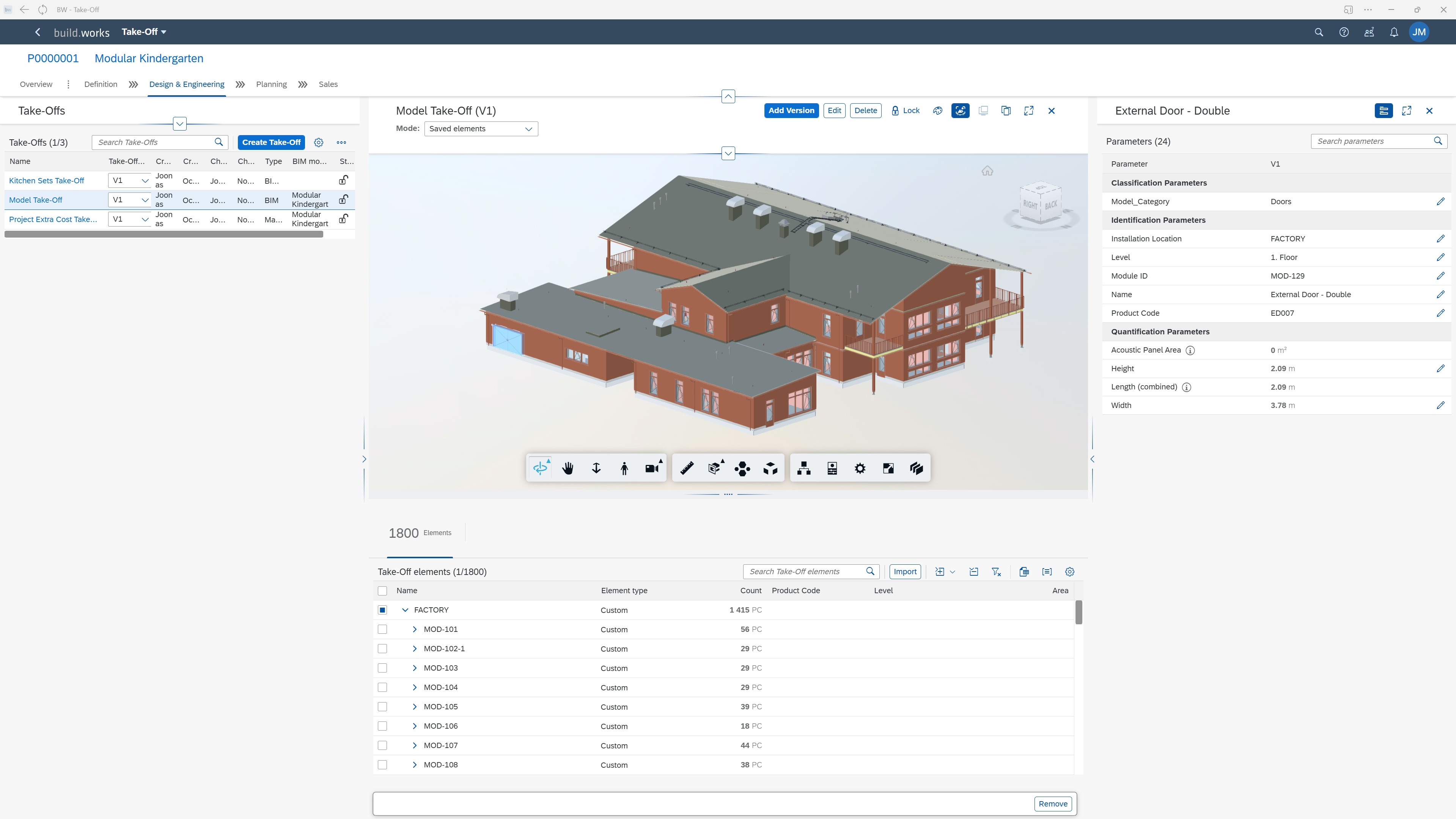
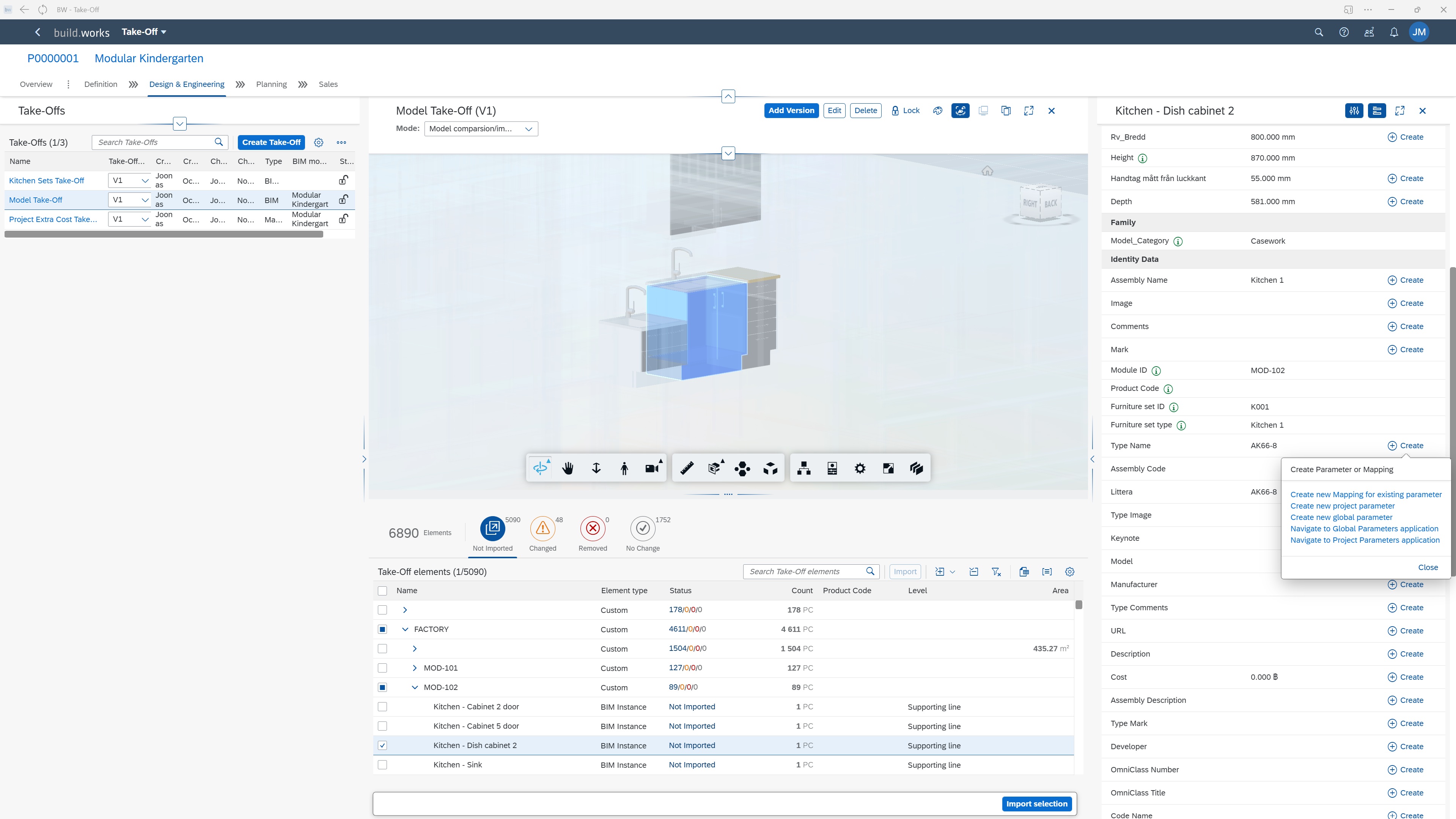
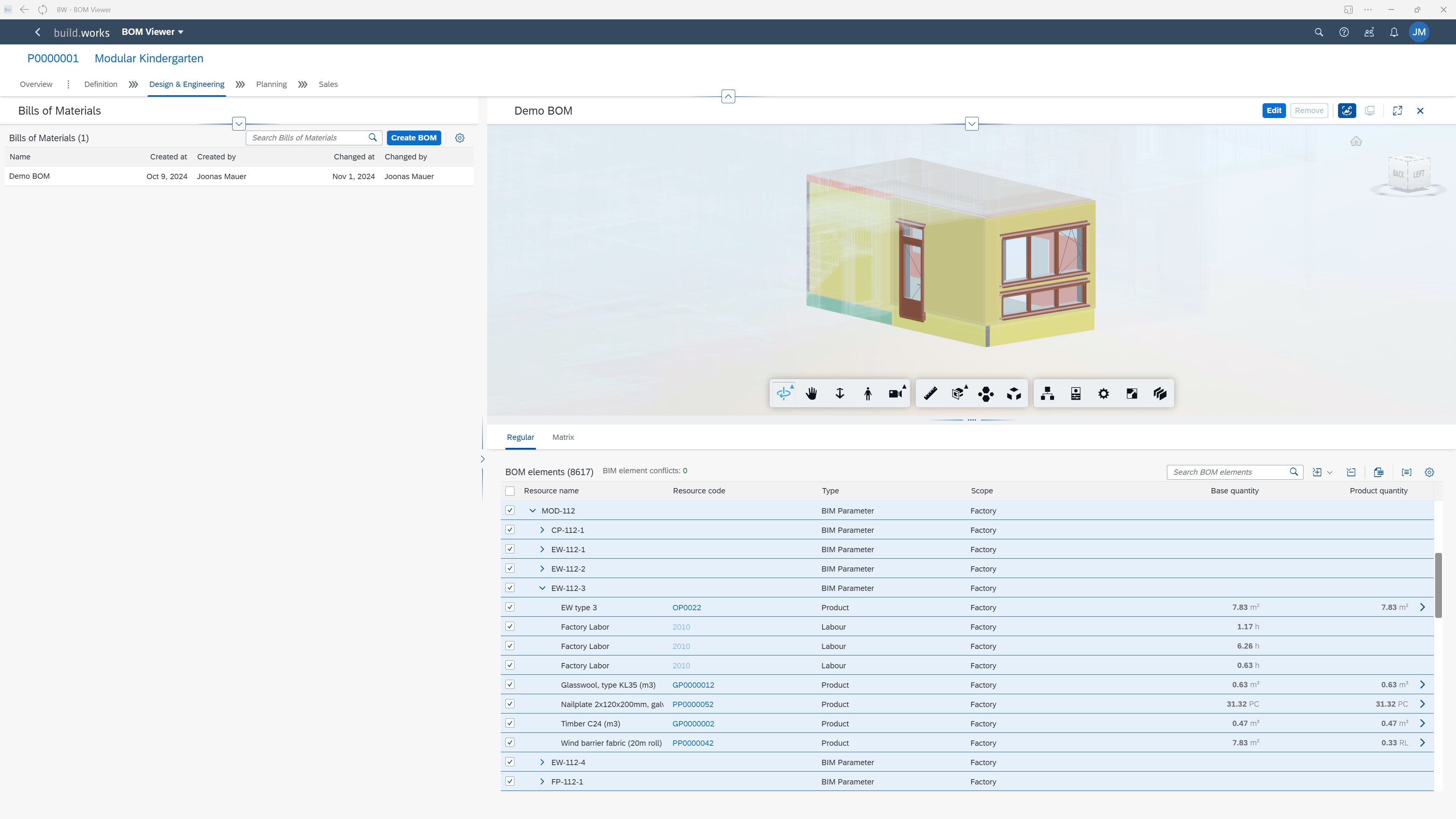
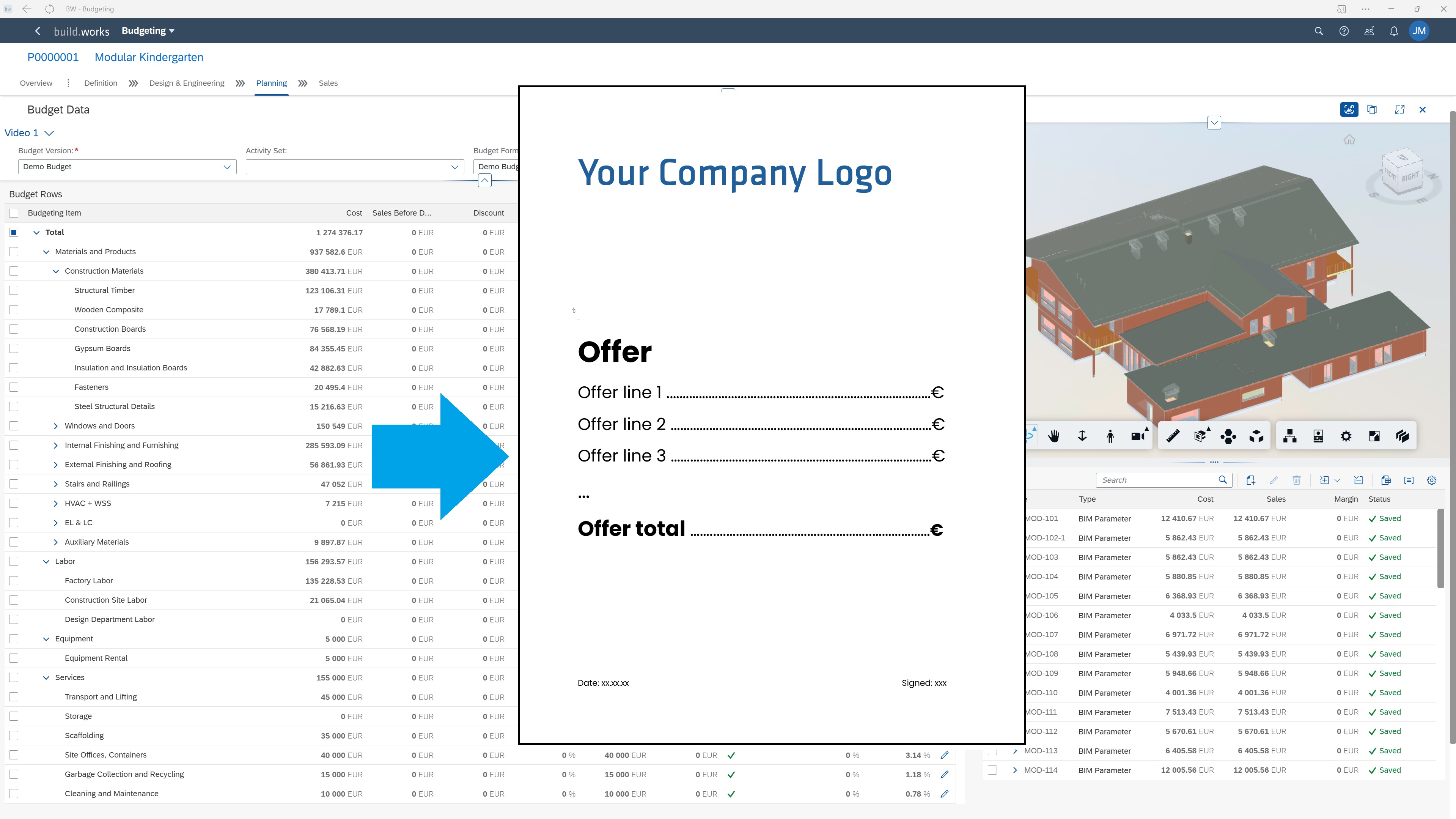
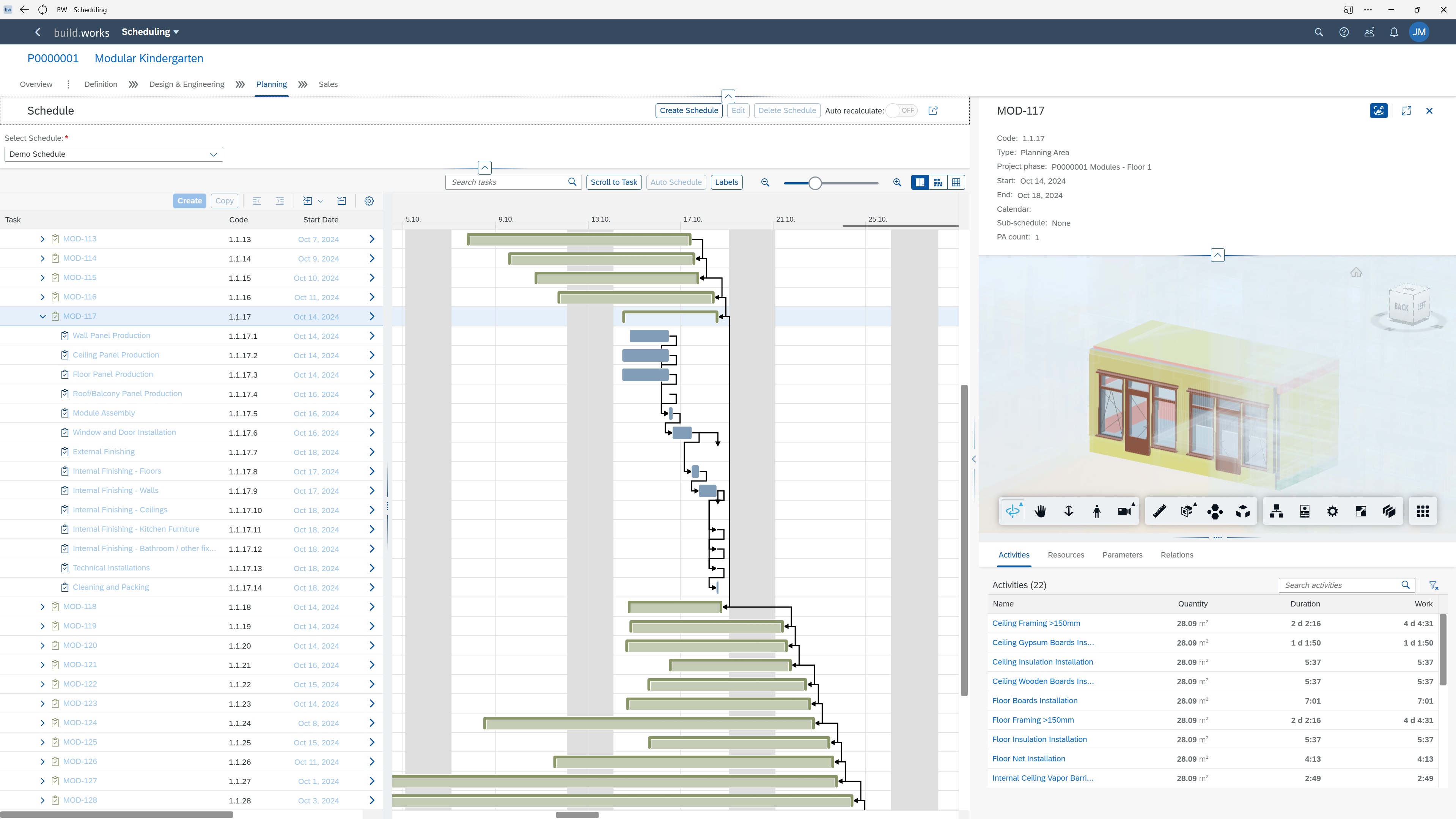
Screenshot of build.works DEFINE - Create BIM model based Quantity and Information Take-offs.Screenshot of build.works DEFINE - Save and work with model parameters. Use parameter values to structure the project and create a comprehensive BIM information based project specification.Screenshot of build.works DEFINE - Save model elements quantities and link them to specific products to form project specific custom BOMs (materials, labor, equipment, services).Screenshot of build.works PLAN - Compile dynamic budgets for projects based on project BOMs and resource purchasing information. Format the budgets into Quotations in just a few clicks using document templates.Screenshot of build.works PLAN - Estimate project execution capacity requirements and form high level capacity planning schedules for your production or building site.Screenshot of build.works PLAN - Generate dynamic project schedules based on project BOMs and production process templates.