Overview
ProductRatingMost Used ByProduct SummaryStarting Price
Calendly
Score 8.8 out of 10
N/A
Calendly helps organizations globally automate the meeting lifecycle by removing the scheduling back and forth, with the goal of enabling companies to close deals, hire candidates faster, and build relationships.
$10
per month (billed annually) per seat
vcita
Score 9.0 out of 10
N/A
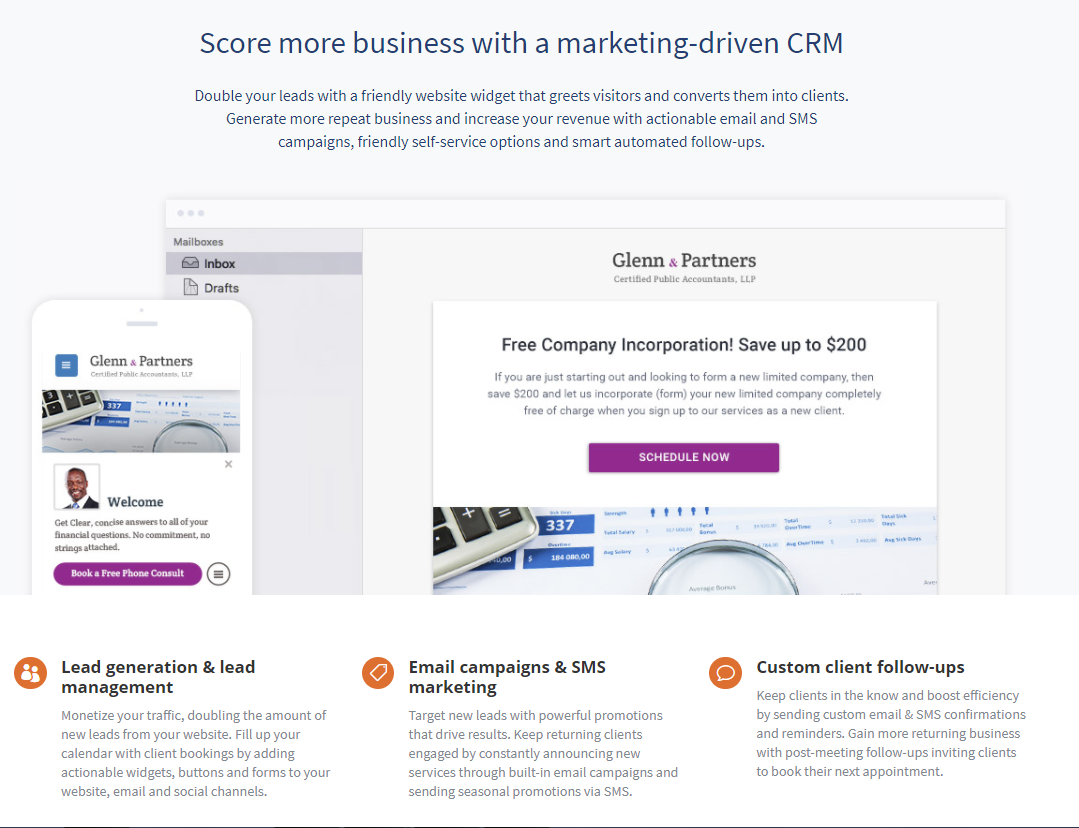
vCita is a marketing-focused CRM for service providers. According to the vendor, the product helps service providers move clients through every stage of the sales cycle: from the first point of contact to closing, upselling and follow-up. vCita is a lightweight CRM with the following features: - Manage appointments, payments, and clients - Access info & respond to clients on the go with a mobile app - Invite clients to…
$35
per month
Zing
Score 0.0 out of 10
N/A
N/AN/A
Pricing
CalendlyvcitaZing
Editions & Modules
Standard
$10
per month (billed annually) per seat
Teams
$16
per month (billed annually) per seat
Enterprise
Starts at $15k
per year
Essentials
$35
per month
Business
$65
per month
Platinum
$110
per month
No answers on this topic
Offerings
Pricing Offerings
CalendlyvcitaZing
Free Trial
YesYesYes
Free/Freemium Version
YesNoNo
Premium Consulting/Integration Services
NoNoNo
Entry-level Setup FeeNo setup feeNo setup feeNo setup fee
Additional DetailsMonthly billing also available.Discount available for annual billing.
More Pricing Information
Community Pulse
CalendlyvcitaZing
Considered Multiple Products
Calendly
Chose Calendly
Calendly allows you to define different types of appointments (with different time durations), and this is amazing.
Chose Calendly
I used You Can Book Me to set up meetings, but there were a number of things I didn't like about it. When using the free version of You Can Book Me, I could only make my meeting times available in one-hour increments. With Calendly, I can select the length of meetings that I …
Chose Calendly
Calendly has a much more specific purpose geared toward business meetings or any kind of meetings where as google makes more sense in an internal meeting or a school project or something like that. Calendly is really good at getting a smooth schedule down between client and …
Chose Calendly
Calendly seems the most easy to use and has all or most of the functionality that we need. We were looking to use other tools that we already pay for that have meeting functionality, but they didn’t have automated text and email reminders or some can’t allow clients to cancel …
Chose Calendly
I haven’t explored many other options, but I am a sold-out believer in this product and have used it at multiple organizations.
Chose Calendly
I didn’t use HubSpot meeting schedules in the same capacity because I wasn’t a sales rep so it’s hard to compare but I think Calendly is my preferred option.
Chose Calendly
Everything I've said previously. It takes me entirely out of the loop of coordinating people's schedules, sending invites, booking time, ensuring they get a Zoom invite, etc. It does everything while I do next to nothing, which is as it should be. As a team of one, my time …
Chose Calendly
Calendly is superior to both scheduling tools - it is easier to use, allows for a lot of customization and options for reminders, and allows the users to adjust their settings as they see fit. Other tools are more expensive and quite complex that don't allow modifications as …
Chose Calendly
Bookings is ok - but the game changer or I guess the deal breaker was bookings wasn't offering reminders or notifications to clients. This is important so our users are not wasting their time once again with emails that could be automated. With Calendly not only are you set …
Chose Calendly
Initially I used only Zoom to set up meetings. Had no clue how to make the best scheduling process in place. And them, Calendly came in. This was a game changer.

Zoom allows to just create meetings, but Calendly is absolute convenience! There's zero requirement to follow up …
Chose Calendly
Acuity’s interface was difficult and clunky to navigate. It was not intuitive and overpriced for its level of outdated design. Calendly is way more efficient and their customer service is top-notch and actually available.
Chose Calendly
Before making the switch to Calendly, we used Doodle polls a ton for big meetings to avoid the constant back and forth and long email chain messages between external partners, stakeholders, donors, funders, and other clients. Doodle poll is fairly informal compared to the …
Chose Calendly
I have not used any other products other than Calendly. Calendly was actually chosen by the broker-dealer company my boss works for so we did not have an option to shop and explore other products that work similar to Calendly.
Chose Calendly
When I started using it, there were not many competitors in this space. I've seen some like Mixmax that seem to work well for solopreneurs or where free version might be better than Calendly's free version. I use the paid version of Calendly and it's just kept serving us well …
Chose Calendly
Square Appointments I like it as well it just doesn't have the robust ability that Calendly does. Personally, if there were an ability to do that, Square Appointments could give Calendly a run for their money for their own customers. I don't see how they could move the compete …
Chose Calendly
I have never used or evaluated anything besides Calendly.
Chose Calendly
More recently, I have started using Meetingbird by Front. They are essentially the same product, but Meetingbird has a decidedly better design and user experience. It's just easier to use. Also - the product is free because Front is just using it to generate leads for its …
Chose Calendly
We didn't really have any competition for Calendly. We have used them previously and thought it was so easy that it made sense to implement Calendly right away. It made sense and created an easy solution to our problems.
Chose Calendly
Calendly is not meant to be a full featured CRM. Better if you're comfortable adding a scheduling software to your overall CRM and calendar stack.
vcita
Chose vcita
vCita has been very responsive to our needs and desires for improvement in certain areas. We have appreciated the level of support we receive when a problem arises. Our biggest gain when moving was the reliability of this product's teleconferencing integration with Zoom. …
Chose vcita
I think only Acuity Scheduling rivals vCita. One weak point for vCita is that the others have a better link for reviews on social media and beyond than vCita.
Chose vcita
vCita is a platform which is still developing and falls short of dedicated CRM platforms in some ways however it shines where it counts for any business wanting to provide more power to their customer to make bookings and manage their profile. Other platforms such as Insightly …
Chose vcita
It's been two years since I looked at other programs, I don't remember them.
Chose vcita
vCita is a much more simple than Zoho. Zoho is a full-blown CRM which we didn't need.
Chose vcita
We were satisfied with TimeTrade and probably wouldn't have made the switch if we were able to integrate with our new Duda website as well as vCita does. They do not offer as many features as vCita, but for scheduling only, they work well and are very affordably priced.
Chose vcita
I liked vCita a lot more for my home services company mainly because it handled scheduling through the software which was terrific.
Zing

No answer on this topic

Features
CalendlyvcitaZing
Sales Force Automation
Comparison of Sales Force Automation features of Product A and Product B
Calendly
-
Ratings
vcita
8.8
Ratings
11% above category average
Zing
-
Ratings
Customer data management / contact management00 Ratings9.50 Ratings00 Ratings
Workflow management00 Ratings8.00 Ratings00 Ratings
Marketing Automation
Comparison of Marketing Automation features of Product A and Product B
Calendly
-
Ratings
vcita
7.0
Ratings
10% below category average
Zing
-
Ratings
Email marketing00 Ratings7.00 Ratings00 Ratings
CRM Project Management
Comparison of CRM Project Management features of Product A and Product B
Calendly
-
Ratings
vcita
8.0
Ratings
3% above category average
Zing
-
Ratings
Billing and invoicing management00 Ratings9.00 Ratings00 Ratings
Reporting00 Ratings7.00 Ratings00 Ratings
Customization
Comparison of Customization features of Product A and Product B
Calendly
-
Ratings
vcita
6.8
Ratings
12% below category average
Zing
-
Ratings
Custom fields00 Ratings6.60 Ratings00 Ratings
API for custom integration00 Ratings7.00 Ratings00 Ratings
Platform
Comparison of Platform features of Product A and Product B
Calendly
-
Ratings
vcita
8.6
Ratings
12% above category average
Zing
-
Ratings
Mobile access00 Ratings8.60 Ratings00 Ratings
Security
Comparison of Security features of Product A and Product B
Calendly
-
Ratings
vcita
9.7
Ratings
14% above category average
Zing
-
Ratings
Role-based user permissions00 Ratings9.70 Ratings00 Ratings
Best Alternatives
CalendlyvcitaZing
Small Businesses
vcita
vcita
Score 9.0 out of 10
Salesmate
Salesmate
Score 10.0 out of 10
Salesmate
Salesmate
Score 10.0 out of 10
Medium-sized Companies
LeanData
LeanData
Score 8.8 out of 10
Creatio
Creatio
Score 9.3 out of 10
Creatio
Creatio
Score 9.3 out of 10
Enterprises
Zoom Workplace
Zoom Workplace
Score 8.4 out of 10
Creatio
Creatio
Score 9.3 out of 10
Creatio
Creatio
Score 9.3 out of 10
All AlternativesView all alternativesView all alternativesView all alternatives
User Ratings
CalendlyvcitaZing
Likelihood to Recommend
9.5
(0 ratings)
9.7
(0 ratings)
-
(0 ratings)
Likelihood to Renew
9.1
(0 ratings)
-
(0 ratings)
-
(0 ratings)
Usability
10.0
(0 ratings)
9.5
(0 ratings)
-
(0 ratings)
Support Rating
8.7
(0 ratings)
8.5
(0 ratings)
-
(0 ratings)
User Testimonials
CalendlyvcitaZing
Likelihood to Recommend
It's well suited for music students' lessons. It's well suited for online coaching, primarily through places like Zoom and more. It helps simplify things for your clients, lets you program your schedule, and allows it all to go automatically! If you are working with a senior population, it may be a little tricky for them to sign up and then really hard for them to cancel lessons. There isn't a way to go to the site and cancel. You have to pull up the confirmed email and cancel from there, but people can lose emails.
Read full review
It makes client communication extremely easy - we can message and schedule online appointments. Clients really like those options. We also like the online payment portal. That way clients can pay at their convenience, and we don't end up with credit card information that requires PCI compliance. It also helps with payments. It would also help with invoicing, but unfortunately, there are only 3 linked payment options (Square, Stripe, and PayPal). If you don't use one of those payment processors, you cannot link to billing.
Read full review
No answers on this topic
Pros
  • Sales. Easy for people to book so less back and forth.
  • Managed access. Easy for me to offer people the "right kind" of slot - I have like 5 hidden event-types I share only with certain people so they can access different availability.
  • Collaborative events! Some of us frequently meet in pairs or groups, e.g., one of our regional leaders and I have a shared link we can send out to people to find a time that works for all of us. LOVE this.
Read full review
  • Very easy implementation of a contact/scheduling widget.
  • Allows for scheduling of appointments with clients. The setup is easy and the allotted times can be changed as needed. Easy for the client to use as well.
  • Managing communication between individual clients is easy as well.
Read full review
No answers on this topic
Cons
  • If you have more than one company, you cannot use one account. This is the most difficult hurdle to me but still one I am willing to jump over considering all the benefits of Calendly.
  • Adding custom color ability on event types. Example: One of my companies doesn't use any of the color choices. I would like to be able to color code those to my brand.
  • Brand/Asset kit would be a wonderful addition. In profile settings, have a place to upload brand logo, assets, and brand color codes.
Read full review
  • Syncing with our google calendars has some flaws or is just not clear
  • Messages show unread when they have been read
Read full review
No answers on this topic
Likelihood to Renew
For all reasons like workflows, UI, and the way Calendly keeps all of us engaged through the Collective forum. It's indeed undeniable that no other product covers all business needs like Calendly does. On the other side, this has also reduced the workload by enabling us to focus more on other tasks for the day
Read full review
No answers on this topic
Usability
Calendly is extremely easy to use for selecting times and days for meetings. From my end, it's very easy to indicate the days and times that I am available for meetings. I have used other scheduling products, but Calendly has the smoothest way of operating. I highly recommend it for scheduling meetings
Read full review
Overall - easy to use. There are some missing features (like fillable pdf forms), and it also requires using certain credit card processors to link billing (otherwise it doesn't work).
Read full review
No answers on this topic
Support Rating
There is a lot of support for Calendly. Whenever I have had issues navigating through it, especially as a new user, I found multiple support on the web addressing my questions or concerns. There is a lot of in app informative notes accessible to users to navigate through Calendly when needed.
Read full review
I do miss the days when I could easily call up a rep and talk to them about any issues I had with the service. But I still do hear back from the customer service rep during the week within 24 hours.
Read full review
No answers on this topic
Alternatives Considered
Everything I've said previously. It takes me entirely out of the loop of coordinating people's schedules, sending invites, booking time, ensuring they get a Zoom invite, etc. It does everything while I do next to nothing, which is as it should be. As a team of one, my time should be spent doing what I do best and getting paid to do: coaching, teaching, consulting, speaking, writing, and creating training content and workshops.
Read full review
vCita has been very responsive to our needs and desires for improvement in certain areas. We have appreciated the level of support we receive when a problem arises. Our biggest gain when moving was the reliability of this product's teleconferencing integration with Zoom. With OnCall we had trouble onboarding people, difficulty with the app they used going down, etc. We also had expectations about progress with Forms that we unmet.
Read full review
No answers on this topic
Return on Investment
  • Over 300% as of last year. We had done a case study which was phenomenal because even I didn't know the numbers were that huge until we finally put pen to paper.
  • Time!! I'm in the money business and you know Time is Money if you're in the same industry.
  • Affordability. It doesn't break the bank for anyone - having an affordable product along with it being user friendly is a no brainer.
Read full review
  • The initial cost was high compared to other options but the features in the base level allowed even the smallest of business to grow into the paid version of the service.
  • The time saved with self service bookings and profile management for customers has been a big plus and made the purchase of the service worthwhile.
  • The constant improvements to the platform have been enough to continue to use the service as it develops into a competent CRM.
Read full review
No answers on this topic
ScreenShots

Calendly Screenshots

Screenshot of how to share a scheduling linkScreenshot of automated workflowsScreenshot of browser extensionsScreenshot of routing formsScreenshot of round robin & collective eventsScreenshot of admin management

vcita Screenshots

Screenshot of vcita's features, that make it a marketing-driven CRM for small businesses