Camtasia is a video editor and screen recorder. Camtasia offers a range of plans designed to meet varying video creation needs, and enables users to produce professional-looking videos. Its features include Camtasia Rev, script generation, text-to-speech, translations, and avatar videos, to streamline the video creation process. The editions available are Free, Essentials, Create, or the Pro plan.
$179.88
per year per user
IBM Video Streaming
Score8.9 out of 10
Mid-Size Companies (51-1,000 employees)
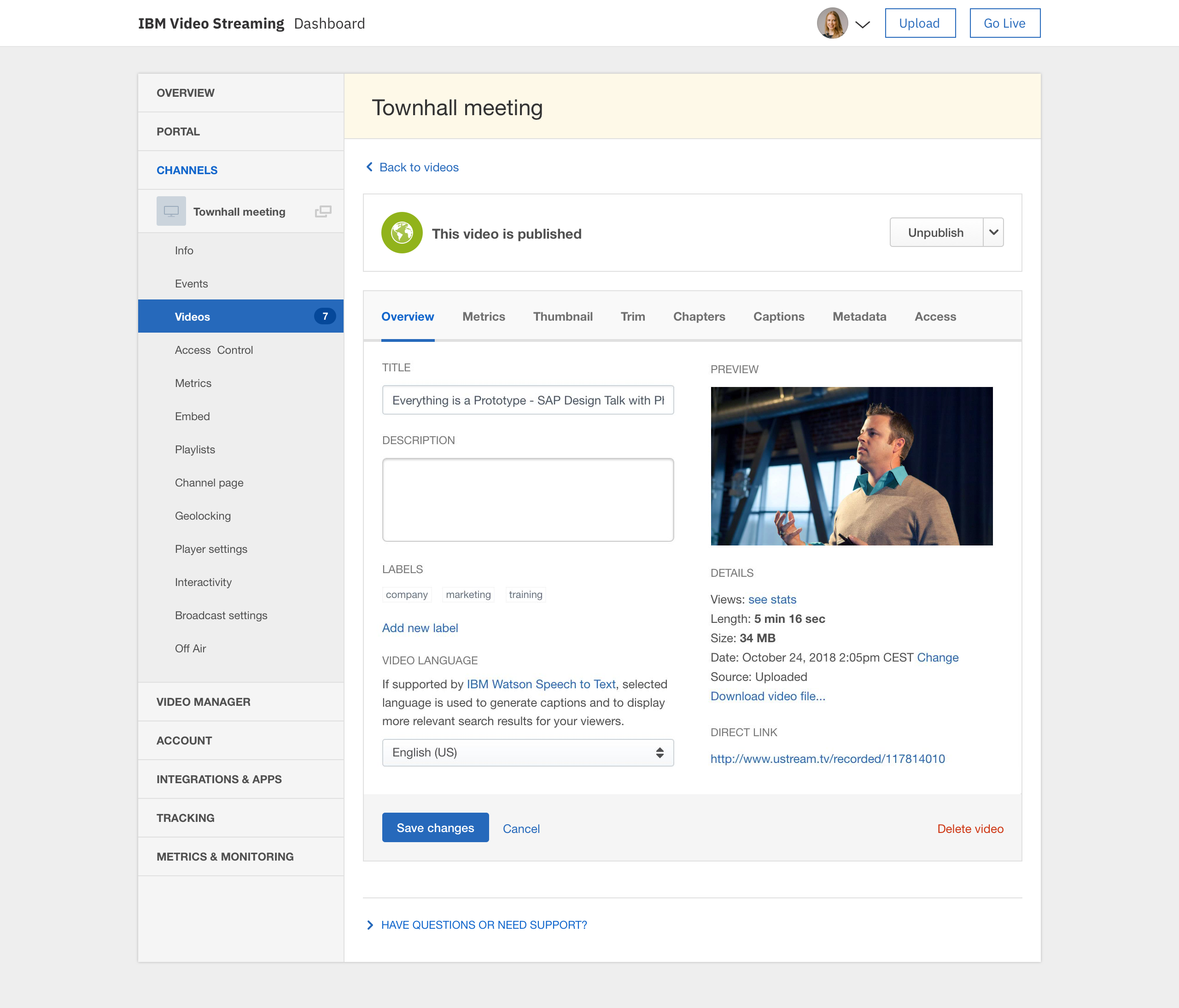
IBM Video Streaming solutions are used to stream virtual events, executive town halls, video marketing product launches, and 24-hour streaming channels. According to IBM, the solution is built for privacy, reliability and scale, to optimize video quality, and powered by IBM Watson AI for video search and automated closed captioning. IBM Enterprise Video Streaming can power security-rich video communications ranging from employee town halls, to…
$137
per month 100 viewer hours
Pricing
Camtasia
IBM Video Streaming
Editions & Modules
Camtasia Business
$198
per year per seat
Silver
$137
per month 100 viewer hours
Gold
$688
per month 2,000 viewer hours
Platinum
$1380
per month 5,000 viewer hours
Offerings
Pricing Offerings
Camtasia
IBM Video Streaming
Free Trial
Yes
Yes
Free/Freemium Version
Yes
No
Premium Consulting/Integration Services
No
Yes
Entry-level Setup Fee
No setup fee
Optional
Additional Details
*Discounts available for purchases supporting a large volume of users.
Video Streaming edition is available for purchase via credit card online (or via IBM salesperson if needs exceed those outlined in the online plans).
Enterprise Video Streaming edition must be purchased from an IBM salesperson.
Camtasia is so easy to use that I recommend it over Adobe Premiere, Captivate, Storyline, and other tools. The only problem is the price. Due to the fact that I purchased this for education purposes, and educational prices have gone up exponentially, it has been difficult even at $179 to upgrade, as an educator and the organization is not always willing to reimburse the purchase, it would have been more economical. It was less than $100 (Black Friday) when I bought our updated version in 2019. Camtasia profile accounts aren't the best setup, however. My profile account does not reflect when I was a user or show past invoices, and I wanted to see how long ago I was a user.
A de minimis incentive was given to thank the reviewer for their time. The incentive was not used to bias or drive a particular response, nor was the incentive contingent on a positive endorsement. More Info
Very limited customization features. Permissions are a mess too if you want to have people assigned as chat moderators for events for instance, but dont want them access to the admin panel. The quality of the broadcast and live captions work well, but they charge extra for live captions. For operating a video on demand site, the design of the page is really poor and limited on customization. Been a user for years and seen almost no new innovation on the platform which has been disappointing. The metrics are a mess on the user panels too. They do provide an api link for your external metrics and/or data dumps for using something like tableau, but that features not really something to write home about and a rather basic offering. This is an expensive platform with limited options and an outdated style unfortunately. We have been getting by for our uses but there's nothing really keeping us with IBM if another platform offering came around
A de minimis incentive was given to thank the reviewer for their time. The incentive was not used to bias or drive a particular response, nor was the incentive contingent on a positive endorsement. More Info
IBM Video Streaming allows for the integration of interactive elements into video content, such as quizzes, polls, and live Q&A sessions. This can make learning more engaging for young students by making it interactive and fun, thus increasing their attention and participation.
Teachers in a K-5 setting can access and share professional development materials and teaching resources through the platform. This can help them stay updated on the best practices for early childhood education, innovative teaching methods, and subject-specific strategies, ultimately benefiting their students.
IBM Video Streaming provides the capability for teachers to create a library of on-demand educational videos. This is particularly useful for young learners who may need to revisit concepts multiple times to fully understand them. It also supports differentiated learning by allowing students to learn at their own pace.
Young students often benefit from visual aids in their learning process. IBM Video Streaming can deliver high-quality video content that includes animations, demonstrations, and visual explanations of concepts. This can be particularly effective in subjects like science, math, and reading, where visualizations can enhance understanding.
A de minimis incentive was given to thank the reviewer for their time. The incentive was not used to bias or drive a particular response, nor was the incentive contingent on a positive endorsement. TR verified that a representative sample of customers was invited. More Info
USB Microphones can sometimes cause a problem if they become accidentally unplugged during a recording session. This can corrupt some of the files that the Camtasia Recorder application uses to capture directly to .avi mode.
You'll sometimes get a message when you next try to record that .avi mode isn't available and the only way to fix this is by completely uninstalling and reinstalling Camtasia (with a reboot in the middle of these two actions).
This bug only manifested after Camtasia 8 was released, but still seems to cause an issue right up to and including Camtasia 2021.
I'd like to see more standard Annotation options. The existing ones are pretty good, but variety is a little lacking.
More 'Behaviours' would also be really welcome as these are a great feature and make Callouts a bit more interesting and lively. I've not seen any new Behaviours over the past few versions (since Camtasia 2018).
A de minimis incentive was given to thank the reviewer for their time. The incentive was not used to bias or drive a particular response, nor was the incentive contingent on a positive endorsement. TR verified that a representative sample of customers was invited. More Info
Occasionally, we experience a form of static that lasts for about 1 to 2 minutes. It appears in the live stream and in the auto-recorded file, but not in the live worship assembly. It occurs roughly 1 in every 4 hours of webcast time. I wish there was a way to trace the source of that recurring static. The diagnostic tools could be more robust.
It would be nice if the chat room allowed a user photo/avatar for each user to personalize that a little more.
I have wished for a way that an admin could use a “laser pointer” on the video window to point out something on the feed that other live viewers could see.
It would be wonderful to have a mini-tutorial for viewers who are not technically savvy that would inform them of how to get to the site and explain how they can use the software. For example, how they can see and type in the chat room, how to maximize the screen and make it smaller. Some of our viewers are in nursing homes or otherwise limited in capability to learn to use this on their own.
A de minimis incentive was given to thank the reviewer for their time. The incentive was not used to bias or drive a particular response, nor was the incentive contingent on a positive endorsement. More Info
Each release of Camtasia has added just enough functionality to justify the upgrade to the new version. I like that Camtasia is not a subscription-based product as we have more flexibility and control over our spend on the product. We can also purchase support packages that include the next version when released.
A de minimis incentive was given to thank the reviewer for their time. The incentive was not used to bias or drive a particular response, nor was the incentive contingent on a positive endorsement. More Info
Our organization depends heavily on this streaming service. Now that we have the option of allowing our clients to attend meetings virtually, we can never retract that option as so many of our clients love the flexibility. Also, we have no complaints with the service itself. It is reliable and dependable and any issues we have encountered have never been to blame on the service but rather our lack of knowledge of it or needing to update our embed code
A de minimis incentive was given to thank the reviewer for their time. The incentive was not used to bias or drive a particular response, nor was the incentive contingent on a positive endorsement. TR verified that a representative sample of customers was invited. More Info
I haven't used another video recording and editing tools that is as comprehensive and straight-forward as Camtasia. Typically, if you want a user-friendly video editing tools for novice users, you have to compromise on features. Camtasia solves this problem by offering extensive editing features in a simplistic, user-friendly environment. Highly recommend
A de minimis incentive was given to thank the reviewer for their time. The incentive was not used to bias or drive a particular response, nor was the incentive contingent on a positive endorsement. More Info
The user interface is pretty straightforward, but simply needs optimization. (Please hire a seasoned UX person to fix it.) However, all of the key features are there and understandable. It's a great platform overall, a bit expensive, and could use some more options for its viewing experience, and a better "smart" embedding window for mobile applications.
A de minimis incentive was given to thank the reviewer for their time. The incentive was not used to bias or drive a particular response, nor was the incentive contingent on a positive endorsement. More Info
Absolutely. We have never had an outage problem or any application errors that I have been privy to. We are duly notified generally in advance of outages or updates
A de minimis incentive was given to thank the reviewer for their time. The incentive was not used to bias or drive a particular response, nor was the incentive contingent on a positive endorsement. TR verified that a representative sample of customers was invited. More Info
As we use it now, we are satisfied with the streaming performance. I cannot speak to integration yet as we have yet to engage in that but have plans to in the future
A de minimis incentive was given to thank the reviewer for their time. The incentive was not used to bias or drive a particular response, nor was the incentive contingent on a positive endorsement. TR verified that a representative sample of customers was invited. More Info
With the latest version (Camtasia 2020), I actually had problems with an Imac with HighSierra, but from the first moment they answered and guided me to solve the problem, even before making the purchase (with some doubts I had). And they have support in English and Spanish, I really liked that.
We funded 'white glove' service as our timelines were tight and our needs were well-defined. Tier 1 and Tier 2 support were able to help us get up and running in shorter order than we would have on our own. Documentation on the eCDN product had gaps, increasing the time to resolve and created concerns about success.
A de minimis incentive was given to thank the reviewer for their time. The incentive was not used to bias or drive a particular response, nor was the incentive contingent on a positive endorsement. More Info
Ustream is easy to implement. It takes any stream we have thrown its way and distributed it quickly and with quality. When talking to others that are pursuing live stream implementations, I often remind them that the technology used to distribute your live stream is less important than the quality of the content you are distributing. Taking care to use the right camera equipment, the proper encoder, and quality sound gear will result in a high-quality stream that will allow the strength of the Ustream CDN to shine.
A de minimis incentive was given to thank the reviewer for their time. The incentive was not used to bias or drive a particular response, nor was the incentive contingent on a positive endorsement. More Info
I've tried several freeware recorders, too. If all you want to do is literally record your screen, and nothing else, you don't need Camtasia. There are literally dozens of apps that will do that. If you want an app that will record your screen while capturing mouse clicks, follow you, record your voice while you capture, and annotate when you're done, Camtasia has no equal. Plus, it doesn't stop there. You can add professional intros and outros (many already created to choose from), lower thirds, etc., leading to videos with very high production value. This is THE program to buy if you want to produce training videos of very high quality.
A de minimis incentive was given to thank the reviewer for their time. The incentive was not used to bias or drive a particular response, nor was the incentive contingent on a positive endorsement. More Info
Vimeo offers better tools for on-demand like chapters and marketing tools. But their live options are limited to event durations. YouTube can stream for longer durations but IBM 24/7 stream has been much more reliable and easy to use.
A de minimis incentive was given to thank the reviewer for their time. The incentive was not used to bias or drive a particular response, nor was the incentive contingent on a positive endorsement. More Info
A de minimis incentive was given to thank the reviewer for their time. The incentive was not used to bias or drive a particular response, nor was the incentive contingent on a positive endorsement. More Info
A de minimis incentive was given to thank the reviewer for their time. The incentive was not used to bias or drive a particular response, nor was the incentive contingent on a positive endorsement. More Info
Our ROI is measured by the provision of ministry and satisfaction of our congregation. We are extremely pleased with our USTREAM and feel that it is a valuable asset to our church.
A de minimis incentive was given to thank the reviewer for their time. The incentive was not used to bias or drive a particular response, nor was the incentive contingent on a positive endorsement. TR verified that a representative sample of customers was invited. More Info