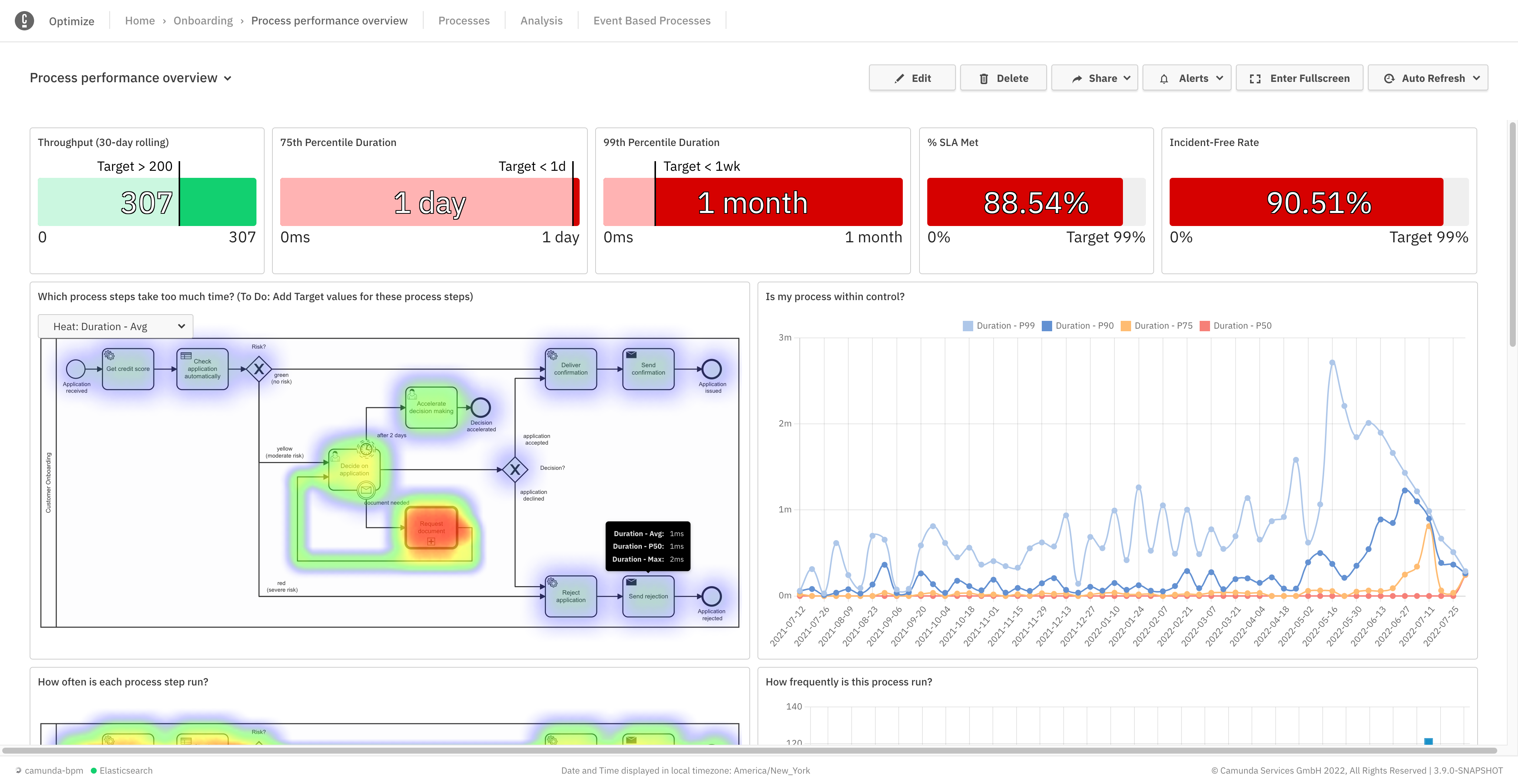
Camunda is a process orchestration tool designed to help organizations design, automate, and improve any process. Built for business and IT collaboration using BPMN and DMN standards, Camunda aims to enable seamless integration across endpoints to transform mission-critical processes.
N/A
Flow (discontinued)
Score9.7 out of 10
N/A
The Flow task management app featured a range of tools like kanban board, checklist, timeline, and other features for tracking projects from start to finish. The product is discontinued, and the company Flow Technologies is no longer operating.
N/A
Pricing
Camunda
Flow (discontinued)
Editions & Modules
Self-Managed Enterprise
Contact Sales
per year
SaaS Enterprise
Contact Sales
per year
No answers on this topic
Offerings
Pricing Offerings
Camunda
Flow (discontinued)
Free Trial
Yes
No
Free/Freemium Version
Yes
No
Premium Consulting/Integration Services
Yes
No
Entry-level Setup Fee
No setup fee
No setup fee
Additional Details
—
—
More Pricing Information
Features
Camunda
Flow (discontinued)
Customization
Comparison of Customization features of Camunda and Flow (discontinued)
Feature
Camunda
9.0
1 Ratings
21% above category average
Flow (discontinued)
-
Ratings
API for custom integration
9.01 Ratings
00 Ratings
Reporting & Analytics
Comparison of Reporting & Analytics features of Camunda and Flow (discontinued)
Feature
Camunda
8.0
1 Ratings
2% above category average
Flow (discontinued)
-
Ratings
Dashboards
8.01 Ratings
00 Ratings
Standard reports
7.01 Ratings
00 Ratings
Custom reports
9.01 Ratings
00 Ratings
Process Engine
Comparison of Process Engine features of Camunda and Flow (discontinued)
Feature
Camunda
8.5
2 Ratings
15% above category average
Flow (discontinued)
-
Ratings
Process designer
9.02 Ratings
00 Ratings
Process simulation
9.01 Ratings
00 Ratings
Business rules engine
7.02 Ratings
00 Ratings
SOA support
9.02 Ratings
00 Ratings
Process player
9.02 Ratings
00 Ratings
Form builder
5.02 Ratings
00 Ratings
Model execution
10.02 Ratings
00 Ratings
Business Process Automation
Comparison of Business Process Automation features of Camunda and Flow (discontinued)
Feature
Camunda
9.0
1 Ratings
28% above category average
Flow (discontinued)
-
Ratings
Business Process Modeling
9.01 Ratings
00 Ratings
Decision Modeling
9.01 Ratings
00 Ratings
Project Management
Comparison of Project Management features of Camunda and Flow (discontinued)
Feature
Camunda
-
Ratings
Flow (discontinued)
9.3
7 Ratings
19% above category average
Task Management
00 Ratings
9.37 Ratings
Resource Management
00 Ratings
10.06 Ratings
Gantt Charts
00 Ratings
10.05 Ratings
Scheduling
00 Ratings
10.05 Ratings
Workflow Automation
00 Ratings
10.05 Ratings
Team Collaboration
00 Ratings
10.07 Ratings
Support for Agile Methodology
00 Ratings
8.33 Ratings
Support for Waterfall Methodology
00 Ratings
7.42 Ratings
Document Management
00 Ratings
10.06 Ratings
Email integration
00 Ratings
10.05 Ratings
Mobile Access
00 Ratings
7.27 Ratings
Timesheet Tracking
00 Ratings
10.04 Ratings
Change request and Case Management
00 Ratings
10.03 Ratings
Budget and Expense Management
00 Ratings
7.72 Ratings
Professional Services Automation
Comparison of Professional Services Automation features of Camunda and Flow (discontinued)
Camunda Platform is well suited for scenarios where there are different stages in a business flow and the flow is driven by user action at each stage. For example placing of an order on an ecommerce platform. Depending on whether user was able to make the payment or not the workflow would go to dispatch or retry stage. Now the retry stage would trigger further actions like sending follow up emails etc. Likewise, dispatch stage would have a different set of actions. Since every order is important and we need to know where it stands, using Camunda Platform is imperative. Camunda Platform might not be a right choice where just a one off thing needs to be done. For example, uploading of product information by user or periodic processing of heavy images by a worker. These are all either one step processes or periodic automated processes where we can track the status without using a business modeler like Camunda Platform.
A de minimis incentive was given to thank the reviewer for their time. The incentive was not used to bias or drive a particular response, nor was the incentive contingent on a positive endorsement. More Info
If you are used to using apps such as Slack, Box or Harvest, you will have an easy time getting use to Flow's UI. Drag and drop features, messaging between users, @tagging for notifications that alert you not only on your desktop but your as well email are particularly useful. If you need projects done fast and easily between multiple teams this is a great application for your business. A particular scenario where Flow is NOT suitable would be if you are used to working soley from your phone. Flows mobile app is slow, not user friendly at all and hard to navigate. Also, you cannot use a mobile site because it directs you to using the app. This IMO is a great desktop project manager, but NOT mobile.
A de minimis incentive was given to thank the reviewer for their time. The incentive was not used to bias or drive a particular response, nor was the incentive contingent on a positive endorsement. More Info
A de minimis incentive was given to thank the reviewer for their time. The incentive was not used to bias or drive a particular response, nor was the incentive contingent on a positive endorsement. More Info
A de minimis incentive was given to thank the reviewer for their time. The incentive was not used to bias or drive a particular response, nor was the incentive contingent on a positive endorsement. More Info
Lacks good documentation. Training and documentation is geared towards those who are already technically adept. Does not have as many data integrations as other full fledged products. Paid version of Camunda is not as fully fledged as other products.
A de minimis incentive was given to thank the reviewer for their time. The incentive was not used to bias or drive a particular response, nor was the incentive contingent on a positive endorsement. More Info
Flow, unlike Trello, offers its users a more organized interface and much more complete tools to carry out project management, which is why I consider that for the management of business projects of medium or large companies this tool covers the needs of each. In addition, its ease of use makes it much easier to adapt to this tool because it does not require a very learning curve
A de minimis incentive was given to thank the reviewer for their time. The incentive was not used to bias or drive a particular response, nor was the incentive contingent on a positive endorsement. More Info
The positive impact is that we are able to ensure the business process is being followed and that results in orders getting processed successfully leading to customer satisfaction and revenue
Another positive impact is that we are able to track any anomalies and any errors in the order flow and retry them so that users don't have a negative experience.
A negative point is that it is an overhead to maintain so there is significant engineering effort getting invested there
A de minimis incentive was given to thank the reviewer for their time. The incentive was not used to bias or drive a particular response, nor was the incentive contingent on a positive endorsement. More Info
Our biggest issue prior to flow was scrambling at the last minute to meet a project deadline. Flow has helped us manage tasks towards a deadline to execute more successful events and projects.
Since Flow is being used across our entire organization, the speed at which we can collaborate cross-departmentally has increased. This is especially true of our communication and collaboration with our Marketing team.
Flow has allowed our leadership team to be able to see the progress of a project at any time just by looking at that projects dashboard. This has both given them confidence as well as let them know when they need to intervene.
A de minimis incentive was given to thank the reviewer for their time. The incentive was not used to bias or drive a particular response, nor was the incentive contingent on a positive endorsement. More Info