Instructure is an educational software company based in Sandy, Utah. It is the developer of the Canvas learning management system, which is a comprehensive software package that competes with such systems as Blackboard Learning System, SumTotal and Saba.
N/A
Trakstar Learn
Score9 out of 10
Mid-Size Companies (51-1,000 employees)
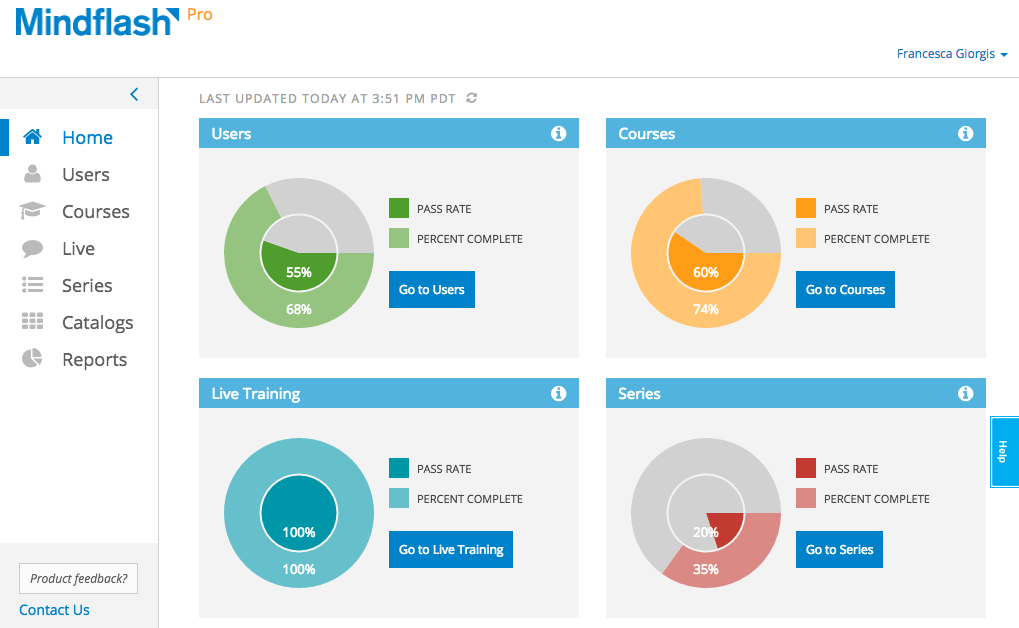
Trakstar Learn (formerly Mindflash) is an online training platform. Users can create courses, add quizzes and track results. Users can upload external content and access the platform via mobile devices. It also provides user management and reporting for internal and external training and scaling purposes.
It is really well suited for school situations like knowing what [assignments] need to be done when, getting feedback, getting points, finding the slides that the teacher used for explaining an [assignment] or theory. I think It would be less suited in business situations because it's [primarily] made to be a [one-way] communication tool for schools. Businesses need more control on individual levels I think[.]
A de minimis incentive was given to thank the reviewer for their time. The incentive was not used to bias or drive a particular response, nor was the incentive contingent on a positive endorsement. More Info
We use Mindflash for a lot of our internal training needs, and it is very versatile to accomplish your needs in training employees in a variety of different areas. I've never tried to use it for external needs, but I feel like the software at the advanced level wouldn't suit that need very well at all. At the Pro level, you get a lot more flexibility, but the cost is prohibitive for the size of our company.
A de minimis incentive was given to thank the reviewer for their time. The incentive was not used to bias or drive a particular response, nor was the incentive contingent on a positive endorsement. More Info
Creativity options for teachers to create a virtual space that still has fun graphics and accessibility options.
Canvas has versatility in viewing options for assignment due dates such as the calendar built in feature as well as the dashboard options to display upcoming and due assignments.
Allowing teachers to create community with each other and collaborate in each-other's space.
Discussion platforms within classrooms for students to communicate with each-other and with their teachers.
Easy messaging portal within each virtual classroom.
A de minimis incentive was given to thank the reviewer for their time. The incentive was not used to bias or drive a particular response, nor was the incentive contingent on a positive endorsement. More Info
A de minimis incentive was given to thank the reviewer for their time. The incentive was not used to bias or drive a particular response, nor was the incentive contingent on a positive endorsement. TR verified that a representative sample of customers was invited. More Info
A de minimis incentive was given to thank the reviewer for their time. The incentive was not used to bias or drive a particular response, nor was the incentive contingent on a positive endorsement. More Info
Integration with Salesforce using professional level software. Mindflash's limited integration to only work with the higher level of Salesforce product.
More brand customization for multiple product line trainings.
Communication of trainers using Mindflash and sales team. We have multiple trainers sending invitations for training with no way for them to communicate with our sales team when a person has completed training.
The other LMS tools have fallen behind. One reason is they are not able to update their systems, features, toolsets in a timely manner. While other LMS providers release bug fixes and new features several times a year, schools struggle to install and implement them in a timely manner. It is not uncommon for a school to take 6 months to a year to fully install and implement new releases on other LMS platforms. With Canvas, those features are released every 3 weeks, and there is nothing for a school to do other than choose to turn them on once released. This has allowed Instructure to innovate faster, and get new features and tools to customers quicker. Other factors include great pricing, customer support, and the innovative way in which LTI is implemented in the tool.
A de minimis incentive was given to thank the reviewer for their time. The incentive was not used to bias or drive a particular response, nor was the incentive contingent on a positive endorsement. More Info
The number of people using Mindflash is only going to rise and we need a system that remains easy to use for everyone involved. [update] This is especially vital now that we've lost head count in critical departments. Getting all of our training and Safety objectives met would be impossible without Mindflash.
The functions in Canvas are well integrated and consistent across the application, and mostly intuitive. Overall navigation and setup is streamlined through integrated features and navigation. The feedback we've gotten from our program participants is that it is easy to learn to use. It also integrates well with third party software like Google Docs and Blackboard Collaborate web conferencing software
A de minimis incentive was given to thank the reviewer for their time. The incentive was not used to bias or drive a particular response, nor was the incentive contingent on a positive endorsement. More Info
The interface is just so simple to understand. It's clean and efficient. We showed Mindflash off to the Safety group, who are not computer gurus and they were beyong excited to use it.
I do not personally use Canvas support since we have a central office that helps us. However, our central office always has the answers we need and are always able to solve our issues - so I would assume that get great support from the Canvas team on their end. They also offer great training, which uses materials directly from Canvas
A de minimis incentive was given to thank the reviewer for their time. The incentive was not used to bias or drive a particular response, nor was the incentive contingent on a positive endorsement. More Info
Any problems or questions we have had with Mindflash have been handled promptly and effectively. I normally use the online chat option but have had to correspond with them through email and phone as well. We have never had an issue languish for weeks or months with Mindflash. They either fix the problem or let you know that the software isn't capable to handle the need at that point.
A de minimis incentive was given to thank the reviewer for their time. The incentive was not used to bias or drive a particular response, nor was the incentive contingent on a positive endorsement. More Info
A de minimis incentive was given to thank the reviewer for their time. The incentive was not used to bias or drive a particular response, nor was the incentive contingent on a positive endorsement. More Info
A de minimis incentive was given to thank the reviewer for their time. The incentive was not used to bias or drive a particular response, nor was the incentive contingent on a positive endorsement. More Info
Once you purchase and sign the contract there is nothing to install or hardware to buy. You can almost immediately start using it and have courses up and going within weeks. We signed in December and had pilot courses online ready to go for the start of school in January
A de minimis incentive was given to thank the reviewer for their time. The incentive was not used to bias or drive a particular response, nor was the incentive contingent on a positive endorsement. More Info
If you're going to develop a short course to demo the product internally, don't bother avoiding your own topics. Mindflash rolls whatever content you create during the trial into your production environment when you decide to buy. The time taken to go from not having a system to being live with Mindflash is virtually instant. What you'll be wanting for is time to develop content and people to test it out.
Canvas is more secure, has a cleaner design, and has more features. For the features, they have in common canvas still stacks up against [Smart school] by going for the extra mile. Besidfor e that, [the] canvas looks a lot more [professional] than [Smart school]. I didn't make the decision myself to get canvas instead of [Smart school] but I'm happy they did.
This is an alternate software that we have looked into, right now we don't have the need for the increased flexibility that Lesson.ly provides with learning from your mobile or tablet. We haven't seen a lot of those things as particularly useful for our current training methods, but we see the quality to be similar.
A de minimis incentive was given to thank the reviewer for their time. The incentive was not used to bias or drive a particular response, nor was the incentive contingent on a positive endorsement. More Info
A de minimis incentive was given to thank the reviewer for their time. The incentive was not used to bias or drive a particular response, nor was the incentive contingent on a positive endorsement. More Info
Mindflash has had a positive impact on our business because it allows us to train more new users with less effort, and ensure that trainees have access to the course materials for a period of time after they have started using our software to do their daily jobs. Review of the course materials allows them to get answers to common questions without having to submit requests to our support team, thereby reducing the administrative burden on our resources.
A de minimis incentive was given to thank the reviewer for their time. The incentive was not used to bias or drive a particular response, nor was the incentive contingent on a positive endorsement. More Info