Carbon Black Endpoint is an endpoint security and "next-gen antivirus (NGAV)" that uses machine learning and behavioral models to analyze endpoint data and uncover malicious activity to stop all types of attacks before they reach critical systems.
N/A
Trend Micro Worry-Free Services Suite
Score 9.1 out of 10
N/A
Trend Micro offers an end-to-end hosted security solution which they call the Worry-Free Business Security suite for midsize and larger enterprises, which provides a wide range of services such as endpoint protection, email encryption, general antivirus and threat detection and prevention, as well as protection of cloud applications as well, with no maintenance.
N/A
Pricing
Carbon Black Endpoint
Trend Micro Worry-Free Services Suite
Editions & Modules
No answers on this topic
No answers on this topic
Offerings
Pricing Offerings
Carbon Black Endpoint
Trend Micro Worry-Free Services Suite
Free Trial
No
No
Free/Freemium Version
No
No
Premium Consulting/Integration Services
No
No
Entry-level Setup Fee
No setup fee
No setup fee
Additional Details
—
—
More Pricing Information
Community Pulse
Carbon Black Endpoint
Trend Micro Worry-Free Services Suite
Features
Carbon Black Endpoint
Trend Micro Worry-Free Services Suite
Endpoint Security
Comparison of Endpoint Security features of Product A and Product B
Cb Defense has been working very well in our organization. It is giving us much better insight into the applications that people are running on their systems (without authorization). This software is also great because it provides visibility into systems that are remote (off the network but still have Internet access). The out of band feature is great to help ensure that the systems are protected even when a user is traveling.
With around 80 users and 150 devices (including 6 server instances), this solution served us very well, with instant admin notifications and scheduled overall reports. Detection appears extremely reliable, and the memory and CPU footprint of the service seemed less intrusive than Panda, which we had issues running on Terminal Services instances, as it seems to hog excessive memory allocation. Rollout was smooth and we never had an instance of a corrupt installation.
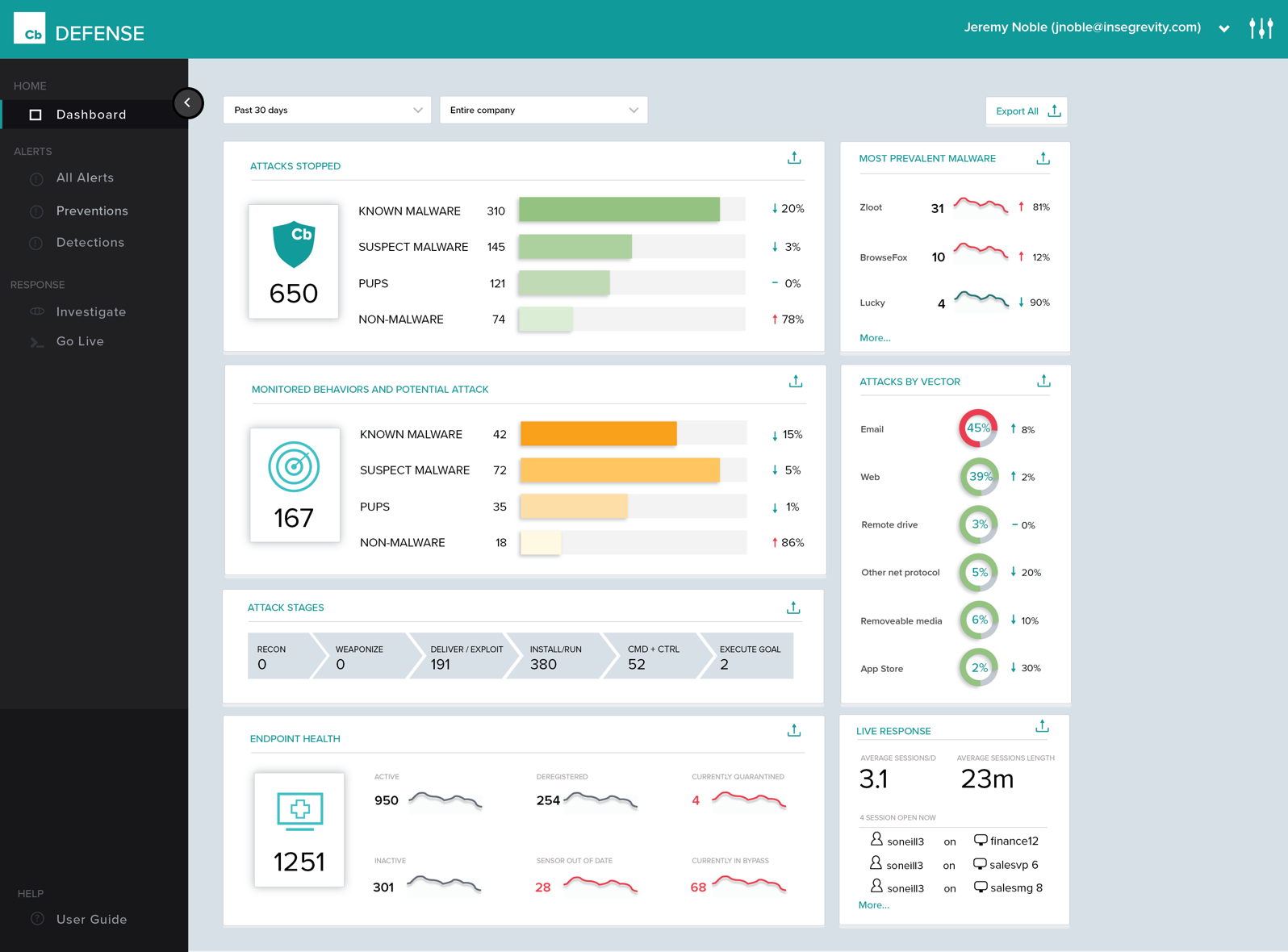
History of Process Execution, really anything that happens in the system is easily seen within the Dashboard. I can determine if a bad actor has infected the system, be it malware, backdoor, rootkit, Trojan, then from that point, I can put the system into Quarantine.
Being able to quarantine the system from the Dashboard. With these type of tools, pulling the power and running a hard drive image is not needed. Put the system in quarantine, start the analysis. A year ago, the network engineer might move the system into a VLAN that has no access to anything, except the system performing the remote analysis... Now I do not have to rely on anyone to move a system, power it down, pull the drive, or image the drive. I can just start the analysis right from my workstation.
The Live Response, again goes hand in hand with the quarantine feature.
By now, I am sure you see a process. Its simple, and easy and all done from a cloud-based console, called the dashboard. .. deploy the agent, create the policy, and active live response, set up email alerts, and monitor your endpoints... you are now ready to perform a triage in the event of an infection. We have step 1, step 2, step 3... but, just remember, things do happen, nothing is perfect, but this product has its advantages.
Policy management can be cumbersome. It is simple to set up a single policy but you have no way to apply the rules to multiple groups. If you need to set up the same rule to multiple policies, you need to type it over again.
Agent updates can be very slow to deploy. We use a mix of rolling out updates via the web console and our management appliance. It can take several weeks to update all agents.
We can be confused on why a rule will apply to a file. Sometimes something is blocked but we don't understand why.
It would be better if there were an unload password for each policy instead of one for the whole organization.
We have one app that gets blocked with no log of any reason why, there should be a better way to troubleshoot that other than just closing the AV every time. Allow listing has not worked in this case.
When something is blocked it should specify exactly which setting or feature blocked it to make it easier to use the allow list or adjust.
The console of the product is very easy to use. It provides great detailed information about all aspects of things occurring on the endpoint. It was easy to deploy and set up. The centralized cloud-based interface has made it easy to add two domains and manage them under a single pane with multiple admins. The only reason I wouldn't give it a higher score is a little bit of lag between updated info from the clients and also the lack of accountability in the deployment process. You set the deployment up for multiple machines and can't easily see if it was successful and/or it takes a while to see if it succeeded or failed.
Installation and administration tools are fantastic. I found the endpoint policies to be not intuitive and clunky. The endpoint client was difficult to disable when trying to troubleshoot Apple issues and I often had to uninstall and then reinstall which was very time-consuming. Reporting is very useful and I was impressed with the reports I received.
First, I need to disclose that our support is provided by SecureWorks. We purchased CB Defense from them, and they provide 24x7 monitoring and notification services for the solution and its deployment on our endpoints. To date, we are very pleased with this arrangement
The few times I needed to contact support I was fully satisfied. They worked all the way through the issue, no matter how long it took, and made sure I had a permanent solution. I was pleased with the professionalism, courteousness, and knowledge of the product they were supporting.
Cb is cloud-based and has a more advanced policy management. It also has better forensics information. Cost was similar, but Cb added cost savings in terms of IT management resources. We also have the ability to talk directly with engineers and have input on feature updates.
Avast was clunky, difficult to roll out, missed loads of malware on machines, and required that we purchase a separate license to install AV on our servers. Trend Micro could not have been any different. You just contact their sales department and get a demo, or even ask for a trial of sorts to test policy creations and client installation. You'll be obsessed with the whole process and the admin dashboard you have access to.