TrustRadius: an HG Insights company

Save this comparison

Save this comparison

Add Product

Recommended Comparisons

    Overview
    ProductRatingMost Used ByProduct SummaryStarting Price

    CATIA

    Score8.1 out of 10
    N/ACATIA from Dassault Systemes is a 3D product modeling and design tool used across multiple industries.N/A

    Odoo Manufacturing

    Score8 out of 10
    N/AThe Odoo Suite of Manufacturing Apps allows users to automate manufacturing processes. Odoo’s database offers a fully integrated solution to MRP, Quality, Maintenance, and PLM. Odoo MRP allows multi-level BoM tracking, which ties in with the user's whole inventory and product catalog. The solution aims to simplify, streamline, and organize production through operations, work centers, and detailed steps. Helps users manage cost analysis, time-tracking, and lot serial number…N/A
    Pricing
    CATIAOdoo Manufacturing
    Editions & Modules
    No answers on this topic
    No answers on this topic
    Offerings
    Pricing Offerings
    CATIAOdoo Manufacturing
    Free Trial
    NoYes
    Free/Freemium Version
    NoYes
    Premium Consulting/Integration Services
    NoYes
    Entry-level Setup FeeNo setup feeOptional
    Additional Details——
    More Pricing Information
    Community Pulse
    CATIAOdoo Manufacturing
    Considered Both Products
    Dassault Systemes
    No answer on this topic
    Odoo
    No answer on this topic
    Key User Insights
    Would buy again
    100%
    Would buy again
    7 Answers
    No answers on this topic
    Delivers good value for the price
    No answers on this topic
    No answers on this topic
    Happy with the feature set
    100%
    Happy with the feature set
    7 Answers
    No answers on this topic
    Lived up to sales and marketing promises
    No answers on this topic
    No answers on this topic
    Implementation went as expected
    No answers on this topic
    No answers on this topic
    Features
    CATIAOdoo Manufacturing
    Computer-Aided Design Software
    Comparison of Computer-Aided Design Software features of CATIA and Odoo Manufacturing
    Feature
    CATIA
    8.1
    2 Ratings
    8% above category average
    Odoo Manufacturing
    -
    Ratings
    3D Modeling7.82 Ratings00 Ratings
    2D Drafting7.82 Ratings00 Ratings
    Rendering and Visualization6.42 Ratings00 Ratings
    Parametric Design10.01 Ratings00 Ratings
    Collaboration and Sharing8.01 Ratings00 Ratings
    Compatibility with other software and formats6.01 Ratings00 Ratings
    Assembly Design10.01 Ratings00 Ratings
    Simulation and Analysis8.01 Ratings00 Ratings
    Documentation and Annotation7.01 Ratings00 Ratings
    Customization and Extensions10.01 Ratings00 Ratings
    Best Alternatives
    CATIAOdoo Manufacturing
    Small Businesses
    Onshape
    Score6.4 out of 10
    No answers on this topic
    Medium-sized Companies
    Onshape
    Score6.4 out of 10
    No answers on this topic
    Enterprises
    PTC Creo
    Score7.6 out of 10
    No answers on this topic
    All AlternativesView all alternativesView all alternatives
    User Ratings
    CATIAOdoo Manufacturing
    Likelihood to Recommend
    7.1
    (10 ratings)
    10.0
    (1 ratings)
    Usability
    7.1
    (2 ratings)
    -
    (0 ratings)
    Support Rating
    7.8
    (3 ratings)
    -
    (0 ratings)
    User Testimonials
    CATIAOdoo Manufacturing
    Likelihood to Recommend
    Dassault Systemes
    When it comes to modelling a product using multiple parts, CATIA becomes tedious. One need someone to sit with and learn with the experience from a frequent user. If switching from any other software to CATIA, it can be intimidating as learning curve is lengthy. For example, when working with complex shape in a knuckle joint, more steps are needed in part modelling. This cause part modelling lengthier and consume time more time, in comparison to SOLIDWORKS. However, CATIA is tremendously helpful in generating really complex features. Surface modelling is way easier when one know how to use it. It becomes really handy to make changes to the design later as well. The design history tree is also very well organized, which save time in later modifications
    Read full review
    Odoo
    Out of the box, Odoo Manufacturing has a lot of functionality and the flexibility to change the app on demand to meet your requirements. You can even change the MO requirements on demand, such as substituting one material for another. The only criticism I have is that child MOs (manufacturing orders) do not get listed more clearly. Out of the box, there is no way to jump to a child-MO from the parent-MO. That said, we largely mitigated this problem by linking all MO's together according to the sales order using studio. Our version, 13, there is a bug that when you reduce a material requirement (in order to substitute with another) it still tries to consume the original quantity. This has been fixed in version 14.
    Incentivized
    Read full review
    Pros
    Dassault Systemes
    • Surface modeling module is extremely developed and successful.
    • 2D drafting module is doing the job effectively (AutoCAD is no more required).
    Incentivized
    Read full review
    Odoo
    • Item Routing
    • BoO integration with Studio
    • Partial Production & Backorders
    • Whole-System Integration
    Incentivized
    Read full review
    Cons
    Dassault Systemes
    • The software is pretty heavy, even with computers designed for heavy-duty loads, resulting in long wait times to load files and make changes, reducing productivity.
    Incentivized
    Read full review
    Odoo
    • Deeper integration out of the box
    • Child-MO tracking
    Incentivized
    Read full review
    Usability
    Dassault Systemes
    It is a good software for conception. But it is too hard sometimes to work with and understand the different options available
    Read full review
    Odoo
    No answers on this topic
    Support Rating
    Dassault Systemes
    We got frequent updates on CATIA. There are lots of update notes. Also, there are lots of lots of videos online to solve the issues that you can stumble upon. It also has a built-in help manual, which helps occasionally. I have gotten my education through a physical class on CATIA, so there are opportunities like that as well.
    Incentivized
    Read full review
    Odoo
    No answers on this topic
    Alternatives Considered
    Dassault Systemes
    You can create solid or 3D figures more easily and efficiently using Catia than in other programs or in specific AutoCAD. You can also create different pieces to later assemble them and thus create figures even more complex or in greater detail. In the same way, you can make 2D drawings without much complication.
    Incentivized
    Read full review
    Odoo
    We had previously used xTuple ERP for manufacturing. Odoo ERP is a big step up as well as a big savings. xTuple did have a robust manufacturing offering, but the Odoo Studio allowed us to do things we could never have done with xTuple, like integrate the BoO. xTuple never tracked product transfers either, so you had to manually track requirements or do detective work to figure things out. Odoo is a big improvement on that.
    Incentivized
    Read full review
    Return on Investment
    Dassault Systemes
    • If designing large assemblies or very complex ones, especially in the aerospace industry, CATIA is the way to go.
    • The graphics are really good, and the software offers many possibilities to view a design: 2D, 3D, bird's eye view...
    • Controls pan zoom rotate are easy.
    Incentivized
    Read full review
    Odoo
    • >30% savings over our previous solution
    • More flexibility when used with Studio
    • Product transfers make tracking demand easier
    Incentivized
    Read full review
    ScreenShots

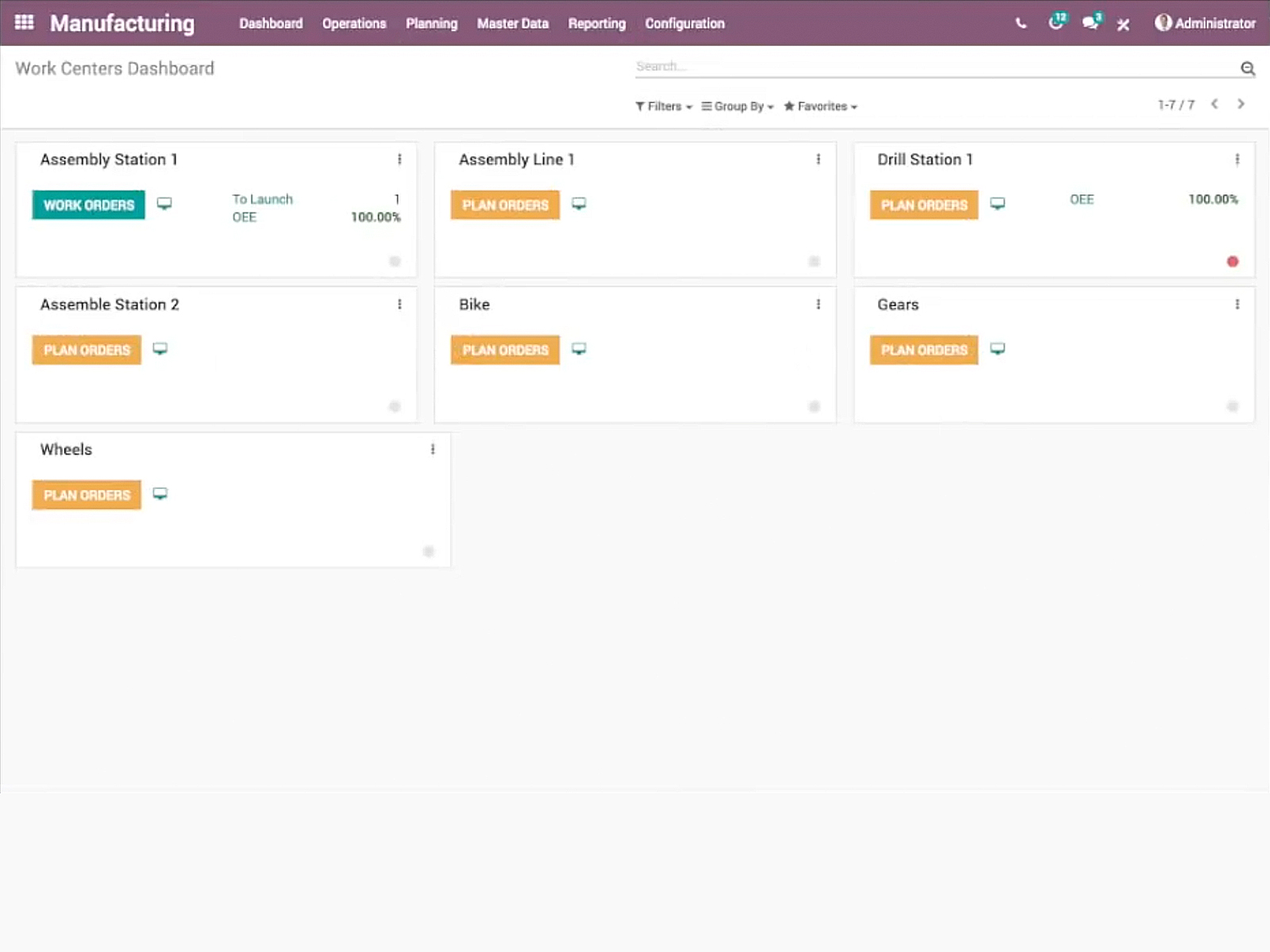
    Odoo Manufacturing Screenshots

    Product screenshotProduct screenshotProduct screenshotProduct screenshot