Overview
ProductRatingMost Used ByProduct SummaryStarting Price
Ciphr
Score 5.5 out of 10
N/A
Ciphr's people management solutions span the entire employee lifecycle. Products and services available within the Ciphr suite include: HR software, including in-app AI tools Payroll software Learning management system (LMS) Recruitment software (ATS) Employee benefits platform Payroll bureau and outsourced payroll services Off-the-shelf eLearning content and bespoke eLearning courses Diversity, equality and inclusion (DEI)…N/A
OnShift
Score 5.4 out of 10
N/A
OnShift delivers cloud-based human capital management software and proactive services to solve everyday workforce challenges in healthcare. Offered through a suite of products for hiring, scheduling and employee engagement, the vendor aims to drive quality care by empowering providers to staff consistently and efficiently.N/A
Sage HRMS
Score 9.8 out of 10
N/A
Sage HRMS is an HR management solution that integrates payroll, benefits, recruiting, employee self-service, and analytics capabilities.N/A
Pricing
CiphrOnShiftSage HRMS
Editions & Modules
No answers on this topic
Offerings
Pricing Offerings
CiphrOnShiftSage HRMS
Free Trial
NoNoNo
Free/Freemium Version
NoNoNo
Premium Consulting/Integration Services
NoNoNo
Entry-level Setup FeeRequiredNo setup feeNo setup fee
Additional DetailsPricing is based on a per user, per month basis. Typical contract duration is 3 or 5 years, although other options are available.
More Pricing Information
Community Pulse
CiphrOnShiftSage HRMS
Considered Multiple Products
Ciphr
Chose Ciphr
We've been able to give more specific management information, but the expense of the new modules hasn't eliminated much of the time-consuming admin load. Training and implementation were too fast-paced for our liking. In the event this is your first time using an HR Management …
OnShift
Chose OnShift
The UI is very user-friendly and it is more reliable. In terms of Data management it is also more secure and trust worthy.
Chose OnShift
Overall the UI on OnShift its a great advantage as it will make everything more easier, since basic information to specific details on orders or events.
While its only visual the design has a sooting effect as is not annoying while not being so simple, it can help to make feel …
Chose OnShift
SmartLinx has payroll platform which integrates nicely with scheduling platform, reducing redundant pay code entry. Analytics ties in both payroll and scheduling. However, SmartLinx is not as user-friendly or intuitive as OnShift; PBJ platform not as good as OnShift, …
Sage HRMS
Chose Sage HRMS
Ceridian Dayforce, UKG Pro and UKG Dimensions
Chose Sage HRMS
I currently use Paycor. It is a good platform for the organization. Sage HRMS was good software, but didn't support some of the more quirkier states like PA and IN for payroll. Paycor had similar constraints. Neither is a great fit if you are doing business across multiple …
Chose Sage HRMS
Sage HRMS is pretty good, but ICIMS was more of a complete and concrete ATS package. Sage HRMS's customer service was excellent, but ICIMS was robust and user-friendly. I would rate them both close, but ICIMS would be a better applicant tracking system from an HR standpoint.
Chose Sage HRMS
Sage HRMS is popular and it's used in most organizations due to the reputation of Sage in coming up with popular and reliable business softwares. The software is not that expensive and after learning how to use it, everything becomes smooth and perfect. It's ultimate strength …
Chose Sage HRMS
Sage HRMS was very cost effective for a non-profit. It does all that we needed as a company and more. It also allows us to handle payroll ourselves instead of outsourcing [it].
Chose Sage HRMS
I would say that Sage is ranked #3.
Chose Sage HRMS
Our version of Sage does not stand up to the competition, however, the cost is also much lower as well.
Chose Sage HRMS
Prior to implementing Sage HRMS, our organization was much smaller and split into two separate companies. The smaller of the companies used a similar product called "FileBound" that served at the business' human resource management software. It was much like Sage HRMS, but …
Features
CiphrOnShiftSage HRMS
Human Resource Management
Comparison of Human Resource Management features of Product A and Product B
Ciphr
-
Ratings
OnShift
-
Ratings
Sage HRMS
5.5
Ratings
39% below category average
Employee demographic data00 Ratings00 Ratings8.00 Ratings
Employment history00 Ratings00 Ratings8.00 Ratings
Job profiles and administration00 Ratings00 Ratings1.30 Ratings
Workflow for transfers, promotions, pay raises, etc.00 Ratings00 Ratings7.90 Ratings
Organizational charting00 Ratings00 Ratings6.00 Ratings
Organization and location management00 Ratings00 Ratings6.00 Ratings
Compliance data (COBRA, OSHA, etc.)00 Ratings00 Ratings1.20 Ratings
Payroll Management
Comparison of Payroll Management features of Product A and Product B
Ciphr
-
Ratings
OnShift
-
Ratings
Sage HRMS
4.8
Ratings
51% below category average
Pay calculation00 Ratings00 Ratings6.10 Ratings
Support for external payroll vendors00 Ratings00 Ratings4.00 Ratings
Off-cycle/On-Demand payment00 Ratings00 Ratings6.90 Ratings
Benefit plan administration00 Ratings00 Ratings2.10 Ratings
Direct deposit files00 Ratings00 Ratings8.00 Ratings
Salary revision and increment management00 Ratings00 Ratings3.00 Ratings
Reimbursement management00 Ratings00 Ratings3.20 Ratings
Leave and Attendance Management
Comparison of Leave and Attendance Management features of Product A and Product B
Ciphr
-
Ratings
OnShift
-
Ratings
Sage HRMS
1.2
Ratings
149% below category average
Approval workflow00 Ratings00 Ratings1.20 Ratings
Balance details00 Ratings00 Ratings1.20 Ratings
Annual carry-forward and encashment00 Ratings00 Ratings1.00 Ratings
Employee Self Service
Comparison of Employee Self Service features of Product A and Product B
Ciphr
-
Ratings
OnShift
-
Ratings
Sage HRMS
3.9
Ratings
71% below category average
View and generate pay and benefit information00 Ratings00 Ratings4.10 Ratings
Update personal information00 Ratings00 Ratings4.20 Ratings
View company policy documentation00 Ratings00 Ratings1.10 Ratings
Employee recognition00 Ratings00 Ratings6.00 Ratings
View job history00 Ratings00 Ratings4.00 Ratings
Asset Management
Comparison of Asset Management features of Product A and Product B
Ciphr
-
Ratings
OnShift
-
Ratings
Sage HRMS
7.0
Ratings
14% below category average
Tracking of all physical assets00 Ratings00 Ratings7.00 Ratings
HR Reporting
Comparison of HR Reporting features of Product A and Product B
Ciphr
-
Ratings
OnShift
-
Ratings
Sage HRMS
3.7
Ratings
68% below category average
Report builder00 Ratings00 Ratings2.00 Ratings
Pre-built reports00 Ratings00 Ratings1.20 Ratings
Ability to combine HR data with external data00 Ratings00 Ratings8.00 Ratings
Onboarding
Comparison of Onboarding features of Product A and Product B
Ciphr
-
Ratings
OnShift
-
Ratings
Sage HRMS
7.0
Ratings
13% below category average
New hire portal00 Ratings00 Ratings7.00 Ratings
Manager tracking tools00 Ratings00 Ratings7.00 Ratings
Performance and Goals
Comparison of Performance and Goals features of Product A and Product B
Ciphr
-
Ratings
OnShift
-
Ratings
Sage HRMS
7.3
Ratings
10% below category average
Corporate goal setting00 Ratings00 Ratings8.00 Ratings
Individual goal setting00 Ratings00 Ratings7.00 Ratings
Line-of sight-visibility00 Ratings00 Ratings8.00 Ratings
Performance tracking00 Ratings00 Ratings6.00 Ratings
Performance Management
Comparison of Performance Management features of Product A and Product B
Ciphr
-
Ratings
OnShift
-
Ratings
Sage HRMS
7.8
Ratings
1% below category average
Performance plans00 Ratings00 Ratings9.00 Ratings
Performance improvement plans00 Ratings00 Ratings8.00 Ratings
Review status tracking00 Ratings00 Ratings7.00 Ratings
Review reminders00 Ratings00 Ratings8.00 Ratings
Multiple review frequency00 Ratings00 Ratings7.00 Ratings
Succession Planning
Comparison of Succession Planning features of Product A and Product B
Ciphr
-
Ratings
OnShift
-
Ratings
Sage HRMS
8.5
Ratings
8% above category average
Create succession plans/pools00 Ratings00 Ratings9.00 Ratings
Candidate ranking00 Ratings00 Ratings8.00 Ratings
Candidate search00 Ratings00 Ratings8.00 Ratings
Candidate development00 Ratings00 Ratings9.00 Ratings
Recruiting / ATS
Comparison of Recruiting / ATS features of Product A and Product B
Ciphr
-
Ratings
OnShift
-
Ratings
Sage HRMS
7.6
Ratings
3% below category average
Job Requisition Management00 Ratings00 Ratings5.00 Ratings
Company Website Posting00 Ratings00 Ratings7.20 Ratings
Publish to Social Media00 Ratings00 Ratings9.00 Ratings
Job Search Site Posting00 Ratings00 Ratings7.00 Ratings
Duplicate Candidate Prevention00 Ratings00 Ratings8.00 Ratings
Applicant Tracking00 Ratings00 Ratings8.00 Ratings
Notifications and Alerts00 Ratings00 Ratings9.00 Ratings
Best Alternatives
CiphrOnShiftSage HRMS
Small Businesses
Dayforce Powerpay
Dayforce Powerpay
Score 9.2 out of 10

No answers on this topic

Dayforce Powerpay
Dayforce Powerpay
Score 9.2 out of 10
Medium-sized Companies
Paypro Workforce Management
Score 9.1 out of 10

No answers on this topic

Paypro Workforce Management
Score 9.1 out of 10
Enterprises
PeopleStrong
PeopleStrong
Score 10.0 out of 10

No answers on this topic

PeopleStrong
PeopleStrong
Score 10.0 out of 10
All AlternativesView all alternativesView all alternativesView all alternatives
User Ratings
CiphrOnShiftSage HRMS
Likelihood to Recommend
8.0
(0 ratings)
8.9
(0 ratings)
1.2
(0 ratings)
Likelihood to Renew
-
(0 ratings)
-
(0 ratings)
8.0
(0 ratings)
Support Rating
-
(0 ratings)
10.0
(0 ratings)
-
(0 ratings)
User Testimonials
CiphrOnShiftSage HRMS
Likelihood to Recommend
Everything appeared to be in order based on the sales pitch. It wasn't until the post-implementation stage that we understood what wasn't included or was an additional expense. This has restricted our ability to use the system. The help desk is typically helpful and sympathetic, however, it sometimes takes a while for a solution to be provided.
Read full review
OnShift is power full one to provide and calculate and analyze the data of the head account of the organization easily and fast and payroll and also absenteeism and adherence and attendance for the agents and anyone else in the organization and major the average performance of the agents as they doing and talking and ending time in chat as the AHT easily and communication method also.
Read full review
Sage HRMS might be great for a smaller company under 1,000 employees. I would not recommend it for larger companies. It becomes too burdensome because many processes still have to be manual and reports take forever to process if you have too many records in your system
Read full review
Pros
  • It's easy to use, and the layout makes it simple to get around to the areas you're interested in.
  • Affordability Support for the implementation of new procedures.
  • Also, everything is arranged in a way that makes it easy to locate distinct parts.
Read full review
  • Management
  • Easy of use
  • Important advanced options
  • Excelent design
Read full review
  • Reporting - there are three levels of reporting - 1. Standard Reports 2. Query Tool - users can create very simple list with some filtering functionality 3. Crystal Reports - user can create very simple to complex report pulling data from multiple table, calculated fields, etc.
  • Benefit Tracking - benefit plans are setup utilizing rate tables therefore rate changes are updated globally
  • Payroll - everyday payroll processing and tax filing that is very user friendly
Read full review
Cons
  • Due to its high price, it hasn't been able to alleviate much of the time-consuming administrative strain.
  • No assistance options may be found in several parts, making it difficult for newcomers to understand.
Read full review
  • Easily filling shifts.
  • Downloading schedules to an Excel file or spreadsheet that is easy for employees to read.
  • Let the agents get know better as sending a samples.
Read full review
  • It is sometimes hard to identify parts of competency/compensation history. We built tables to store this data but it is not laid out well on the screen.
  • Sometimes, even when you tell the system to "Add to History" it doesn't update so there is history missing. This impacts someone that relies on history for troubleshooting and reports.
Read full review
Likelihood to Renew
No answers on this topic
I do not work with this software anymore, and I am not involved with the renewal of it. However, if I were, I would still suggest using it unless something better was introduced
Read full review
Support Rating
No answers on this topic
OnShift account managers consistently respond to emails in less than one business day and are able to address issues very quickly when they occur. Very responsive. This is critical considering integration with the payroll system (ADP).
Read full review
No answers on this topic
Alternatives Considered
We've been able to give more specific management information, but the expense of the new modules hasn't eliminated much of the time-consuming admin load. Training and implementation were too fast-paced for our liking. In the event this is your first time using an HR Management system, make sure you perform an extensive investigation.
Read full review
SmartLinx has payroll platform which integrates nicely with scheduling platform, reducing redundant pay code entry. Analytics ties in both payroll and scheduling. However, SmartLinx is not as user-friendly or intuitive as OnShift; PBJ platform not as good as OnShift, communication with employees more difficult than with OnShift.
Read full review
Sage HRMS is popular and it's used in most organizations due to the reputation of Sage in coming up with popular and reliable business softwares. The software is not that expensive and after learning how to use it, everything becomes smooth and perfect. It's ultimate strength lies in payroll management and helping in applicant tracking capabilities
Read full review
Return on Investment
  • Streamlined processes; decreased paperwork; increased productivity.
Read full review
  • It doesn't work for few users
  • Could be more stable
Read full review
  • Sage HRMS allowed us to manage payroll in house.
  • It was disappointing that we had to use an outside vendor to file and pay our withholding tax.
  • Ultimately, the decision was made to outsource payroll after using HRMS for 3 years.
Read full review
ScreenShots

Ciphr Screenshots

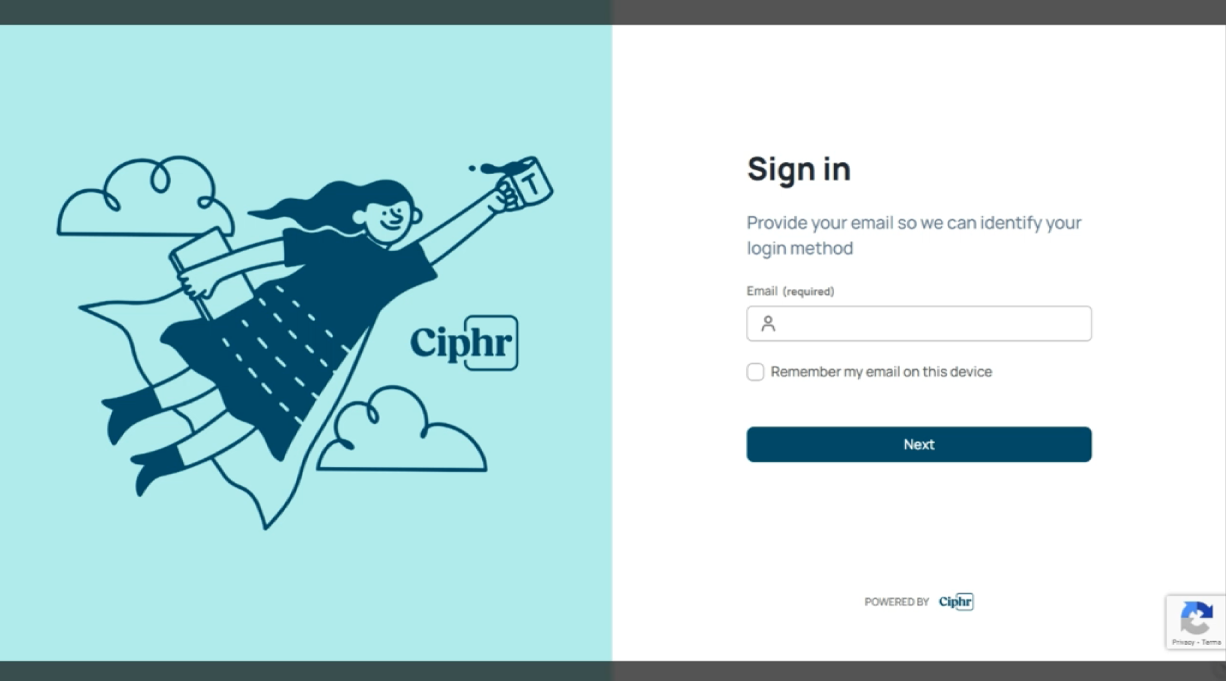
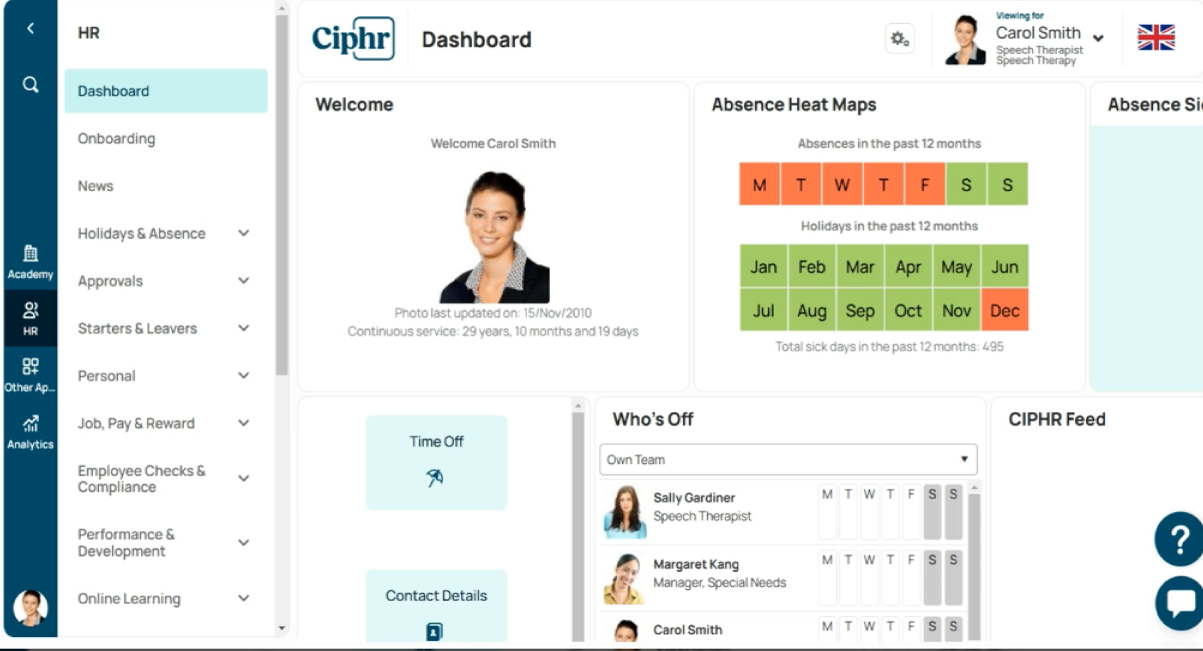
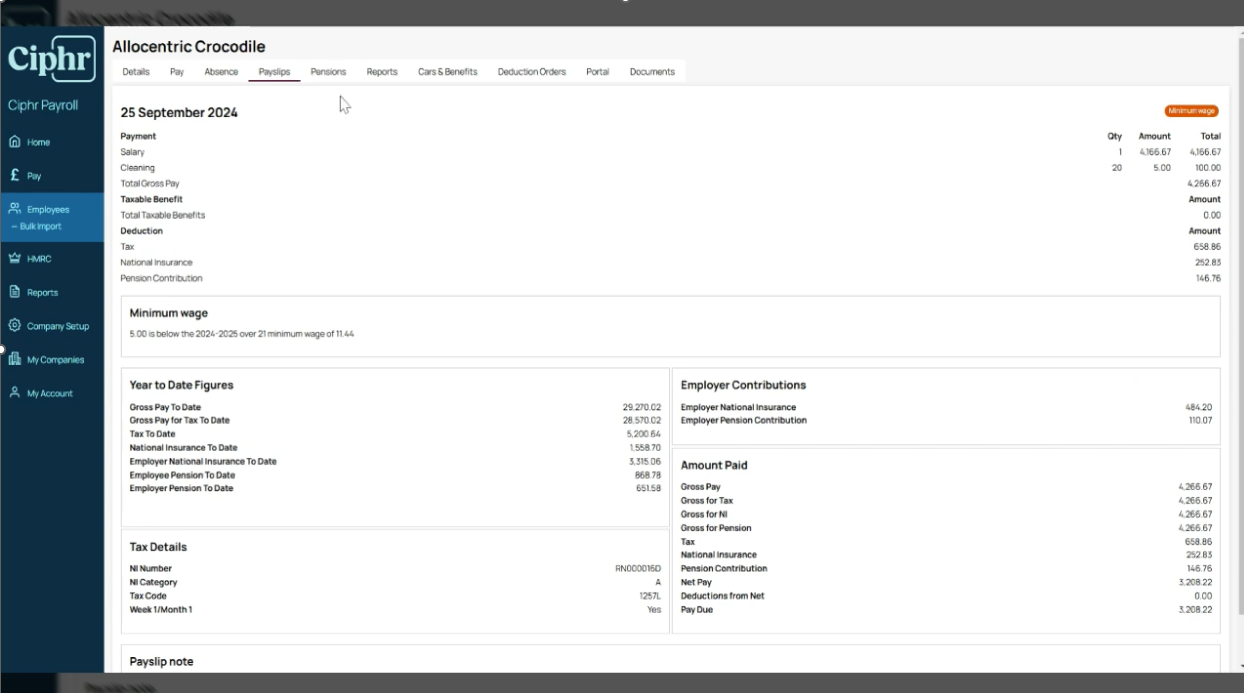
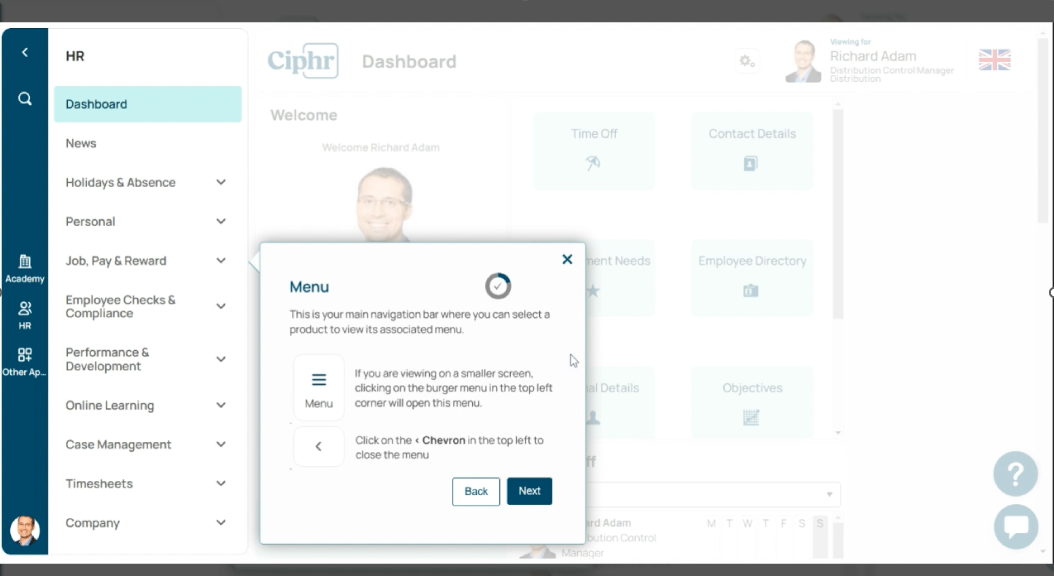
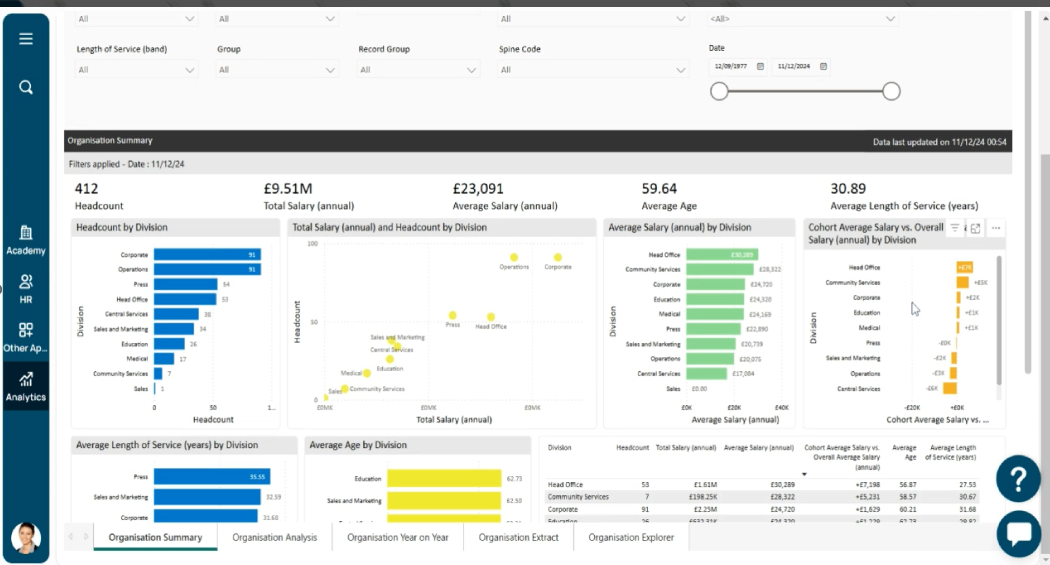
Screenshot of Ciphr's sign in screenScreenshot of Ciphr HR software dashboardScreenshot of Ciphr payrollScreenshot of an example of the in-app guides for HR admins and end users that make it easier to use Ciphr HR softwareScreenshot of the in-built analytics functionality that help make sense of HR data