Cirrus Insight vs. jLAN Mobile

Overview
ProductRatingMost Used ByProduct SummaryStarting Price
Cirrus Insight
Score 8.4 out of 10
Mid-Size Companies (51-1,000 employees)
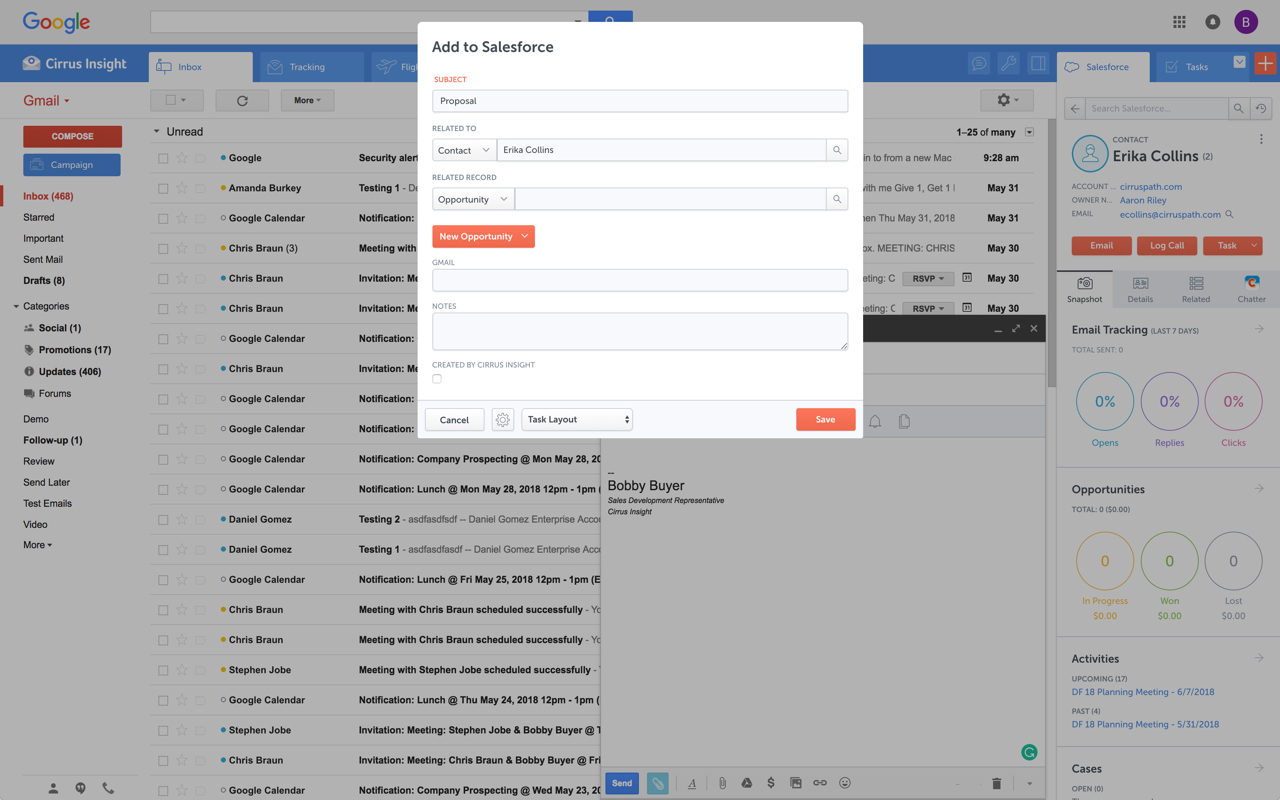
Cirrus Insight integrates Salesforce with Gmail, Google Calendar, and Google Contacts. Instantly View Contextual Salesforce Information in Your Inbox. Save Emails & Attachments to Salesforce with a Click. Sync Your Google & Salesforce Calendars. Create & Edit Salesforce Records on the Fly. Customize Your Salesforce Workflow in Gmail. Add Google Contacts to Salesforce. Salesforce Tasks Integration. Salesforce Templates Integrated with Gmail.
$27
per user/month
jLAN Mobile
Score 0.0 out of 10
N/A
N/AN/A
Pricing
Cirrus InsightjLAN Mobile
Editions & Modules
Starter
$27
per user/month
Closer
$45
per user/month
Rainmaker
$72
per user/month
No answers on this topic
Offerings
Pricing Offerings
Cirrus InsightjLAN Mobile
Free Trial
YesYes
Free/Freemium Version
NoNo
Premium Consulting/Integration Services
NoNo
Entry-level Setup Fee$500 per installationNo setup fee
Additional DetailsPricing based on annual billing.
More Pricing Information
Community Pulse
Cirrus InsightjLAN Mobile
Considered Both Products
Cirrus Insight
Chose Cirrus Insight
Salesforce Einstein Activity Capture - See previous response regarding this native tool and why it doesn't work for us. Cirrus Insight is much better.
Chose Cirrus Insight
We used Cirrus Insights for a period of time and then switched to Salesforce Inbox because Salesforce Inbox was included in our Salesforce license which made the change easier to do since there was no financial impact of making the switch. We didn't spend very much time …
Chose Cirrus Insight
Cirrus actually works. Tout does not work, and slows down your computer.

Salesforce Inbox works for logging emails, but lacks other functionality.
Chose Cirrus Insight
We use Outreach to drive campaigns now. We've been successful with it for several reasons:
1- Our business operations team knows it and is able to coach us on how to use it
2- We use it across several departments (Marketing, SDE team, AE team, Customer Success - though we may be …
Chose Cirrus Insight
Cirrus is great with importing templates and leads from Salesforce when compared to yesware
Chose Cirrus Insight
We use gmail as our corporate email server and was by far the best option for our combined use of gmail and Salesforce.
Chose Cirrus Insight
Yesware regularly sent me alerts that my emails had been opened by someone who I hadn't sent them to, from locations they couldn't possibly have been. I also don't recall its Salesforce activity logging working as smoothly, though I last used Yesware more than 12 months ago so …
Chose Cirrus Insight
We were just using the free email to Salesforce option, which sends your email to an inbox within Salesforce. Then you are required to address it to the correct location. It's a two step process, so that was cumbersome. Or, some of my coworkers would drag the email onto their …
Chose Cirrus Insight
Cirrus Insight works for us because we use Outlook and MailTrack does not work with Outlook last time I checked.
Chose Cirrus Insight
Cirrus Insight is a light-weight affordable tool that offers reasonable bang for your buck. However it does not have the reliability of other more enterprise-like platforms nor does it have the advanced features that are becoming of an email support tool - such as more advanced …
Chose Cirrus Insight
The decision was made at my current role before I was hired, but I made the decision in a previous role to personally pay for Cirrus Insight, as I found it that valuable. This was after my entire sales team did a trial of Yesware, which I found to be a bit clunky and not as …
Chose Cirrus Insight
While I really liked Toutapp's social integration, it left a lot to be desired with the SFDC integration, which was a higher priority for me. It does what both Boomerang and Yesware do IMO for my purposes in one, easy to use app that doesn't dominate my screen.
Chose Cirrus Insight
Appirio was already being used by our organization. We'd also tried using various email connectors.
jLAN Mobile

No answer on this topic

Best Alternatives
Cirrus InsightjLAN Mobile
Small Businesses
Salesflare
Salesflare
Score 10.0 out of 10
Lead411
Lead411
Score 8.3 out of 10
Medium-sized Companies
Mailtrack
Mailtrack
Score 9.6 out of 10
Paperflite
Paperflite
Score 8.0 out of 10
Enterprises
Groove by Clari
Groove by Clari
Score 7.4 out of 10
Paperflite
Paperflite
Score 8.0 out of 10
All AlternativesView all alternativesView all alternatives
User Ratings
Cirrus InsightjLAN Mobile
Likelihood to Recommend
9.7
(0 ratings)
-
(0 ratings)
Likelihood to Renew
9.1
(0 ratings)
-
(0 ratings)
Usability
10.0
(0 ratings)
-
(0 ratings)
Availability
9.1
(0 ratings)
-
(0 ratings)
Performance
9.1
(0 ratings)
-
(0 ratings)
Implementation Rating
9.1
(0 ratings)
-
(0 ratings)
User Testimonials
Cirrus InsightjLAN Mobile
Likelihood to Recommend
For someone who uses both Gmail and Salesforce as part of their main role, this software is an invaluable connector for them both. Some of the features are also not Salesforce specific - such as the Meeting Scheduler, which has proved invaluable to me, and I would recommend to any Gmail user who frequently set up meetings (either internally or externally).
Read full review
No answers on this topic
Pros
  • Log email to Salesforce. You click one button and it logs for you. This is easier than adding the BCC email address that Salesforce provides as a way to log email.
  • Track views and engagement on these emails. It's nice to know if the email was opened and if links were clicked.
  • Update quick fields in Salesforce directly from their inbox using Cirrus. This prevented reps from needing to click into Salesforce, wait for it to load, then update fields like the phone number or name.
  • If the rep did need to open Salesforce, Cirrus provides a quick button to navigate to the Lead/Contact/Opportunity page quickly.
Read full review
No answers on this topic
Cons
  • Email Tracking is not always accurate - this can be due to the nature of the device and the email client used by the recipient.
  • Gmail app is subject to being glitchy and auto-log out out behavior.
  • Meeting time function is limited in its functionality and is prone to glitches as reported by clients.
  • Send later function works about 85% of the time.
  • Follow up intervals are too short and should provide more customised options.
Read full review
No answers on this topic
Likelihood to Renew
It is the best google to salesforce integration on the market. support is incredibly responsive and very helpful. They are constantly adding new features, and the current feature set is well beyond anything else that is currently offered in the market
Read full review
No answers on this topic
Usability
Very easy to use. Everything opens in a familiar interface right inside the google apps sidebar. It brings in salesforce records, so as long as you know google apps / gmail and salesforce you'll be all set. It's point and click.
Read full review
No answers on this topic
Reliability and Availability
Haven't had a down issue in the almost 2 years I've been using the product. Support is also super responsive.
Read full review
No answers on this topic
Performance
Pulls in salesforce data very quickly, and syncs very quickly.
Read full review
No answers on this topic
Implementation Rating
The plugin is installed inside your internet browser as an extension/add-on. It can be found in most add on stores and is easy to install. Usually just a few clicks. It handles authorization for you once you sign in, and then takes care of all the rest. It couldn't be easier to get working right out of the box. You're up in running in less than 5 minutes.
Read full review
No answers on this topic
Alternatives Considered
Yesware regularly sent me alerts that my emails had been opened by someone who I hadn't sent them to, from locations they couldn't possibly have been. I also don't recall its Salesforce activity logging working as smoothly, though I last used Yesware more than 12 months ago so my memory isn't as fresh as it could be
Read full review
No answers on this topic
Return on Investment
  • More efficient. It only takes a few seconds to upload an email to the right location.
  • More emails in Salesforce now, where as before, people didn't even try uploading it due to the difficulty.
  • Equality across the board. Everyone is on the same page in how we record things.
Read full review
No answers on this topic
ScreenShots

Cirrus Insight Screenshots

Screenshot of Screenshot of Screenshot of Screenshot of