Colasoft Capsa is a network performance monitoring and protocol analyzing tool. Capsa provides core monitoring features, as well as automated diagnostics and packet decoding. Colasoft offers a limited free version of the software.
N/A
PingPlotter
Score 8.9 out of 10
N/A
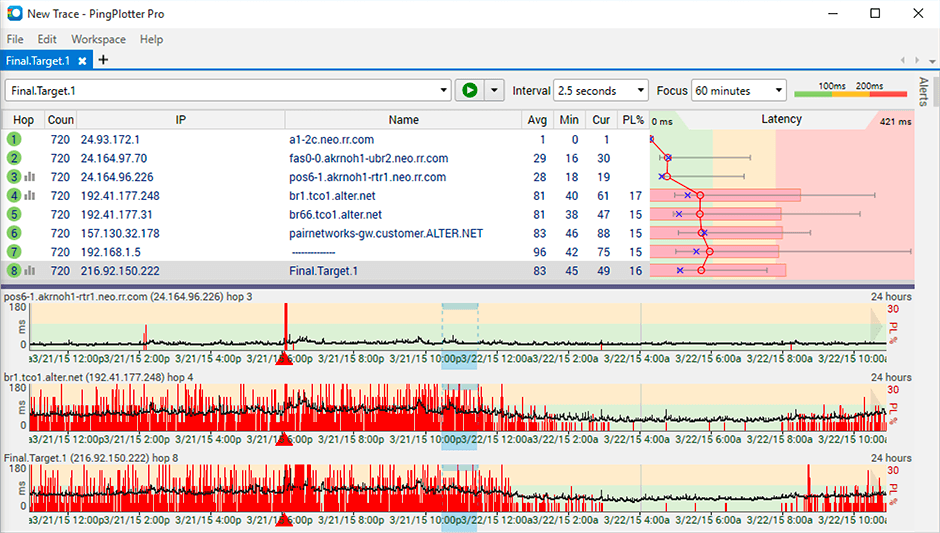
PingPlotter is a graphical traceroute and ping tool that visualizes network performance in a way that makes identifying the source of problems quicker and easier for everyone from online gamers and video streamers to VoIP admins and IT pros. Features for remote deployment, network monitoring, scripting, and a web interface are included along with several additional capabilities.
$0
per user
Wireshark
Score 8.8 out of 10
N/A
Wireshark is a free and open source network troubleshooting tool.
$0
Pricing
Colasoft Capsa
PingPlotter
Wireshark
Editions & Modules
No answers on this topic
PingPlotter Free
$0.00
per user
PingPlotter Free
$0.00
per user
PingPlotter Standard
$6.99
per user per month
PingPlotter Professional
$29.00
per user per month
PingPlotter Standard
$39.99
per user
PingPlotter Professional
$349.00
per user
Wireshark
Free
Offerings
Pricing Offerings
Colasoft Capsa
PingPlotter
Wireshark
Free Trial
No
Yes
No
Free/Freemium Version
No
Yes
Yes
Premium Consulting/Integration Services
No
No
No
Entry-level Setup Fee
No setup fee
No setup fee
No setup fee
Additional Details
—
—
—
More Pricing Information
Community Pulse
Colasoft Capsa
PingPlotter
Wireshark
Considered Multiple Products
Colasoft Capsa
Verified User
Manager
Chose Colasoft Capsa
Colasoft performs more like the traditional wireshark as opposed to other solutions that tend to focus on graphs instead of giving you the raw data. I personally prefer the raw data, and then the ability to build graphs upon this (which Capsa can do). This allows for quicker …
I've looked at several over the years but Wireshark's no cost and advanced capabilities make it an easy choice for me. Wireshark's biggest advantage is its cost, which I've mentioned several times. It's significant in budget terms. I can't justify paying $1,000 for software …
Capsa is highly recommended to be used in small dense areas of a network where it makes sense to be able to run analytics off of a mirror port to gain insight into traffic trends. It is a costly product to install in branch locations, and requires a decent spec hardware to run appropriately
It is well suited for performing monitoring and testing from a single device. It is less appropriate if you have to monitor from multiple different endpoints. That type of deployment would be more of an enterprise application. If you are looking for an end user monitoring solution then PingPlotter is the one for you.
I don't know of any other tool that works as well as Wireshark for packet capture an inspection. It's extremely easy to get up and running, and even with little to no knowledge of how to use the tool, you can be looking at all the traffic coming off a network interface.
Its a little confusing to see which targets are currently running pings and which ones are displayed in the plots.
Starting and stopping pings requires a right click and that would be better with a play/pause button I think.
Ability to drag and drop the graphs to reorder them.
more columns to show which targets are running and which are displayed. Currently this is done with symbols so you cant sort by just the running targets for example I've found.
A more user-friendly interface would be nice, but then again it is not really designed for those who are not quite comfortable with this type of software.
Changes to functionality on updates - this can sometimes happen unexpectedly and can be an annoyance.
I installed it and it just started working. I realized I could then tweak it to show what I needed but didn't have to spend a long time configuring it before use, editing YAML files etc. Maybe that's fine for a network professional, but I only need this software if something goes wrong, and then need it to work quickly out of the box.
It's very simple and easy to use, although individuals not used to managing and administering networks would take some time to get familiar with it. Once they have mastered use of the application, it's easy to stay knowledgeable about it, iteration after iteration. It is well supported online through an open-source community network of professionals who are helpful in imparting knowledge and in providing assistance.
I have not had much contact with the PingPlotter support, only one time have I went to them and it was a positive experience. The questions I had were answered quickly and professionally. I have no issue with the experience I had with the Support team. This was from before and after the purchase of the product.
I don't believe Wireshark has "true" support as the software is open source. However, there is an active & friendly community around Wireshark that are more than happy to help answer questions. From a comprehensive Wiki and FAQ section on the site to the Ask a Question forum and bug tracker section, there's plenty of support options to make sure your questions and issues are addressed.
Colasoft performs more like the traditional wireshark as opposed to other solutions that tend to focus on graphs instead of giving you the raw data. I personally prefer the raw data, and then the ability to build graphs upon this (which Capsa can do). This allows for quicker analysis and makes it easier to relate to.
A balance of a generic tool vs a network equipment product is necessary when investigating network incidents or disruptions. Need to train the engineer to use both tools to perform their analysis and to dive down to the issues as fast as they can. Experience with the tools will continue to play a part if we were to adopt PingPlotter
Wireshark is a free tool that came highly recommended by one of our former network security consultants. Using the tool he was able to resolve all of our higher tier network tickets, so we observed first hand why we needed to add Wireshark into our toolset. We received in-depth instruction and training scenarios that demonstrated the effectiveness and power of the product, so we didn't spend any time reviewing competing products.
While the product doesn't detect malware, it has helped track down malware infected machines by using data from other applications to run filters to look for known traffic destinations for that malware. For me this is a huge ROI since malware can be the great unknown.