Craft, from the company of the same name in Tel Aviv, is presented by the vendor as a better way for Product Managers to manage and plan their products in agile environment.
N/A
MeisterTask
Score 9.0 out of 10
Small Businesses (1-50 employees)
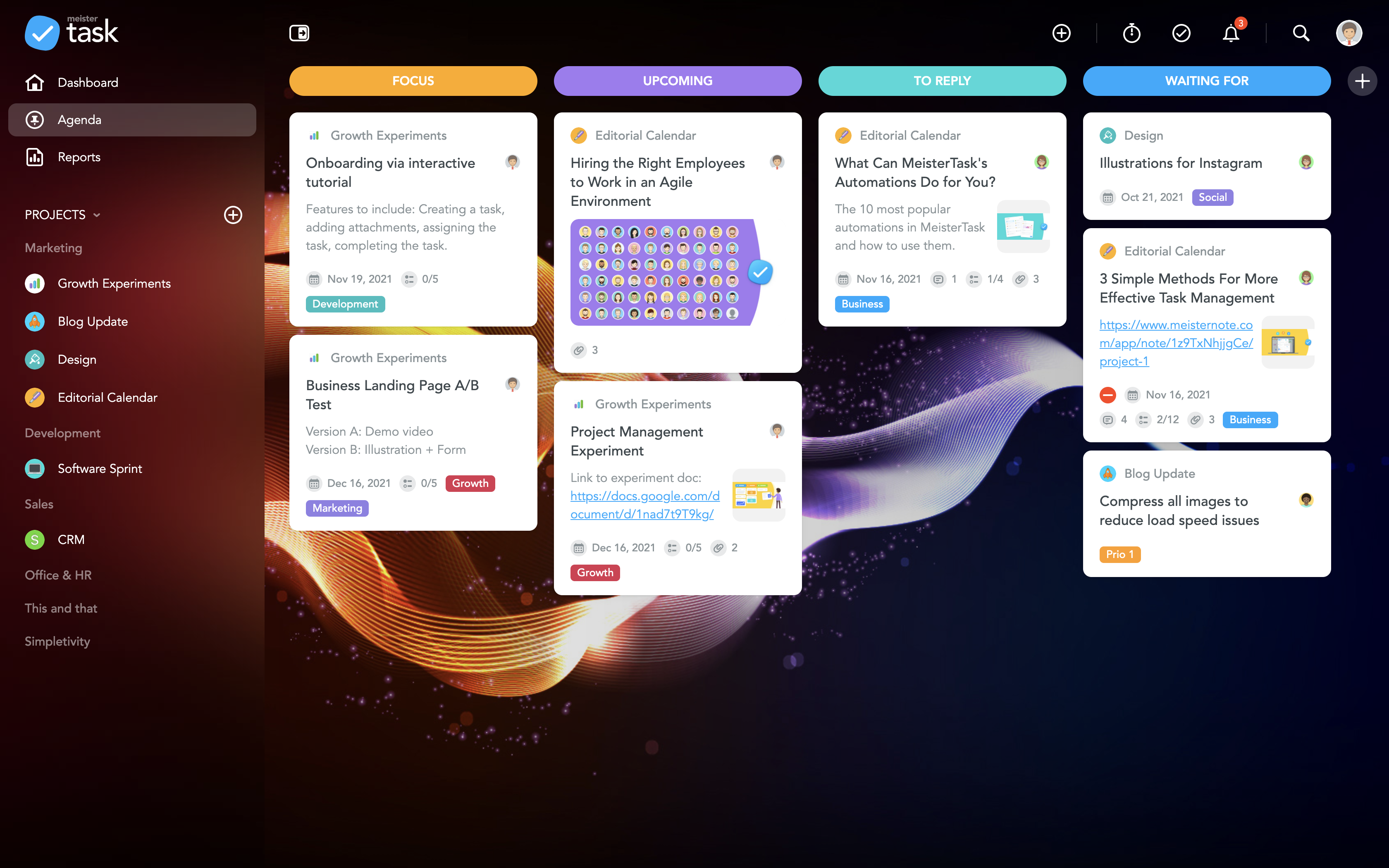
MeisterTask is a task management and collaboration tool that let teams manage tasks in a customizable environment. MeisterTask's project boards adapt to a team’s workflow, and is suitable for managing a variety of tasks from software sprints to editorial calendars. As opposed to only providing a tool that visualizes the work, MeisterTask automates recurring steps in users' workflows to help them work more efficiently and consistently.
MeisterTask is developed by…
$16
per month per user
Pricing
Craft.io
MeisterTask
Editions & Modules
No answers on this topic
Pro
$16
per month per user
Business
$32
per month per user
Enterprise
Custom
Offerings
Pricing Offerings
Craft.io
MeisterTask
Free Trial
No
No
Free/Freemium Version
No
Yes
Premium Consulting/Integration Services
No
No
Entry-level Setup Fee
No setup fee
No setup fee
Additional Details
—
Discounts are available for education and non-profit organisations. 28% discount for annual pricing.
Craft is one of the more complex tools focused on digital products. Besides Craft, I've testes ProductPlan and Aha! and they are all great tools, but I think Craft is the one that merges powerful features with some ease to use. But I think that many users would benefit more …
Craft has a completely unique tool set that has functionality that really is not duplicated any where else in the industry. It cannot really be compared to any other tool I have had experience with, especially with the larger cloud infrastructure that Invision has built around …
Easy to use for every user, because of its simple interface. Less cost and setup time relating to Trello. MeisterTask can help you to keep an eye on all of the diefferent task in your project.
MeisterTask has all the features which is a combination of all other tools. It also offers a basic plan which is good enough for personal use. Even for the Pro and Business plans, prices are affordable. It also offers an integration feature with other Applications. An overall …
I believe that this is a very user-friendly interface and easy to access and keep track of all tasks on E-mail; you can also `enable the notification on mobile. As a Team leader, you can track all tasks aligned with your team and check on the status of reported/
Meistertask seems like it was made for work, and it doesn’t hide its features amid complicated menus. The Mobile experience is one of the best I have used in task management. It integrates with other tools more widely via Zapier and various built-in ecosystem connections within …
Easy to use user interface, easy setup and probably the quickest setup of what I’ve tried. For what I need it to do it excels. The other platforms are more robust and feature packed, but that comes with more cost and setup time.
Meistertask is more visual and has a strong integration with mindmeister to create mindmaps first and from that to create tasks for your team. The reporting part is insightful to help monitor your team and see who needs additional help.
The difference between Trello and MeisterTask is that the Trello learning curve was very high compared to the other software mentioned above, in addition not many features met the requirements based on the needs that adapt to any company so in these cases we decide on this …
We have tried a lot of tools and we still use quite a lot, but only MeisterTask is the one we could not replace with any others. We use some other software for our personal planning, but when it comes to professional project management and collaboration, we simply choose …
I would rate MeisterTask as the second-best option here. Microsoft Project is easily the best project management software you can buy. It has every feature you could imagine and then some. Asana is inferior to both other programs, having the most limited functionality out of …
More user-friendly - the design and user experience is really something outstanding and you love it from the first moment. Easier learning curve - in few minutes you are ready to deploy a full project within MeisterTask. Better apps - both the web app and the mobile apps are …
MeisterTask is a great app for tracking your to-dos and manage your team. You can track the time you spent on each task and it's a nice design. Good mobile app too, that helps keep everyone informed about the event and the task that need to be done and who is taking care of …
More customization, easier learning curve, gorgeous interface, more user-friendly, just the right amount of features without offering so many that you practically have to set up the entire app yourself before you can use it, the most integrations with other services, lets you …
From my perspective, MeisterTask's unique value comes from its deep connection with MindMeister (mind mapping tool) starting with this and then being able instantly to sync the map into a Kanban/scrum type board.
I am a very heavy Trello user and most of my work is held in …
Asana: while MeisterTask is card-based, this one is list-based. This one is entirely matter of preference. I prefer cards.
Trello: I used Trello for a long time and liked it. And though it lacked certain features, there were plenty of developers trying to create add-ons to …
Simple with a great UI, are the simplest words I think we can use to describe MeisterTask. I have used Trello, FreedCamp, and Freshbooks but, the time tracking is the great feature that I am getting used to with this and it's Trello like UI. So, many of users are fine with this …
Craft.io is well suited for medium to large digital product teams that have some experience with the tools and features of the agile and lean models. Users that are new to those methodologies can have some difficulties understanding the platform. It is less appropriate for small projects too. It's a great tool but I think you can shape a project management tool to your needs in theses cases and it will work better.
If you are doing simple tasks, and do not need to see Gantt dependencies, this can work for you. You likely know that other tools seem cumbersome already, and Meistertask is the opposite. If you like mind mapping, try combining this with Mindmeister by thhe same company to integrate your mind maps into actual project plans.
'Sync' usually works flawlessly in syncing my artboards to Invision. Once you set up the plugin, I can easily forget about tinkering with any of the settings - it just 'works'.
'Library' is pretty great for generating a style guide from my design doc. Clicking one button makes magic happen, and creates a super succinct document for me to share between teammates and other teams.
'Data' also works wonders when trying to approximate 'real' data into a static design. It turns the painful job of having to fill in designs with 'real-world' data a piece of cake. It helps me validate rough designs using an actual approximation of real content.
The learning curve is really short compared to other software that is related to this.
It is very easy to manage several projects at the same time, thus saving time in the work process.
Managing the elements of the list is very comfortable since its interface allows everything to work in an orderly manner based on what I want to put as important for me.
It has versions that are adapted to any type of company or if you want to give a personal use because it also has an option based on what you want to do with MeisterTask.
I really wish there was a tab to create a Gantt Chart on MeisterTask. This would be extremely helpful to track the progress of a project as a whole.
Some of the controls are not intuitive. For instance, you can select an individual person to see only their respective tasks, which is super helpful. But, to unselect that person and go back to the overview, you have to refresh the page and then hit the back button. This is super inconvenient to do every time.
One other feature I wish was included it a "percentage complete" tracker that showed what percentage is done with each task people are on.
Craft has a completely unique tool set that has functionality that really is not duplicated any where else in the industry. It cannot really be compared to any other tool I have had experience with, especially with the larger cloud infrastructure that Invision has built around their plugin and their platform.
MeisterTask is a great app for tracking your to-dos and manage your team. You can track the time you spent on each task and it's a nice design. Good mobile app too, that helps keep everyone informed about the event and the task that need to be done and who is taking care of what task.