Dashlane Password Manager vs. iAM Biometrics

Overview
ProductRatingMost Used ByProduct SummaryStarting Price
Dashlane Password Manager
Score 9.1 out of 10
N/A
Dashlane is a credential manager that secures every credential, every user, and every employee device to proactively protect against breaches. Brands worldwide can use Dashlane to stay ahead of evolving threats.
$8
per month (billed annually) per seat
iAM Biometrics
Score 0.0 out of 10
N/A
N/AN/A
Pricing
Dashlane Password ManageriAM Biometrics
Editions & Modules
Business
$8
per month (billed annually) per seat
Omnix™
Contact Sales
per year for organizations of 100+
No answers on this topic
Offerings
Pricing Offerings
Dashlane Password ManageriAM Biometrics
Free Trial
YesNo
Free/Freemium Version
YesNo
Premium Consulting/Integration Services
NoNo
Entry-level Setup FeeNo setup feeNo setup fee
Additional Details
More Pricing Information
Community Pulse
Dashlane Password ManageriAM Biometrics
Considered Both Products
Dashlane Password Manager
Chose Dashlane Password Manager
By far, Dashlane offers better security protocols and has a better interface that combines ease of use with security. We found the price and security to be the deciding factors in our choice to explore Dashlane beyond the trial usage. My CEO speaks highly of your product and …
Chose Dashlane Password Manager
Easier to manage
Chose Dashlane Password Manager
More user friendly, easier setup and use of 2FA, exporting passwords easy as well.
Chose Dashlane Password Manager
Dashlane was a stronger product than Passportal, and it had the sharing capabilities that Passportal didn't. LastPass is better software, in my opinion, and I use it for my personal password storage. I like that Lastpass organizes logins based on the type of website (ex. …
Chose Dashlane Password Manager
Preferred Dashlane Password Manager due to health monitoring, encryption and dark web monitoring
Chose Dashlane Password Manager
Better useability, ability to share notes and codes, easy to toggle between organisation and personal logins, ability to share to other users and revoke that access as needed, able to get updates on password health and how many passwords other people are storing, user friendly …
Chose Dashlane Password Manager
It has been quite some time since we selected Dashlane, but it was a combination of features and price - it offered the greatest value with user sharing and cross-platform capabilities.
Chose Dashlane Password Manager
It's been a long time, so I don't remember. Secure safe seemed to focus a bit more on storing documents... Dashlane Password Manager is much more powerful as to securely collaborating credentials.
Chose Dashlane Password Manager
NordPass Business, 1Password and Bitwarden
Chose Dashlane Password Manager
Dashlane supports full business-/enterprise-level credential management: Admin dashboards, group/team management, policy enforcement, SSO/identity-provider integration, etc. Dashlane offers features such as dark-web monitoring, secure digital wallet, built-in VPN (in some …
Chose Dashlane Password Manager
LastPass for Business and Microsoft Excel
Chose Dashlane Password Manager
Our IT person said it was the best for our size of business and security needs.
Chose Dashlane Password Manager
More advanced and user friendly on multiple platforms
Chose Dashlane Password Manager
Excel isn't really a password manager, so there's no comparison.
Chose Dashlane Password Manager
The usability for Dashlane was better than the other options we tested before making our decision. Specifically, Dashlane makes sharing passwords and updating shared passwords very simple.
Chose Dashlane Password Manager
I didn't compare to other password managers.
Chose Dashlane Password Manager
As previously mentioned, NetworkChuck on YouTube played a big part in my final decision. The security concerns of what I used at previous employers (LastPass) left a really bad taste in my mouth.
Chose Dashlane Password Manager
we evaluated lastpass and keeper. we liked the pricing and ease of use with Dashlane.
Chose Dashlane Password Manager
I use Proton Pass in my personal life as part of the Proton suite of products, and it's a fantastic, lightweight, and robust service. I personally prefer supporting a solid, privacy, freedom focused company with my personal money, but as far as comparing goes, I'd say Dashlane …
Chose Dashlane Password Manager
I don't Aura listed here, but I think Dashlane Password Manager's UI and UX is better and security is top notch.
Chose Dashlane Password Manager
Dashlane was the most complete product. We have moved to Keeper, though, for client management; we wish Dashlane had similar functionality.
Chose Dashlane Password Manager
I chose Dashlane Password Manager over Lastpass due to cost and their prior history of data breaches. I felt more comfortable with Dashlane Password Manager hoping I wouldn't have to deal with downtime or stolen credentials. Dashlane Password Manager to me felt more compact and …
Chose Dashlane Password Manager
We can get a discount on Dashlane Password Manager through TechSoup, so cost was the deciding factor, as all other elements were about equal for us in our evaluation.
iAM Biometrics

No answer on this topic

Best Alternatives
Dashlane Password ManageriAM Biometrics
Small Businesses
RoboForm
RoboForm
Score 8.4 out of 10
1Password
1Password
Score 9.2 out of 10
Medium-sized Companies
1Password
1Password
Score 9.2 out of 10
RSA Access Manager (Discontinued)
Score 10.0 out of 10
Enterprises
KeePass
KeePass
Score 8.9 out of 10
RSA Access Manager (Discontinued)
Score 10.0 out of 10
All AlternativesView all alternativesView all alternatives
User Ratings
Dashlane Password ManageriAM Biometrics
Likelihood to Recommend
9.0
(0 ratings)
-
(0 ratings)
Likelihood to Renew
9.2
(0 ratings)
-
(0 ratings)
Usability
8.8
(0 ratings)
-
(0 ratings)
Support Rating
5.9
(0 ratings)
-
(0 ratings)
User Testimonials
Dashlane Password ManageriAM Biometrics
Likelihood to Recommend
Dashlane Password Manager works really well for situations where we need to share access to client portals or government filing sites, since multiple people can log in without ever seeing the actual password and we can cut off access right away when it’s no longer needed. It is also great for onboarding and offboarding since new hires or interns can get the logins they need quickly and we don’t have to pass around spreadsheets. Another strong use case is meeting compliance expectations because it shows clients we are serious about security and password hygiene. Where it’s less useful is in environments that already use single sign-on since that already centralizes access and makes Dashlane Password Manager feel redundant. It can also be a little frustrating if you rely heavily on mobile since the autofill doesn’t always work smoothly across different apps.
Read full review
No answers on this topic
Pros
  • Ensuring secure & unique passwords created for each account.
  • Allowing the company to see a "security score" of how secure the team's password management is.
  • Sharing passwords securely between employees.
  • A "vault" for storing other secure information (notes, credit cards, etc.)
  • Free Hotspot Shield VPN included in our tier of accounts.
Read full review
No answers on this topic
Cons
  • Initial setup was a little difficult.
  • User SSO invite and sign on would not work at first but this seems to have been improved/fixed.
  • The extension on websites doesn't work sometimes and will need to be refreshed if you open a new tab but have already logged in before.
Read full review
No answers on this topic
Likelihood to Renew
It has served us very well until now and at the pricepoint it doesn't make us second guess our current relationship.
Read full review
No answers on this topic
Usability
Dashlane Password Manager is great for the price. Some feature sets of competitors are lacking, but I'm happy with what we get for the spend. We are a small enough company that I can walk people through the steps, and it isn't something that comes up enough to complain about. Password generation, storage and use are all great.
Read full review
No answers on this topic
Support Rating
We've had no issues with Dashlane. I can't speak to their customer service because I have not personally needed to contact them. I guess that speaks about their product if we've not had any issues to reach out about. Great for supporting data/information on multiple platforms that are shared among team members.
Read full review
No answers on this topic
Alternatives Considered
Dashlane was a stronger product than Passportal, and it had the sharing capabilities that Passportal didn't. LastPass is better software, in my opinion, and I use it for my personal password storage. I like that Lastpass organizes logins based on the type of website (ex. shopping, banking, etc. ), and it also has an authentication app, so it has you verify logins from your phone for an extra layer of security, which Dashlane does not
Read full review
No answers on this topic
Return on Investment
  • Our cybersecurity posture has drastically been improved since the adoption of Dashlane. Cybersecurity insurance looks very favorably on those that utilize password managers
  • Hundreds of hours of IT Admin time has been saved by not needing to reset passwords nearly as much at the user level.
  • User productivity is substantially improved when time is spent working and not resetting passwords over and over.
Read full review
No answers on this topic
ScreenShots

Dashlane Password Manager Screenshots
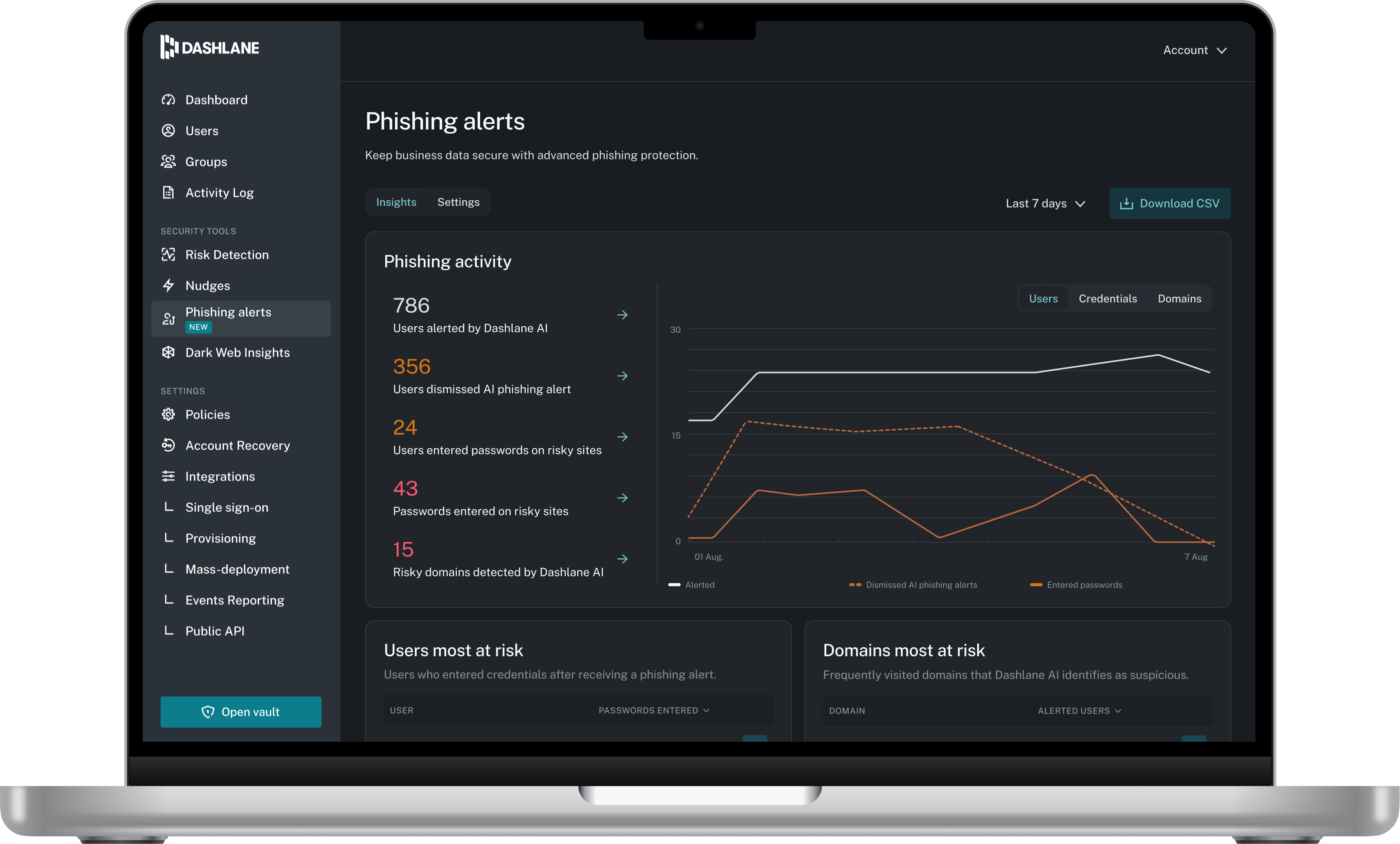
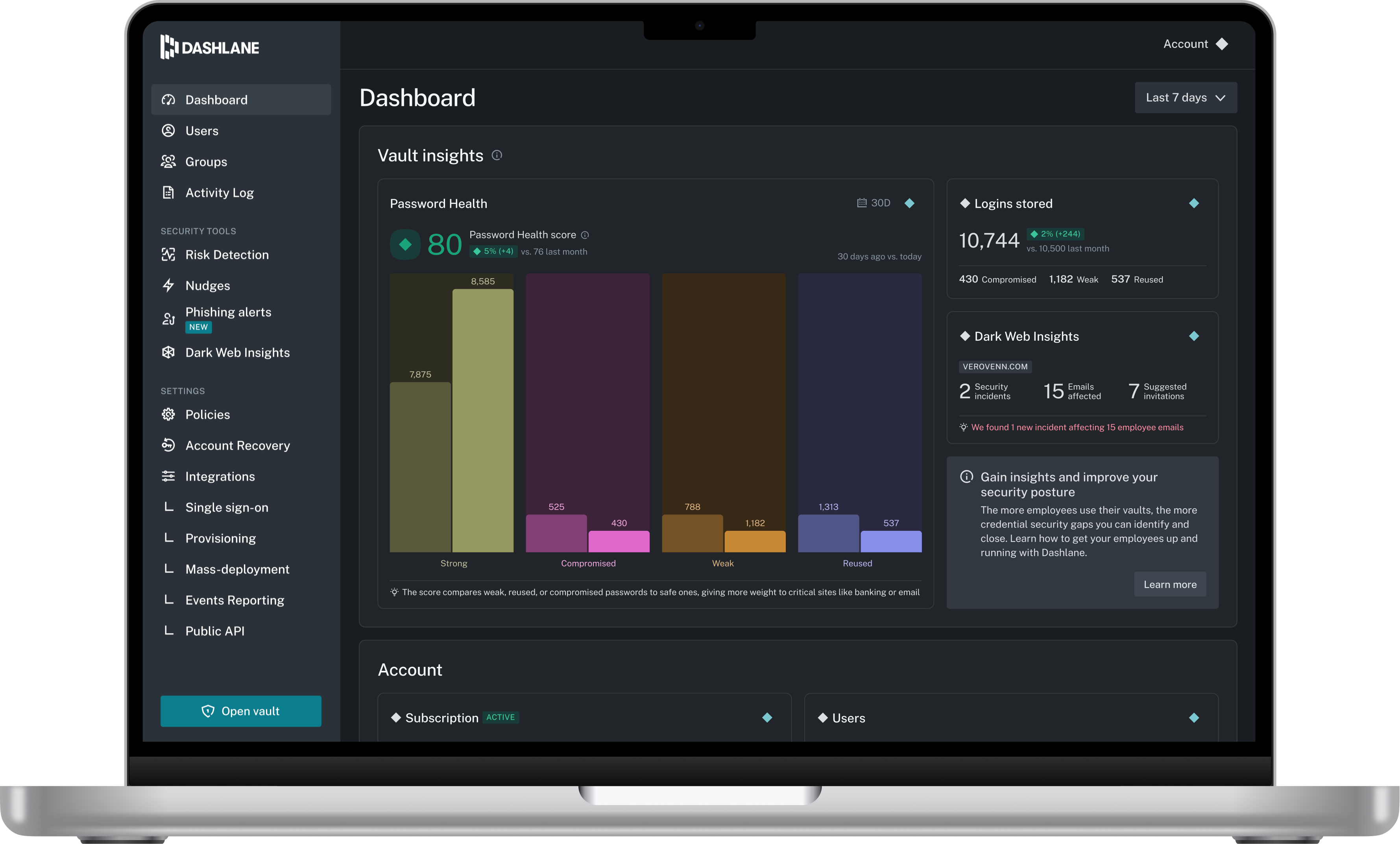
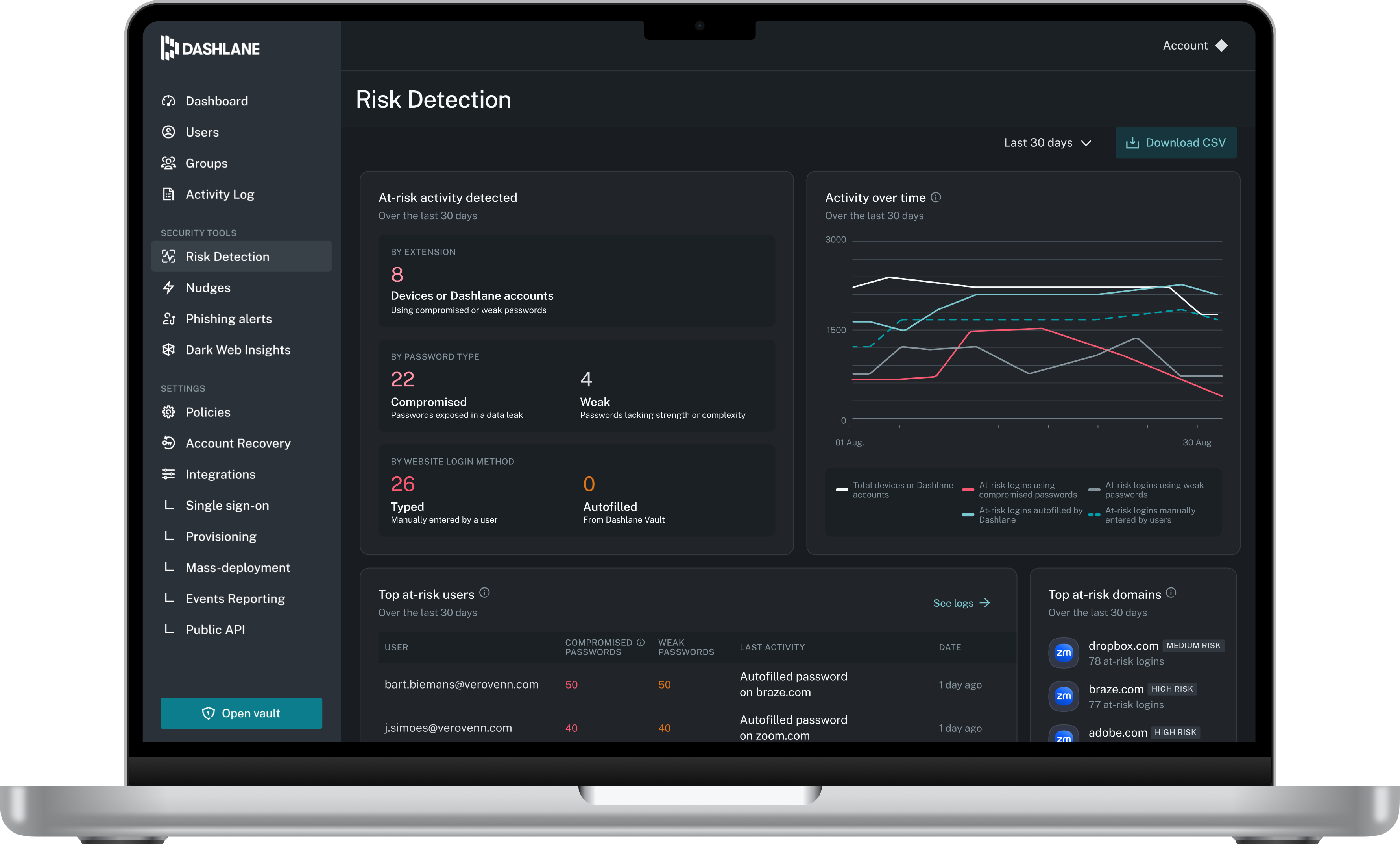
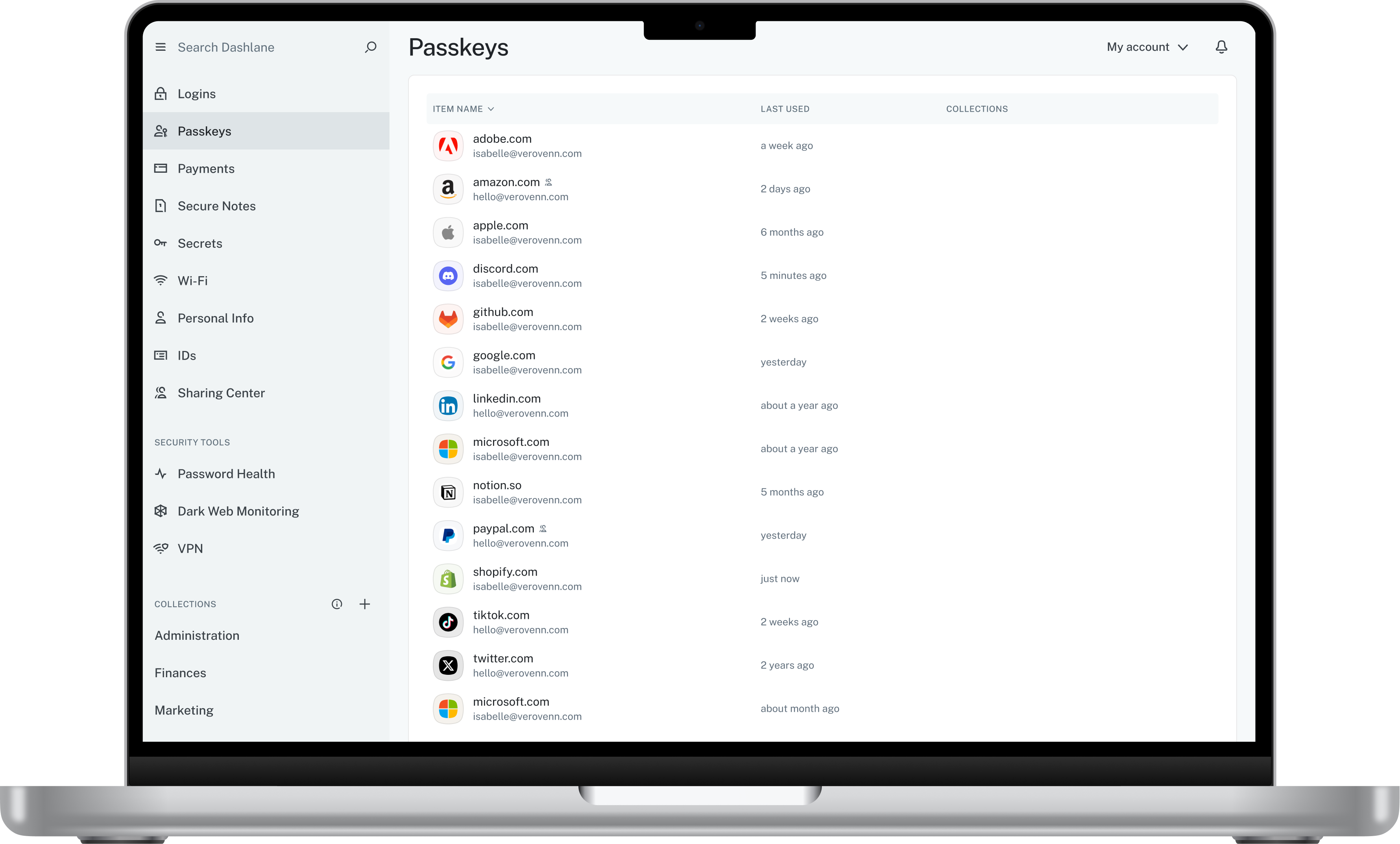
Screenshot of Admin DashboardScreenshot of Credential Risk DetectionScreenshot of AI Phishing AlertScreenshot of Vault