DbVisualizer is a universal database client and SQL tool for developers, analysts, DBAs, data engineers, and anyone who works with data, from beginner developers and startups to professional teams managing complex database environments. It provides a graphical interface for exploring database structures, managing schemas and database objects, and running SQL queries across multiple database systems through JDBC drivers, including MySQL, PostgreSQL, SQL Server,…
$0
TIBCO Data Virtualization
Score8.6 out of 10
N/A
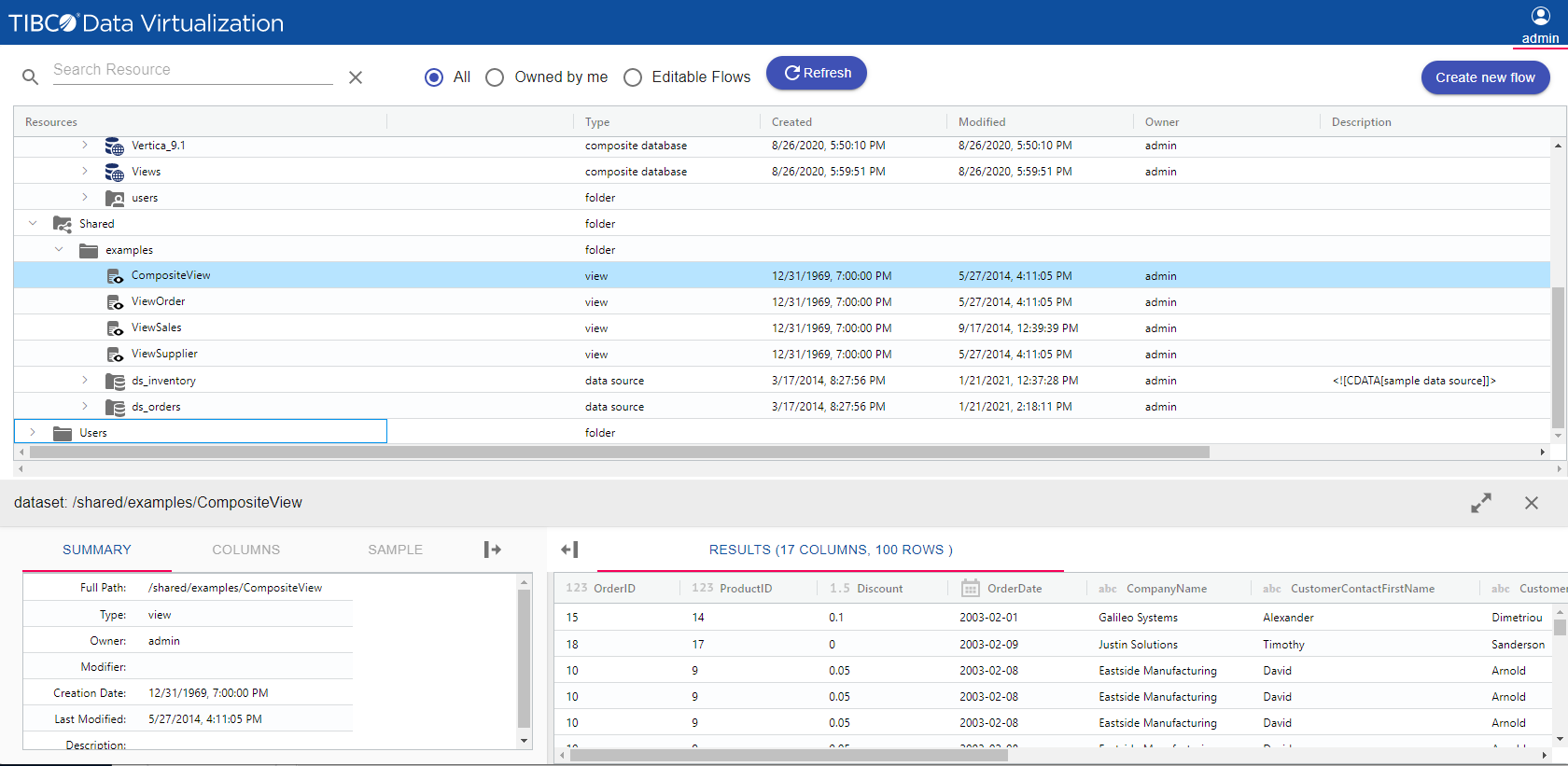
TIBCO Data Virtualization is an enterprise data virtualization solution that orchestrates access to multiple and varied data sources and delivers the datasets and IT-curated data services foundation for nearly any solution.
N/A
Pricing
DbVisualizer
TIBCO Data Virtualization
Editions & Modules
DbVisualizer Free
$0
DbVisualizer Pro with Basic support - Renewal
$89
per year per user
DbVisualizer Pro with Premium support - Renewal
$119
per year per user
DbVisualizer Pro with Basic support
$199
per year per user
DbVisualizer Pro with Premium support
$229
per year per user
No answers on this topic
Offerings
Pricing Offerings
DbVisualizer
TIBCO Data Virtualization
Free Trial
Yes
No
Free/Freemium Version
Yes
No
Premium Consulting/Integration Services
No
Yes
Entry-level Setup Fee
Optional
No setup fee
Additional Details
New license cost includes a perpetual license, software upgrades and support for the length of the term. 1, 2 & 3 year terms are offered. Once license expires the user may access all Pro versions released before the license expiry indefinitely. To gain access to Pro versions released after the license expired, license renewal is offered. Volume discounts apply to both new and renewal licenses.
Tibco Consultant in Information Technology at Bahwan CyberTek (Computer Software, 5001-10,000 employees)
Chose TIBCO Data Virtualization
1. We have evaluated the Denedo data virtualization tool, which uses the same concept of TIBCO Data Virtualization, but it lags in Custom adaptor supports and the availability of adaptors 2. As TIBCO Data Virtualization is a pioneer in data virtualization, so TIBCO Data …
A de minimis incentive was given to thank the reviewer for their time. The incentive was not used to bias or drive a particular response, nor was the incentive contingent on a positive endorsement. More Info
Seamlessly querying PostgreSQL/PostGIS, Oracle, SQL Server, and SQLite from one interface without switching tools. The intelligent autocomplete and schema browsing make it ideal for writing queries and understanding unfamiliar databases. Complex performance tuning, deep monitoring, and automated backup/recovery require specialized DBA tools. Performance degrades with tens or hundreds of thousands of rows; command-line tools or ETL solutions are better suited to bulk data processing.
A de minimis incentive was given to thank the reviewer for their time. The incentive was not used to bias or drive a particular response, nor was the incentive contingent on a positive endorsement. More Info
TIBCO Data Virtualization is well suited for customers who are challenged to deal with extracting data from dozens of different sources and systems, and do not have the time and liberty to hire data engineers and/or ETL developers to write dozens or hundreds of complex ETLs. However, there are situations where TIBCO Data Virtualization severely underperforms, and those are where we are dealing with large volumes of data, in tera bytes or peta byte scale system. For example, a messaging queue which sends 200 million messages every hour will choke TIBCO Data Virtualization if the technology is chosen to route the data.
A de minimis incentive was given to thank the reviewer for their time. The incentive was not used to bias or drive a particular response, nor was the incentive contingent on a positive endorsement. TR verified that a representative sample of customers was invited. More Info
A de minimis incentive was given to thank the reviewer for their time. The incentive was not used to bias or drive a particular response, nor was the incentive contingent on a positive endorsement. TR verified that a representative sample of customers was invited. More Info
Small, but noticeable: it would be nice to be able to highlight just one column of a data output for copy/paste by clicking on the column header (a feature some of us are accustomed to from SQL Server Management Studio)
Is there an ability to bulk import an excel file to a table in a connected SQL Server in DbVis? If so, I haven't figured that out yet. I still largely use Microsoft SSMS to import data to our team's personal SQL Server, but can easily query that server via DbVis)
(I really don't have any major complaints - our company has tried to steer users toward DBeaver for YEARS, which I cannot stand. DbVis knocks the beaver out of the water)
Performance of TDV repository database is rather poor for larger numbers of objects .(Note: We have approx. 9tsd objects introspected in TDV and approx. 20tsd objects generated in upper DV layers.)
Propagation of privileges to parent/child dependencies does not work when applying recursively on a folder. (It's a huge setback when working with large number of objects organized semantically into subfolders.)
Lack of command line client interface for scripting at the time of version 8.4 (I had to write my own CLI.)
TDV Studio does an absolutely horrible job with its own code editors when indentation is in place. Also, the editor is brutally slow and feature-poor.
Tracking privileges on the level of table/view columns causes occasional problems when regranting.
TDV's stored programs ("SQL scripts" in their own terminology) compiler leaves out many syntactic and semantic checks, making them hugely prone to run-time errors.
TDV Server's REST API is a very poor (in terms of features) and flawed cousin to its SOAP API (at the time of version 8.4).
A de minimis incentive was given to thank the reviewer for their time. The incentive was not used to bias or drive a particular response, nor was the incentive contingent on a positive endorsement. TR verified that a representative sample of customers was invited. More Info
A de minimis incentive was given to thank the reviewer for their time. The incentive was not used to bias or drive a particular response, nor was the incentive contingent on a positive endorsement. More Info
A de minimis incentive was given to thank the reviewer for their time. The incentive was not used to bias or drive a particular response, nor was the incentive contingent on a positive endorsement. More Info
It does what we need it for, which is manipulate data, check connections, visualize database structures, check on user rights, or even just version checks on the used databases. The 'type to get to table name' feature is often irrational in behaviour, which leads to frustration. The start-up time could be much better, and the UI changes between versions are sometimes a hassle for us when buttons are suddenly moved or their appearance changes. We use a wide variety of DBVis versions on customer installations (which use the once-bought version), and differences in the look and feel between versions sometimes slow us down.
TDV's interface is a bit dated and not entirely intuitive. Would recommend some UX design review as the interface leaves a bit to be better understood to be used by users without inherent knowledge of Tibco. Overall I'd suggest more improvement here to ensure usability by a lesser tech audience.
A de minimis incentive was given to thank the reviewer for their time. The incentive was not used to bias or drive a particular response, nor was the incentive contingent on a positive endorsement. TR verified that a representative sample of customers was invited. More Info
A de minimis incentive was given to thank the reviewer for their time. The incentive was not used to bias or drive a particular response, nor was the incentive contingent on a positive endorsement. More Info
This product's performance is very consistent. It is extremely rare for templates to fail. I've been using this software for 5 years and find it to be both simple and powerful. The impact within the company has been very positive as different processes in different areas, such as data analysis, development, and integrations, have been improved, and, best of all, it has not affected the users. Various systems with which it is connected in order to obtain information.
A de minimis incentive was given to thank the reviewer for their time. The incentive was not used to bias or drive a particular response, nor was the incentive contingent on a positive endorsement. TR verified that a representative sample of customers was invited. More Info
A de minimis incentive was given to thank the reviewer for their time. The incentive was not used to bias or drive a particular response, nor was the incentive contingent on a positive endorsement. More Info
On a few occasions I have asked TIBCO technical support for help because I have adapted perfectly to their tools, but in those few that I have communicated with their technical team I have received personalized, attentive, responsible attention and I am always assisted by an expert staff the topic. A TIBCO technical support technician spent more than an hour helping me to solve a problem in the initial stage of implementation in my department and this is something that I always appreciate.
A de minimis incentive was given to thank the reviewer for their time. The incentive was not used to bias or drive a particular response, nor was the incentive contingent on a positive endorsement. More Info
The training was helpful. I was able to understand how to use TIBCO for the data load process that we implemented and how to perform various troubleshooting steps based on the training I received. The technician was thorough and took the time to answer any questions. Once we were shown how to use TIBCO in the test environment, we were able to configure the production environment ourselves.
A de minimis incentive was given to thank the reviewer for their time. The incentive was not used to bias or drive a particular response, nor was the incentive contingent on a positive endorsement. More Info
Other vendors have clearer, more visual implementation documentation. We also did not have our data architect and and server administrator available full-time for implementation. In the future, we will secure the necessary internal resources.
A de minimis incentive was given to thank the reviewer for their time. The incentive was not used to bias or drive a particular response, nor was the incentive contingent on a positive endorsement. More Info
[DbVisualizer] is pretty easy to use compared to IntelliJ because of it's simplicity. The performance is very good, it feels as good as a native application compared to the other two softwares I used for the same purpose. It's very cheaper compared to the other two tools and that's a big selling point.
A de minimis incentive was given to thank the reviewer for their time. The incentive was not used to bias or drive a particular response, nor was the incentive contingent on a positive endorsement. More Info
We did not need to evaluate another technology in the same category for data virtualization, since we are 100% sure of the capabilities and benefits that we would have with TIBCO Data Virtualization, both for market positioning as well as success stories from other companies. great renown worldwide. From the first day of use, it meets our needs to provide the expected solutions.
A de minimis incentive was given to thank the reviewer for their time. The incentive was not used to bias or drive a particular response, nor was the incentive contingent on a positive endorsement. TR verified that a representative sample of customers was invited. More Info
A de minimis incentive was given to thank the reviewer for their time. The incentive was not used to bias or drive a particular response, nor was the incentive contingent on a positive endorsement. More Info
A de minimis incentive was given to thank the reviewer for their time. The incentive was not used to bias or drive a particular response, nor was the incentive contingent on a positive endorsement. More Info