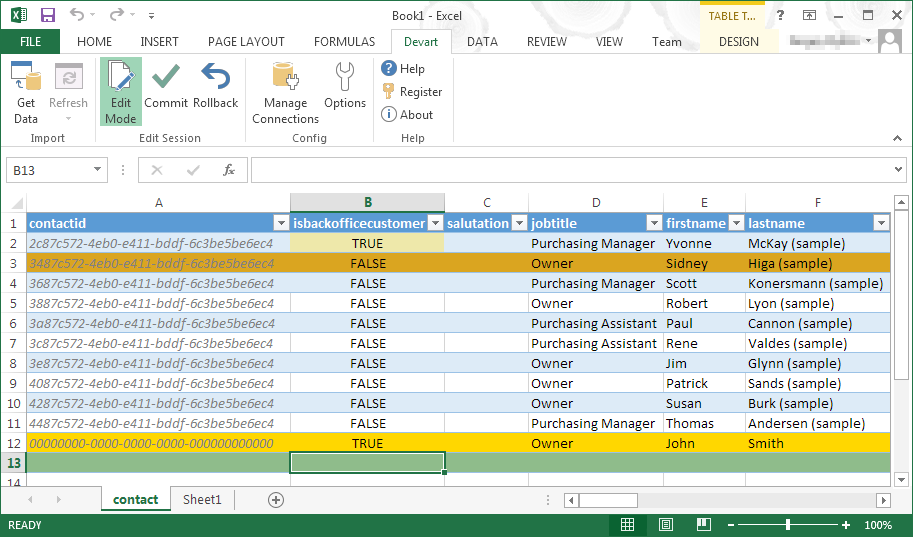
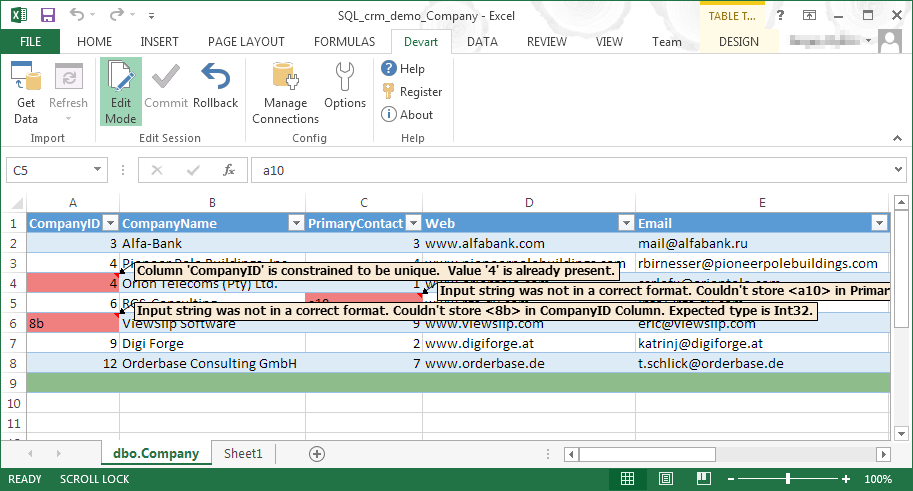
Devart Excel Add-ins allow you to use Excel capabilities to import, process, and analyze data from cloud applications and relational databases. The Excel Add-ins also allow users to make data changes and then save those changes back to the data source they were originally imported from.
$399.95
one-time fee
Salesforce CRM Analytics
Score8.5 out of 10
N/A
Salesforce CRM Analytics (formerly Tableau CRM) is a cloud-based business intelligence solutions and analytics software. It provides users with automated data discovery, CRM-connected analytics, top-down views of data, augmented analytics, predictive insights, and customizable data visualization tools.
$125
per month
Pricing
Devart Excel Add-ins
Salesforce CRM Analytics
Editions & Modules
Excel Add-in Database Pack
$399.95
one-time fee
Excel Add-in Cloud Pack
$499.95
one-time fee
Excel Add-in Universal Pack
$599.95
one-time fee
No answers on this topic
Offerings
Pricing Offerings
Devart Excel Add-ins
Salesforce CRM Analytics
Free Trial
Yes
No
Free/Freemium Version
No
No
Premium Consulting/Integration Services
No
No
Entry-level Setup Fee
No setup fee
No setup fee
Additional Details
Purchases include a perpetual license and 1 year of subscription which includes the product updates and premium support.
—
More Pricing Information
Community Pulse
Devart Excel Add-ins
Salesforce CRM Analytics
Considered Both Products
Devart
Verified User
Chose Devart Excel Add-ins
Devart Excel stacks up very well against its alternatives. It has significant advantages as it keeps getting an update. Features are very much suitable for smaller organizations. For larger organizations the features cannot be used directly because of the size of the company …
A de minimis incentive was given to thank the reviewer for their time. The incentive was not used to bias or drive a particular response, nor was the incentive contingent on a positive endorsement. More Info
A de minimis incentive was given to thank the reviewer for their time. The incentive was not used to bias or drive a particular response, nor was the incentive contingent on a positive endorsement. More Info
For us it really comes down to that book management and next best contact for our advisors. When we're thinking about a book of business that may range, depending on the advisor, from 400 clients to a thousand clients, how do they really optimize their time? Who do they call next? Who do they work with to make sure not only they're keeping those clients engaged, they're not leaving the firm going to other advisors who they haven't talked to in a while who might need their attention. That's really where that CRM analytics is really proven pretty powerful for us.
A de minimis incentive was given to thank the reviewer for their time. The incentive was not used to bias or drive a particular response, nor was the incentive contingent on a positive endorsement. More Info
A de minimis incentive was given to thank the reviewer for their time. The incentive was not used to bias or drive a particular response, nor was the incentive contingent on a positive endorsement. More Info
A de minimis incentive was given to thank the reviewer for their time. The incentive was not used to bias or drive a particular response, nor was the incentive contingent on a positive endorsement. More Info
It has room for improvement in terms of security and making it possible for large organizations like us to use it in a more secure way with integrating with our in-house security systems.
Pricing could be reduced further for it to be adopted world-wide.
it isn't foolproof. Excel has no means of checking for human error during data entry, which means that the wrong information can skew all the results - sometimes severe.
Users unfamiliar with Excel syntax may also find entering calculations and calling up other functions a bit frustrating until they get a solid understanding.
A de minimis incentive was given to thank the reviewer for their time. The incentive was not used to bias or drive a particular response, nor was the incentive contingent on a positive endorsement. More Info
Implementation takes time and resources. It is a heavy lift to implement and at first, it can take a little bit of time to understand what you are looking at. But once it's implemented it's easy to get started.
Without any BI expertise or resources available to your organization, the implementation of this is difficult. If you aren't used to BI tools and don't have an expert in house, the terminology can be difficult to understand at first.
Their support is not on hand to help you if you encounter any issues, at least not on all the plans or the basic plans. Real-time support service is an add-on, so you'll need to be patient if you require help or pay extra money.
More functionality for the tool is needed to compete with other heavyweights in the arena like Tableau, Qlik, and Microstrategy. Still lacks the robustness, functionality, and flexibility other competing products possess.
A de minimis incentive was given to thank the reviewer for their time. The incentive was not used to bias or drive a particular response, nor was the incentive contingent on a positive endorsement. More Info
It automated the whole reporting and excel. Our team can generate pivot, dashboards and multiple other reports in various formats and update them with one click. My Sales team need to update more then 1500 leads status on daily basis. By using this tool now they can do this in few minutes.
A de minimis incentive was given to thank the reviewer for their time. The incentive was not used to bias or drive a particular response, nor was the incentive contingent on a positive endorsement. More Info
For someone who don't have coding background, this could be a useful tool and fairly easy to learn and use given the good support. However, if you know other open source tools, it would be much easier to use the other tools and the knowledge is more transferable in the future.
A de minimis incentive was given to thank the reviewer for their time. The incentive was not used to bias or drive a particular response, nor was the incentive contingent on a positive endorsement. More Info
I was not able to be in interaction much with Salesforce support team since every feature works the way it should be working. So far I have not experienced any bug or major glitches that would delay the result of my work and performance. There is also a hotline in our company for Salesforce issue but so far I have not used it.
A de minimis incentive was given to thank the reviewer for their time. The incentive was not used to bias or drive a particular response, nor was the incentive contingent on a positive endorsement. More Info
An implementation partner would certainly result in greater output in a more efficient amount of time. However, I have found implementation partners to be extremely expensive for the output received (at least working for a non-profit company they are frequently unaffordable). Internal implementation does help with usable output though since internal knowledge would better know the data architecture and business processes
A de minimis incentive was given to thank the reviewer for their time. The incentive was not used to bias or drive a particular response, nor was the incentive contingent on a positive endorsement. More Info
Microsoft Excel is the most used tool in the software universe. As such, asking Microsoft Excel to be the tool used post data acquisition makes a ton of sense. Almost everyone we hire has some idea on how to use this tool, which decreases the time spend training new employees.
A de minimis incentive was given to thank the reviewer for their time. The incentive was not used to bias or drive a particular response, nor was the incentive contingent on a positive endorsement. More Info
Tableau is the absolute top of the class when it comes to business intelligence, but it doesn't make sense for every business case. In our case, we needed a simple data visualization platform for our CRM platform and sales pipeline. Salesforce Analytics, while nowhere near as robust, did the job we needed it to do perfectly in a significantly more cost-effective manner.
A de minimis incentive was given to thank the reviewer for their time. The incentive was not used to bias or drive a particular response, nor was the incentive contingent on a positive endorsement. More Info
A de minimis incentive was given to thank the reviewer for their time. The incentive was not used to bias or drive a particular response, nor was the incentive contingent on a positive endorsement. More Info
I would say it's been positive just because as a company, anyone that has access to it can go in there and pull any company information and we're very up to date then on all of our client base. So I would say it's been a very positive impact.
A de minimis incentive was given to thank the reviewer for their time. The incentive was not used to bias or drive a particular response, nor was the incentive contingent on a positive endorsement. More Info