Overview
ProductRatingMost Used ByProduct SummaryStarting Price
Digital T Card
Score 0.0 out of 10
N/A
Digital TCards is a Kanban solution for streamlined workflow management. It empowers industries to customise workflow solutions tailored to their needs. Every process is tracked in real-time, from managing work orders to conducting quality inspections. Bottlenecks in the process are anticipated and addressed with features like scheduling tools and process audits, to ensure complete visibility into operations. TCards can be used across diverse industries such as manufacturing,…
$57.27
per month 3 seats included
Kintone
Score 9.7 out of 10
N/A
Kintone is a customizable digital workplace platform used to manage data, tasks, and communication. The no-code drag-and-drop interface can be used to create custom applications.
$120
per month for 5 users (minimum)
Pricing
Digital T CardKintone
Editions & Modules
Starter
£45
per month 3 seats (£10 for additional seats)
Lite
£140
per month 10 seats (£9 for additional seats)
Pro
£299
per month 25 seats (£8 for additional seats)
Professional Subscription
$24
per month per user
Offerings
Pricing Offerings
Digital T CardKintone
Free Trial
YesYes
Free/Freemium Version
NoNo
Premium Consulting/Integration Services
YesYes
Entry-level Setup FeeNo setup feeOptional
Additional DetailsDiscount available for annual pricing.Minimum requirement of 5 users. Kintone offers a free prototype to build with using existing process.
More Pricing Information
Community Pulse
Digital T CardKintone
Features
Digital T CardKintone
Sales Force Automation
Comparison of Sales Force Automation features of Product A and Product B
Digital T Card
-
Ratings
Kintone
8.3
9 Ratings
6% above category average
Customer data management / contact management00 Ratings9.76 Ratings
Workflow management00 Ratings9.29 Ratings
Territory management00 Ratings8.54 Ratings
Opportunity management00 Ratings8.54 Ratings
Integration with email client (e.g., Outlook or Gmail)00 Ratings7.04 Ratings
Contract management00 Ratings7.03 Ratings
Quote & order management00 Ratings7.54 Ratings
Channel / partner relationship management00 Ratings9.33 Ratings
Customer Service & Support
Comparison of Customer Service & Support features of Product A and Product B
Digital T Card
-
Ratings
Kintone
9.0
7 Ratings
15% above category average
Case management00 Ratings9.67 Ratings
Help desk management00 Ratings8.56 Ratings
Marketing Automation
Comparison of Marketing Automation features of Product A and Product B
Digital T Card
-
Ratings
Kintone
8.0
2 Ratings
3% above category average
Lead management00 Ratings8.02 Ratings
CRM Project Management
Comparison of CRM Project Management features of Product A and Product B
Digital T Card
-
Ratings
Kintone
8.9
9 Ratings
14% above category average
Task management00 Ratings9.06 Ratings
Reporting00 Ratings8.89 Ratings
CRM Reporting & Analytics
Comparison of CRM Reporting & Analytics features of Product A and Product B
Digital T Card
-
Ratings
Kintone
8.1
8 Ratings
6% above category average
Pipeline visualization00 Ratings8.34 Ratings
Customizable reports00 Ratings8.08 Ratings
Customization
Comparison of Customization features of Product A and Product B
Digital T Card
-
Ratings
Kintone
8.9
11 Ratings
15% above category average
Custom fields00 Ratings9.211 Ratings
Custom objects00 Ratings9.09 Ratings
API for custom integration00 Ratings8.65 Ratings
Integrations with 3rd-party Software
Comparison of Integrations with 3rd-party Software features of Product A and Product B
Digital T Card
-
Ratings
Kintone
8.5
2 Ratings
12% above category average
Marketing automation00 Ratings8.52 Ratings
Platform
Comparison of Platform features of Product A and Product B
Digital T Card
-
Ratings
Kintone
9.3
6 Ratings
20% above category average
Mobile access00 Ratings9.36 Ratings
Security
Comparison of Security features of Product A and Product B
Digital T Card
-
Ratings
Kintone
9.5
10 Ratings
12% above category average
Role-based user permissions00 Ratings9.510 Ratings
Best Alternatives
Digital T CardKintone
Small Businesses
Kintone
Kintone
Score 9.7 out of 10
Salesflare
Salesflare
Score 10.0 out of 10
Medium-sized Companies
Kintone
Kintone
Score 9.7 out of 10
Creatio
Creatio
Score 9.3 out of 10
Enterprises
MeisterTask
MeisterTask
Score 9.0 out of 10
Creatio
Creatio
Score 9.3 out of 10
All AlternativesView all alternativesView all alternatives
User Ratings
Digital T CardKintone
Likelihood to Recommend
-
(0 ratings)
9.7
(58 ratings)
Likelihood to Renew
-
(0 ratings)
10.0
(8 ratings)
Usability
-
(0 ratings)
9.4
(16 ratings)
Availability
-
(0 ratings)
10.0
(2 ratings)
Performance
-
(0 ratings)
10.0
(2 ratings)
Support Rating
-
(0 ratings)
9.4
(46 ratings)
Online Training
-
(0 ratings)
10.0
(1 ratings)
Implementation Rating
-
(0 ratings)
6.8
(4 ratings)
Configurability
-
(0 ratings)
9.0
(43 ratings)
Contract Terms and Pricing Model
-
(0 ratings)
10.0
(2 ratings)
Ease of integration
-
(0 ratings)
10.0
(2 ratings)
Product Scalability
-
(0 ratings)
10.0
(2 ratings)
Professional Services
-
(0 ratings)
10.0
(2 ratings)
Vendor post-sale
-
(0 ratings)
10.0
(2 ratings)
Vendor pre-sale
-
(0 ratings)
10.0
(2 ratings)
User Testimonials
Digital T CardKintone
Likelihood to Recommend
Lean Transition Solutions Ltd
No answers on this topic
Kintone
I recommend Kintone for companies that need the ability to customize standalone applications or to provide a 'hub' to employees as a jumping-off point. I also recommend Kintone for any company that is drowning in spreadsheets, or is using 10 apps for 10 different purposes - you can consolidate everything into one place. Kintone, I think, needs a larger team for customization as your company grows. If you are a small office of 20 people, using it out of the box will likely be just fine for your needs. If you're working with 200 people out of an office, it'd likely be good to have someone with a bit of CSS, Java, and API experience in order to maximize what you get out of it - though you won't need that if you're keeping it simple.
Read full review
Pros
Lean Transition Solutions Ltd
No answers on this topic
Kintone
  • Flexibility. You can build apps (without coding) to serve a wide range of processes and projects.
  • Ease of use. The interface is intuitive.
  • Training. There are resources readily available to train new users. Even starting from scratch, I felt like I was up to speed in just a few hours.
Read full review
Cons
Lean Transition Solutions Ltd
No answers on this topic
Kintone
  • Sometimes it's a little challenging to know which fields to enter and where. There is a little bit of a learning curve with creating your own apps.
  • More visuals would be great! I love seeing the data visually, and so does my board.
  • That's all I can think of - I really do enjoy the program.
Read full review
Likelihood to Renew
Lean Transition Solutions Ltd
No answers on this topic
Kintone
We have been quite happy with our use of Kintone thus far. We looked at several options before choosing Kintone and believe it had the best value and best features, while allowing for complete customization, rather than being locked into preformatted apps that may not address exactly what we need or be more than what we need.
Read full review
Usability
Lean Transition Solutions Ltd
No answers on this topic
Kintone
I love everything bout it. I love that if there is something I don't feel is working well enough, we are able to change it. The ONLY thing I would say is that if you were able to make it so every time I click on anything in the website/app it stayed in the same page, that would be great, but I don' think it is possible and I think this is due to using so many external APIs
Read full review
Reliability and Availability
Lean Transition Solutions Ltd
No answers on this topic
Kintone
Never had an issue with this.
Read full review
Performance
Lean Transition Solutions Ltd
No answers on this topic
Kintone
Pages load quickly, no issues with response time
Read full review
Support Rating
Lean Transition Solutions Ltd
No answers on this topic
Kintone
I am very happy with Kintone and support it fully. I think that it is a great place for any company that wants to create a platform for better management. It is easy to use and pretty affordable. It is straightforward and has many tools that can be used by anyone. There are many helpful tutorials available too to guide users
Read full review
Online Training
Lean Transition Solutions Ltd
No answers on this topic
Kintone
The training was seamless and easy to follow
Read full review
Implementation Rating
Lean Transition Solutions Ltd
No answers on this topic
Kintone
Everyone has their own tastes of things and way they want to work. Asking them to adapt to the changes with the new tools or apps is always difficult. We would want to start with a very small but best example within the organization, which in our case was that the employees will not be bothered by the bosses by being asked to find the documents, status of the progresses, or major things/requests/projects.
Read full review
Alternatives Considered
Lean Transition Solutions Ltd
No answers on this topic
Kintone
Kintone is the easiest product to create from and the cost is the lowest I believe. In addition, reconfigurability and extendability are great. If you look for a low code tool, you can try Kintone. But as same as another low code tool, don't expect too much.
Read full review
Contract Terms and Pricing Model
Lean Transition Solutions Ltd
No answers on this topic
Kintone
Should be multiple pricing packages.
Read full review
Scalability
Lean Transition Solutions Ltd
No answers on this topic
Kintone
I could see this work for all departments if implemented correctly.
Read full review
Professional Services
Lean Transition Solutions Ltd
No answers on this topic
Kintone
We have nothing but positive things to say about the kintone professional services we utilized during the install and after we went live.
Read full review
Return on Investment
Lean Transition Solutions Ltd
No answers on this topic
Kintone
  • It used to take us 15-20 minutes to create a quote for a client. It now takes less than 3.
  • It allows a few of our employees to work remotely, which was essentially impossible prior.
  • We can see raw data for success/failure rates, which we actively use in our employee review process.
Read full review
ScreenShots

Digital T Card Screenshots

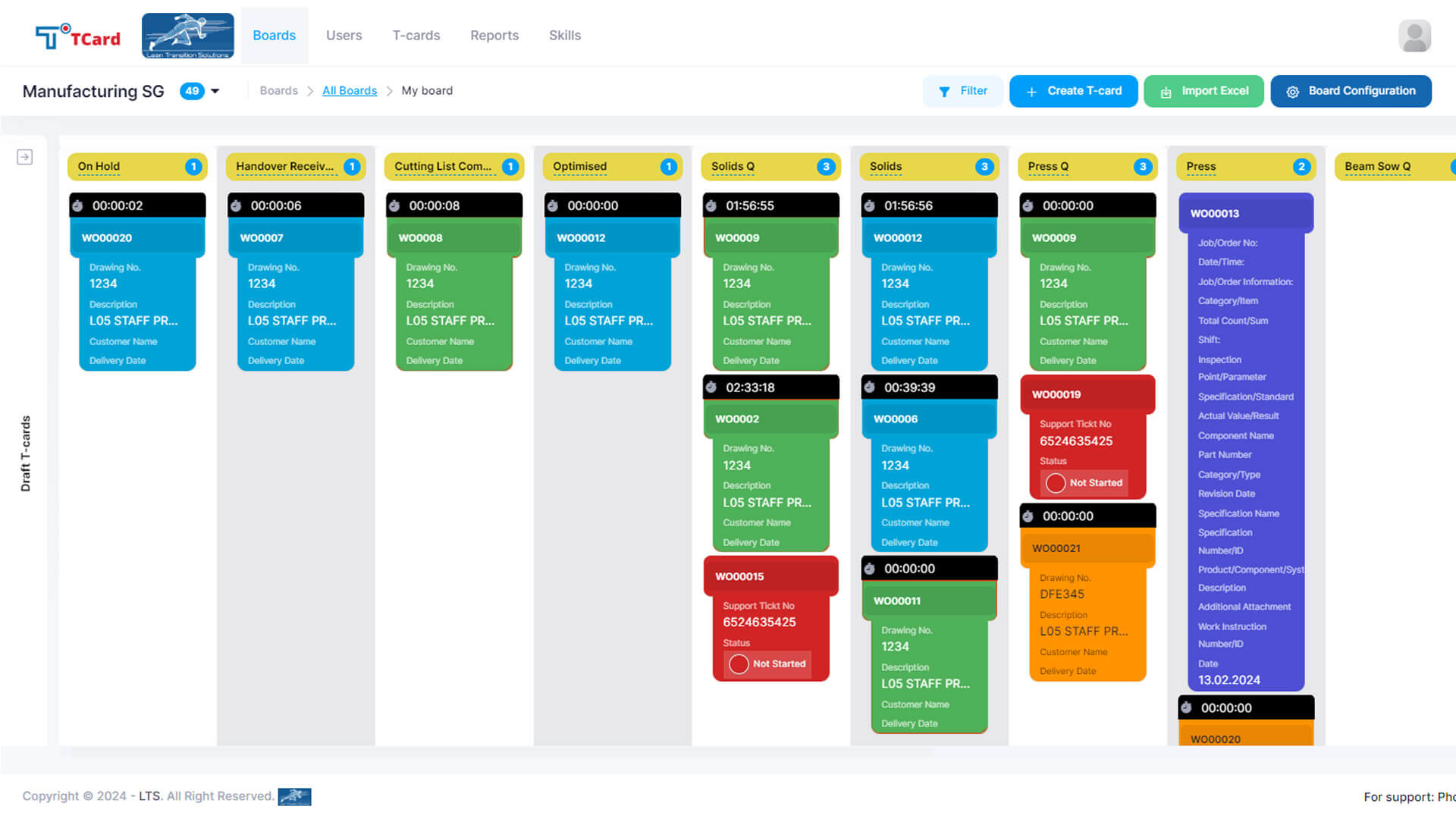
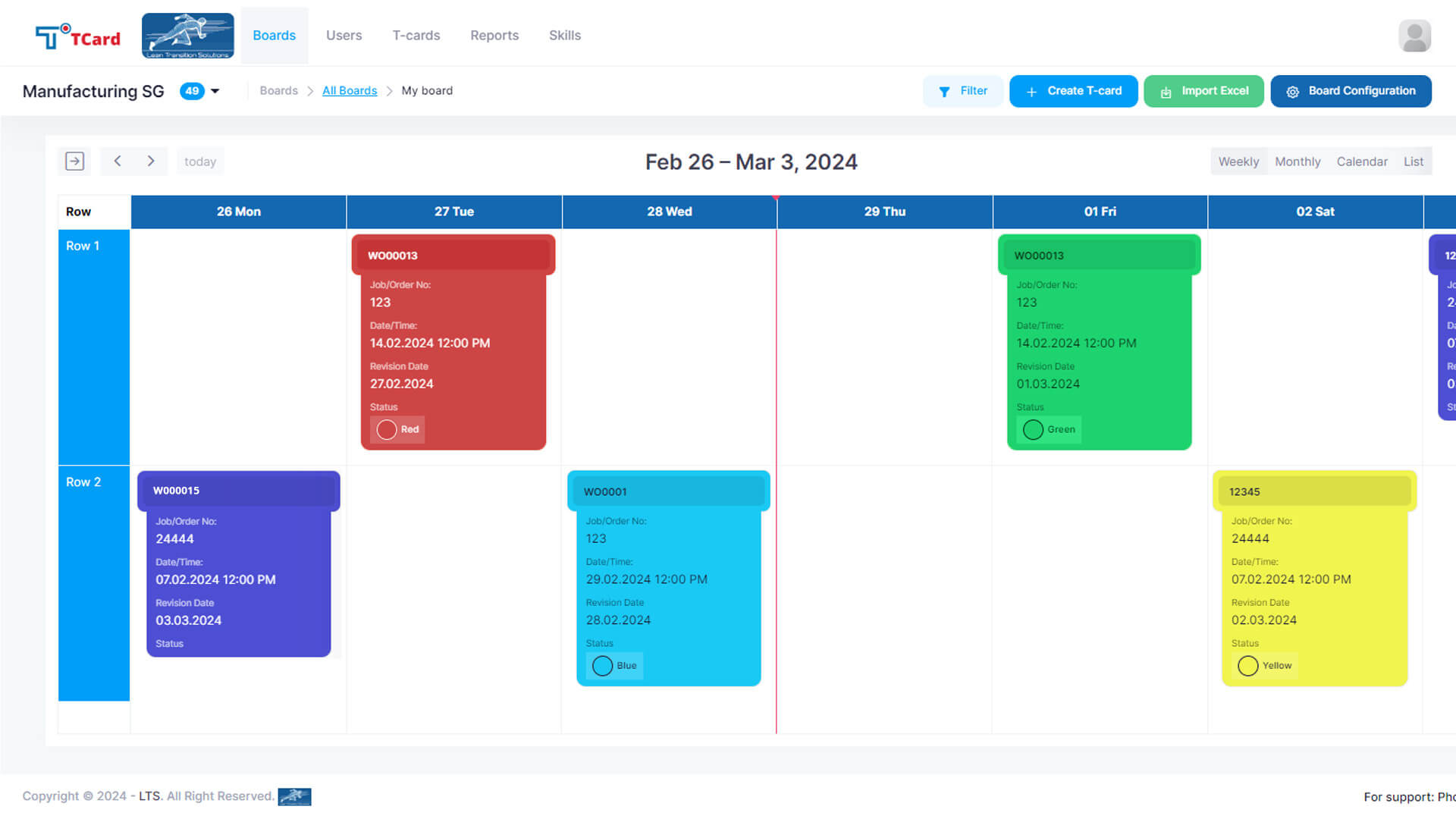
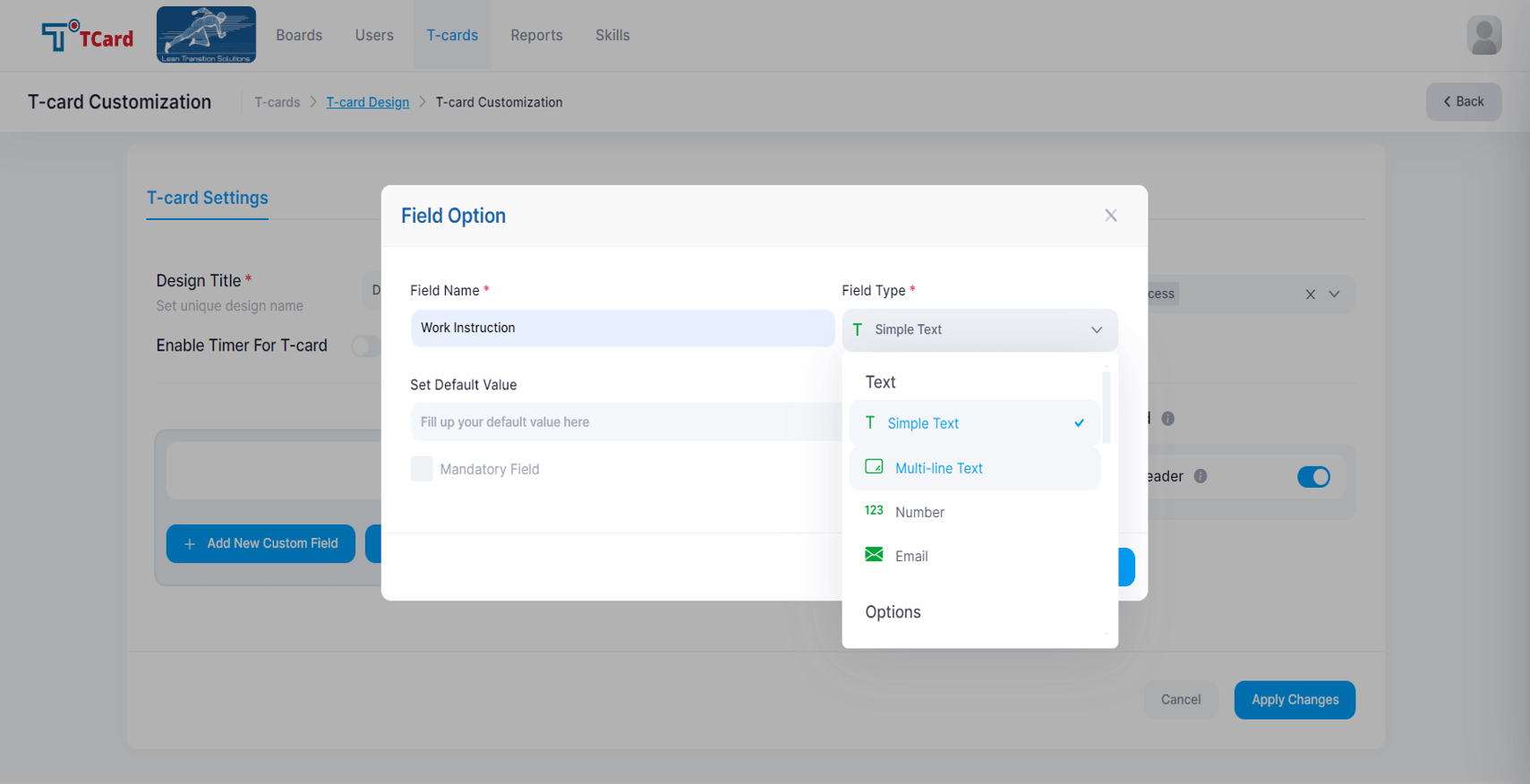
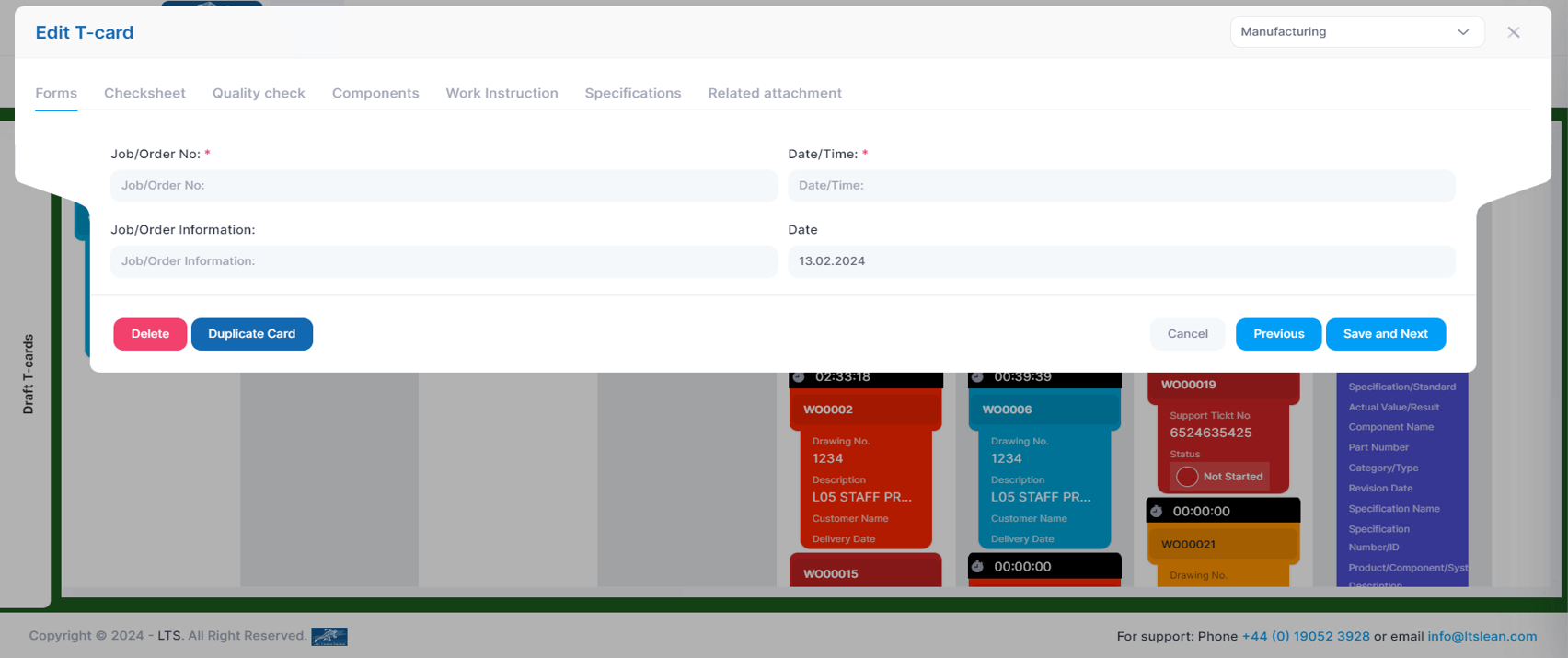
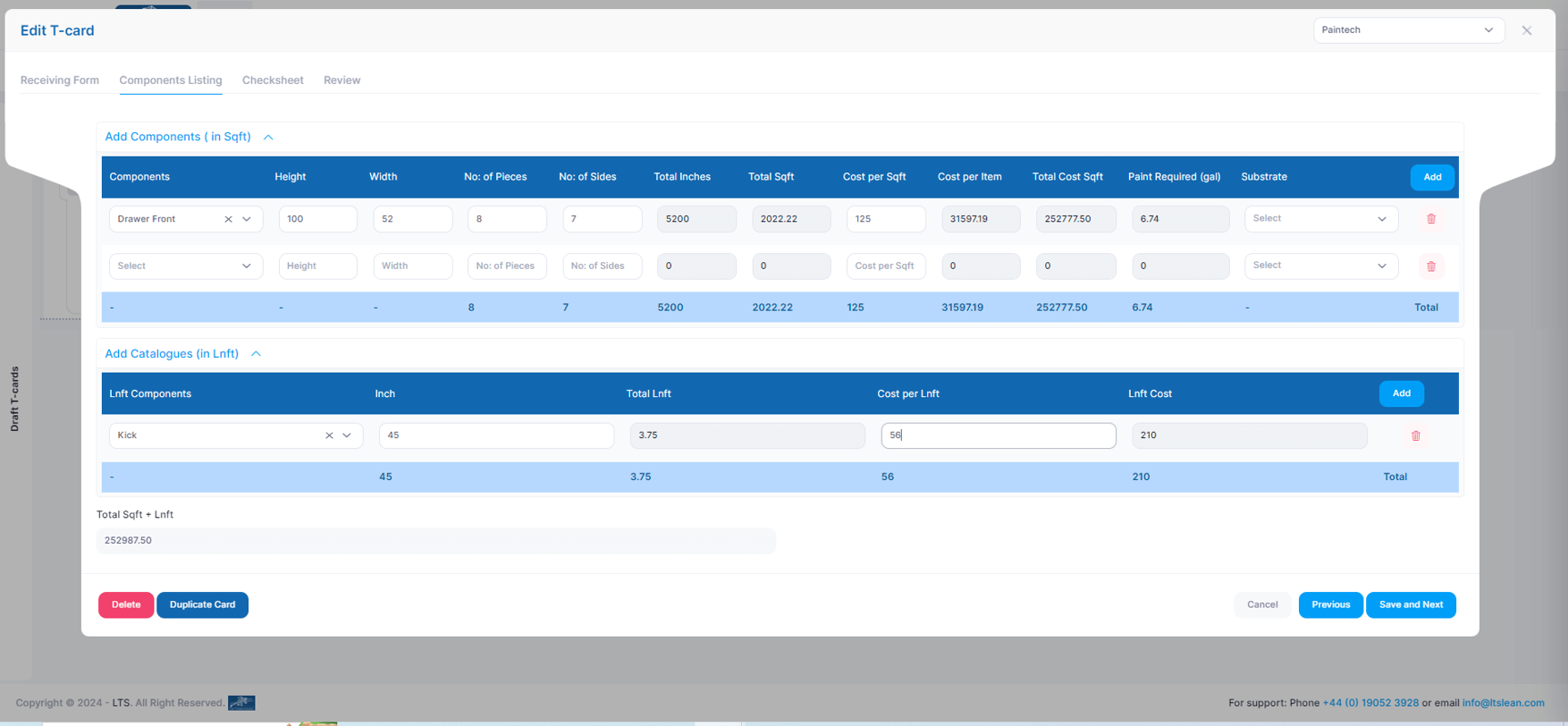
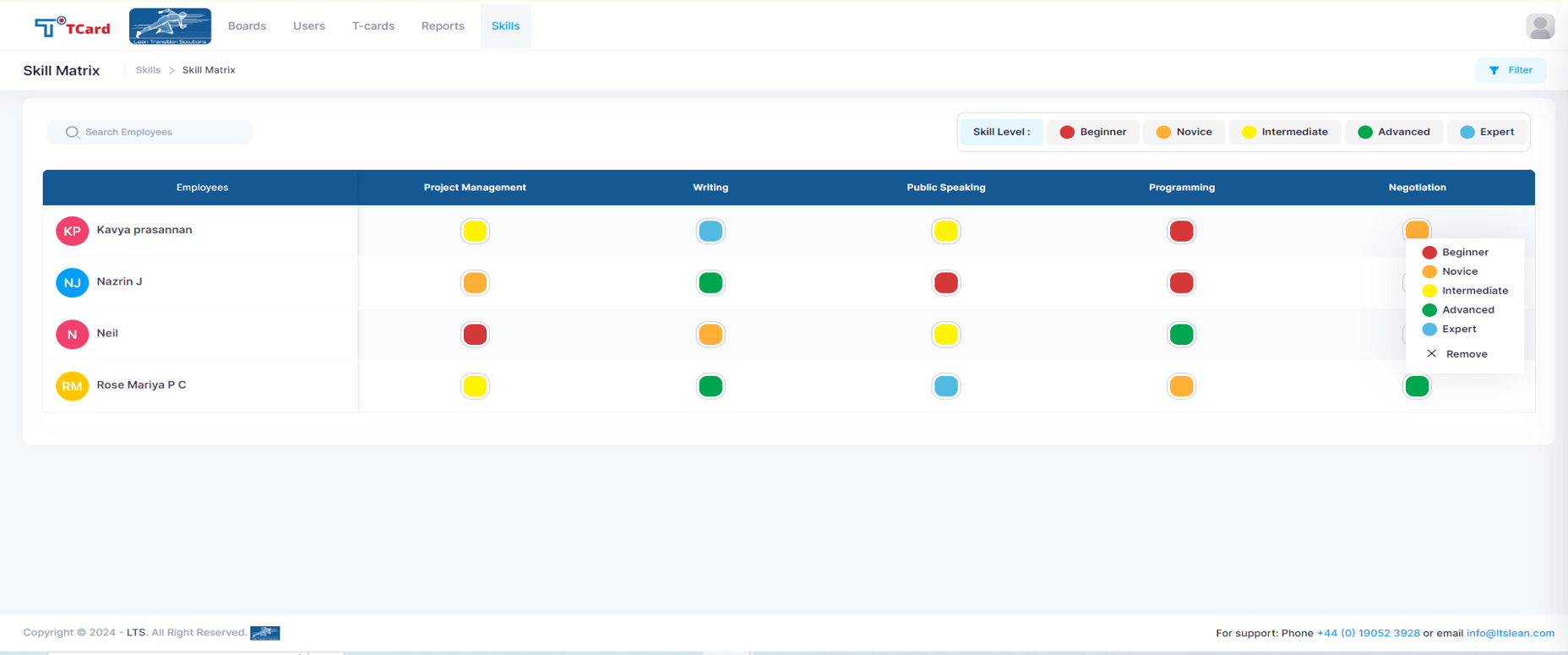
Screenshot of the Kanban boards that organise the process stages into columns and rows, giving a clear overview of each stage's progress.Screenshot of the Calendar view used to assign resources to specific dates by creating an associated card.Screenshot of the interface to tailor the cards, where users can create dynamic fields such as Text Area, Number, Dropdowns, Date and Time, Colour Options, Check Boxes, Radio Buttons, File Upload Area, Image Attachment, Dynamic Table, Icons and Users List.Screenshot of the screen to add multiple tabs in a Card that can help organise different data sets (Forms, Checksheets, Quality Checks, Components, Work Instructions, Specifications, Related Attachments), which will optimise the task flow.Screenshot of the advanced business rules in the TCard System, used to tailor workflow processes and customise how the tasks, information and data flow.Screenshot of the Skills Matrix, which is a tool used in workforce management to assess, document, and visualise the skills and competencies of employees. It helps identify skill gaps, training needs, and strengths, enabling better resource allocation and strategic planning by providing a clear overview of the skills available in a team or company. The skills matrix aids in making informed decisions about hiring, training, and project assignments.

Kintone Screenshots

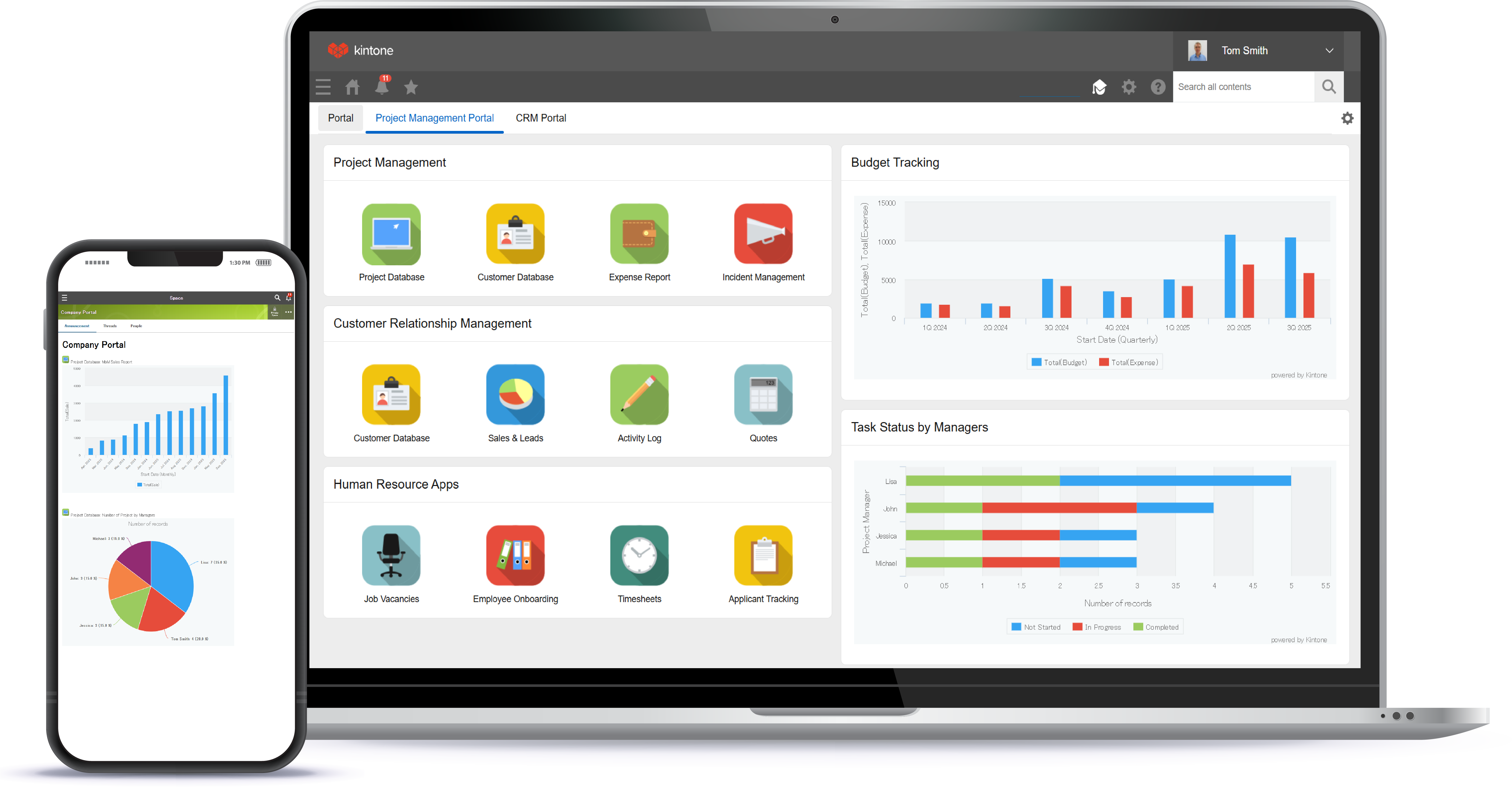
Screenshot of a view of apps from the portalScreenshot of 4 ways to build an appScreenshot of the drag and drop interfaceScreenshot of business app viewsScreenshot of Kintone appearing across desktop, and mobile