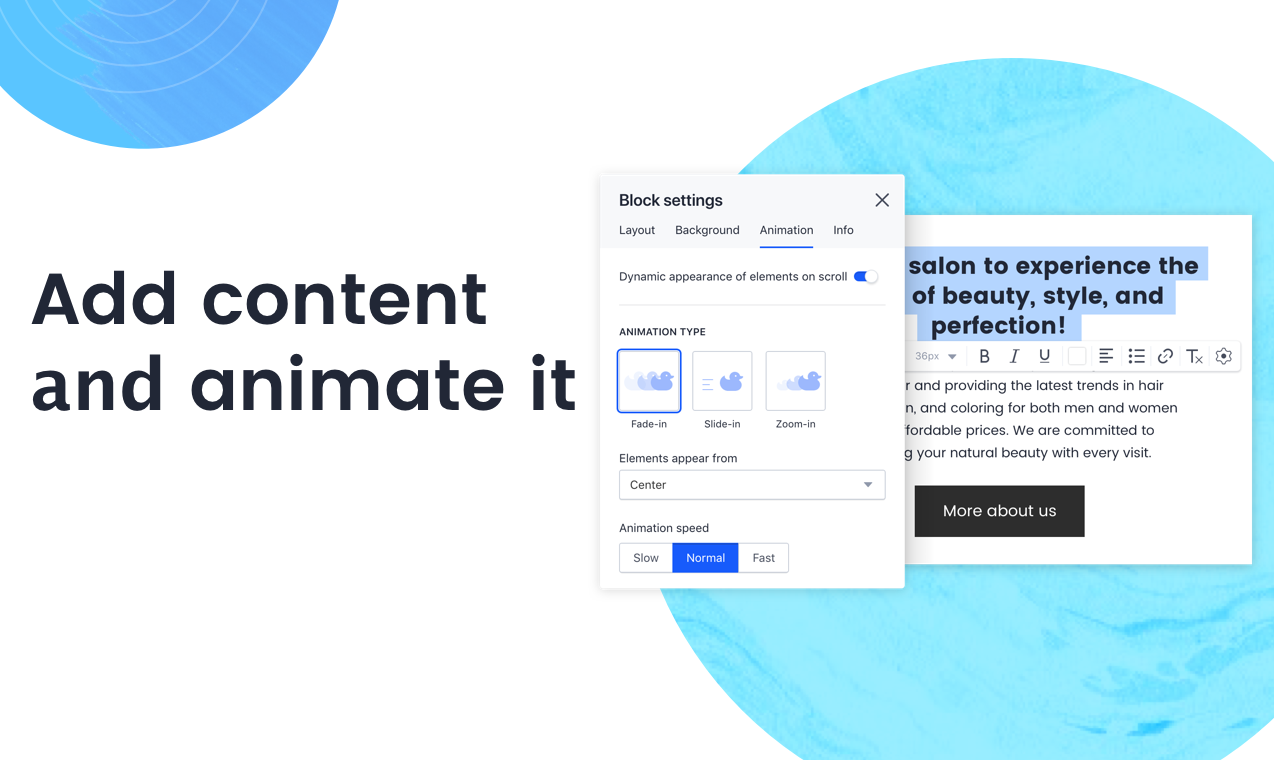
Accorind to the vendor, Draftium has 350+ ready-made blocks and 300+ prototype templates that allows you to visualize a website idea within 15-30 minutes. It is a free online turbo prototyping tool for website ideation and collaboration. It helps web-designers or studios, marketers, and account managers to make everyday easy. Prototyping in Draftium is based on blocks. You can remove or add them with checkboxes. So you do not have to add elements one-by-one, they already…
$0
year
Sketch
Score 6.2 out of 10
N/A
Sketch is a visual design tool of use for application prototyping, coming with a wide variety of extensions, plugins, and an active user community.
Have been using the prototype software provided by them for almost 2 full years. Fit most needs and then suddenly the prototype was deleted without warning. They specified I should have received warning emails but never did. The prototype was visited frequently as well. When I reached out to support staff they attempted to help but they couldn't identify how it was deleted, why it was deleted, why no email was sent out, and were not able to resolve the issue. I'd stay clear of this platform for these very reasons.
Here’s the proofread version: Sketch is a simple and lightweight tool for vector graphics, ideal for individuals. I would recommend it to anyone working alone on design tasks such as UI or website design. I have started and completed many projects in Sketch, ranging from simple websites to complex automotive UIs with extensive libraries.
Sketch is great for drawing and creating shapes, like buttons or icons. It lets you adjust every curve and line perfectly, so you can make your designs look exactly how you want. (All design tools can do that, though).
Sketch is built just for Apple computers, so it runs smoothly and uses all the special Mac features. If you’re already using Apple tools, Sketch feels like a natural fit. (The downside of this is that non-Apple users can't use it.)
If you make something, like a button, and need it in many places, Sketch lets you save it as a "Symbol." You can use it repeatedly, and if you change the Symbol, it updates everywhere automatically. (Figma can do this too.)
The software can be buggy right after a release. It appears that they do very little QA testing right after releasing a new version
The software can crash a lot. And when it does, I continuously have issues with it reloading my plugins.
Only available for Mac. If you have a cross platform team, it may not be the best.
Lack of features in the software, so you will have to use plugins for those additional features (Designs system management, accessibility, repository and live collaboration without paying a premium)
Sketch is a core tool for us and the cost to keep it going with our teams is low. It provides a good alternative to other screen design tools for our team members who prefer to use it.
At the end of the day, it's just simple. This goes a long way in design and goes even further when your talking productivity, intuitive design and turnover rate. It's not difficult to figure something out even if it's not something your directly familiar with, i.e. if you want to export in certain file formats or change the size of the canvas, you don't have to delay your end product trying to figure it out. Similar situations took me less than 30 seconds to solve without a Google search. That's Usability.
The support is relatively decent, and they are quick to respond. However, their releases are not great. Sketch could use more robust testing of their software before releases. Over the last four years, I have had many days lost while waiting for Sketch to patch issues with their releases. It's actually a running joke in our office. So, support, good. Releases in the first place? Not great.
Sketch's approachable UI allowed those using outdated technologies to transition efficiently. Among its peers, Sketch performs comparably with most prototyping tools. It falls behind compared to those that can better handle movement, like InVision Studio, which combines animation and prototyping into a single platform. However, these types of programs have a steep learning curve, whereas Sketch is approachable immediately.
Saved time -- Intuitive interface saves us lots of time/money because it is reliable and easy to use. Other programs have caused serious confusion, leading to project delays.
More captivating wireframes -- Stakeholders have been finding it easier to visualize potential “final products” with vector-based Sketch designs. Because of this, we’ve been able to have more targeted, focused discussions that lead to improved final products (with fewer immediate post-launch revisions!).
Increased productivity -- Because Sketch is so easy to use, our designers have had more time to do more work. Rather than finagling difficult tools in previously used products, our designers feel no hesitation with Sketch, and are producing more often and more creatively.