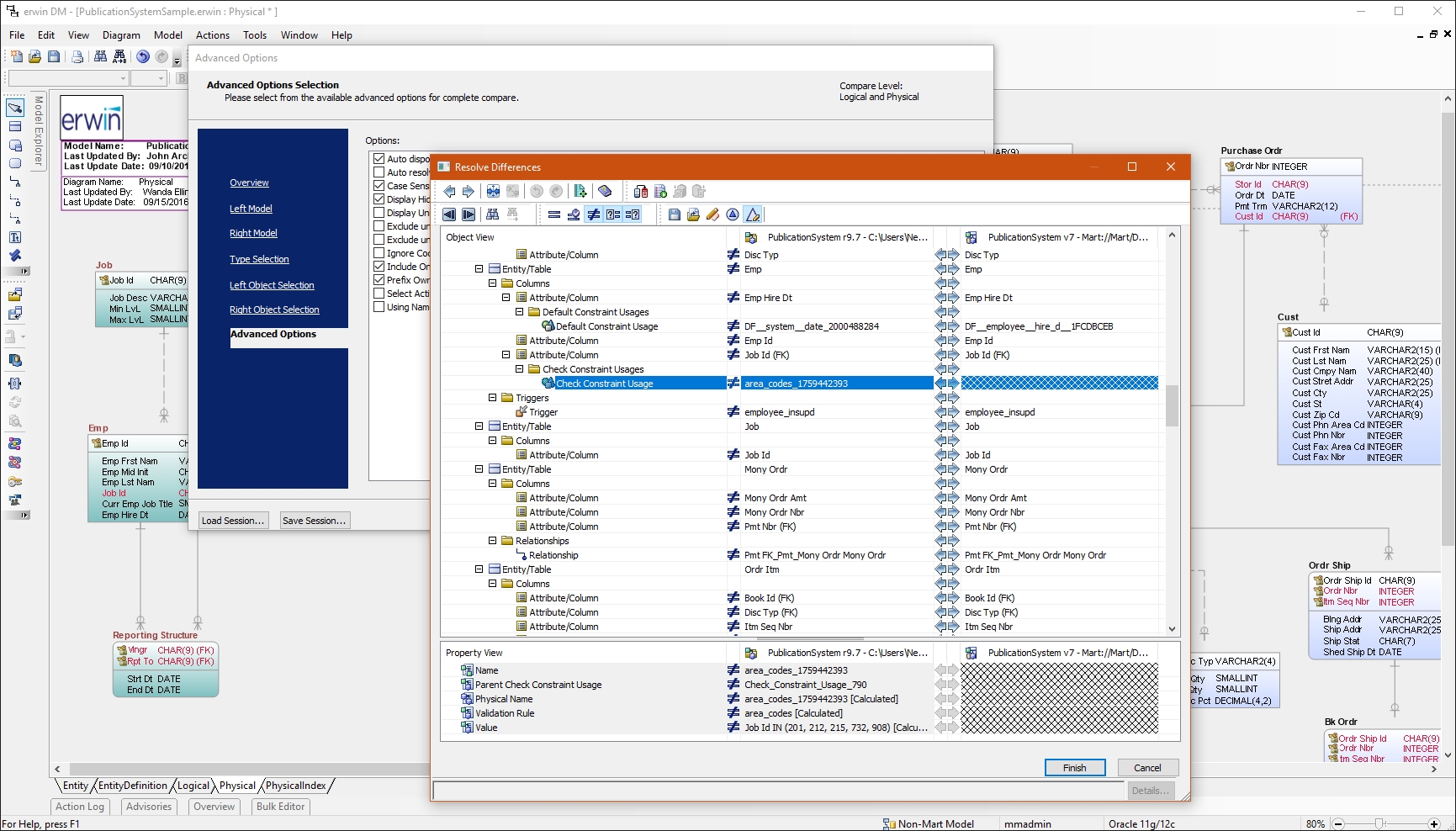
erwin Data Modeler by Quest is a data modeling tool used to find, visualize, design, deploy and standardize high-quality enterprise data assets. It can discover and document any data from anywhere for consistency, clarity and artifact reuse across large-scale data integration, master data management, metadata management, Big Data, business intelligence and analytics initiatives, accomplishing this whil esupporting data governance and intelligence efforts.
I have had a chance to use few other data modeling tools from Quest and Oracle, but I am most comfortable using erwin Data Modeler. They understand your data modeling needs and have designed the software to give you a feeling of completeness when you are designing a data model.
A de minimis incentive was given to thank the reviewer for their time. The incentive was not used to bias or drive a particular response, nor was the incentive contingent on a positive endorsement. More Info
Microsoft SQL is ubiquitous, while MySQL runs under the hood all over the place. Microsoft SQL is the platform taught in colleges and certification courses and is the one most likely to be used by businesses because it is backed by Microsoft. Its interface is friendly (well, as pleasant as SQL can be) and has been used by so many for so long that resources are freely available if you encounter any issues.
A de minimis incentive was given to thank the reviewer for their time. The incentive was not used to bias or drive a particular response, nor was the incentive contingent on a positive endorsement. More Info
Reverse Engineering: I love the way we can import an SQL file containing schema meta data and generate ER diagram out of it. This is specifically useful if you are implementing erwin Data Modeler for an existing database.
Forward Engineering: We use this feature very frequently. Where we do database changes in our physical and logical data models and then generate deployment scripts for the changes made.
Physical vs Logical Models: I like to have my database model split into physical and logical models and at the same time still linked to each other. Any changes you make to logical model or physical model shows up in the other.
A de minimis incentive was given to thank the reviewer for their time. The incentive was not used to bias or drive a particular response, nor was the incentive contingent on a positive endorsement. More Info
A de minimis incentive was given to thank the reviewer for their time. The incentive was not used to bias or drive a particular response, nor was the incentive contingent on a positive endorsement. More Info
A de minimis incentive was given to thank the reviewer for their time. The incentive was not used to bias or drive a particular response, nor was the incentive contingent on a positive endorsement. More Info
Microsoft SQL Server Enterprise edition has a high cost but is the only edition which supports SQL Always On Availability Groups. It would be nice to include this feature in the Standard version.
Licensing of Microsoft SQL Server is a quite complex matter, it would be good to simplify licensing in the future. For example, per core vs per user CAL licensing, as well as complex licensing scenarios in the Cloud and on Edge locations.
It would be good to include native tools for converting Oracle, DB2, Postgresql and MySQL/MariaDB databases (schema and data) for import into Microsoft SQL Server.
A de minimis incentive was given to thank the reviewer for their time. The incentive was not used to bias or drive a particular response, nor was the incentive contingent on a positive endorsement. More Info
We understand that the Microsoft SQL Server will continue to advance, offering the same robust and reliable platform while adding new features that enable us, as a software center, to create a superior product. That provides excellent performance while reducing the hardware requirements and the total cost of ownership of our solution.
A de minimis incentive was given to thank the reviewer for their time. The incentive was not used to bias or drive a particular response, nor was the incentive contingent on a positive endorsement. More Info
I had a lot of experience using erwin Data Modeler for designing data models. I think it's pretty intuitive and easy to use. It has enough features to represent your database requirements in form of a model.
A de minimis incentive was given to thank the reviewer for their time. The incentive was not used to bias or drive a particular response, nor was the incentive contingent on a positive endorsement. More Info
SQL Server mostly 'just works' or generates error messages to help you sort out the trouble. You can usually count on the product to get the job done and keep an eye on your potential mistakes. Interaction with other Microsoft products makes operating as a Windows user pretty straight forward. Digging through the multitude of dialogs and wizards can be a pain, but the answer is usually there somewhere.
A de minimis incentive was given to thank the reviewer for their time. The incentive was not used to bias or drive a particular response, nor was the incentive contingent on a positive endorsement. More Info
A de minimis incentive was given to thank the reviewer for their time. The incentive was not used to bias or drive a particular response, nor was the incentive contingent on a positive endorsement. More Info
A de minimis incentive was given to thank the reviewer for their time. The incentive was not used to bias or drive a particular response, nor was the incentive contingent on a positive endorsement. More Info
CA customer support and our account manager have been able to support us with any issues that we have had, from managing our serial keys to issues we logged tickets to resolve. There are aspects of key management that have made it difficult over the years but support usually has worked with us.
A de minimis incentive was given to thank the reviewer for their time. The incentive was not used to bias or drive a particular response, nor was the incentive contingent on a positive endorsement. More Info
We managed to handle most of our problems by looking into Microsoft's official documentation that has everything explained and almost every function has an example that illustrates in detail how a particular functionality works. Just like PowerShell has the ability to show you an example of how some cmdlet works, that is the case also here, and in my opinion, it is a very good practice and I like it.
A de minimis incentive was given to thank the reviewer for their time. The incentive was not used to bias or drive a particular response, nor was the incentive contingent on a positive endorsement. More Info
A de minimis incentive was given to thank the reviewer for their time. The incentive was not used to bias or drive a particular response, nor was the incentive contingent on a positive endorsement. More Info
A de minimis incentive was given to thank the reviewer for their time. The incentive was not used to bias or drive a particular response, nor was the incentive contingent on a positive endorsement. More Info
Other than SQL taking quite a bit of time to actually install there are no problems with installation. Even on hardware that has good performance SQL can still take close to an hour to install a typical server with management and reporting services.
A de minimis incentive was given to thank the reviewer for their time. The incentive was not used to bias or drive a particular response, nor was the incentive contingent on a positive endorsement. More Info
Not listed, but I've only used alternatives built into something like the Squirrel SQL editor. That one is semi-functional but lacking many features and, in some instances, just plain wrong. The only pro there is that it's freely available and works over ODBC. I've tried some of the other free ones like Creately but didn't have much success.
A de minimis incentive was given to thank the reviewer for their time. The incentive was not used to bias or drive a particular response, nor was the incentive contingent on a positive endorsement. More Info
[Microsoft] SQL Server has a much better community and professional support and is overall just a more reliable system with Microsoft behind it. I've used MySQL in the past and SQL Server has just become more comfortable for me and is my go to RDBMS.
A de minimis incentive was given to thank the reviewer for their time. The incentive was not used to bias or drive a particular response, nor was the incentive contingent on a positive endorsement. More Info
A de minimis incentive was given to thank the reviewer for their time. The incentive was not used to bias or drive a particular response, nor was the incentive contingent on a positive endorsement. More Info
A de minimis incentive was given to thank the reviewer for their time. The incentive was not used to bias or drive a particular response, nor was the incentive contingent on a positive endorsement. More Info
Increased accuracy - We went from multiple users having different versions of an Excel spreadsheet to a single source of truth for our reporting.
Increased Efficiency - We can now generate reports at any time from a single source rather than multiple users spending their time collating data and generating reports.
Improved Security - Enterprise level security on a dedicated server rather than financial files on multiple laptop hard drives.
A de minimis incentive was given to thank the reviewer for their time. The incentive was not used to bias or drive a particular response, nor was the incentive contingent on a positive endorsement. More Info