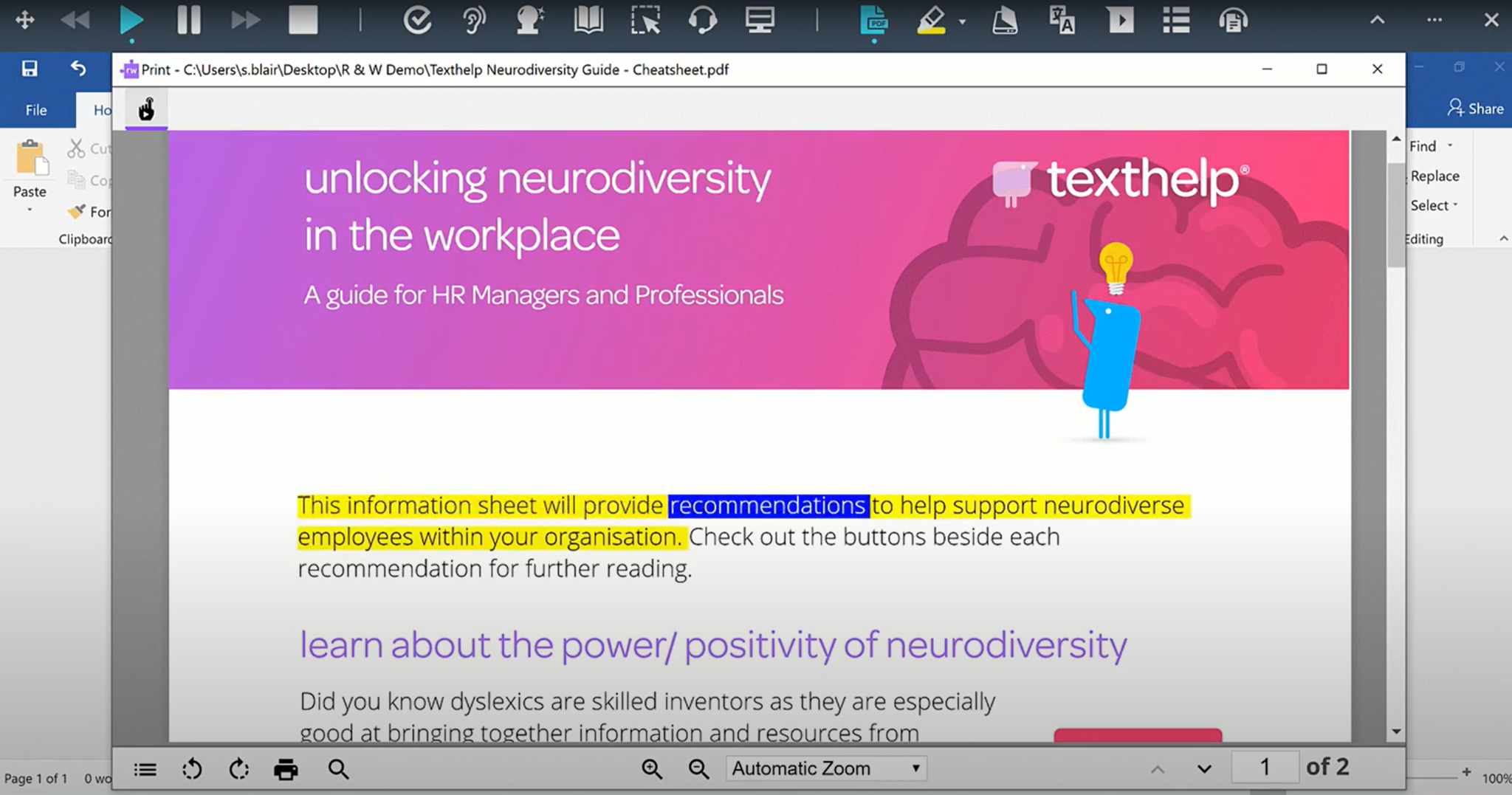
Read&Write is a literacy support tool that helps individuals of all abilities read, write, and express themselves with confidence. For education and the workplace, its assistive features include text-to-speech, word prediction, and research tools for users with diverse learning needs.
N/A
Quetext
Score10 out of 10
N/A
Quetext is a plagiarism-detection software from the small company of the same name in Kansas City, boasting over 2 million teachers, students, and professionals worldwide as users. By combining its DeepSearch technology with what the vendor describes as clear and engaging feedback, they state they provide users with the tools necessary to improve their writing.
Read&Write is especially well-suited to supporting students with reading accommodations during independent work, content-area instruction, and written-response tasks. In my 5th-grade classroom, one of the most effective scenarios is during science and social studies lessons, where students are expected to read complex informational texts independently. There can also be occasional challenges when websites, PDFs, or testing platforms are not fully compatible with all Read&Write features.
A de minimis incentive was given to thank the reviewer for their time. The incentive was not used to bias or drive a particular response, nor was the incentive contingent on a positive endorsement. More Info
1. Content verification for plagiarism and AI issues 2. Grammar checks 3. Summarizing and Humanizing content. These are for any copywriter, author, or academic professional and will be really helpful. As mentioned before, professors do allow Quetext reports for verification of any content piece, such as journals or assignments.
A de minimis incentive was given to thank the reviewer for their time. The incentive was not used to bias or drive a particular response, nor was the incentive contingent on a positive endorsement. More Info
Quetext is a tool that provides benefits and great advantages when analyzing jobs submitted by co-workers as well as accounting reports and interviews, a software that detects plagiarism even if the content is modified.
Quetext is a powerful and intelligent platform that is capable of analyzing the context of the texts showing their irregularities, I like it a lot because it offers a free version which is very easy to use, it also shows the plagiarized text and the source, which saves money. our time when analyzing and evaluating documents and reports.
A de minimis incentive was given to thank the reviewer for their time. The incentive was not used to bias or drive a particular response, nor was the incentive contingent on a positive endorsement. More Info
I would like to use the practice reading aloud tool more, but the kids that I work with have a hard time understanding the concept. I think that, while there are a lot of tools available, sometimes they are hard for younger students to understand.
The hover to read function is nice as well, but my students struggle with the fact that if you move the mouse once it starts reading it will start all over in a new area. It's not as smooth as I would like it to be.
A de minimis incentive was given to thank the reviewer for their time. The incentive was not used to bias or drive a particular response, nor was the incentive contingent on a positive endorsement. More Info
A de minimis incentive was given to thank the reviewer for their time. The incentive was not used to bias or drive a particular response, nor was the incentive contingent on a positive endorsement. More Info
I'm just really impressed with the software and the access it gives to learners who are used to coming up against barriers in education. It's a quick-fix for a learner - something they can access usefully and productively with very little training. I also love that learners can access Read&Write on their devices at home - that really is a game changer.
A de minimis incentive was given to thank the reviewer for their time. The incentive was not used to bias or drive a particular response, nor was the incentive contingent on a positive endorsement. More Info
I am giving this an 9. Not a perfect score because working on PDFs is better but not yet as easy as I need for it to be. Working with many students who have executive function challenges, I need a smooth simplistic access method. We are not quite there yet for writing on PDFs. Overall the toolbar on Read&Write is super easy to access and I love that the suite includes several tools on the toolbar providing a solution to many accessibility challenges.
A de minimis incentive was given to thank the reviewer for their time. The incentive was not used to bias or drive a particular response, nor was the incentive contingent on a positive endorsement. More Info
It is easy, in simple terms, not too much of a hassle to locate any tool or any document. I don't know how long they keep our documents in our account accessible, but I have tried to look at some reports from 2 months ago for the client's verification, and it was really easy to locate.
A de minimis incentive was given to thank the reviewer for their time. The incentive was not used to bias or drive a particular response, nor was the incentive contingent on a positive endorsement. More Info
A de minimis incentive was given to thank the reviewer for their time. The incentive was not used to bias or drive a particular response, nor was the incentive contingent on a positive endorsement. More Info
The support team at Texthelp is excellent. They're all super helpful and open to feedback and new ideas. Still, more importantly, they are ultimately fully committed to aligning with us and ensuring they help us provide the best education possible. Furthermore, they're open to new features and always communicate this incredibly well.
A de minimis incentive was given to thank the reviewer for their time. The incentive was not used to bias or drive a particular response, nor was the incentive contingent on a positive endorsement. More Info
A de minimis incentive was given to thank the reviewer for their time. The incentive was not used to bias or drive a particular response, nor was the incentive contingent on a positive endorsement. More Info
It took a solid 2 weeks for R&W to work on our students chromebooks even after reaching out to tech support. The toolbar was greyed out and not accessible to students. Took a long time before tech support helped us solve this problem.
A de minimis incentive was given to thank the reviewer for their time. The incentive was not used to bias or drive a particular response, nor was the incentive contingent on a positive endorsement. More Info
We are still learning how to use Equatio. I am not a mathematician and therefore I am finding understanding it a bit more difficult. Once I understand how to use it I will be able to cascade it down. My hope is that it will be as useful as Read & Write
A de minimis incentive was given to thank the reviewer for their time. The incentive was not used to bias or drive a particular response, nor was the incentive contingent on a positive endorsement. More Info
Quetext is a novel and promising technique based on the semantics of the text with the mission of preserving the originality of the labor content, which is subjected to a deeper level of inspection, using DeepSearch technology and concurrent contextual analysis, with compatible results.
A de minimis incentive was given to thank the reviewer for their time. The incentive was not used to bias or drive a particular response, nor was the incentive contingent on a positive endorsement. More Info
A de minimis incentive was given to thank the reviewer for their time. The incentive was not used to bias or drive a particular response, nor was the incentive contingent on a positive endorsement. More Info
A de minimis incentive was given to thank the reviewer for their time. The incentive was not used to bias or drive a particular response, nor was the incentive contingent on a positive endorsement. More Info
A de minimis incentive was given to thank the reviewer for their time. The incentive was not used to bias or drive a particular response, nor was the incentive contingent on a positive endorsement. More Info
It is a sophisticated program, with an easy-to-use interface. They have the ability to drill down on the internet and other sources to see if the applied text is plagiarized or not, save time and provide the final answer according to millions of sources and databases.
A de minimis incentive was given to thank the reviewer for their time. The incentive was not used to bias or drive a particular response, nor was the incentive contingent on a positive endorsement. More Info