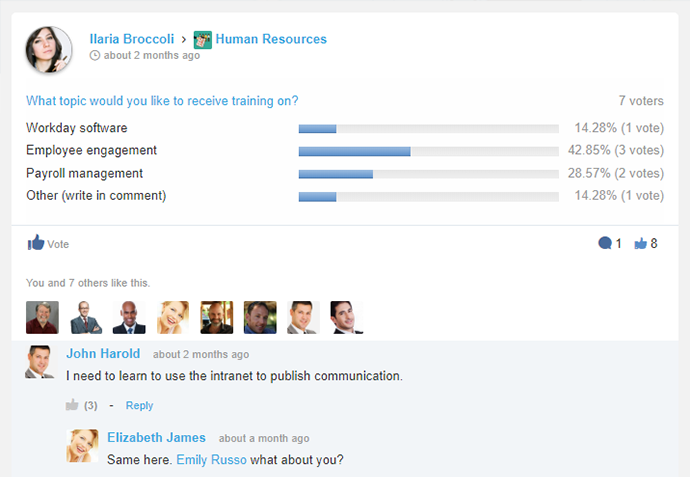
eXo Platform is an open-source, social-collaboration software designed for enterprises. Some key features include: Enterprise Social Network, Enterprise Content Management and Social Collaboration.
$0
engaged user/month
Zendesk Guide
Score9.2 out of 10
N/A
Zendesk Guide is a smart knowledge base built to help support teams continuously improve content, keep it up to date, and serve it to customers.
It is especially suitable for working together remotely or from disconnected locations, allowing them to access collaborative work and tools to facilitate communication. Internal and cloud options also seem to offer a flexible adoption roadmap. It addresses the problems of efficient collaboration and effective communication between employees, particularly with regard to working and completing projects
A de minimis incentive was given to thank the reviewer for their time. The incentive was not used to bias or drive a particular response, nor was the incentive contingent on a positive endorsement. More Info
In our company, we host our benefit articles based on country on our Zendesk Guide. However, these articles should not be seen by employees that are outside their respective article country. For example, an employee that is based in Thailand shouldn't be seeing Malaysia benefits article as employees might compared benefits. With Zendesk Guide, the system allow us to set the configuration of the article so it is only visible Thailand-based employees, and for Malaysia article, only Malaysia-based employees
A de minimis incentive was given to thank the reviewer for their time. The incentive was not used to bias or drive a particular response, nor was the incentive contingent on a positive endorsement. More Info
I personally love the user-friendly interface. Often you find software which is difficult to learn, and not utilized as often as it should be because of this. With eXo Platform, the interface is easy to understand, and is not particularly challenging to new users and non-tech savvy individuals.
It allows you to get work done, without feeling like using the platform is part of the actual work. It feels more like a natural system you would use in your leisure time to connect with friends and family, rather than a social intranet designed to facilitate employee communication and help you meet project deadlines.
The cloud platform allows users to easily share information and files, and collaborate on project work. Another benefit to this is it makes mobile collaboration possible.
They give us ability to control the whole frontend of the Communities by giving us access to manipulate HTML (in HBS file), CSS and JS
They give handlebars templating engine in backend which helps us to show various listing rendered through server side without having need to implement client side rendering of the listing and features.
They provide us dynamic content fields, which can be useful for mapping categories or storing category and topic IDs so we don't need to hard code IDs in Sandbox and Production separately.
A de minimis incentive was given to thank the reviewer for their time. The incentive was not used to bias or drive a particular response, nor was the incentive contingent on a positive endorsement. More Info
As the platform appears to be packed with features and functionality it may be a bit daunting at first to get used to it.
The initial adoption in a corporate setting would involve a number of questions, such as integration with other applications, data migration and security and the optimum adoption road map in order to maximise the benefit from the platform.
A de minimis incentive was given to thank the reviewer for their time. The incentive was not used to bias or drive a particular response, nor was the incentive contingent on a positive endorsement. More Info
This platform has a pleasant user interface, is very easy to use, and offers a lot of useful accessories and add-ons. At first it can be a little intimidating, but it doesn't take long to get used to it. It is considerably reliable and safe. Facilitates connection and collaboration with coworkers. It provides tools that allow you to capture, organize and act according to the internal knowledge of your team.
A de minimis incentive was given to thank the reviewer for their time. The incentive was not used to bias or drive a particular response, nor was the incentive contingent on a positive endorsement. More Info
The eXo platform offers a high quality support, which satisfies the requirements of our company, especially when the platform begins to be used, due to the amount of tools that can be overwhelming. Support responses are made in a short period of time.
A de minimis incentive was given to thank the reviewer for their time. The incentive was not used to bias or drive a particular response, nor was the incentive contingent on a positive endorsement. More Info
The support is good but can sometime be frustrating to get a quick answer. We end up being sent articles that don't answer the question and then we have to go back and try again
A de minimis incentive was given to thank the reviewer for their time. The incentive was not used to bias or drive a particular response, nor was the incentive contingent on a positive endorsement. More Info
We selected this product firstly because it's easy to use for end-users, even if it's not so simple to configure from an administrative point of view. Managing and tracking overall activities is quite easy and it's also possible to have an immediate vision of everything that is done on the platform. Users feel confident and are encouraged to share resources.
A de minimis incentive was given to thank the reviewer for their time. The incentive was not used to bias or drive a particular response, nor was the incentive contingent on a positive endorsement. More Info
It is an attribute of Zendesk that allows for easy over the phone communication between agents and customers. It is more personal and allows for better productivity. Phone support from anywhere with reliable internet connection which is essential to call center communication whether in the office or in the home of the agent.
A de minimis incentive was given to thank the reviewer for their time. The incentive was not used to bias or drive a particular response, nor was the incentive contingent on a positive endorsement. More Info
A de minimis incentive was given to thank the reviewer for their time. The incentive was not used to bias or drive a particular response, nor was the incentive contingent on a positive endorsement. More Info
A de minimis incentive was given to thank the reviewer for their time. The incentive was not used to bias or drive a particular response, nor was the incentive contingent on a positive endorsement. More Info