FigJam is an online interactive whiteboard from Figma headquartered in San Francisco, presently in beta (2021) but available to the public in a free trial. The vendor states that in 2022, FigJam will have plans for $0, $8, and $15 per editor, per month.
$5
per month per editor
ProofHub
Score8.9 out of 10
N/A
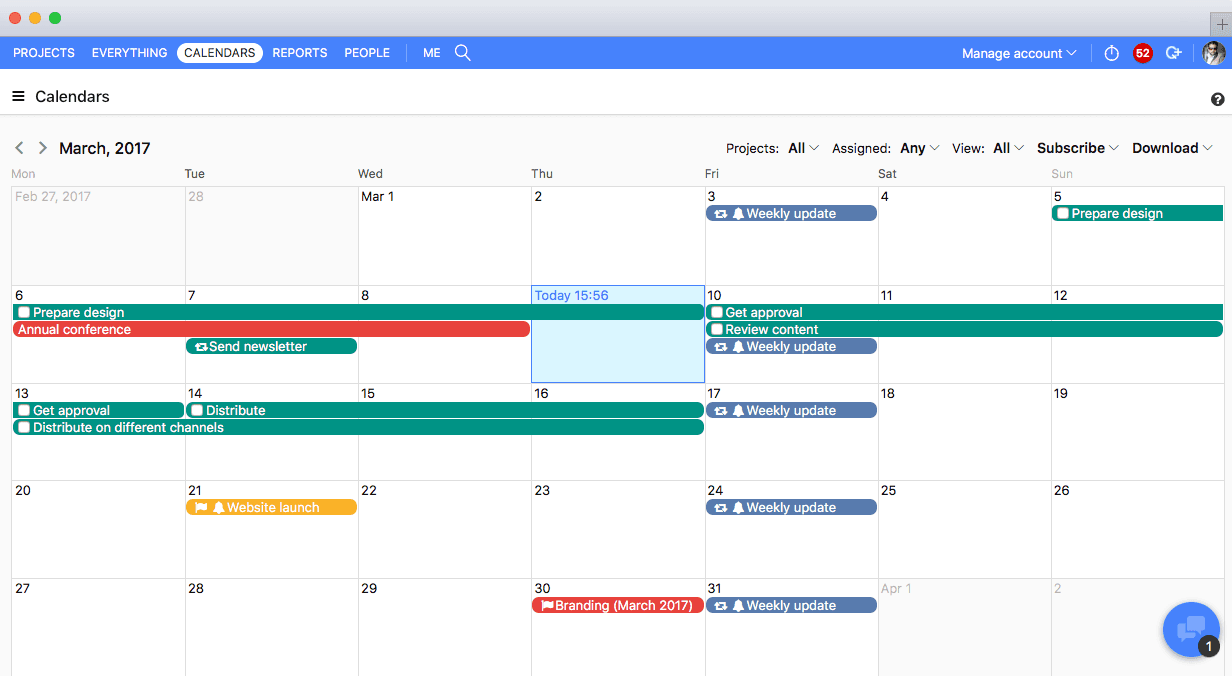
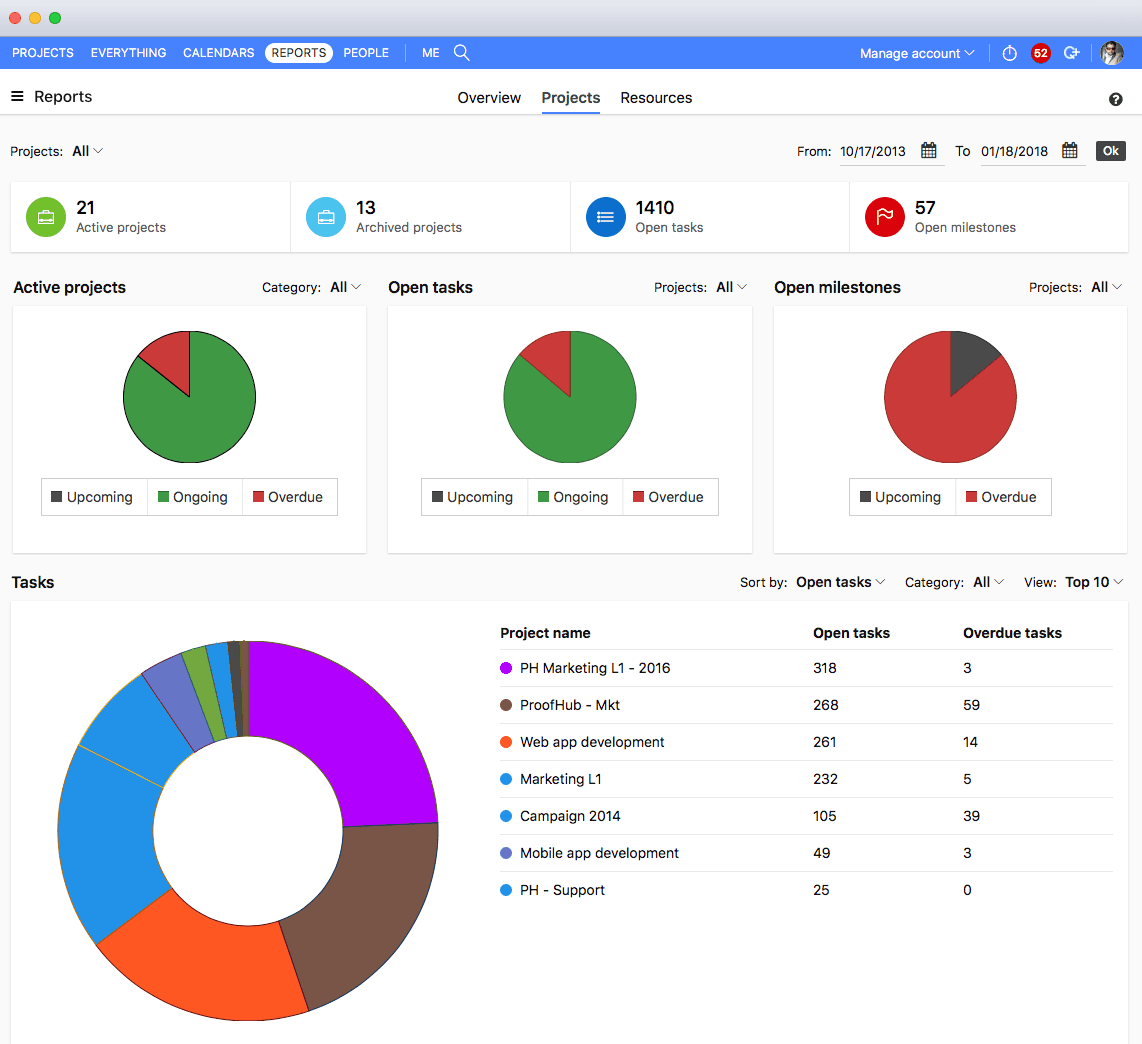
ProofHub is a SaaS based project management software from ProofHub LLC in Walnut, CA. It is an online project management and collaboration tool that comes with integrated Group chat, quick Discussions on projects, Workflows and boards, Project reports, among other features. Document (e.g. Excel, Powerpoint) uploading and sharing is supported, along with an integrated an Online proofing tool to aid in image and document review. ProofHub aims to enable teams to…
If you're working in small product teams, like triads, and already using Figma, this is a no brainer for white boarding, quick/fast sketches, wireframing, collaborative doodling ... it gets less appropriate with large teams, infrequent. IMO, due to the way in which they price, it's better to keep the inner circle small-ish.
A de minimis incentive was given to thank the reviewer for their time. The incentive was not used to bias or drive a particular response, nor was the incentive contingent on a positive endorsement. More Info
It suits well for those businesses who want to operate on a global level without investing too much over creating infrastructure. A business can easily reach out to various clients, customers, partners and other stakeholders and communicate and collaborate with them in a fast and transparent manner and can effectively tap any opportunities coming its way. Such opportunities if properly implemented can lead to gains for the parties involved.
A de minimis incentive was given to thank the reviewer for their time. The incentive was not used to bias or drive a particular response, nor was the incentive contingent on a positive endorsement. More Info
The obvious, proofing! We need something in-house that can do this instead of hiring one person for this job. Each person on our marketing team knows how to use it.
A de minimis incentive was given to thank the reviewer for their time. The incentive was not used to bias or drive a particular response, nor was the incentive contingent on a positive endorsement. More Info
It misses easy-to-use pre sets of diagrams. The ones presented seem to be not native and hard to use. Miro is a good benchmark.
Navegating throught projects in the main page is confusing, specially when people are not admin users.
It should suggest ways of organizing the pages designers do, specially when the project is big and have many pages and sections.
It could have, for example, a draft version for every page, so that one can hide it when they finish the work, but can open it whenever something needs to be modified, versioning the job.
Proofhub can improve a bit in areas of helping people customize their accounts a bit more. That makes managing work even more easier, when you have things just the way you want them to be.
With an array of useful features available that solve all our work issues, each department has an access to it. Each one knows what’s going on with different teams. This makes collaboration easier, as different teams just need one tool to come together and get things done. I think this is a great product! it has really helped my company get MUCH better organized.
I don't use it often, because the organization I work in uses a different environment on a commo basis. This is rather used between the designers, who prototype the solutions in Figma - they just have it as a workbook/notebook for their ideas. However, if those need to be shared with stakeholders or other organization members, the designers are expected to use a different environment.
A de minimis incentive was given to thank the reviewer for their time. The incentive was not used to bias or drive a particular response, nor was the incentive contingent on a positive endorsement. More Info
Great support website and had reps follow up multiple times in our trial process. Getting started was very straightforward and adding people is easy too.
A de minimis incentive was given to thank the reviewer for their time. The incentive was not used to bias or drive a particular response, nor was the incentive contingent on a positive endorsement. More Info
FigJam works best in pair with Figma, as it allows you to keep track of your project in one place, supporting all phases of the process. The functionality is more intuitive, quick, and efficient. Visually, I also prefer it more —it’s more enjoyable and playful, making the experience much more engaging.
A de minimis incentive was given to thank the reviewer for their time. The incentive was not used to bias or drive a particular response, nor was the incentive contingent on a positive endorsement. More Info
We used Basecamp in the past, but we did encounter some problems while working with it. But these concerns have been better addressed in ProofHub. It has a simple interface which is so easy to operate and this was not the case in Basecamp. ProofHub lets us quickly chat with our team members over various work matters through its inbuilt chat feature and resolve them fast while Basecamp provides this feature through a third-party tool which added to our expenses and it was not a very convenient affair. ProofHub has got an inbuilt proofing tool which allows us to get quality feedback over designs instantly saving our time and costs, whereas Basecamp enables proofing through a third party tool which again was not convenient for us. ProofHub’s casper mode feature helps us to protect privacy and secrecy over confidential issues but Basecamp lacks such an important feature. So ProofHub has more to offer and better too in comparison to Basecamp. (answer to Describe how ProofHub stacks up against them and why you selected ProofHub.
FigJam saves a lot of time ... it's nice to have all my visual notes/sketches within Figma itself where a lot of design work lives
The project organization and other features contribute to the ease of answering that age old question ... "where can I find that mockup?"
Dev Mode is pretty cool. Not many use it, so some designers may spend unnecessary time spec'ing out things that no one will appreciate, let alone look at.
A de minimis incentive was given to thank the reviewer for their time. The incentive was not used to bias or drive a particular response, nor was the incentive contingent on a positive endorsement. More Info
Proofhub has a great impact on our ROI. Due to a systematic approach of handling each clients’ project, we have been able to double the number of clients we had prior to signing up for Proofhub.