TrustRadius: an HG Insights company

Save this comparison

Save this comparison

Add Product

Recommended Comparisons

    Overview
    ProductRatingMost Used ByProduct SummaryStarting Price

    Foxit PDF SDK

    Score9 out of 10
    N/AFoxit PDF SDK offers high performance pdf libraries to help developers build pdf technology. According to the vendor, key features include: Render PDFs: High performance PDF libraries to render PDF pages, page objects, annotations, and forms the way they were intended to be viewed: sharp, clear, accurate, and easy to read. Allows applications to view, zoom in, zoom out, and print PDF documents and forms. Reflow: PDF is a fixed-layout flat document format, it cannot…

    $3,000

    per platform/per year

    JungleDocs

    Score7.6 out of 10
    N/AJungleDocs takes properties and parts of an existing document and puts them into a new one. The vendor’s value proposition is that this prevents possible mistakes and saves up to 90% of the user’s time that would be used on inputting and copy-pasting operations. Key features include: Word and PowerPoint document generation and automation Document mail merge from SharePoint lists Template processing engine uses Open XML technology for very fast and…N/A
    Pricing
    Foxit PDF SDKJungleDocs
    Editions & Modules
    Licensing PDF SDK
    $3,000.00
    per platform/per year
    Foxit.NET PDF SDK
    Contact sales team
    No answers on this topic
    Offerings
    Pricing Offerings
    Foxit PDF SDKJungleDocs
    Free Trial
    YesYes
    Free/Freemium Version
    NoNo
    Premium Consulting/Integration Services
    YesYes
    Entry-level Setup FeeRequiredNo setup fee
    Additional Details—Licensed per Web Front End (WFE) Server
    More Pricing Information
    Community Pulse
    Foxit PDF SDKJungleDocs
    Considered Both Products
    Foxit Software
    No answer on this topic
    EnovaPoint, LLC
    No answer on this topic
    Key User Insights
    Would buy again
    81%
    Would buy again
    13 Answers
    No answers on this topic
    Delivers good value for the price
    100%
    Delivers good value for the price
    16 Answers
    No answers on this topic
    Happy with the feature set
    100%
    Happy with the feature set
    16 Answers
    No answers on this topic
    Lived up to sales and marketing promises
    100%
    Lived up to sales and marketing promises
    9 Answers
    No answers on this topic
    Implementation went as expected
    100%
    Implementation went as expected
    14 Answers
    No answers on this topic
    Best Alternatives
    Foxit PDF SDKJungleDocs
    Small Businesses
    M‑Files
    Score8.9 out of 10
    M‑Files
    Score8.9 out of 10
    Medium-sized Companies
    Esker
    Score7.4 out of 10
    Esker
    Score7.4 out of 10
    Enterprises
    Tungsten Capture
    Score9.5 out of 10
    Tungsten Capture
    Score9.5 out of 10
    All AlternativesView all alternativesView all alternatives
    User Ratings
    Foxit PDF SDKJungleDocs
    Likelihood to Recommend
    7.9
    (17 ratings)
    7.6
    (3 ratings)
    Usability
    8.0
    (2 ratings)
    -
    (0 ratings)
    Performance
    8.0
    (1 ratings)
    -
    (0 ratings)
    Support Rating
    8.0
    (3 ratings)
    -
    (0 ratings)
    Ease of integration
    7.0
    (1 ratings)
    -
    (0 ratings)
    User Testimonials
    Foxit PDF SDKJungleDocs
    Likelihood to Recommend
    Foxit Software
    Where FoxIt suites best is if you need an alternative to the big-name PDF editors. It's pretty easy to use and it's comparable to Adobe or any other document editor. It is best used when mocking up proposals for work, creating employee handbooks, putting together offer letters, and essentially any other important document. This is not suitable for creating brochures or pamphlets.
    Incentivized
    Read full review
    EnovaPoint, LLC
    Great for maintaining consistent language in proposals, contracts, RFI responses, and other legal documents. We can make sure our language passes our legal, regulatory and compliance departments without burdening each document with detailed reviews. This saves us time. When responding to RFIs, we have some standard language to several hundred questions and we can answer them by clicking the boxes. We put in an RFI response question # so they can easily be sorted to match the RFI document. Again, I can't count the labor hours saved. We use this to build plan documents and plan adoption agreements using building blocks that are added by selecting the sections and clicking some checkboxes to determine what gets added. JungleDocs is great for these use cases.
    Incentivized
    Read full review
    Pros
    Foxit Software
    • It is a very cool development kit to integration different PDF functions.
    • It is user-friendly and convenient to work with.
    • It has great functionality for text. For example: adding quick markup, highlighting the text, underlining, and doing strikethrough, and adding signatures is pretty easy.
    • It offers to do encryption and add passwords for security.
    • Great search capability that helps finding the text without hassle.
    Incentivized
    Read full review
    EnovaPoint, LLC
    • Auto population of documents from files stored on SharePoint. Eliminates extra steps for more efficacy.
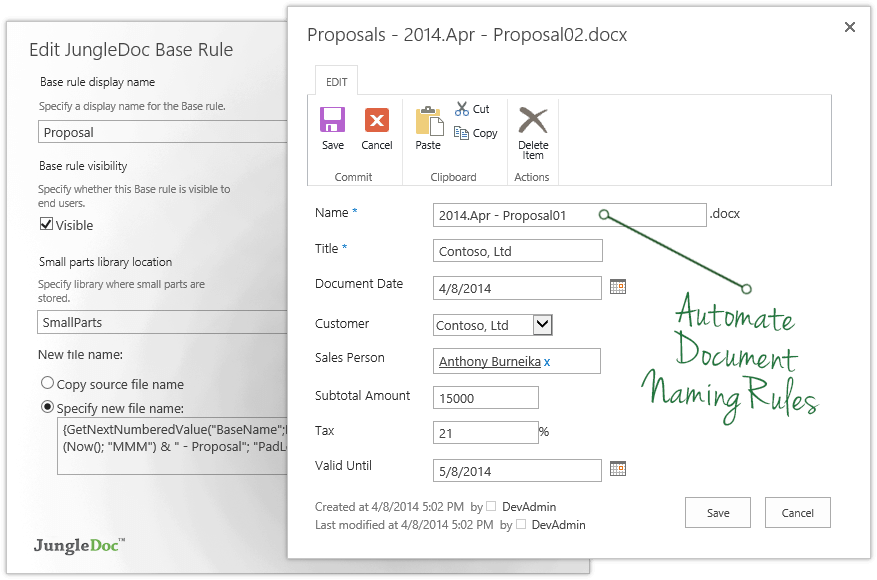
    • Can also set up automation for managing documents. Our department uses specific naming conventions for our documents and JungleDocs allows the naming conventions to be automated to help eliminate human error.
    Incentivized
    Read full review
    Cons
    Foxit Software
    • Combine multiple PDFs into one PDF
    • File explorer preview is not good
    • In the C# SDK, which is a wrapper of native C++ code. We need to be extra careful in coding and protecting the calls, because it can be very easy to crash the application in case of errors.
    Incentivized
    Read full review
    EnovaPoint, LLC
    • The ability to update fields in headers and footers, if they change after the document has been created
    • When content or metadata change, the document doesn't auto update the fields in the document, you have to manually go and click the update option (excludes fields in headers or footers footers)
    Incentivized
    Read full review
    Usability
    Foxit Software
    Our whole takeoff department uses the Foxit PDF SDK. To read plan files, produce pdf files, and take notes, we utilize it in conjunction with other tools. We may utilize the Foxit PDF SDK to read, edit, markup, print, and produce PDF files for internal use or to distribute to clients. Some of our users adore the software, but others choose to use alternative programs because they believe Foxit PDF SDK is too restrictive.
    Incentivized
    Read full review
    EnovaPoint, LLC
    No answers on this topic
    Performance
    Foxit Software
    I rated this software very high on performance because it is really very quick on my Windows system. It can create any type of PDF files in seconds. It also gives good upload speed when I try to modify my documents for inserting digital signature space. It also gives very good encryption speed to secure my documents.
    Incentivized
    Read full review
    EnovaPoint, LLC
    No answers on this topic
    Support Rating
    Foxit Software
    I would give it this rating because I personally have never had to contact support regarding Foxit PDF SDK or anything I am trying to do within the program. As I mentioned before, it is very user-friendly and easy to navigate. I think the program in itself lends support to the user because it is so user-friendly and has an easy to use interface.
    Incentivized
    Read full review
    EnovaPoint, LLC
    No answers on this topic
    Alternatives Considered
    Foxit Software
    Adobe Sign can be really frustrating and difficult to log into, renew subscription, and other background functions. Tech support is between useless and non-existent. On the other hand, there is better control over when recipients have been contacted. Overall, Foxit PDF SDK is a much better product, especially for smaller businesses or ones which don't use it consistently every day, year-round (if that's you, you will get used to Adobe, and it will be less annoying.)
    Incentivized
    Read full review
    EnovaPoint, LLC
    JungleDocs was intuitively easier to use than eFileCabinet and Sharepoint. JungleDocs works with Sharepoint to extend its feature set and make it easier to use. Our team didn't feel that eFileCabinet was suitable for all of our use cases, especially the RFI response documents. We used a scorecard to rank the products and JungleDocs proved to be the winner.
    Incentivized
    Read full review
    Return on Investment
    Foxit Software
    • Saves time by being able to edit text in pdf instead of copy/paste into a .doc and then re-formatting the whole thing
    • Able to create fillable forms that are easy to use and to send out to customers
    • Bargain compared to Adobe product
    Incentivized
    Read full review
    EnovaPoint, LLC
    • Longer startup for member who are not familiar with metadata.
    • Some support documents are hard to follow.
    Incentivized
    Read full review
    ScreenShots

    Foxit PDF SDK Screenshots

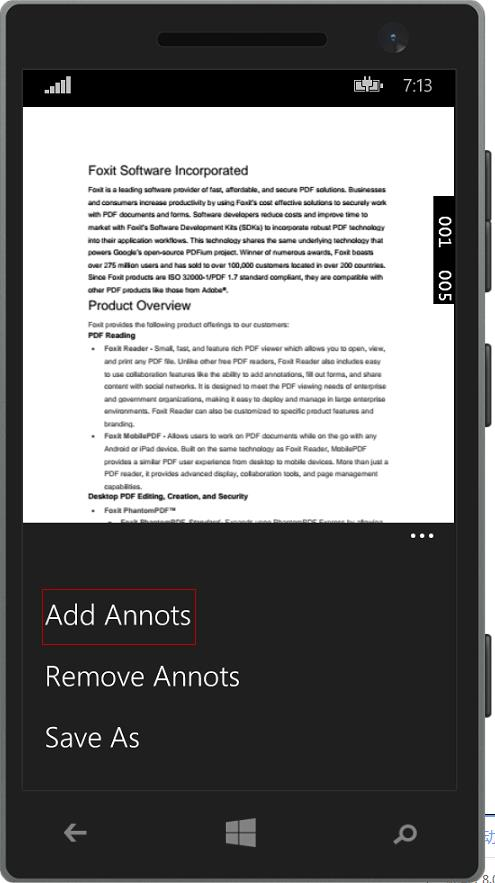
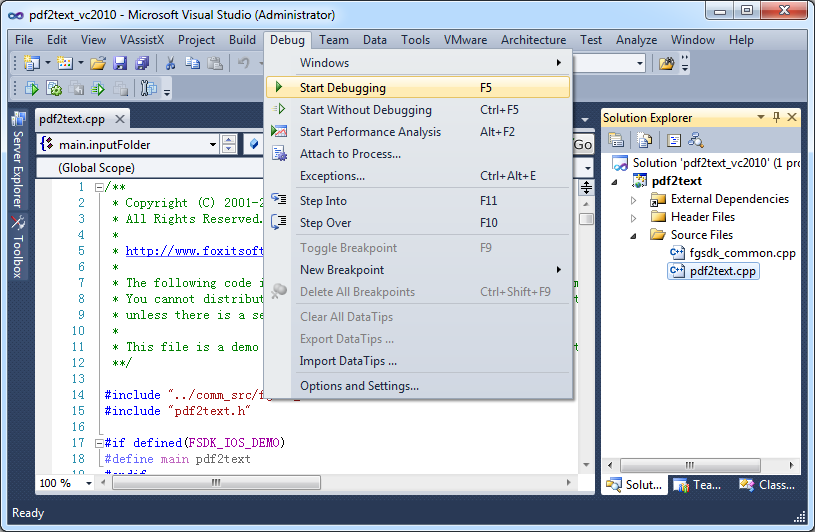
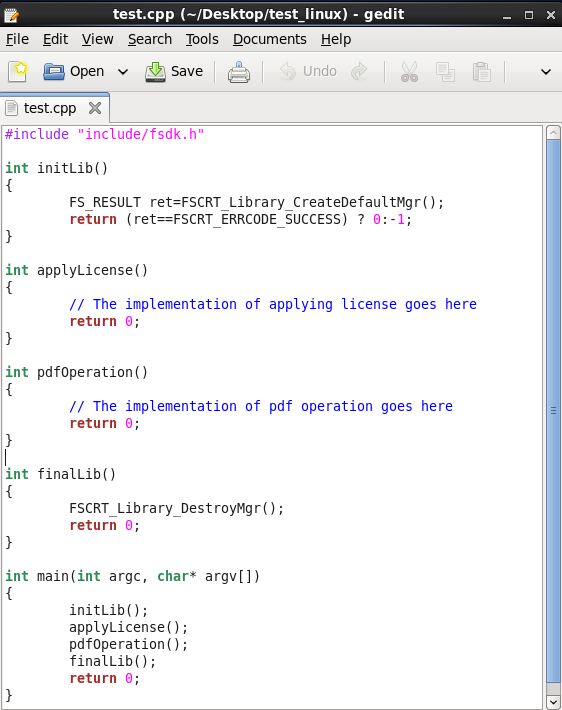
    Screenshot of Foxit PDF SDK for AndroidScreenshot of Foxit PDF SDK for iOSScreenshot of Foxit PDF SDK for UWPScreenshot of Foxit PDF SDK for WindowsScreenshot of Foxit PDF SDK for Linux

    JungleDocs Screenshots

    Screenshot of JungleDocs InterfaceProduct screenshotProduct screenshotProduct screenshotProduct screenshotProduct screenshot