Google Cloud AI provides modern machine learning services, with pre-trained models and a service to generate tailored models.
N/A
OpenText Magellan
Score9 out of 10
N/A
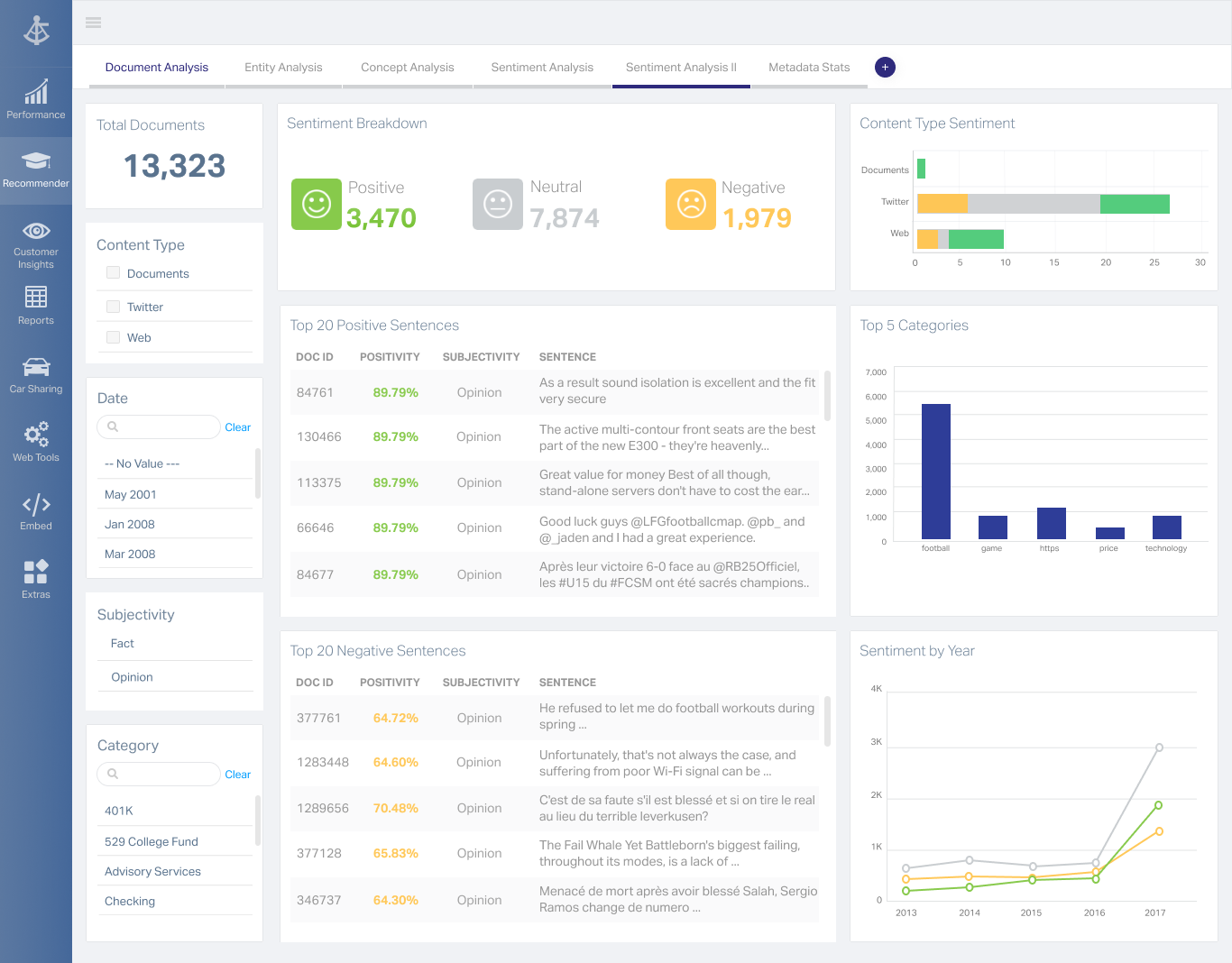
OpenText Magellan Analytics Suite leverages a comprehensive set of data analytics software to identify patterns, relationships and trends through data visualizations and interactive dashboards.
N/A
Pricing
Google Cloud AI
OpenText Magellan
Editions & Modules
No answers on this topic
No answers on this topic
Offerings
Pricing Offerings
Google Cloud AI
OpenText Magellan
Free Trial
No
No
Free/Freemium Version
No
No
Premium Consulting/Integration Services
No
No
Entry-level Setup Fee
No setup fee
No setup fee
Additional Details
—
—
More Pricing Information
Features
Google Cloud AI
OpenText Magellan
BI Standard Reporting
Comparison of BI Standard Reporting features of Google Cloud AI and OpenText Magellan
Feature
Google Cloud AI
-
Ratings
OpenText Magellan
7.0
2 Ratings
16% below category average
Customizable dashboards
00 Ratings
7.02 Ratings
Report Formatting Templates
00 Ratings
7.01 Ratings
Ad-hoc Reporting
Comparison of Ad-hoc Reporting features of Google Cloud AI and OpenText Magellan
Feature
Google Cloud AI
-
Ratings
OpenText Magellan
8.3
3 Ratings
3% above category average
Drill-down analysis
00 Ratings
8.03 Ratings
Formatting capabilities
00 Ratings
8.03 Ratings
Integration with R or other statistical packages
00 Ratings
9.01 Ratings
Report sharing and collaboration
00 Ratings
8.02 Ratings
Report Output and Scheduling
Comparison of Report Output and Scheduling features of Google Cloud AI and OpenText Magellan
Feature
Google Cloud AI
-
Ratings
OpenText Magellan
8.3
2 Ratings
1% above category average
Publish to Web
00 Ratings
8.02 Ratings
Publish to PDF
00 Ratings
8.02 Ratings
Report Versioning
00 Ratings
9.02 Ratings
Report Delivery Scheduling
00 Ratings
8.02 Ratings
Data Discovery and Visualization
Comparison of Data Discovery and Visualization features of Google Cloud AI and OpenText Magellan
Google Cloud AI is a wonderful product for companies that are looking to offset AI and ML processing power to cloud APIs, and specific Machine Learning use cases to APIs as well. For companies that are looking for very specific, customized ML capabilities that require lots of fine-tuning, it may be better to do this sort of processing through open-source libraries locally, to offset the costs that your company might incur through this API usage.
A de minimis incentive was given to thank the reviewer for their time. The incentive was not used to bias or drive a particular response, nor was the incentive contingent on a positive endorsement. More Info
If you do not have a large budget and are a large organization, I would steer clear of Actuate. If you are looking to do very complex washboarding, I would not use them. Your developers have to be very skilled to work with this. Plan to bring in consultants if necessary to help your process. Adhoc reporting is weak. If your pricing is user based and you expand, this could be very expensive.
A de minimis incentive was given to thank the reviewer for their time. The incentive was not used to bias or drive a particular response, nor was the incentive contingent on a positive endorsement. More Info
A de minimis incentive was given to thank the reviewer for their time. The incentive was not used to bias or drive a particular response, nor was the incentive contingent on a positive endorsement. More Info
Some of the build in/supported AI modules that can be deployed, for example Tensorflow, do not have up-to-date documentation so what is actually implemented in the latest rev is not what is mentioned in the documentation, resulting in a lot of debugging time.
Customization of existing modules and libraries is harder and it does need time and experience to learn.
Google Cloud AI can do a better job in providing better support for Python and other coding languages.
A de minimis incentive was given to thank the reviewer for their time. The incentive was not used to bias or drive a particular response, nor was the incentive contingent on a positive endorsement. More Info
A de minimis incentive was given to thank the reviewer for their time. The incentive was not used to bias or drive a particular response, nor was the incentive contingent on a positive endorsement. More Info
We are extremely satisfied with the impact that this tool has made on our organization since we have practically moved from crawling to walking in the process of generating information for our main task to investigate in the field through interviews. With the audio to text translation tool there is a difference from heaven to earth in the time of feeding our internal data.
A de minimis incentive was given to thank the reviewer for their time. The incentive was not used to bias or drive a particular response, nor was the incentive contingent on a positive endorsement. More Info
I am no longer working for the company that was using Actuate but I believe they would continue to use it because the stitching costs would be to high. It would require a complete rewrite of the reports and the never version of Actuate (BIRT) even required an almost complete report rewrite
A de minimis incentive was given to thank the reviewer for their time. The incentive was not used to bias or drive a particular response, nor was the incentive contingent on a positive endorsement. More Info
I give 8 because although it´s a tool I really enjoy working with, I think Google Cloud AI's impact is just starting, therefore I can visualize a lot/space of improvements in this tool. As an example the application of AI in international environments with different languages is a good example of that space/room to improve.
It is quite intuitive to use. It is fit specifically for doing sentiment, emotion, and intention analysis as well as text classification and text summarization. I would have given 10 if it is fit for the purpose of doing image processing and analysis as well. There is a huge market to analyze video and image data.
A de minimis incentive was given to thank the reviewer for their time. The incentive was not used to bias or drive a particular response, nor was the incentive contingent on a positive endorsement. More Info
Every rep has been nice and helpful whenever I call for help. One of the systems froze and wouldn't start back up and with the help of our assigned rep we got everything back up in a timely manner. This helped us not lose customers and money.
A de minimis incentive was given to thank the reviewer for their time. The incentive was not used to bias or drive a particular response, nor was the incentive contingent on a positive endorsement. More Info
In fact, you only need the basic tech knowledge to do a Google search. You need to know if your organization requires it or not,. our organization required it. And that is why we acquired it and solved a need that we had been suffering from. This is part of the modernization of an organization and part of its growth as a company.
A de minimis incentive was given to thank the reviewer for their time. The incentive was not used to bias or drive a particular response, nor was the incentive contingent on a positive endorsement. More Info
These are basic tools although useful, you can't simply ignore them or say they are not good. These tools also have their own values. But, Yes, Google is an advanced one, A king in the field of offering a wide range of tools, quality, speed, easy to use, automation, prebuild, and cost-effective make them a leader and differentiate them from others.
A de minimis incentive was given to thank the reviewer for their time. The incentive was not used to bias or drive a particular response, nor was the incentive contingent on a positive endorsement. More Info
It is vastly superior to these in many ways, for complex reporting it is a much more sophisticated solution. Visualizations are very good. Javascript extensibility is very powerful, others don't support this or as well. Pentaho and MS are both OLAP oriented. Pentaho is moving more toward big data, which was not our primary focus. Others are stuck in the Crystal Reports Band metaphor.
Artificial intelligence and automation seems 'free' and draws the organization in, without seeming to spend a lot of funds. A positive impact, but who is actually tracking the cost?
We want our employees to use it, but many resist technology or are scared of it, so we need a way to make them feel more comfortable with the AI.
The ROI seems positive since we are full in with Google, and the tools come along with the functionality.
A de minimis incentive was given to thank the reviewer for their time. The incentive was not used to bias or drive a particular response, nor was the incentive contingent on a positive endorsement. More Info
Actuate can handle 50 to 60 sub reports inside a report very well.
Dynamically creating the datasource, chart, graph, reports are the main advantages. We can do any level of drilling, and can create a performance matrix dashboard efficiently.