Google Forms is an app for creating forms and surveys, and is part of Google Apps for Work. The product focuses on ease of use; the interface is similar to a document editor, with drop down lists of options and drag and drop question re-ordering. Users can embed images and video into surveys. Users can also program the question flow with custom logic. Google sends users basic summaries of the survey results automatically, or users can export the raw survey results data and analyze it via…
N/A
Quantrix
Score 7.4 out of 10
N/A
Quantrix is designed to allow users to address the limitations and risks inherent to spreadsheets when developing business-critical models. According to the vendor, this solution offers unmatched capability for forecasting, planning, budgeting, risk modeling and visual analytics, and also allows users to develop ‘what if’ scenarios and model the financial and operational impact of business decisions. Additionally, the vendor says sharing insight is made easier through the creation of interactive…
N/A
Pricing
Google Forms
Quantrix
Editions & Modules
No answers on this topic
No answers on this topic
Offerings
Pricing Offerings
Google Forms
Quantrix
Free Trial
No
Yes
Free/Freemium Version
No
No
Premium Consulting/Integration Services
No
Yes
Entry-level Setup Fee
No setup fee
No setup fee
Additional Details
—
Quantrix Modeler is licensed on a per user subscription basis.
More Pricing Information
Community Pulse
Google Forms
Quantrix
Features
Google Forms
Quantrix
Survey Format & Appearance
Comparison of Survey Format & Appearance features of Product A and Product B
Google Forms
6.6
122 Ratings
19% below category average
Quantrix
-
Ratings
Survey templates
7.7113 Ratings
00 Ratings
Themes
6.0111 Ratings
00 Ratings
Custom logo/branding
6.199 Ratings
00 Ratings
Survey Content
Comparison of Survey Content features of Product A and Product B
Google Forms
8.1
120 Ratings
5% below category average
Quantrix
-
Ratings
Changes to live survey
9.0114 Ratings
00 Ratings
Question design help
7.297 Ratings
00 Ratings
Multiple question types
7.9119 Ratings
00 Ratings
Survey Logic
Comparison of Survey Logic features of Product A and Product B
Google Forms
7.0
109 Ratings
17% below category average
Quantrix
-
Ratings
Survey logic flexibility
7.0109 Ratings
00 Ratings
Survey Reporting & Analytics
Comparison of Survey Reporting & Analytics features of Product A and Product B
Google Forms
8.4
121 Ratings
4% above category average
Quantrix
-
Ratings
Response tracking
8.2119 Ratings
00 Ratings
Data export
8.1115 Ratings
00 Ratings
Standard reports
7.9112 Ratings
00 Ratings
Custom reports
9.285 Ratings
00 Ratings
Analytics
8.493 Ratings
00 Ratings
Survey Administration & Security
Comparison of Survey Administration & Security features of Product A and Product B
Google Forms
8.1
115 Ratings
6% below category average
Quantrix
-
Ratings
Access controls
8.0112 Ratings
00 Ratings
Compliance
8.189 Ratings
00 Ratings
Survey Distribution
Comparison of Survey Distribution features of Product A and Product B
Google Forms
7.7
89 Ratings
5% below category average
Quantrix
-
Ratings
Vendor-offered crowdsourcing
7.841 Ratings
00 Ratings
Respondent restrictions
7.687 Ratings
00 Ratings
Budgeting, Planning, and Forecasting
Comparison of Budgeting, Planning, and Forecasting features of Product A and Product B
Google Forms
-
Ratings
Quantrix
9.3
12 Ratings
12% above category average
Long-term financial planning
00 Ratings
9.711 Ratings
Financial budgeting
00 Ratings
9.012 Ratings
Forecasting
00 Ratings
10.012 Ratings
Scenario modeling
00 Ratings
9.012 Ratings
Management reporting
00 Ratings
9.012 Ratings
Consolidation and Close
Comparison of Consolidation and Close features of Product A and Product B
Google Forms
-
Ratings
Quantrix
8.0
7 Ratings
0% above category average
Financial data consolidation
00 Ratings
8.36 Ratings
Multi-currency management
00 Ratings
8.44 Ratings
Minority Ownership
00 Ratings
8.04 Ratings
Local and consolidated reporting
00 Ratings
8.77 Ratings
Detailed Audit Trails
00 Ratings
6.75 Ratings
Financial Reporting and Compliance
Comparison of Financial Reporting and Compliance features of Product A and Product B
Google Forms
-
Ratings
Quantrix
9.0
12 Ratings
11% above category average
Financial Statement Reporting
00 Ratings
9.010 Ratings
Management Reporting
00 Ratings
9.012 Ratings
Automated board and financial reporting
00 Ratings
9.011 Ratings
Analytics and Reporting
Comparison of Analytics and Reporting features of Product A and Product B
Google Forms
-
Ratings
Quantrix
8.5
12 Ratings
5% above category average
Personalized dashboards
00 Ratings
8.012 Ratings
Color-coded scorecards
00 Ratings
6.45 Ratings
KPIs
00 Ratings
10.010 Ratings
Cost and profitability analysis
00 Ratings
8.610 Ratings
Key Performance Indicator setting
00 Ratings
10.011 Ratings
Benchmarking with external data
00 Ratings
8.210 Ratings
Integration
Comparison of Integration features of Product A and Product B
Google Forms is great for simple surveys, such as quick polls, but any logic beyond conditional pages is not supported. Google Forms is best used when the survey participants have and are permitted to use a Google Account to fill out the form; we ran into issues with hospital IT departments. I don't believe there's a better free tool out there than Google Forms, though.
If you find yourself in the ocean of traditional spreadsheets, overwhelmed by broken links, errors, model audit problems, hardwiring, etc. here is a lifebuoy for you. If you want to have full flexibility in your budgeting and forecasting in contrast to ERPs with rigid structures and one-size-fits-all concept. If you are small or medium size company and do not want to invest in costly enterprise solutions. If you need a fast implementation https://youtu.be/5W_q5Xhw5fg
Live results: When a user completes the form the results are added instantly.
Easy to create: Google Forms has a simple interface that allows for a wide range of question types. Google will even try to guess the question type based on the question (but this can be overridden).
Answers export to Google Sheets: It is easy to have each response to your form add a row to a Google Sheet, allowing for further analysis or processing.
Ability to automatically collect email addresses within a domain: If you have a form that has been shared with users in your domain, you can set it to automatically collect the users' email addresses without them needing to type it in. Makes checking whether all students have completed the form easy.
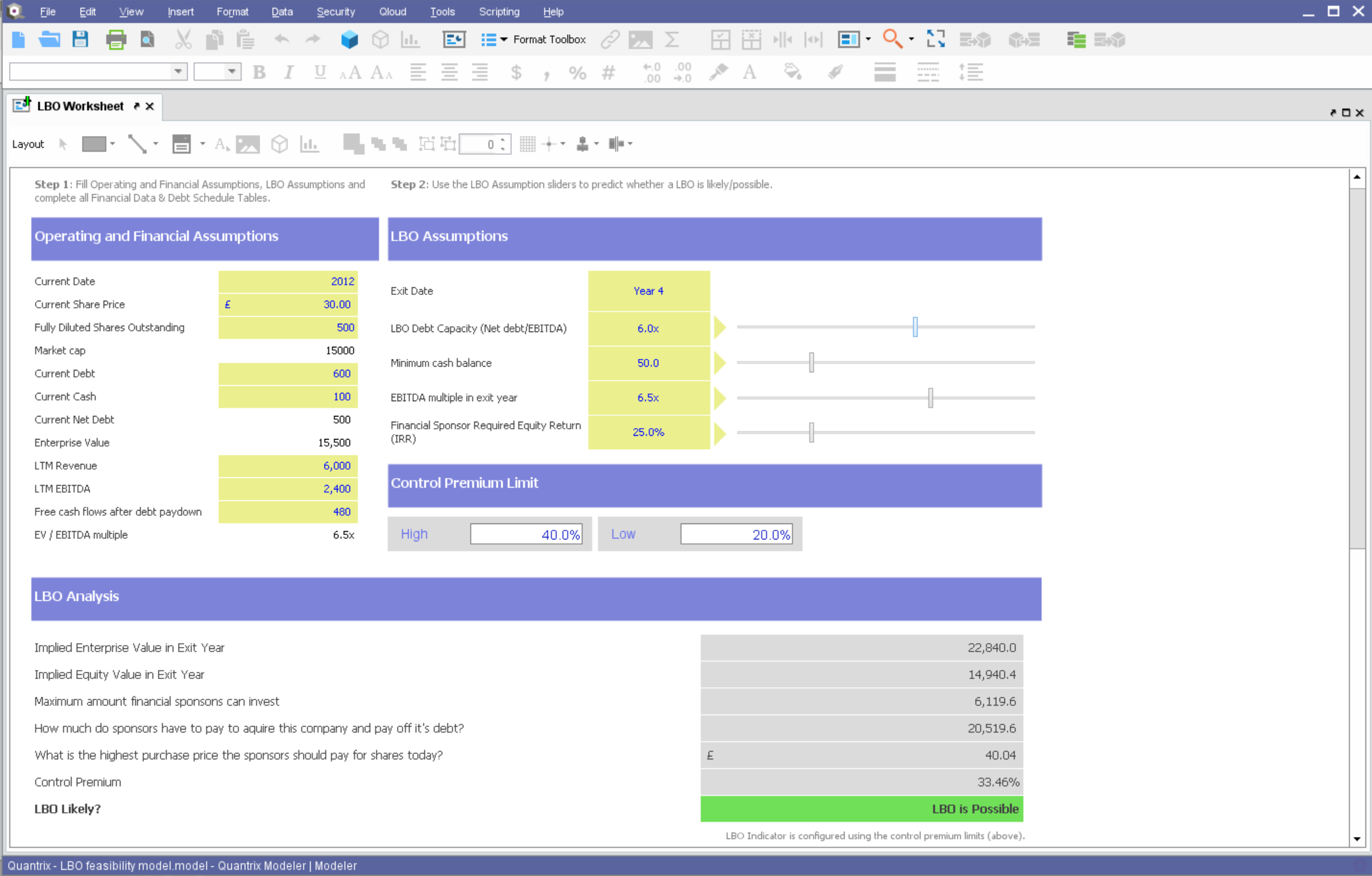
Building complex financial planning model availing of a multidimensional data structure coupled with a powerful formula language, with the immediacy and intuitiveness typical of spreadsheets
Implement quickly model modifications (new products, new scenarios, new time periods) simply adding new "items" to "categories" (corresponding to dimensions in a multidimensional data model)
Scale up models to very large datasets with very fast computation times
Easily import data from text files, other Quantrix models and external databases via DataLink and DataNAV
Save snapshots of tables computed in Quantrix to external databases via DataPush
Sometimes finding the output -- a Google Sheet with all responses-- is a little difficult. It's also sometimes confusing to figure out how to get back into the Google Form Survey itself.
As always, sharing among an institutional Google account and your personal Google account can be frustrating. You have to make a copy and can't share across the two different accounts very easily.
Hard to be critical of the Quantrix team as I know they strive to produce the best product possible. I suppose the next thing on my wish list would be the application of the new Solver functionality to be available in the Qloud.
A big help for new users would be a good book on transitioning from Excel or other environment into Quantrix. I know first hand it can be difficult to transition when having to learn the program through a help guide, forums and tech support. I had a lot of trial and error in my journey to producing the desired models. On one hand it was a valuable method as it taught me a lot of what not to do, but I will admit it was not the most efficient way to do things.
Would also love to see local user groups being formed at some point in the future. Quantrix puts on a fantastic conference once a year in beautiful Maine, but it is a big journey for someone in Southern California (and limited to one or two days a year). I would like to see some local chapters formed in different areas of the country so local Quantrix users can get together more often and collaborate (maybe a quarterly or semi-annual meetup?). Our Quantrix community is still relatively small and may be a difficult task for some areas, but is also the very reason why this would be great idea.
I will definitely renew my use of Google Forms because I really like the ease of use and the number of tools that Google forms provide. I also love that I can administer a test in real-time and get results in a timely manner
Overall ease of use for staff, volunteers, and adult learners, and easy to get reports and to share reports via Sheets. As a free tool, it does more than expected. Easy to change the look and brand it to your organization, or just make it more fun, depending on what you want to use it for.
In the years I've used GoogleForms I've never ran into any issues with the reliability or availability. Google is a gigantic company with essentially limitless resources which makes it very easy to trust that I will continue to be able to enjoy the same reliability I've come to know and expect from GoogleForms
One of the things that comes as a benefit of the lack to create complex logic branching and truly custom design is that there isn't lot of room to bog down the software. GoogleForms has always loaded just as fast as my internet service and device would allow it. I'm not sure about front end integrations or integrations into the form itself, as I've never explored it, but on the backend, I've never had any issues with integrations channeling from GoogleForms from the GoogleForms's end of things.
We haven't used much official support for Google Forms. However, because it is so widely used, there are a ton of articles and guides available online to help administrators of varying technical abilities to work through problems that arise. Additionally, Google provides an official support forum where there are discussions with other users as well as Google developers that can help address issues if needed.
Google Forms doesn't really require "implementation": simply log into GDrive and create a survey! You can configure settings per survey to, for example, automatically write responses to a GSheet.
Although both platforms offer similar functionalities, Google Form has a personal advantage and it is the impeccable integration with the different applications of the Google suite, this allows to make use of all of them in a transparent way, which in the work environment allows to perform work efficiently and without affecting the quality of it.
Overall, I was not part of the ultimate decision to purchase Quantrix. I terms of user-friendliess and robust reporting capabilities I do think Tableau has Quantrix outclassed. That being said, Quantrix does provide more in-depth analyses for our relevant data and provides better modeling for our forecasts out of the box. The accuracy of the tools output is also much better
GoogleForms lacks the ability for complex logic branching and the ability to truly design it in a custom manner. It's pretty obvious when you land on a GoogleForm that it is in fact a GoogleForm. This rating solely reflects the lack of flexibility which in turn makes it something that wouldn't usually be scaled. That being said, if needing to scale a simple solution, GoogleForms would be up for the job.
Capacity forecasting used to take hours to calculate with a ton of manual modifications. Quantrix has automated that so a model can be updated at any time with a click of a button
The accuracy of the models is incredible. It took some tweaking to add in data scubbers, but now it runs almost flawlessly
The confidence the management teams have in the output of the model is amazing. Before, people would question the output, have you rebuild it, and then compare. Now the report comes out and the output has high confidence.