TrustRadius: an HG Insights company

Save this comparison

Save this comparison

Add Product

Recommended Comparisons

    Overview
    ProductRatingMost Used ByProduct SummaryStarting Price

    Google Optimize

    Score6.7 out of 10
    N/AGoogle offers the Optimize A/B testing tool for testing website content and versions.N/A

    Videolink

    Score9.1 out of 10
    N/AVideolink brings clarity and collaboration to team conversations through video recording, sharing and instant playback. It can be used to record a screen or camera in seconds, send a link, and add visual context to information – whether it’s customer feedback, internal updates, or product walkthroughs. Instead of chasing down details in chat logs or ambiguous tickets, Videolink lets teams share ideas that are clear, direct, and…

    $0

    per active video

    Pricing
    Google OptimizeVideolink
    Editions & Modules
    Google Optimize
    Free
    Free
    $0
    per month Up to 25 active videos and unlimited users
    Pro
    $20
    per month For 100 active videos and unlimited users
    Advanced
    Custom Plans
    Offerings
    Pricing Offerings
    Google OptimizeVideolink
    Free Trial
    NoNo
    Free/Freemium Version
    YesYes
    Premium Consulting/Integration Services
    NoNo
    Entry-level Setup FeeNo setup feeOptional
    Additional Details—Only saved videos are counted. If a video is deleted, it only counts for the month it was active — never after. Videolink has no per-seat usage fees. You’re only billed for videos your team actually keeps.
    More Pricing Information
    Community Pulse
    Google OptimizeVideolink
    Considered Both Products
    Google
    No answer on this topic
    Videolink
    No answer on this topic
    Key User Insights
    Would buy again
    100%
    Would buy again
    6 Answers
    No answers on this topic
    Delivers good value for the price
    100%
    Delivers good value for the price
    6 Answers
    No answers on this topic
    Happy with the feature set
    100%
    Happy with the feature set
    6 Answers
    No answers on this topic
    Lived up to sales and marketing promises
    100%
    Lived up to sales and marketing promises
    6 Answers
    No answers on this topic
    Implementation went as expected
    100%
    Implementation went as expected
    6 Answers
    No answers on this topic
    Features
    Google OptimizeVideolink
    Testing and Experimentation
    Comparison of Testing and Experimentation features of Google Optimize and Videolink
    Feature
    Google Optimize
    4.9
    8 Ratings
    53% below category average
    Videolink
    -
    Ratings
    a/b experiment testing4.08 Ratings00 Ratings
    Split URL testing2.08 Ratings00 Ratings
    Multivariate testing4.08 Ratings00 Ratings
    Multi-page/funnel testing1.06 Ratings00 Ratings
    Cross-browser testing6.44 Ratings00 Ratings
    Mobile app testing2.72 Ratings00 Ratings
    Test significance1.07 Ratings00 Ratings
    Visual / WYSIWYG editor3.07 Ratings00 Ratings
    Advanced code editor2.07 Ratings00 Ratings
    Page surveys5.02 Ratings00 Ratings
    Visitor recordings10.01 Ratings00 Ratings
    Preview mode3.06 Ratings00 Ratings
    Test duration calculator9.03 Ratings00 Ratings
    Experiment scheduler7.05 Ratings00 Ratings
    Experiment workflow and approval8.93 Ratings00 Ratings
    Dynamic experiment activation6.92 Ratings00 Ratings
    Client-side tests7.04 Ratings00 Ratings
    Server-side tests2.62 Ratings00 Ratings
    Mutually exclusive tests8.02 Ratings00 Ratings
    Audience Segmentation & Targeting
    Comparison of Audience Segmentation & Targeting features of Google Optimize and Videolink
    Feature
    Google Optimize
    7.0
    8 Ratings
    22% below category average
    Videolink
    -
    Ratings
    Standard visitor segmentation6.08 Ratings00 Ratings
    Behavioral visitor segmentation7.06 Ratings00 Ratings
    Traffic allocation control8.07 Ratings00 Ratings
    Website personalization7.07 Ratings00 Ratings
    Results and Analysis
    Comparison of Results and Analysis features of Google Optimize and Videolink
    Feature
    Google Optimize
    8.2
    8 Ratings
    5% below category average
    Videolink
    -
    Ratings
    Heatmap tool2.01 Ratings00 Ratings
    Click analytics9.03 Ratings00 Ratings
    Scroll maps9.02 Ratings00 Ratings
    Form fill analysis8.01 Ratings00 Ratings
    Conversion tracking9.06 Ratings00 Ratings
    Goal tracking8.07 Ratings00 Ratings
    Test reporting7.06 Ratings00 Ratings
    Results segmentation10.04 Ratings00 Ratings
    CSV export9.93 Ratings00 Ratings
    Experiments results dashboard9.97 Ratings00 Ratings
    Best Alternatives
    Google OptimizeVideolink
    Small Businesses
    Google Content Experiments (discontinued)
    Score7.3 out of 10
    Sendspark
    Score10 out of 10
    Medium-sized Companies
    AB Tasty
    Score8.6 out of 10
    Snagit
    Score9.7 out of 10
    Enterprises
    Google Content Experiments (discontinued)
    Score7.3 out of 10
    Snagit
    Score9.7 out of 10
    All AlternativesView all alternativesView all alternatives
    User Ratings
    Google OptimizeVideolink
    Likelihood to Recommend
    5.0
    (10 ratings)
    9.1
    (2 ratings)
    Usability
    10.0
    (1 ratings)
    9.1
    (2 ratings)
    Support Rating
    8.7
    (4 ratings)
    -
    (0 ratings)
    User Testimonials
    Google OptimizeVideolink
    Likelihood to Recommend
    Google
    It is a little too limited for a full stack experimentation programme. Many times we required development support or tech advise but we were simply unable to get this due to it being google. This was a big problem for us. However it is quite good if you were looking to get started in experimentation and didn’t have the budgets for a wider tool
    Incentivized
    Read full review
    Videolink
    The way we work is evolving. Remote teams — especially after the COVID-19 pandemic — rely more than ever on tools that bridge the gap between distance and real-time collaboration.
    Asynchronous updates have become a key part of solving daily challenges, and we’ve seen the benefits first-hand as an organisation.
    Incentivized
    Read full review
    Pros
    Google
    • Easy to follow set up procedures. Once I walk a client through the process, it's effortless for them to emulate on subsequent tests.
    • Lots of geo and user attribute customization features to be able to drill down into specific targeted audiences — all based on the power of Google's immense data system.
    • Google Optimize is the logical choice for many people to start with since most are already familiar with and using GA.
    Incentivized
    Read full review
    Videolink
    • Quick video sharing
    • Basic editing
    • Inline comments
    Read full review
    Cons
    Google
    • Only works for browsers, not for the apps testing.
    • Missing possibility to test complicated features.
    • Audience division in groups is not always accurate.
    Incentivized
    Read full review
    Videolink
    • More video editing tools
    Incentivized
    Read full review
    Usability
    Google
    Google has always been known to make easy-to-use products. The Google Optimize interface is intuitive and easy to follow for anyone.
    Incentivized
    Read full review
    Videolink
    The interface is clean, and features like video requests, in-browser editing, and commenting make the workflow seamless for our team.
    Read full review
    Support Rating
    Google
    Google has well-documented resources and unlimited use cases that can be found online. Plus, their support is always helpful and available.
    Incentivized
    Read full review
    Videolink
    No answers on this topic
    Alternatives Considered
    Google
    Google Optimize being part of the Google stack makes it great in reporting and analysis. Wish Google would add more features like dynamic tests, multi funnel tests, conversion calculator based on the total number of traffic of the page being tested instead of using the websites total traffic. Should integrate form analysis, heatmap, and page analytics.
    Incentivized
    Read full review
    Videolink
    No answers on this topic
    Return on Investment
    Google
    • We were able to increase our main KPI for conversions by almost 50% by testing button copy.
    • We were able to increase secondary KPIs for conversions by almost 30% by testing form design.
    Incentivized
    Read full review
    Videolink
    • Productivity
    • Delivery-driven communication
    Incentivized
    Read full review
    ScreenShots

    Videolink Screenshots

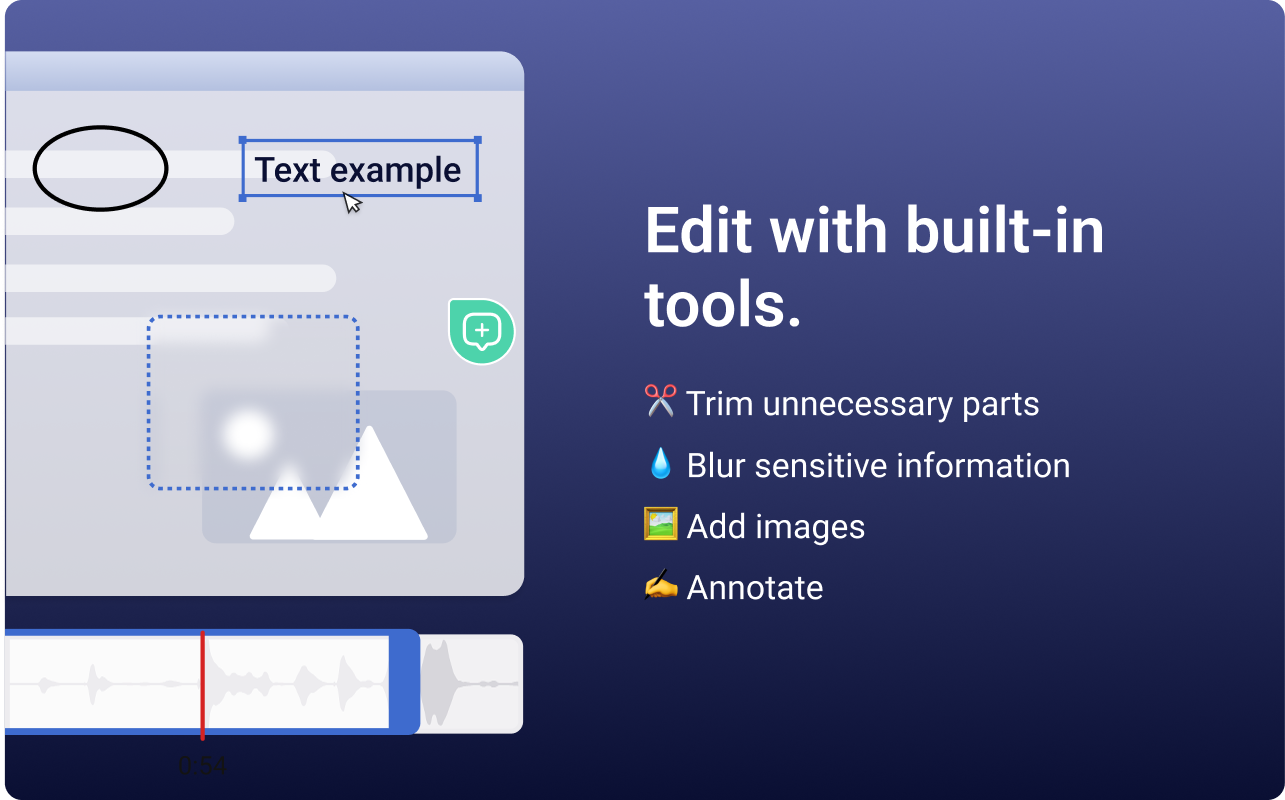
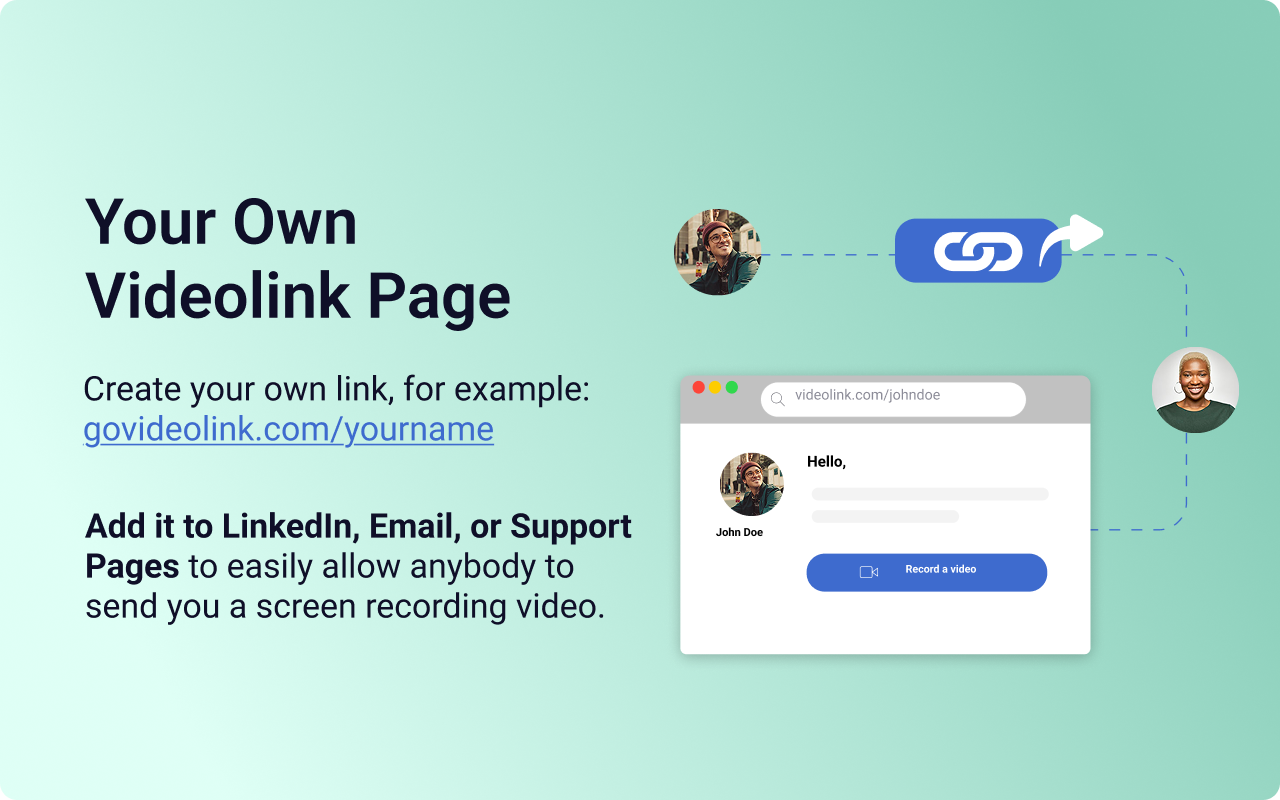
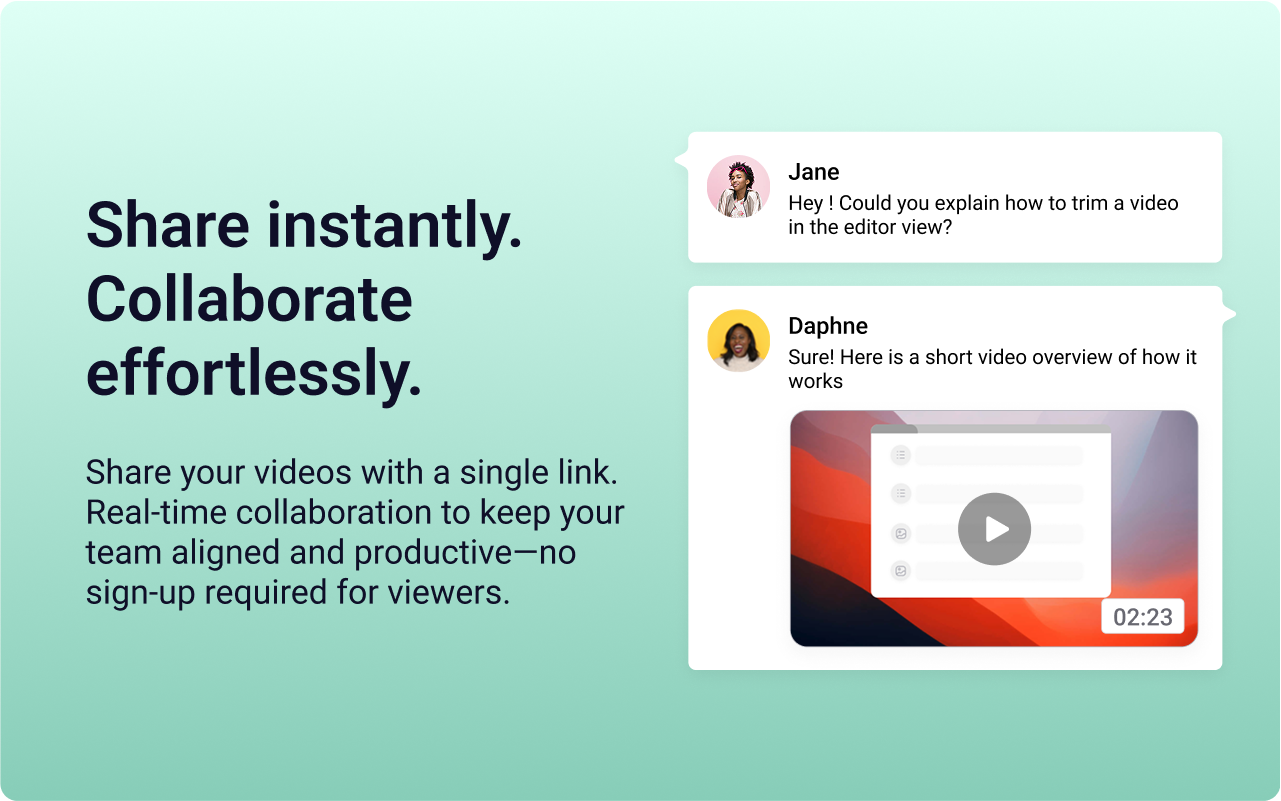
    Screenshot of the Videolink editor, used to trim out excess content, blur sensitive info, annotate key areas, and insert images.Screenshot of a Videolink page, used to create a personal shareable link – like govideolink.com/yourname – that lets anyone send a recorded video directly.Screenshot of single link sharing, so viewers don’t need an account to watch, comment, or provide feedback.