GoReact vs. UiPath Task Capture

Overview
ProductRatingMost Used ByProduct SummaryStarting Price
GoReact
Score 9.9 out of 10
N/A
Boasting users among more than 650 colleges and universities worldwide, GoReact, from Speakworks headquartered in Orem, is software for video-based skill assessment with interactive tools for collaborative learning and personalized feedback. GoReact aims to help all learners demonstrate skill competency with greater human connection and increased engagement.
$62
per month per user
UiPath Task Capture
Score 9.7 out of 10
N/A
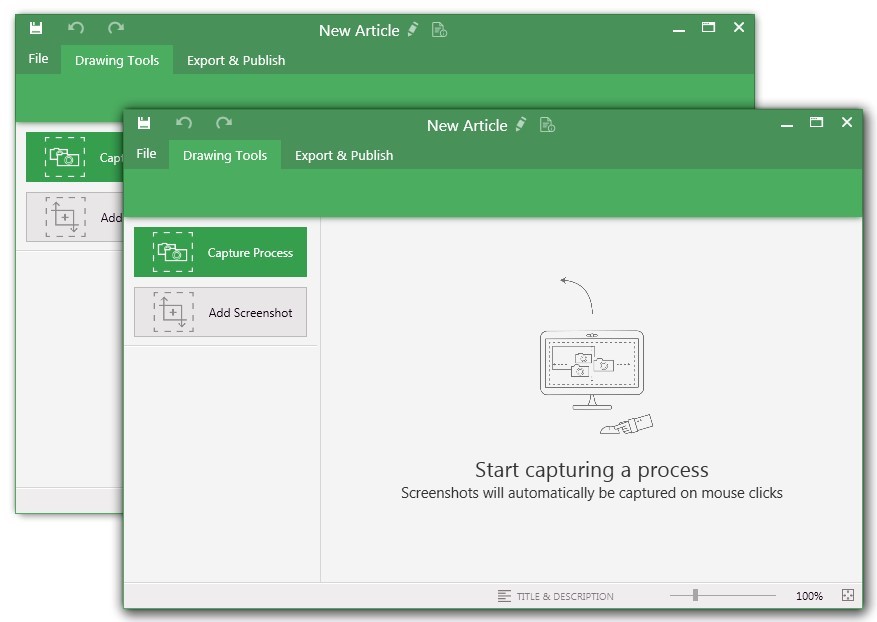
UiPath Task Capture (formerly StepShot, acquired October 2019) is a tool designed for quick and easy step-by-step documentation. During a recording mode, the software creates a separate screenshot on every click, groups them into a manual with automatically added metadata. Users can annotate captured images and structure documents in the way they want them to look.N/A
Pricing
GoReactUiPath Task Capture
Editions & Modules
Education Pricing
$62
per month per user
Professional Pricing
$99
per month per user
Volume-Based Pricing
Custom
No answers on this topic
Offerings
Pricing Offerings
GoReactUiPath Task Capture
Free Trial
NoYes
Free/Freemium Version
NoYes
Premium Consulting/Integration Services
NoYes
Entry-level Setup FeeNo setup feeNo setup fee
Additional DetailsWe have some discounts available all the time depending on the amount of ordered licenses.
More Pricing Information
Community Pulse
GoReactUiPath Task Capture
Best Alternatives
GoReactUiPath Task Capture
Small Businesses
Renaissance Accelerated Reader
Score 9.9 out of 10
Sendspark
Sendspark
Score 10.0 out of 10
Medium-sized Companies
Renaissance Accelerated Reader
Score 9.9 out of 10
Snagit
Snagit
Score 9.6 out of 10
Enterprises
Renaissance Accelerated Reader
Score 9.9 out of 10
Snagit
Snagit
Score 9.6 out of 10
All AlternativesView all alternativesView all alternatives
User Ratings
GoReactUiPath Task Capture
Likelihood to Recommend
9.9
(9 ratings)
8.0
(6 ratings)
Support Rating
-
(0 ratings)
10.0
(1 ratings)
User Testimonials
GoReactUiPath Task Capture
Likelihood to Recommend
GoReact (Speakworks, Inc)
If you need to record and grade interactions then it is perfect. It allows instructors to uniformly grade candidates according to rubrics that have been created to keep observations uniform. We use this function with our internship program where we have a widely diverse and different set of evaluator each semester. They copy the GoReact course in the Canvas classes and thus assure uniformity. Some faculty have trouble the the live review function due to internet reliability.
Read full review
UiPath
StepShot is perfect for showing your audience how they are supposed to navigate a new system you have implemented. You can take them from a login screen all the way through any technical process you want them to follow. The product is not ideal, however, for documenting a process that does not have tangible steps. For example, a process we have created includes some reflective thinking about alignment or outcomes in order to work, this can be articulated in the text area of the screen captures but doesn't really capture our message.
Read full review
Pros
GoReact (Speakworks, Inc)
  • Very easy to use for both faculty and students
  • The students love the feedback they get from the professor
  • It is a very intuitive user interface
Read full review
UiPath
  • Easily capture process as you're going through it
  • Easily edit the captured process
  • Add new steps/slides into the process as needed after it's captured
Read full review
Cons
GoReact (Speakworks, Inc)
  • Offering a product to professionals who provide coaching outside of higher education
  • Allowing easier integration of rubrics from other sources
  • Continuing to streamline integration with LMS tools
Read full review
UiPath
  • The "export & publish" button is kind of tiny and tucked away. It should be more prominent. After not using it for a couple weeks, I always forget where it is.
  • Updates aren't as frequent. Which is fine, since I haven't come across many bugs, it would just be cool to see some added features/functionality a bit more often.
  • The blur looks fine in the preview mode, but when exported, it's not the best.
Read full review
Support Rating
GoReact (Speakworks, Inc)
No answers on this topic
UiPath
I have only run into an issue once, which I believe was due to a newly released feature (cloud storage). I was running into issues with the functionality on my Mac. The team was incredibly helpful in both troubleshooting the issue by jumping on screen sharing sessions, as well as providing multiple releases for me to test to fix the problem!
Read full review
Alternatives Considered
GoReact (Speakworks, Inc)
I'm only familiar with GoReact to solve the problems I use GoReact to solve. I'm not interested in other platforms. I'm pretty content with what I see. I've heard of other platforms but never used them, so I won't speak to anything outside my own experience.
Read full review
UiPath
  • UiPath Task capture helped me in my requirement gathering in a project.
  • Helped to record the process
  • Capture the Screen
  • Process recording for future reference while developing the tasks
Read full review
Return on Investment
GoReact (Speakworks, Inc)
  • It was essential during Covid when faculty were not allowed into schools for live observations.
  • It has led to a redesign of courses that have improved performances.
  • The ability to download their videos has helped with other assignments that students have.
Read full review
UiPath
  • This has saved us MANY HOURS in either walking clients through processes in person or having to create a one-off guide through taking screenshots and creating our own documents with the screenshots hand placed.
  • Client satisfaction is high when they receive these guides. It is documentation that they can refer to at anytime that is personalized to their use or individual needs.
Read full review
ScreenShots

UiPath Task Capture Screenshots

Screenshot of You may record the needed area of take a separate screenshotScreenshot of Open menu (1) to be able to save this document to another location, share or publish it somewhere on your computer or remote service.
To create your documentation, use recording buttons (2) (discussed in "Recording" article later). All recorded steps and single screenshots are displayed in the outline panel (3). To group steps into sections, right click on empty space inside the outline panel and click on "Add section" option.
Annotate the selected step image (5) with drawings (7). Then update step title and description (6) to tell the user what he/she needs to do.Screenshot of Create manuals that contain guidesScreenshot of Exporting options. Choose the template (1) and set export settings such as quality and image size (2). Then export the document (3) to a specific location. 
Export settings are the same for all export formats.