Indusface Web Application Scanning vs. ManageEngine Patch Manager Plus vs. Palo Alto Networks Prisma Cloud

Overview
ProductRatingMost Used ByProduct SummaryStarting Price
Indusface WAS
Score 9.0 out of 10
N/A
Indusface Web Application Scanner provides an application security audit to detect a range of high-risk Vulnerabilities, Malware, and Critical CVEs.
$59
per month
ManageEngine Patch Manager Plus
Score 8.2 out of 10
N/A
Patch Manager Plus is an automated patch management software that provides enterprises with a single interface for all patch management tasks. The vendor claims it works across platforms, helping users patch Windows, Mac, Linux & 300+ third-party applications. With Automated Patch Deployments, users can automate the entire process of patch management:…
$245
50 endpoints
Palo Alto Networks Prisma Cloud
Score 8.7 out of 10
N/A
Prisma Cloud, from Palo Alto Networks (based on technology acquired with Evident.io and RedLock) is presented as a comprehensive Cloud Native Security Platform (CNSP) that delivers full lifecycle security and full stack protection for multi- and hybrid-cloud environments.N/A
Pricing
Indusface Web Application ScanningManageEngine Patch Manager PlusPalo Alto Networks Prisma Cloud
Editions & Modules
Advance - Comprehensive Risk Detection
$59
per month
Premium - Managed Risk Detection
$2388
per month
Basic Risk Detection
Free
Professional
$245.00
50 endpoints
Enterprise
$345.00
50 endpoints
Professional
$345.00
50 endpoints
Enterprise
$445.00
50 endpoints
No answers on this topic
Offerings
Pricing Offerings
Indusface WASManageEngine Patch Manager PlusPalo Alto Networks Prisma Cloud
Free Trial
YesYesNo
Free/Freemium Version
YesYesNo
Premium Consulting/Integration Services
NoNoNo
Entry-level Setup FeeNo setup feeOptionalNo setup fee
Additional Details
More Pricing Information
Community Pulse
Indusface Web Application ScanningManageEngine Patch Manager PlusPalo Alto Networks Prisma Cloud
Considered Multiple Products
Indusface WAS
Chose Indusface WAS
The report you send the format and detailing the report , easily identify the vulnerability of the website, executive report is also the proper formatted it very useful
ManageEngine Patch Manager Plus
Chose ManageEngine Patch Manager Plus
Red Hat Ansible Automation Platform
Chose ManageEngine Patch Manager Plus
Far less expensive and easier to use.
Chose ManageEngine Patch Manager Plus
NinjaOne also provided the ability to push out deployment packages, which was a plus. Ivanti was extremely difficult to set up on the front end. I would rank it closely with NinjaOne.
Chose ManageEngine Patch Manager Plus
We used Jamf and WSUS from Microsoft, and I believe ManageEngine was better than WSUS because PM Plus provided 3rd-party software patches, and we think it works better with Jamf since Jamf will be mainly for Mac devices, and PM Plus will be for Windows.
Chose ManageEngine Patch Manager Plus
Microsoft System Center was way more complex and much more expensive and required more to get working.
Chose ManageEngine Patch Manager Plus
ManageEngine Patch Manager Plus keeps our devices all under one pool.
Chose ManageEngine Patch Manager Plus
The price point is the main reason on why Patch Manager Plus would be better, the better app would always be Defender for Windows environment, but for an environment which has multiple OS, its better to have a non-affiliated patching solution.
Chose ManageEngine Patch Manager Plus
Since we are using ManageEngine for quite a long time, this gives us more comfort than any other product which may not fulfil our needs if chosen.
Chose ManageEngine Patch Manager Plus
We were talking to Action1 and Adaptiva about their solutions of patch management. The main factor of choosing ManageEngine was pricing, which was considerably lower compared to these tools. Also, for Action1, it didn't featured some important features (like Linux patching), …
Chose ManageEngine Patch Manager Plus
Ivanti Endpoint Manager is used in my full-time job; for my purposes and my own customers, it would be too expensive and overpowered.
Chose ManageEngine Patch Manager Plus
because it fits well in all our requirements
Chose ManageEngine Patch Manager Plus
ManageEngine Patch Manager Plus was easier to use, and you can basically set it and forget it. The performance is very good and we had way less failed patch than competing product.
Chose ManageEngine Patch Manager Plus
We previously used Microsoft Windows Server Update Services (WSUS). The reporting was extremely limited and all remediation had to be done manually, you can't initiate a reboot or a manual install like you can from ManageEngine Patch Manager Plus. Creation of Automated Patching …
Chose ManageEngine Patch Manager Plus
SolarWinds was not selected because it runs on top of SCCM which in itself is problematic and unreliable. We need an application that runs in standalone mode and does not rely on any other application. SolarWinds
Chose ManageEngine Patch Manager Plus
Patch Manager Plus does the most basic job of monitoring machines, deploying packages silently, and keeping machines up to date.
Palo Alto Networks Prisma Cloud
Chose Palo Alto Networks Prisma Cloud
simple to understand and configure and with in single console multipal CSP managed.
Chose Palo Alto Networks Prisma Cloud
Our organization didn't consider any other tool, and so far we are pretty much satisfied with Prisma Cloud.
Chose Palo Alto Networks Prisma Cloud
Prisma Cloud stacks well with other similar Palo Alto products. UI is beautiful, has decent documentation and some trainings as in other platforms.
Chose Palo Alto Networks Prisma Cloud
Each solution has some or the other feature which is USP within that solution but based on our requirement we found Palo Alto Prisma is Meeting most of our requirements since we want to monitor workload/Services hosted on both Cloud/On-Prem.
Chose Palo Alto Networks Prisma Cloud
Palo Alto Networks Prisma Cloud was the first choice made by our organization so far for enhancing security in a multi-cloud environment.
Features
Indusface Web Application ScanningManageEngine Patch Manager PlusPalo Alto Networks Prisma Cloud
Threat Intelligence
Comparison of Threat Intelligence features of Product A and Product B
Indusface Web Application Scanning
-
Ratings
ManageEngine Patch Manager Plus
8.9
Ratings
11% above category average
Palo Alto Networks Prisma Cloud
-
Ratings
Network Analytics00 Ratings9.10 Ratings00 Ratings
Threat Recognition00 Ratings9.10 Ratings00 Ratings
Vulnerability Classification00 Ratings8.60 Ratings00 Ratings
Automated Alerts and Reporting00 Ratings8.20 Ratings00 Ratings
Threat Analysis00 Ratings9.10 Ratings00 Ratings
Threat Intelligence Reporting00 Ratings9.10 Ratings00 Ratings
Automated Threat Identification00 Ratings9.10 Ratings00 Ratings
Vulnerability Management Tools
Comparison of Vulnerability Management Tools features of Product A and Product B
Indusface Web Application Scanning
-
Ratings
ManageEngine Patch Manager Plus
8.0
Ratings
3% below category average
Palo Alto Networks Prisma Cloud
-
Ratings
IT Asset Realization00 Ratings8.20 Ratings00 Ratings
Authentication00 Ratings8.20 Ratings00 Ratings
Configuration Monitoring00 Ratings8.20 Ratings00 Ratings
Web Scanning00 Ratings7.30 Ratings00 Ratings
Vulnerability Intelligence00 Ratings8.20 Ratings00 Ratings
Best Alternatives
Indusface Web Application ScanningManageEngine Patch Manager PlusPalo Alto Networks Prisma Cloud
Small Businesses
GitLab
GitLab
Score 8.8 out of 10
Action1
Action1
Score 9.5 out of 10

No answers on this topic

Medium-sized Companies
Veracode
Veracode
Score 8.6 out of 10
Action1
Action1
Score 9.5 out of 10
CrowdStrike Falcon
CrowdStrike Falcon
Score 9.1 out of 10
Enterprises
Veracode
Veracode
Score 8.6 out of 10
CrowdStrike Falcon
CrowdStrike Falcon
Score 9.1 out of 10
CrowdStrike Falcon
CrowdStrike Falcon
Score 9.1 out of 10
All AlternativesView all alternativesView all alternativesView all alternatives
User Ratings
Indusface Web Application ScanningManageEngine Patch Manager PlusPalo Alto Networks Prisma Cloud
Likelihood to Recommend
9.0
(0 ratings)
8.2
(0 ratings)
9.8
(0 ratings)
Usability
-
(0 ratings)
8.9
(0 ratings)
9.8
(0 ratings)
Support Rating
-
(0 ratings)
9.0
(0 ratings)
-
(0 ratings)
User Testimonials
Indusface Web Application ScanningManageEngine Patch Manager PlusPalo Alto Networks Prisma Cloud
Likelihood to Recommend
I like to know what digital assets I have, where I have them and what the status is at any given time. detecting state changes in real-time is a critical security challenge. Traditional EDR/XDR products are not suitable for the intended purpose due to signature-based methodologies' inability to detect or prevent malicious activity. I like the presentation of the product, it's very effective and engaging. Not having to respond to countless false positives is worth it's weight in gold.
Read full review
If you need to roll out security patches on a regular basis, like monthly, for example, it's perfect since users barely notice it, and we get full compliance. If you require 3rd-party software updates. It can be less appropriate if your environment relies mainly on Mac devices or if you need to patch critical servers.
Read full review
Vulnerability assessment is a requirement within the solution. Where Organization has on-prem and cloud workload and on-prem workload has to connect locally (on-Prem). Primsa Provide capability of hosting solution on-prem or on cloud-based on organization requirement and license can be shared between both On-Prem/Cloud workload. Where organizations want to have the flexibility of using Twistlock or Redlock (Vulnerability assessment for OS or Monitoring/remediation of cloud workload) with a single license. Prisma Enterprise license provides the capability of using Twistlock or Redlock on a need basis
Read full review
Pros
No answers on this topic
  • All the patches are tested before delivered to us.
  • It's on cloud so we does not need to maintain Hardware and Network.
  • It also upgrades the hardware drivers & BIOS. But for BIOS only we use monthly updates no automatic policy just push to target computers.
Read full review
  • Vulnerability assessment using Twistlock
  • Enhancing Security by scanning workload based on different Security standards and provide a compliance report
  • CF template integration with CI/CD pipeline to identify any security issue before workload are deployed
  • IAM/UEBA features additional to enchaining security posture
  • Auto remediation
  • Integration is simple and solution is supported on multiple cloud
  • Customized dashboard/queries
Read full review
Cons
No answers on this topic
  • If this tool can fetch serial numbers of the devices on which this is deployed
  • This tool should collect all application installed at client machine which is not available as of now.
  • Intergate more application which can be patch using this tool.
Read full review
  • Cloud base Console must be user friendly
  • Local Partner knowledge for this particular product
  • Portfolio License must be easy for the End User
Read full review
Usability
No answers on this topic
The overall usability for the application is great precisely for the ease of use the application provides, if i would go in a different organisation, i would suggest implementing ManageEngine Patch Manager Plus or Endpoint Central due to its features, and productivity.
Read full review
It is no doubts about their functionalities and top-notch security features. The Products do really well in their every feature and gives you complete visibility to your valuable Data at all. The Support for the Palo Alto Networks Prisma Cloud is also one of the plus point where you gain the confidence into the product.
Read full review
Support Rating
No answers on this topic
The support team at Patch Manager Plus has been awesome. Very responsive and knowledgeable. There are times when there is confusion between different tickets but there is still good service.
Read full review
No answers on this topic
Alternatives Considered
The report you send the format and detailing the report , easily identify the vulnerability of the website, executive report is also the proper formatted it very useful
Read full review
SolarWinds was not selected because it runs on top of
SCCM which in itself is problematic and unreliable. We need an application that
runs in standalone mode and does not rely on any other application. SolarWinds
is also one of the most expensive. Kaseya and GFI LanGuard are overkill as they contain
functionality that we do not need or already have. GFI LanGuard for instance
does security auditing the same as Qualys that we already have. Kaseya is a full
management and automation solution.
Read full review
Prisma Cloud stacks well with other similar Palo Alto products. UI is beautiful, has decent documentation and some trainings as in other platforms.
Read full review
Return on Investment
No answers on this topic
  • ManageEngine Patch Manager Plus provides an excellent return on investment. We were able to get our systems fully patched, which we'd never been able to complete before. This provided excellent security to our organization.
  • ManageEngine Patch Manager Plus saved us a lot of time as most of our patching was fully automated.
  • ManageEngine took any issues we found and looked for solutions to further improve their product.
Read full review
  • A good amount of positive impact has been brought with this tool--not only increasing the security posture but also helping to make more efficient applications.
Read full review
ScreenShots

Indusface WAS Screenshots

Screenshot of Indusface WAS - Site Health SummaryScreenshot of Indusface WAS - DashboardScreenshot of Indusface WAS - Malware MonitoringScreenshot of Indusface WAS - Application Audit

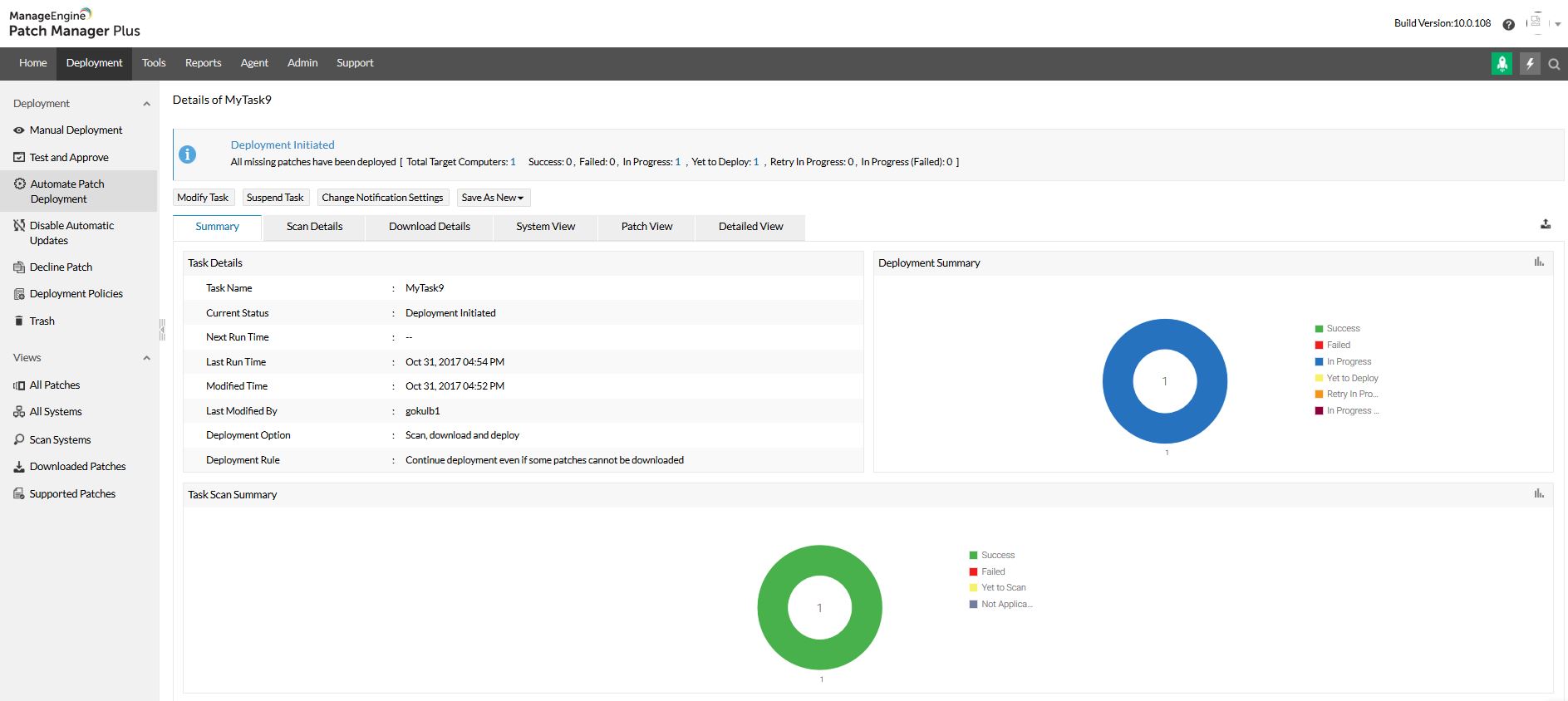
ManageEngine Patch Manager Plus Screenshots
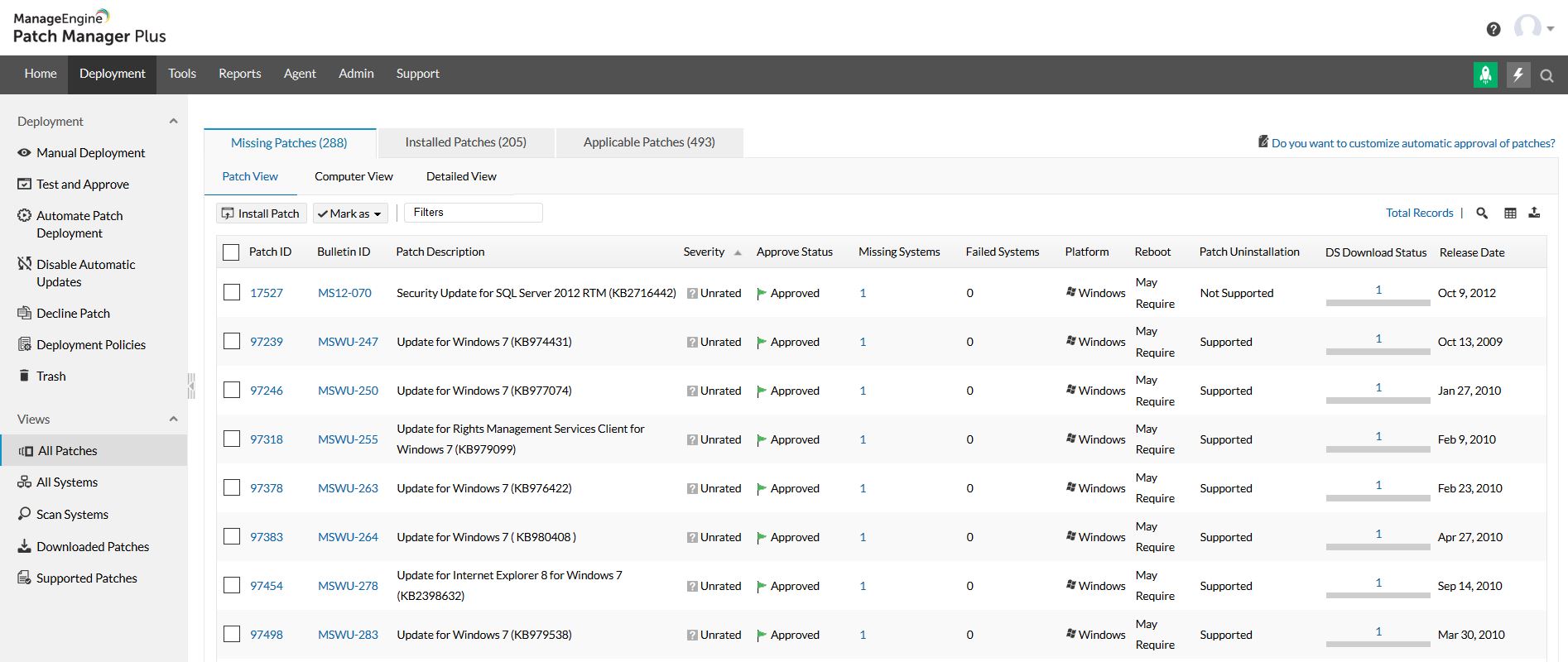
Screenshot of Home view and security news feedScreenshot of All patches viewScreenshot of All systems viewScreenshot of Automated patch deploymentScreenshot of Scope of managementScreenshot of Configurations