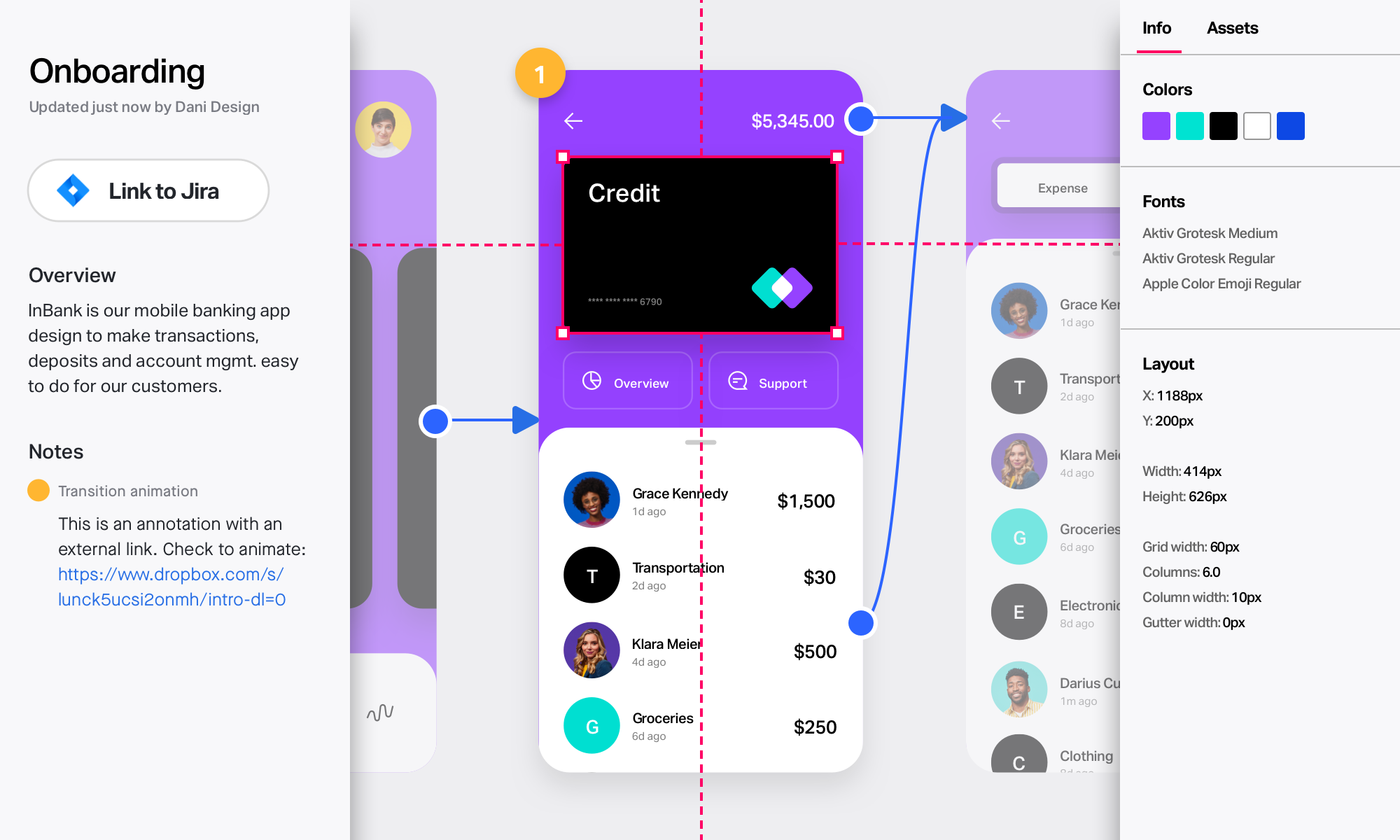
InVision is a collaborative design and prototyping platform with features such as freehand drafting mode and interactive mockups, collaboration, idea management, user testing, and integration with Slack and other collaboration tools. According to the vendor, 1 million designers are using the free version.
$0
LMS365
Score8.1 out of 10
N/A
ELEARNINGFORCE in Edgewater brings learning management to Office 365 and SharePoint. LMS365 blends with the Microsoft infrastructure and is designed to eliminate expensive integration, time-consuming development, and unwanted complexity. Learners access learning plans, courses, personal progress reports, and certificates from within the SharePoint business process.
InVision is well suited for design reviews and immersing yourself in the experience of an app-to-be. As a Product Manager, it's difficult to take abstract concepts, user pain points, and business needs, and produce a vision for an app without a visual aid to communicate a vision. InVIsion offers PMs, designers, and developers the opportunity to sketch a vision, communicate about it with inline commenting, and shareable with other stakeholders.
A de minimis incentive was given to thank the reviewer for their time. The incentive was not used to bias or drive a particular response, nor was the incentive contingent on a positive endorsement. More Info
If a customer does not have SharePoint the entry in that kind of solution is a bit harder as the use of SharePoint can be so broad. It does not mean it is not the right solution as a company can use SharePoint LMS to start with and then expand to other functions and features. I strongly recommend to use SharePoint Standard or Enterprise and forgo the "free" SharePoint version as a) SharePoint's core functions and features are greatly enhanced in these two premium versions and b) more and more SharePoint LMS functions make use of these core Standard and Enterprise features in the future, like taxonomy, user profiles, etc. In general with all project it is as well recommended to have the full buy in by upper management and that the project initiative is fully supported. Adding such a solution (SharePoint LMS or any other LMS solution) will require the team not only to have a good plan on how the requirements can be achieved from a technical point of view, but how a training program can be rolled out to an organization of 5, 500, 5.000 or 50.000. The technical deployment of SharePoint LMS is measurable (I would say between 1-4 weeks based on the complexity, scale of the environment). 1-2 weeks of training (depending on the base knowledge of SharePoint in the company and the need to add knowledge of SharePoint LMS). That's it. Technically you are ready. If needed, any custom work, integration and development work comes on top. Where customer struggle is the availability and dedication of their own teams. Course content needs to be created, how should a course look like, what are the parameters, what are top ten things needed moving a course which was taught in a class room, but now to be delivered online. Buying the licenses is one thing, getting the solution up and running form a technical point of view is another, making it YOURS is the challenge!
A de minimis incentive was given to thank the reviewer for their time. The incentive was not used to bias or drive a particular response, nor was the incentive contingent on a positive endorsement. More Info
A de minimis incentive was given to thank the reviewer for their time. The incentive was not used to bias or drive a particular response, nor was the incentive contingent on a positive endorsement. More Info
A de minimis incentive was given to thank the reviewer for their time. The incentive was not used to bias or drive a particular response, nor was the incentive contingent on a positive endorsement. TR verified that a representative sample of customers was invited. More Info
When the user clicks into a different portion of the file library and then needs to return to a previous class the software forces you to go all the way back to the beginning of the coursework, this isn’t that painful just annoying.
A de minimis incentive was given to thank the reviewer for their time. The incentive was not used to bias or drive a particular response, nor was the incentive contingent on a positive endorsement. More Info
A de minimis incentive was given to thank the reviewer for their time. The incentive was not used to bias or drive a particular response, nor was the incentive contingent on a positive endorsement. More Info
It is very simple for me: As I said, I am (we are) selling and consulting around SharePoint LMS. SharePoint LMS is a killer application which needs to be in every company which has a vision and mission to deliver and create knowledge. So you can say Thomas (me) is biased, but I only encourage you to check out the solution to hear what we have to say and stack our solution against the other solutions out there.
Easy for prototyping, sharing for comments and review changes with version. lags a bit when the design is heavy and large design models learning curve is shorter so saves time with new stakeholders responsiveness could be better and auto modeling can be introduced Not much advance features that can be used
A de minimis incentive was given to thank the reviewer for their time. The incentive was not used to bias or drive a particular response, nor was the incentive contingent on a positive endorsement. More Info
Ultimately, in my opinion LMS365 is a bit clunky to use. It has most of the features you need, but most need to be configured by your technology department, e.g., SSO, user groups in Entra ID, notifications through Slack, teams, etc. If you're looking for an all-in-one solution, look elsewhere, as lms365 has several catches to its proposition.
A de minimis incentive was given to thank the reviewer for their time. The incentive was not used to bias or drive a particular response, nor was the incentive contingent on a positive endorsement. More Info
I didn't need to contact InVision support, as I've never needed it. They have an intuitive UI, and most of the questions are answered in their help portal or in tutorials online. Since many people use it, there a great resources available on for example YouTube. No problems so far with InVision.
A de minimis incentive was given to thank the reviewer for their time. The incentive was not used to bias or drive a particular response, nor was the incentive contingent on a positive endorsement. More Info
The few times we actually needed support generally were during major upgrades of the system and getting a quick handle on how the configuration changed were the primary reasons.
A de minimis incentive was given to thank the reviewer for their time. The incentive was not used to bias or drive a particular response, nor was the incentive contingent on a positive endorsement. More Info
We only tested out using Adobe XD for similar uses and found it to be more challenging to fit within our processes. It didn't have as robust a set of capabilities as InVision and wasn't as easy to use enterprise wide. I recall also having issues with working with Sketch.
A de minimis incentive was given to thank the reviewer for their time. The incentive was not used to bias or drive a particular response, nor was the incentive contingent on a positive endorsement. More Info
I will pick EdApp or Totara if you're after an all-in-one LMS solution that is feature-rich. For a university educational setting, Moodle continues to make sense. Safety Culture now owns EdApp, so over time, these platforms will likely be merged. LMS needs a huge overhaul to catch up.
A de minimis incentive was given to thank the reviewer for their time. The incentive was not used to bias or drive a particular response, nor was the incentive contingent on a positive endorsement. More Info
InVision helps our team better and more professionally portray the value and the work we do as designers, leading to more company buy-in in supporting and funding our work. In the past, we would create PowerPoints with screenshots to portray a user workflow that we would share out to stakeholders. Once we began to use this app, where stakeholders could click through and comment as though they were “real” users, stakeholders began to better understand our work, designs, and workflows. This has led to more productive conversations that, in turn, lead to more effective end products that have more consistently served our business goals in tangible ways.
InVision helps us save production time, effort, and cost, as we are able to solve design issues early in the process by having clickable prototypes to show to internal stakeholders and external users. It’s, understandably, difficult for people to provide effective feedback on screenshots. Using the clickable prototypes we created in InVision, we are able to get more effective feedback to solve user workflow issues before we spend time and money developing problematic designs (and later having to redesign them).
It’s easier to market designs to potential buyers with clickable prototypes than with screenshots. With these prototypes, we’ve been able to sell more digital products before product release dates, which has helped to secure many contracts and new business relationships that continue to this day.
A de minimis incentive was given to thank the reviewer for their time. The incentive was not used to bias or drive a particular response, nor was the incentive contingent on a positive endorsement. More Info