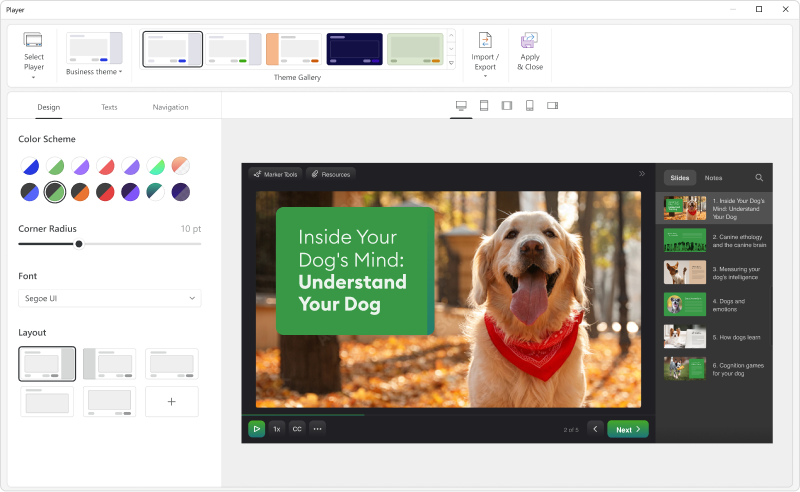
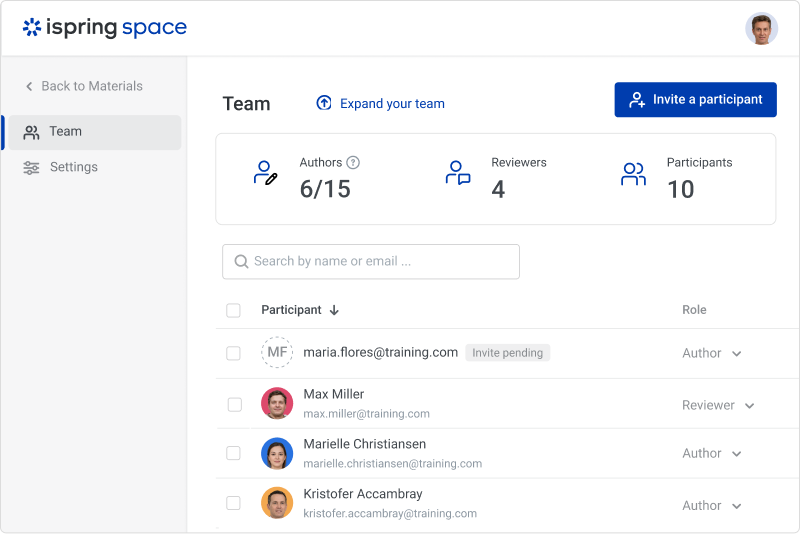
iSpring Suite helps users build courses that are mobile-ready and adaptive. It’s integrated with PowerPoint, so users can create the content in the familiar PPT interface without spending time on specific training. The toolkit supports the creation of professional courses, video lectures, role-play simulations, and a range of assessments that display and work on any device. With the iSpring Suite AI package, users have even more capabilities for creating eLearning content. It comes with…
$970
per year per user
Udacity
Score 9.0 out of 10
N/A
Udacity aims to change lives, businesses, and nations by creating job-ready digital talent.
With over a decade of experience creating digital talent at scale, Udacity addresses the global talent shortages impacting growth, productivity, and innovation. Udacity's curriculum, personalized mentor support, and measurable outcomes strive to create expertise with a focus on the in‑demand competencies that ensure workplace relevance.
$399
per month
Pricing
iSpring Suite
Udacity
Editions & Modules
No answers on this topic
Starting Price
$399.00
per month
Offerings
Pricing Offerings
iSpring Suite
Udacity
Free Trial
Yes
No
Free/Freemium Version
Yes
No
Premium Consulting/Integration Services
No
No
Entry-level Setup Fee
No setup fee
No setup fee
Additional Details
Academic, non-profit, government and volume discounts are available.
—
More Pricing Information
Community Pulse
iSpring Suite
Udacity
Features
iSpring Suite
Udacity
eLearning Content
Comparison of eLearning Content features of Product A and Product B
iSpring Suite gives me a platform to easily create training courses for any number of subjects, custom-designed to fit my workplace. I can include quizzes that allow me to track both the completion rate of the course and the success rate of the training. Its user-friendliness stands out and makes my role as Training Director much easier on a day-to-day basis.
It's suited well to support on developing a project and following a set curriculum to get things and material in order. Also it has the idea of a nano-degree as the mini-certification to focus on working through a program over a course of a few months. It's more of an interactive course and best for having access for a set period of time. It helps to prepare well for exams but less beneficial when it comes to more applications I find, and should not be used to supplant any resource, but to use in conjunction with.
Add details on what the customized play includes when the mouse hovers over the icon. It took a bit of time to realize that this was where we could select different layouts.
Quiz questions in some cases could be made clearer. I didn't feel the questions were always phrased in a way that I could easily understand what was being asked.
Requests for support can sometimes take a very long time to get resolved.
Cost structure changed from a fixed-price model to a subscription-only model, and prices are significantly increased as such.
iSpring Suite is a perfect tool overall to create contents in collaboration with colleagues. There are some difficulties though in usability but the usability is OK in total. We are fully satisfied with the customer support. There are simple online tutorials and a team of competent support colleagues. The support content is sometimes not simply accessible, you need to search for them longer.
They are already very good. But, would be great if Udacity improves the area of standardizing offline projects and exercises so that people could attempt to work offline. Including documentation on how to do it. More practical or real-world projects to choose and work on after course completion. Maybe a community can do it.
Great software is only exceeded by their fantastic support. Prompt responses, complete with clearly outlined steps to follow, are just the beginning. There are tremendous resources and continual webinars to challenge what we think we know about the iSpring Suite. I often use PowerPoint to lay out marketing slides, add music and narration, then publish them as an MP4 video. I can count on iSpring support to assist me when I need help.
I didn't personally have any issues with the program, but scheduling time to review the final project was easy, and the assistant was pleasant to work with.
Ultimately, I selected iSpring Suite because of the ease of use and small learning curve. I needed to be able to start creating content immediately, and after doing trial periods with iSpring as well as some of the other options, it was clear that I could be up and running the quickest with iSpring. I don't see any features that are missing for what I need, and it was also the cheapest option.
I combined my learning from various platforms and did on exclusively reply on any one. However, the free courses in Udacity lacks the comprehensiveness as Coursera.
It has enhance my reputation personally within the organization. This has led to other departments requesting me by name to head up eLearning development projects, even delaying their own deadlines to ensure that I am involved.
Other than a few duds (I let some inexperienced vocal talent slip thru in the heat of multiple conflicting deadlines), learner feedback has skyrocketed over that developed before I became involved and standardized the effort on iSpring
I am already in a great position as a CTO with a great company. I hope to be able to build some new technology with what I am learning, but I haven't applied any of it yet to my own real-world problems. I will though.