TrustRadius: an HG Insights company

Save this comparison

Save this comparison

Add Product

Recommended Comparisons

    Overview
    ProductRatingMost Used ByProduct SummaryStarting Price

    Jeeva AI

    Score8.7 out of 10
    Mid-Size Companies (51-1,000 employees)
    Jeeva AI is an agentic AI platform for anyone who sells. It gives sellers their time back by allowing sales teams to focus on tasks that require human connection while automating the processes that don’t. Instead of wasting reps' time on list-building, inbox triage, and manual follow-ups, Jeeva AI automates the entire revenue workflow: discovering and enriching leads, writing personalized multichannel outreach, handling inbound replies, scheduling meetings, prepping…

    $1,000

    per month

    Mailtrack

    Score9.7 out of 10
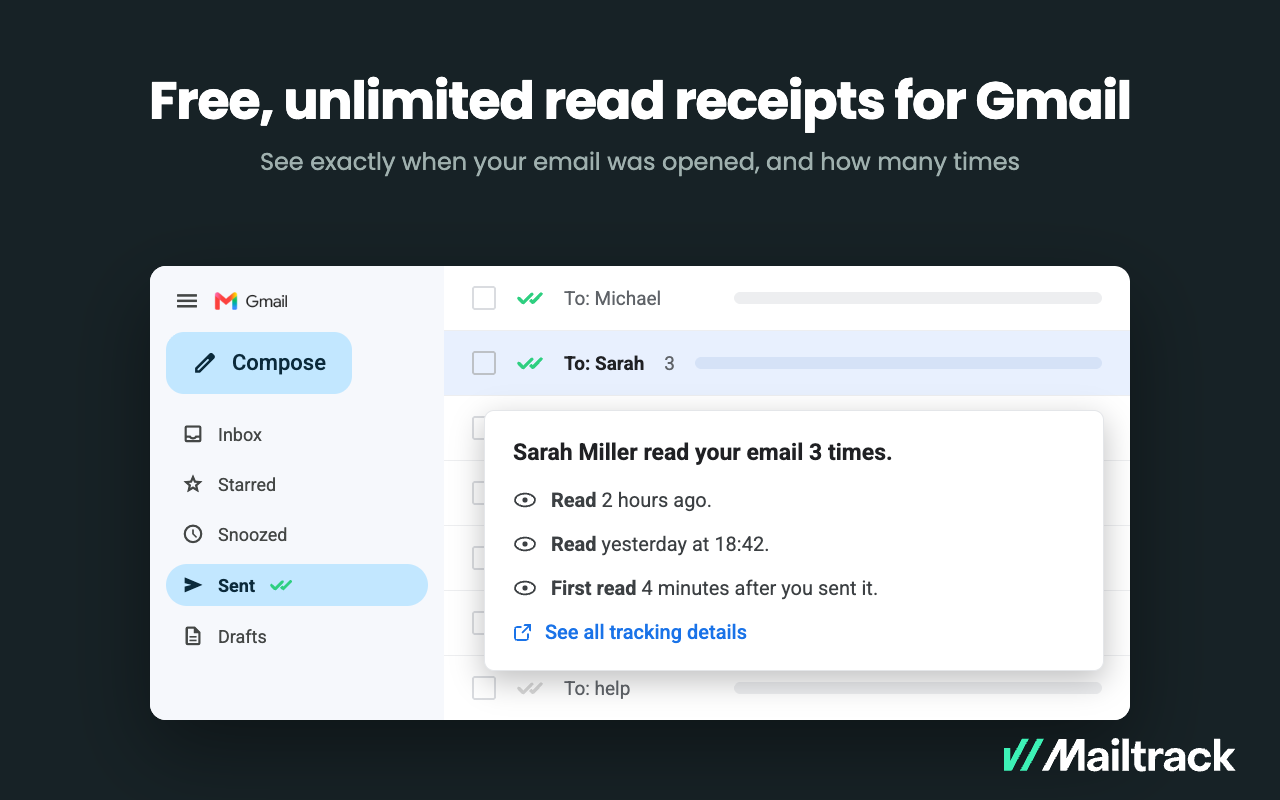
    N/AMailtrack is an email-tracking extension for Gmail and part of Mailsuite. It adds delivery and read-status indicators to sent messages, showing when recipients open an email or click a tracked link without requiring users to leave Gmail. Key Capabilities Gmail read receipts: Mailtrack adds one or two checkmarks to sent messages. Grey checkmarks indicate delivery; green checkmarks indicate that the message was opened. Open and…

    $2.99

    per month per user

    Pricing
    Jeeva AIMailtrack
    Editions & Modules
    No answers on this topic
    Free
    $0
    per month per user
    Mailtrack
    2,99
    per month per user
    Mailsuite
    9,99
    per month per user
    Offerings
    Pricing Offerings
    Jeeva AIMailtrack
    Free Trial
    YesNo
    Free/Freemium Version
    NoYes
    Premium Consulting/Integration Services
    NoNo
    Entry-level Setup FeeOptionalNo setup fee
    Additional Details——
    More Pricing Information
    Best Alternatives
    Jeeva AIMailtrack
    Small Businesses
    No answers on this topic
    Yesware
    Score8.3 out of 10
    Medium-sized Companies
    Piper the AI SDR by Qualified
    Score8.9 out of 10
    Yesware
    Score8.3 out of 10
    Enterprises
    Conversica
    Score4 out of 10
    No answers on this topic
    All AlternativesView all alternativesView all alternatives
    User Ratings
    Jeeva AIMailtrack
    Likelihood to Recommend
    8.6
    (16 ratings)
    9.4
    (50 ratings)
    Usability
    8.5
    (14 ratings)
    8.7
    (40 ratings)
    Support Rating
    -
    (0 ratings)
    7.1
    (42 ratings)
    User Testimonials
    Jeeva AIMailtrack
    Likelihood to Recommend
    Jeeva.ai
    If anyone is looking to pile up the list of email lists to send out e-blast or cold messages, I would highly recommend Jeeva AI. However, if anyone needs more of organic work, I would recommend using Jeeva AI to collect contact information, but do the work manually.
    Read full review
    Mailtrack
    Mailtrack is great for tracking emails if you do not want to pay for larger more complicated tools that do the same thing. If you already love your system but just want to add some convenient read tracking, that's exactly what this is for. If you have a system that doesn't work well, I would take the time to evaluate alternatives that also include read tracking (Salesforce for example). This also applies if you're trying to use this for large outbound sales emails - there are a lot of applications that have email tracking built in (Outreach.io is a great example) so it may just be worth switching your whole system.
    Incentivized
    Read full review
    Pros
    Jeeva.ai
    • Finding specific leads according to descriptions provided
    • Allowing customers to experience Jeeva AI by offering free credits
    • Following up with leads
    Read full review
    Mailtrack
    • Immediately you will be notified once any user accesses the email. There is no delay. We have crossed checked and it works awesome.
    • The Mailtrack extension is easy to use. Setting up an account and getting started is smooth and fast.
    • Free version includes unlimited email tracking, this is fab.
    Incentivized
    Read full review
    Cons
    Jeeva.ai
    • You run out of credits very fast, they charge per email sent. The credits should be for lead generation not emailing.
    • Incorporate delivery results, bounce results, mailer unfound results, etc... We can not see any of those metrics.
    • Incorporate a text sequence campaign as well. To be one stop shop for contacting all ways.
    Read full review
    Mailtrack
    • Some of the settings can be confusing at first.
    • Some alerts are on by default and can be annoying at times.
    • Good to know if the email was deleted.
    • It would be great to know how much time recipients spent on each email.
    Read full review
    Usability
    Jeeva.ai
    Jeeva is composed of individual products / features that form a robust, automation-based, outbound system when combined. Parts of the tech stack within Jeeva itself – can be difficult to work with independently. Some of what the individual products provided makes you ask why? Why was this individual product / feature implemented
    Incentivized
    Read full review
    Mailtrack
    I would rate Mailtrack's overall usability as a ten out of ten. The reasons for this are actually quite simple. For now, only I have been using Mailtrack. However, looking at the rather easy to use characteristics Mailtrack has to offer, I would not hesitate to recommend it to the rest of my colleagues.
    Incentivized
    Read full review
    Support Rating
    Jeeva.ai
    No answers on this topic
    Mailtrack
    I didn't really need to use the customer support but the fact that they proactively make the installation process so easy by providing step by step instructions with videos and everything is kind of pro-active customer support that is needed. Good for them because at the end of the day, it's everyone's dream to use a product that they don't need support for.
    Read full review
    Alternatives Considered
    Jeeva.ai
    Jeeva AI is less straightforward than Sales Nav. It seems that it is trying to be everything that Sales Nav is, but not quite achieving it yet. The customer service for Linkedin is far superior to Jeeva's. Jeeva's team refused to give me a refund on my first month's subscription despite their refund policy clearly stating that I was entitled to it. This has never happened before with Linkedin Sales Nav.
    Incentivized
    Read full review
    Mailtrack
    There's a free tier. Obviously, there are other things to love, like notifications about your email being read, the fact that if an email hasn't been responded to in some time it gets bumped up. The fact that if other people have Mailtrack you will actually get notified who read your email. But the fact that there is a free tier is HUGE.
    Read full review
    Return on Investment
    Jeeva.ai
    • We just started and was great for lead generation
    • Those leads we can manually email them or call them
    • Our sequence campaigns are barely 1 email in, looking forward to see if we get any traction on the last 2 sequences
    Read full review
    Mailtrack
    • I'm currently using the free version so my investment was time spent downloading the browser extension. I would say it's worth the investment because I can make more value through each email by finding the right time to send replies or know when is the exact time I should follow up.
    • Knowing when an email is read multiple times helps me know the importance of the content in my email.
    • The paid version allows Mailtrack to tell you which recipient read the email if there was more than 1.
    Read full review
    ScreenShots

    Mailtrack Screenshots

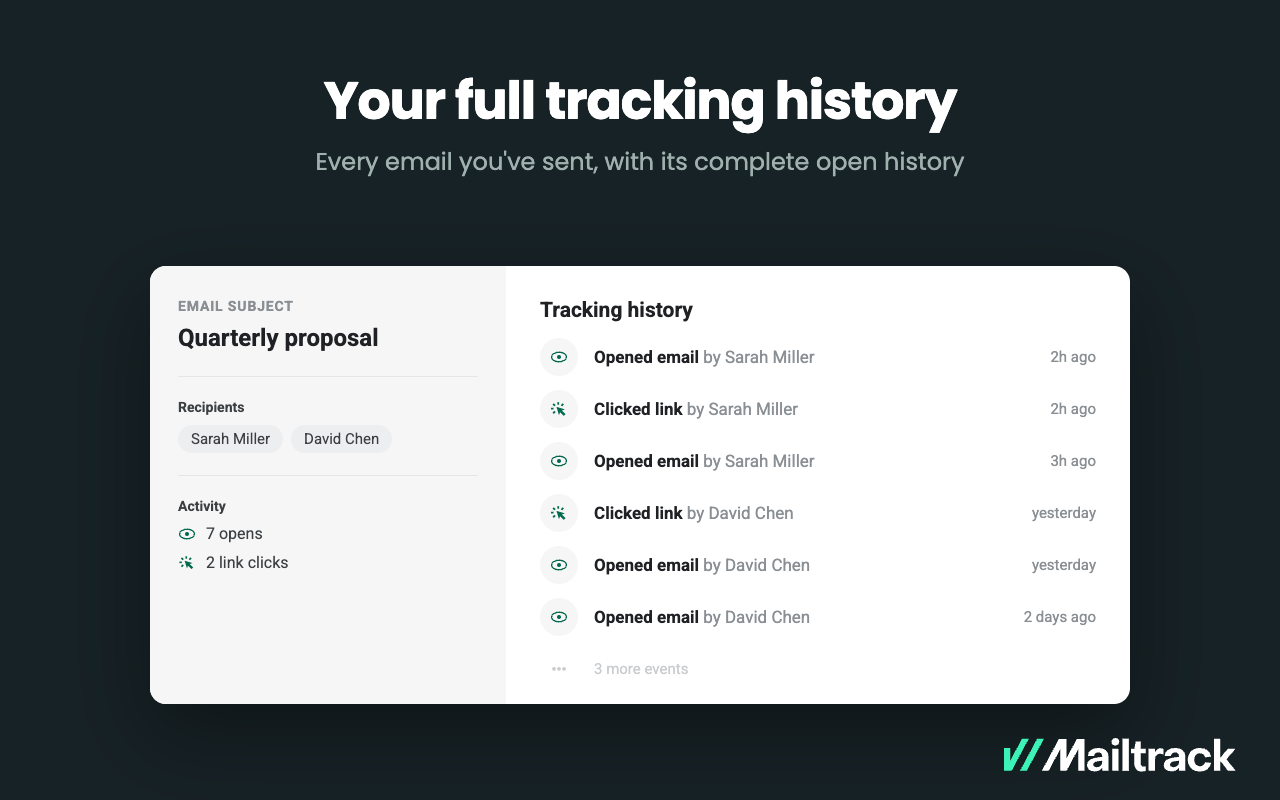
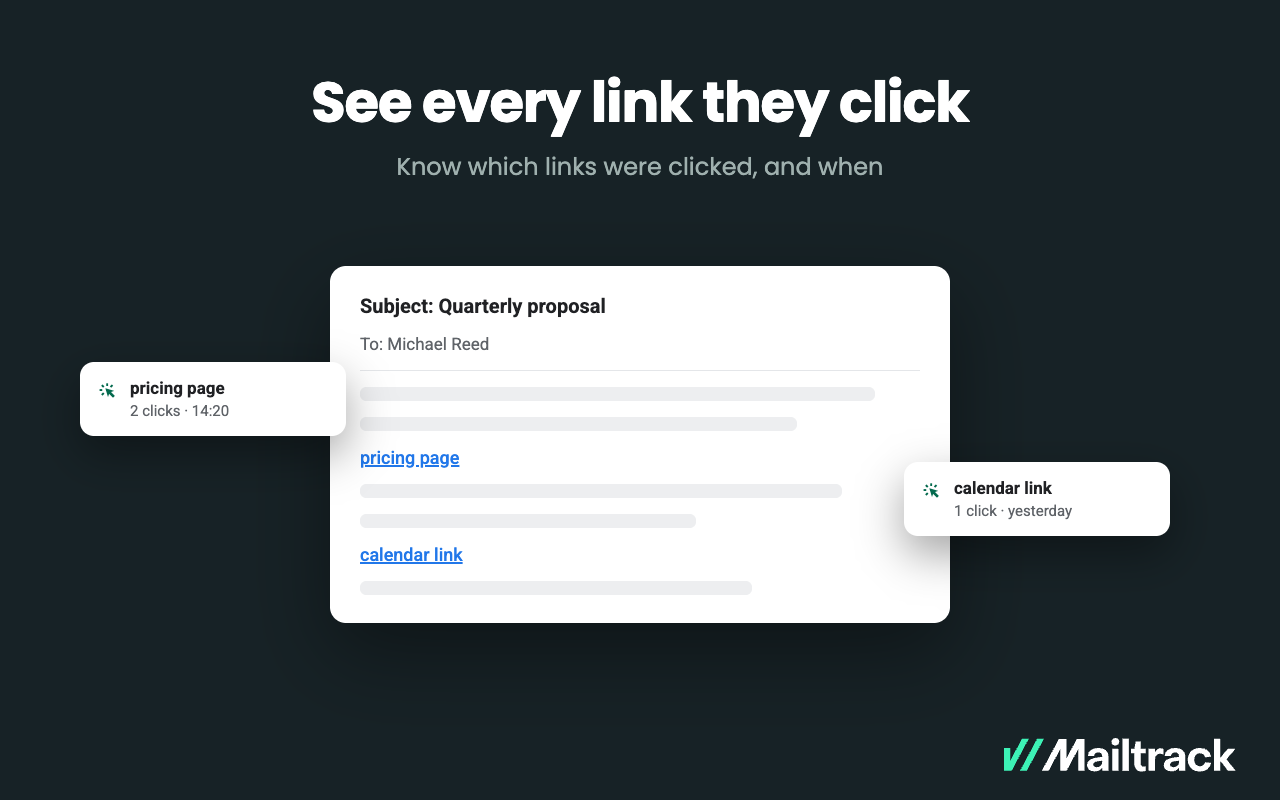
    Screenshot of Double check marks appear right in the  Gmail Sent folder — one for delivered, two for read. Nothing new to learn, no separate dashboard to open.Screenshot of Alerts, sent the moment a recipient opens your message, so you can follow up or pick up the phone while the email is still on their screen.Screenshot of where to set a reminder rules once and Mailtrack watches sent mail, flagging the messages that went unopened or unanswered so none of them go cold.Screenshot of A complete activity log per email — who opened it, how many times and when, including each recipient separately when sent to a group.Screenshot of a display of exactly which links a recipient clicked and when — a pricing page, a proposal, a calendar link.