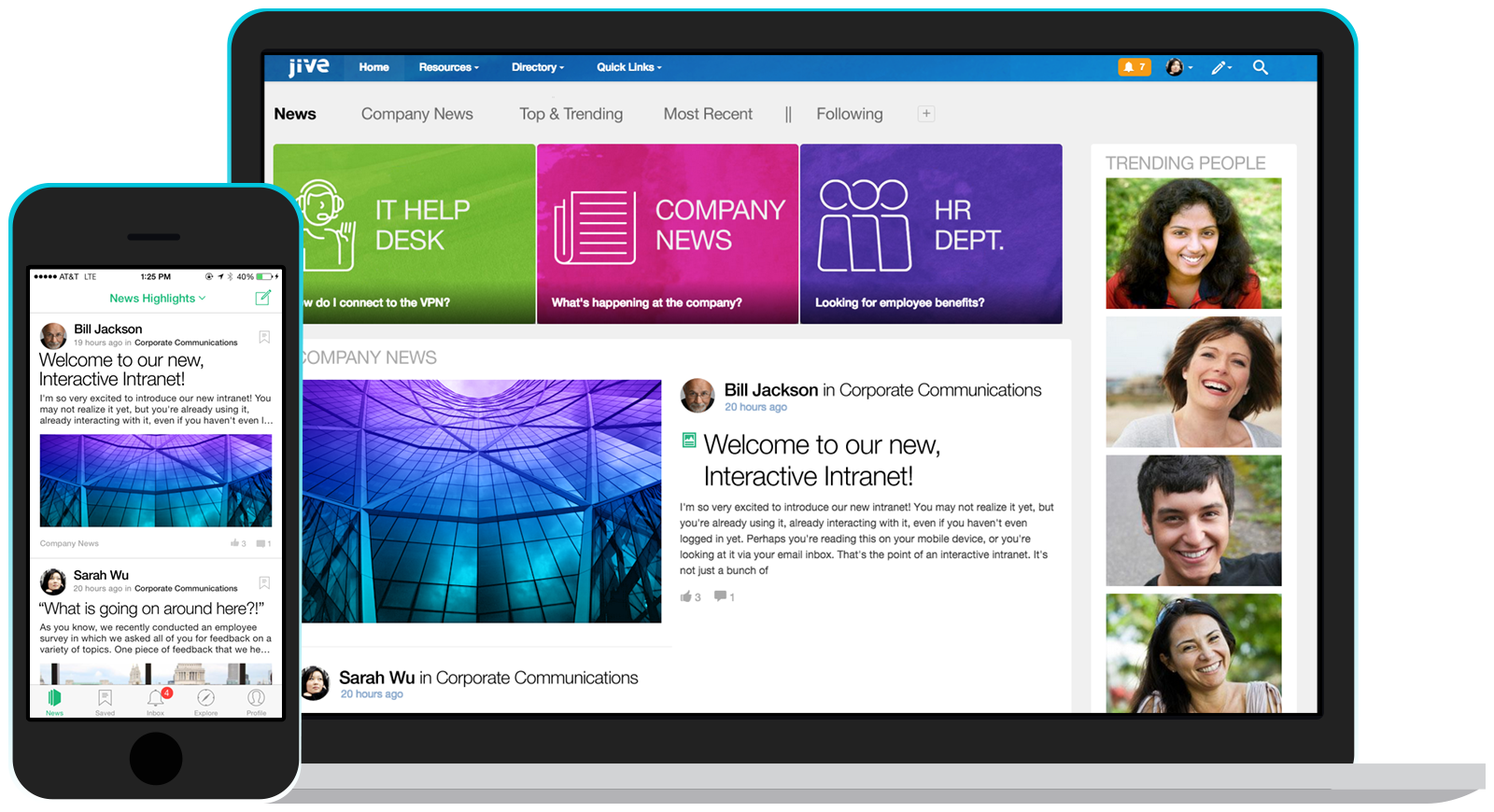
Jive Software, part of the Aurea family of customer experience solutions, provides the gateway to an organization's most important assets – its knowledge and people. Jive's interactive intranet solution promises to connect people, information and ideas to help businesses outpace their competitors. The vendor says the product has more than 30 million users worldwide across every industry, and is consistently recognized as a leader by top analyst firms.
N/A
OptiSigns
Score9 out of 10
N/A
OptiSigns offers Digital Signage content for in-store screen projection. Content can be assigned and screens can be managed remotely, while playlists can be assigned to individual screens. OptiSigns recommends setting up this software with Amazon Fire TV Stick.
$10
per month
Pricing
Jive
OptiSigns
Editions & Modules
No answers on this topic
No answers on this topic
Offerings
Pricing Offerings
Jive
OptiSigns
Free Trial
No
Yes
Free/Freemium Version
No
No
Premium Consulting/Integration Services
No
No
Entry-level Setup Fee
No setup fee
No setup fee
Additional Details
—
Starting prices run from $10 to $15 on the monthly plan, and $108 to $162 on yearly subscriptions. Customized Enterprise plans are also available. An Audience Intelligence AI add-on is available for $5 per month or $54 per year (per screen).
It's definitely worth considering Jive for the type of application we've developed i.e. a central shared repository for all employees to host and discuss information. I can't say I have ever used a superior tool, but they may exist. I'm just not sure I would want to use it exclusively for file hosting, though. It does integrate with various other tools, so perhaps it would be fine if used in conjunction with another tool for that purpose.
A de minimis incentive was given to thank the reviewer for their time. The incentive was not used to bias or drive a particular response, nor was the incentive contingent on a positive endorsement. TR verified that a representative sample of customers was invited. More Info
OptiSigns has made it incredibly simple and practical to manage digital signs. The mobile app functions nicely, and video playback is far superior to the other signage software competitors. Extremely fast to set up. The system's simplicity of use and cloud compatibility is what I like best. It is incredibly simple and intuitive to upload files and switch screens. The TV stick is plug-and-play and requires little to no technical expertise. And less appropriate for me is I believe the scheduling should be improved to allow for more spontaneous additions to the schedule. It would also be helpful if there was a feature that allowed the screen to turn on and off according to a timetable. The sync play feature may be improved. I find it annoying that YouTube playlists must be timed to exactly match their duration to appear correctly. The mobile app should get an emergency message feature.
A de minimis incentive was given to thank the reviewer for their time. The incentive was not used to bias or drive a particular response, nor was the incentive contingent on a positive endorsement. More Info
Presence of Russian language (localization can be independently established)
You can configure several information tapes with different themes. One for work, the second for communication
A newly-arrived network user immediately receives a prepared block for beginners. After completing several game tasks, the user will receive the basics of using Jive.
There is a template for each scenario. There is even a template for planning R&D, and there are more than twenty of them.
Integrates with MS Office, Google Drive, Google Docs
There are all platforms (even Winphone and blackberry)
A de minimis incentive was given to thank the reviewer for their time. The incentive was not used to bias or drive a particular response, nor was the incentive contingent on a positive endorsement. More Info
A de minimis incentive was given to thank the reviewer for their time. The incentive was not used to bias or drive a particular response, nor was the incentive contingent on a positive endorsement. More Info
I believe there is room for improvement. I believe the scheduling should be improved to allow for more spontaneous additions to the schedule.
It would also be helpful if there was a feature that allowed the screen to turn on and off according to a timetable. The sync play feature may be improved.
I find it annoying that YouTube playlists must be timed to exactly match their duration to appear correctly and also the mobile app should get an emergency message feature.
A de minimis incentive was given to thank the reviewer for their time. The incentive was not used to bias or drive a particular response, nor was the incentive contingent on a positive endorsement. More Info
There are always external factors that can impact this decision but currently, the Jive platform is maintaining its lead in the market place in this area. If the innovation in this space by Jive continues, then this number will remain high. Integration with other systems and adaptability to changes in the market or in client needs will also make this decision hard to predict more then 6 months into the future
It was harder to use that expected. The admin needs to be code savvy to truly customize the system. And users need to trained on the system and the setup. Trainings and monitoring need to continue to enforce use.
Uptime was OK. But there was one day that the system crashed for a whole day. Our company was unable to operate. And all the plugins to word/excel froze causing those systems to freeze.
Jive posted a statement to the media saying all customers were up, but we were not.
They did an OK job when I needed them. Except for the one day the system went down. Jive pointed the finger at the hosting company, and the hosting company pointed the finger at Jive. No reliable information came to us.
Jive online training is there. It is OK/average. I feel some other companies are doing better. It is not a piece that is required to have a successfully implementation, but it could be useful to improve it
We had a Google phone number set up before and Jive was a lot better option than that. It is more consistent and can be configured much easier and with more advanced settings. Additionally, based on the pricing as well as working with the rep on our account, it was a perfect option for us
A de minimis incentive was given to thank the reviewer for their time. The incentive was not used to bias or drive a particular response, nor was the incentive contingent on a positive endorsement. More Info
We have chosen OptiSigns because Its application's installation instructions are simple and easy to understand.OptiSigns has made it incredibly simple and practical to manage digital signs. The mobile app functions nicely, and video playback is far superior than other signage software competitors. Another reason Time and money saving is another reason why we have chosen OptiSigns over the other competitors of present age signage software.
A de minimis incentive was given to thank the reviewer for their time. The incentive was not used to bias or drive a particular response, nor was the incentive contingent on a positive endorsement. More Info
reduce amount of files/documents scattered & lost across shared drives
increased discovery, awareness and interaction of historically more separated individuals & team functions across the organisation
from an IT perspective, we've benefited from improved IT operations (e.g. troubleshooting info shared and easily searched/found with all team members - such that even junior team members can solve technical problems outside of business hours, lessening the burden for standby/call-in for more senior team members)
A de minimis incentive was given to thank the reviewer for their time. The incentive was not used to bias or drive a particular response, nor was the incentive contingent on a positive endorsement. More Info
A de minimis incentive was given to thank the reviewer for their time. The incentive was not used to bias or drive a particular response, nor was the incentive contingent on a positive endorsement. More Info