JMP Pro offers all the capabilities of JMP, plus advanced features for more sophisticated analysis including predictive modeling and cross-validation techniques.
N/A
OpenText Magellan
Score9 out of 10
N/A
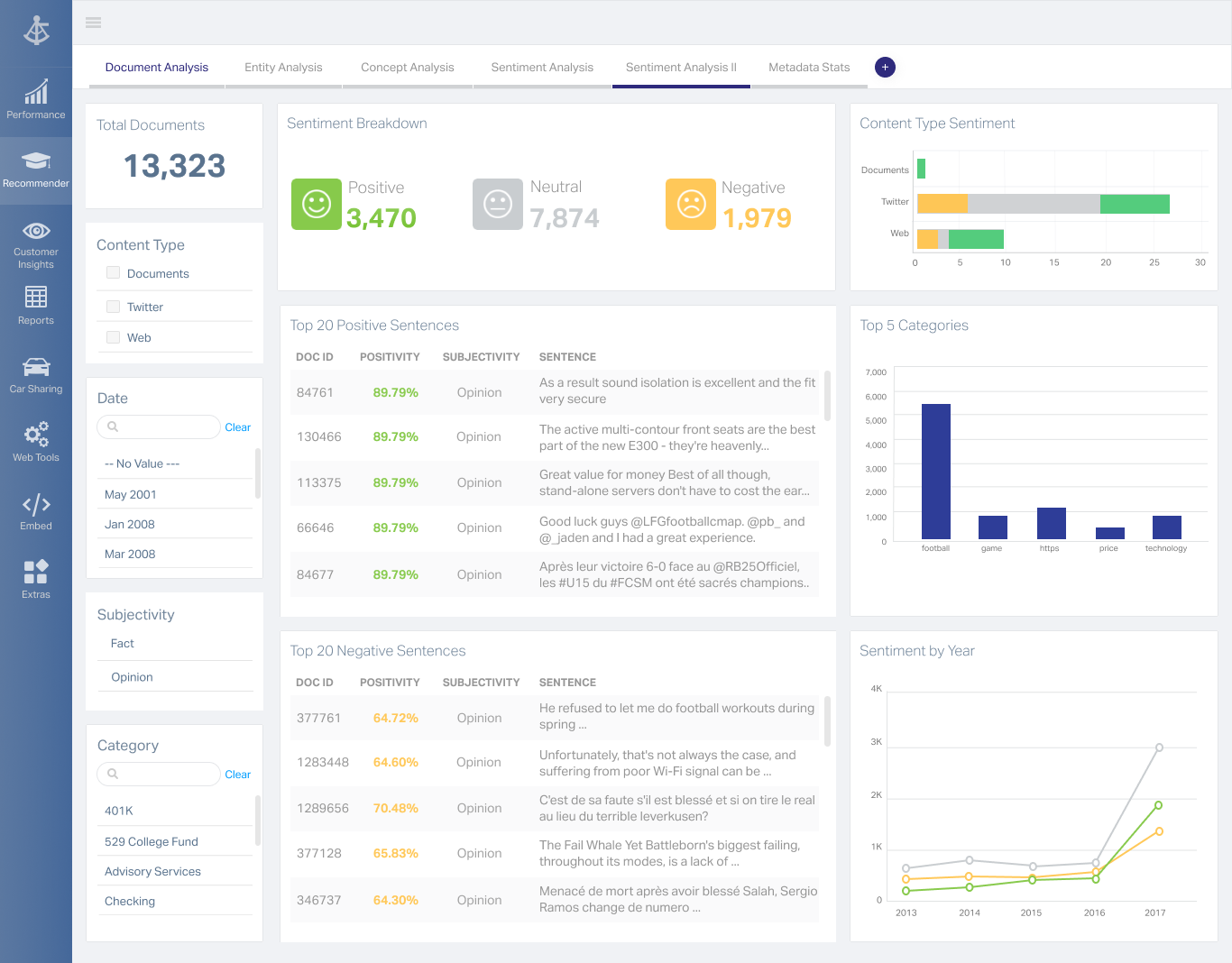
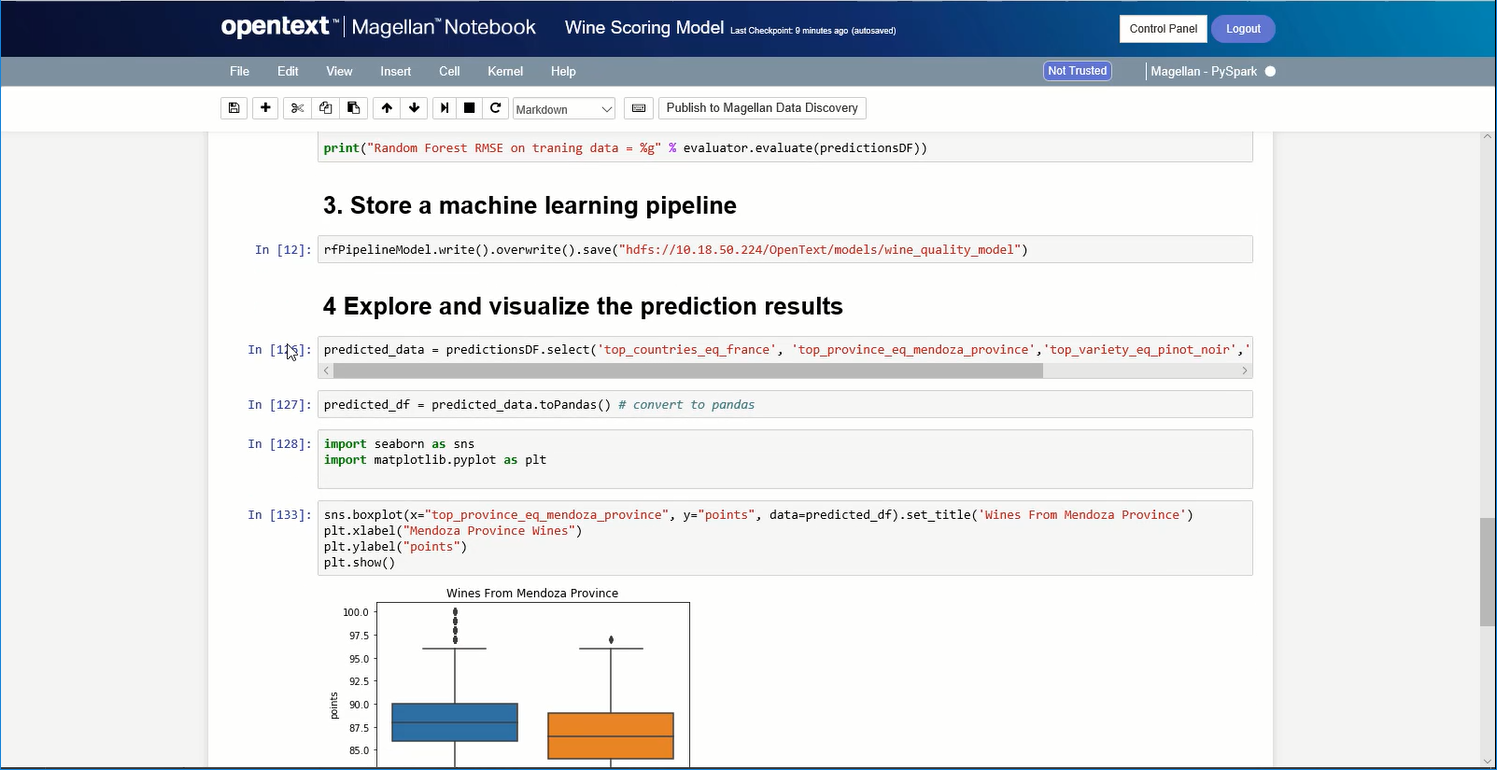
OpenText Magellan Analytics Suite leverages a comprehensive set of data analytics software to identify patterns, relationships and trends through data visualizations and interactive dashboards.
N/A
Pricing
JMP Pro
OpenText Magellan
Editions & Modules
No answers on this topic
No answers on this topic
Offerings
Pricing Offerings
JMP Pro
OpenText Magellan
Free Trial
No
No
Free/Freemium Version
No
No
Premium Consulting/Integration Services
No
No
Entry-level Setup Fee
No setup fee
No setup fee
Additional Details
—
—
More Pricing Information
Features
JMP Pro
OpenText Magellan
BI Standard Reporting
Comparison of BI Standard Reporting features of JMP Pro and OpenText Magellan
Feature
JMP Pro
-
Ratings
OpenText Magellan
7.0
2 Ratings
15% below category average
Customizable dashboards
00 Ratings
7.02 Ratings
Report Formatting Templates
00 Ratings
7.01 Ratings
Ad-hoc Reporting
Comparison of Ad-hoc Reporting features of JMP Pro and OpenText Magellan
Feature
JMP Pro
-
Ratings
OpenText Magellan
8.3
3 Ratings
4% above category average
Drill-down analysis
00 Ratings
8.03 Ratings
Formatting capabilities
00 Ratings
8.03 Ratings
Integration with R or other statistical packages
00 Ratings
9.01 Ratings
Report sharing and collaboration
00 Ratings
8.02 Ratings
Report Output and Scheduling
Comparison of Report Output and Scheduling features of JMP Pro and OpenText Magellan
Feature
JMP Pro
-
Ratings
OpenText Magellan
8.3
2 Ratings
1% above category average
Publish to Web
00 Ratings
8.02 Ratings
Publish to PDF
00 Ratings
8.02 Ratings
Report Versioning
00 Ratings
9.02 Ratings
Report Delivery Scheduling
00 Ratings
8.02 Ratings
Data Discovery and Visualization
Comparison of Data Discovery and Visualization features of JMP Pro and OpenText Magellan
JMP Pro is perfectly suited for statistical analysis but users should have some statistical knowledge before using it since there may be some terms/functions in the software that are not widely used in other fields. No prior coding experience is needed to use JMP Pro. However, most people doing data processing would prefer to code their analysis.
A de minimis incentive was given to thank the reviewer for their time. The incentive was not used to bias or drive a particular response, nor was the incentive contingent on a positive endorsement. More Info
If you do not have a large budget and are a large organization, I would steer clear of Actuate. If you are looking to do very complex washboarding, I would not use them. Your developers have to be very skilled to work with this. Plan to bring in consultants if necessary to help your process. Adhoc reporting is weak. If your pricing is user based and you expand, this could be very expensive.
A de minimis incentive was given to thank the reviewer for their time. The incentive was not used to bias or drive a particular response, nor was the incentive contingent on a positive endorsement. More Info
A de minimis incentive was given to thank the reviewer for their time. The incentive was not used to bias or drive a particular response, nor was the incentive contingent on a positive endorsement. More Info
JMP Pro is a really powerful tool for doing statistical analysis. Although the click environment does not require coding experience, new learners will still need to take a long time to know the parameters in the function before performing any analysis.
The output from JMP Pro analysis (regression analysis) is not always easy to understand, especially when the parameters are programmed differently with the other similar software.
A de minimis incentive was given to thank the reviewer for their time. The incentive was not used to bias or drive a particular response, nor was the incentive contingent on a positive endorsement. More Info
A de minimis incentive was given to thank the reviewer for their time. The incentive was not used to bias or drive a particular response, nor was the incentive contingent on a positive endorsement. More Info
I am no longer working for the company that was using Actuate but I believe they would continue to use it because the stitching costs would be to high. It would require a complete rewrite of the reports and the never version of Actuate (BIRT) even required an almost complete report rewrite
A de minimis incentive was given to thank the reviewer for their time. The incentive was not used to bias or drive a particular response, nor was the incentive contingent on a positive endorsement. More Info
JMP Pro is a great tool, but it's not user friendly. JMP Pro is something that requires a lot of trial and error to figure out. Minitab is far more user friendly and their help guides walk new users how to do everything. JMP Pro requires taking the time to do the STIPs course, or brute force figuring it out.
A de minimis incentive was given to thank the reviewer for their time. The incentive was not used to bias or drive a particular response, nor was the incentive contingent on a positive endorsement. More Info
It is quite intuitive to use. It is fit specifically for doing sentiment, emotion, and intention analysis as well as text classification and text summarization. I would have given 10 if it is fit for the purpose of doing image processing and analysis as well. There is a huge market to analyze video and image data.
A de minimis incentive was given to thank the reviewer for their time. The incentive was not used to bias or drive a particular response, nor was the incentive contingent on a positive endorsement. More Info
I use both JMP Pro and Minitab. JMP Pro works great for doing the work that needs live edit functionable, and the ability to filter charts on the go. Minitab is what I use for capability analysis and MSAs as the overall UI is much cleaner, and is far nicer to present to management than JMP Pro.
A de minimis incentive was given to thank the reviewer for their time. The incentive was not used to bias or drive a particular response, nor was the incentive contingent on a positive endorsement. More Info
It is vastly superior to these in many ways, for complex reporting it is a much more sophisticated solution. Visualizations are very good. Javascript extensibility is very powerful, others don't support this or as well. Pentaho and MS are both OLAP oriented. Pentaho is moving more toward big data, which was not our primary focus. Others are stuck in the Crystal Reports Band metaphor.
A de minimis incentive was given to thank the reviewer for their time. The incentive was not used to bias or drive a particular response, nor was the incentive contingent on a positive endorsement. More Info
Actuate can handle 50 to 60 sub reports inside a report very well.
Dynamically creating the datasource, chart, graph, reports are the main advantages. We can do any level of drilling, and can create a performance matrix dashboard efficiently.