
Kapost vs. Qualifio
Kapost vs. Qualifio
| Product | Rating | Most Used By | Product Summary | Starting Price |
|---|---|---|---|---|
 Kapost | N/A | Upland Kapost helps you create and distribute meaningful content to support the buyer journey for B2B companies. | $1 per month | |
 Qualifio | Mid-Size Companies (51-1,000 employees) | Qualifio enables publishers, brands and agencies to easily create and publish viral interactions on websites, mobile apps and social media. Quizzes, polls, tests, animated games, multimedia galleries and other innovative formats allow them to collect data and to engage, grow, monetise and qualify their digital audiences. According to the vendor, Qualifio enables editorial, marketing, CRM and sales teams to build and publish a wide array of interactive contents, in record time and at a… | N/A |
| Kapost | Qualifio | |||||||||||||||
|---|---|---|---|---|---|---|---|---|---|---|---|---|---|---|---|---|
| Editions & Modules | No answers on this topic | No answers on this topic | ||||||||||||||
| Offerings |
| |||||||||||||||
| Entry-level Setup Fee | No setup fee | $750 per account | ||||||||||||||
| Additional Details | — | — | ||||||||||||||
| More Pricing Information | ||||||||||||||||
| Kapost | Qualifio |
|---|
| Kapost | Qualifio | |||||||||||||||||||||
|---|---|---|---|---|---|---|---|---|---|---|---|---|---|---|---|---|---|---|---|---|---|---|
| Content Creation |
| |||||||||||||||||||||
| Content Publishing |
| |||||||||||||||||||||
| Content Reporting & Analytics |
|
| Kapost | Qualifio | |
|---|---|---|
| Small Businesses |  OutboundEngine Score 10.0 out of 10 | OutboundEngine Score 10.0 out of 10 |
| Medium-sized Companies | OutboundEngine Score 10.0 out of 10 | OutboundEngine Score 10.0 out of 10 |
| Enterprises |  Conductor Score 9.6 out of 10 | Conductor Score 9.6 out of 10 |
| All Alternatives | View all alternatives | View all alternatives |
| Kapost | Qualifio | |
|---|---|---|
| Likelihood to Recommend | 7.0 (12 ratings) | 9.0 (1 ratings) |
| Likelihood to Renew | 10.0 (2 ratings) | - (0 ratings) |
| Usability | 7.0 (1 ratings) | - (0 ratings) |
| Support Rating | 8.0 (2 ratings) | - (0 ratings) |
| Product Scalability | 8.0 (1 ratings) | - (0 ratings) |
| Kapost | Qualifio | |
|---|---|---|
| Likelihood to Recommend |  Upland Software
 Scott Barker Director of Product Marketing | Qualifio
|
| Pros | Upland Software
 Susan Kemp Content Coordinator and Editor | Qualifio
|
| Cons | Upland Software
 Amber Newman Sr. Manager, Marketing Communications | Qualifio
|
| Likelihood to Renew | Upland Software
 Lenore Brown Content Specialist | Qualifio No answers on this topic |
| Usability | Upland Software
| Qualifio No answers on this topic |
| Support Rating | Upland Software
| Qualifio No answers on this topic |
| Alternatives Considered | Upland Software
| Qualifio No answers on this topic |
| Scalability | Upland Software
 Amanda Joshi Managing Editor | Qualifio No answers on this topic |
| Return on Investment | Upland Software
| Qualifio
|
| ScreenShots | Qualifio Screenshots  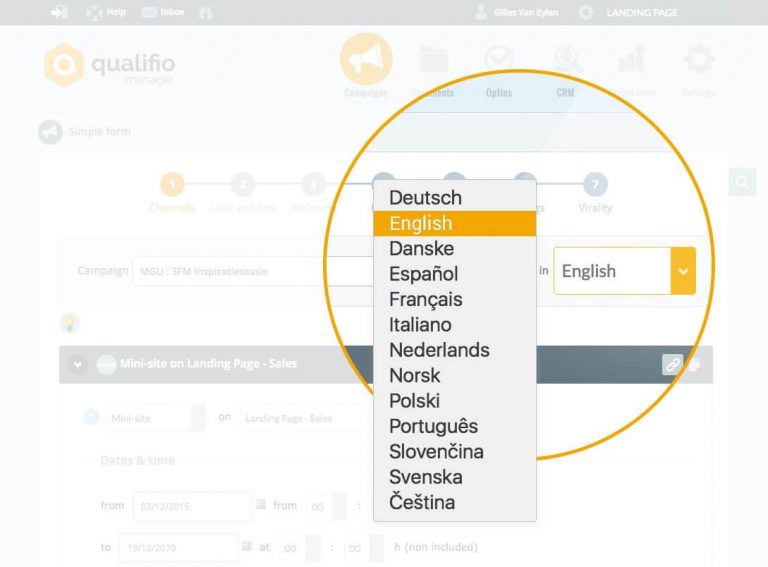   |