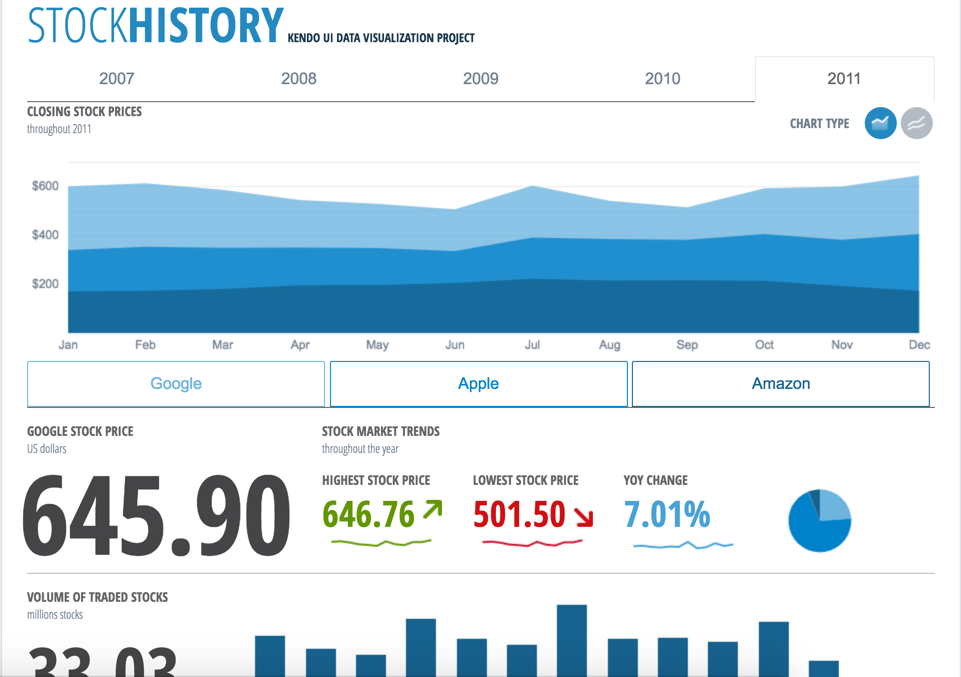
Kendo UI is a JavaScript UI toolkit that allows users to build responsive web-based apps integrated into their framework of choice (jQuery, Angular, React, or Vue). The vendor’s value proposition is that Kendo UI offers a large library of popular and configurable components ranging from sophisticated grids and charts to basic buttons, so users don’t have to waste development time building their UI. The vendor also says the large library of customizable themes means users can easily deploy a…
$999
per developer, royalty-free
Temenos Quantum
Score10 out of 10
N/A
Temenos Quantum is a mobile app development tool based on technology acquired by Temenos with Kony and the Kony development platform in late 2019. They state with it, businesses can deliver a multiexperience digital journey for customers. The platform supports the development of web and native mobile applications incorporating wearables, chatbots, augmented reality, and conversational apps.
It allows us to extend the components or create new components in an easy way. The control suite is complete and powerful enough that you do not need to consider other competing packages. The controls are relatively easy to implement and when we ran into problems the documentation and online support were very reliable.
A de minimis incentive was given to thank the reviewer for their time. The incentive was not used to bias or drive a particular response, nor was the incentive contingent on a positive endorsement. More Info
A de minimis incentive was given to thank the reviewer for their time. The incentive was not used to bias or drive a particular response, nor was the incentive contingent on a positive endorsement. More Info
Kendo UI controls provides rich set of features and capability that is required for enterprise products.
Performance of controls are satisfactory overall though few other vendors provides extraordinary performance for specific controls and for specific purpose. Kendo UI provides most of the required controls and with rich feature that made us to select Kendo UI controls for our development.
Kendo UI controls quality, in terms of performance, robustness and well defined interfaces are very positive notes.
A de minimis incentive was given to thank the reviewer for their time. The incentive was not used to bias or drive a particular response, nor was the incentive contingent on a positive endorsement. More Info
Cross-platform mobile development - we used this for developing the app on a native platform (which could be iOS, Android). Kony offers tools that are useful because they decrease costs and increase the speed at which apps are developed. In addition, cross-platform mobile development tools are generally quite simple to use as they are based off of the common languages for scripting, including CSS, HTML, and JavaScript. It has become easy to find resources with the skill set especially because this is based out of common languages.
In Kony mobility platform Visualizer makes app development quick and easy. Tons of documentation online.
Used Kony to develop an amazing app that serves our customers well. WYSIWYG interface is great for building interfaces quickly. Build and test quickly for many different targets.
A de minimis incentive was given to thank the reviewer for their time. The incentive was not used to bias or drive a particular response, nor was the incentive contingent on a positive endorsement. More Info
Kendo UI is always moving forward and staying current with latest development trends. While that is beneficial, that can cause some issues when supporting customers (particularly government) that don't move their IT infrastructure along nearly as fast. A prime example is web font icons. Great and easy to use, but where Kendo UI utilizes web font icons as the sole means of displaying an icon, not all organizations (again, especially government) allow the use of these. There have been times where Kendo UI became unusable and we had to downgrade to a version a few years old. Makes continued payment for licenses sometimes feel wasted as we may not be able to always use the new releases
Kendo UI has a wonderful feedback system and they do indeed listen to the community. However, there do seem to be some instances where there is large support for a new feature/component and it never gets addressed. It is easy to understand that not all ideas are easy or even prudent to implement, but would be nice to see a better follow-up on ideas with a current status
Refreshing Kendo UI grids is simple, yet the standard API method causes the grid to return to the default state. We have many use cases where we would love to update the grid data but need current grid state (such as expanded detail rows, sorts, filters, etc) preserved after the grid is updated so that users do not have to perform grid actions again to return to the desired state.
A de minimis incentive was given to thank the reviewer for their time. The incentive was not used to bias or drive a particular response, nor was the incentive contingent on a positive endorsement. TR verified that a representative sample of customers was invited. More Info
A de minimis incentive was given to thank the reviewer for their time. The incentive was not used to bias or drive a particular response, nor was the incentive contingent on a positive endorsement. More Info
Nothing better has come along. I'm always on the lookout for new UI libraries and I have tried most of them. Kendo has done a good job of keeping my business. They aren't perfect, but no one has done it better as far as I can tell. I'll keep a look out and my rating may change in the future if they get complacent.
A de minimis incentive was given to thank the reviewer for their time. The incentive was not used to bias or drive a particular response, nor was the incentive contingent on a positive endorsement. More Info
it's easy to implement in applications. The kendo widgets are able to be used in almost any type of business application which has a UI. For most part, once the developer has completed a project which uses Kendo, many time code can be copy/paste into a new application. Kendo UI documentation keeps improving so finding the answers to questions can be easy
A de minimis incentive was given to thank the reviewer for their time. The incentive was not used to bias or drive a particular response, nor was the incentive contingent on a positive endorsement. More Info
A de minimis incentive was given to thank the reviewer for their time. The incentive was not used to bias or drive a particular response, nor was the incentive contingent on a positive endorsement. More Info
A de minimis incentive was given to thank the reviewer for their time. The incentive was not used to bias or drive a particular response, nor was the incentive contingent on a positive endorsement. More Info
Overall, we are satisfied with the support offered by the Progress Kendo UI team. We had raised few helpline incidents in the past and they have been resolved timely by the team. Also, we were satisfied with the level of information and support provided by the team.
A de minimis incentive was given to thank the reviewer for their time. The incentive was not used to bias or drive a particular response, nor was the incentive contingent on a positive endorsement. More Info
it took me about one day to make the components available for all the team members, including a quick demo, parallel setup in everyone’s workstation and packages deployment into our nuget server after 3 days of one to one support, everyone was able to use the components or find help in the documentation or resuest support
A de minimis incentive was given to thank the reviewer for their time. The incentive was not used to bias or drive a particular response, nor was the incentive contingent on a positive endorsement. More Info
At the time of our product selection we identified better cross-browser compatibility and we estimated that turnaround for support was superior. At the time, the vendor had a higher positive feedback footprint among their user community.
We evaluated variety of platforms like Xamarin, Sencha, PhoneGap. When we were initially evaluating Xamarin, it was not Microsoft and so the releases and features were not very streamlined. Also licensing was a issue with that. Sencha was a very attractive cross mobile platform but was expensive. Just for handful of developers price was high. Ours is big enterprise so licensing costs became huge. PhoneGap is based out of open source Apache Cordova project and is completely free to use, which goes some way to explain its popularity. The enterprise version boasts marketing features via Adobe’s Marketing Cloud, so when it launches it will probably be monetized. Comparing with the features platform has to offer and the price tag attached to it, we narrowed down to using Kony.
A de minimis incentive was given to thank the reviewer for their time. The incentive was not used to bias or drive a particular response, nor was the incentive contingent on a positive endorsement. More Info
A de minimis incentive was given to thank the reviewer for their time. The incentive was not used to bias or drive a particular response, nor was the incentive contingent on a positive endorsement. More Info
Kendo UI has saved us a ton of time in development.
We were able to get certain things to market faster due to the fact that we didn't have to piece multiple libraries together like is so common with modern web development.
Because of the price of the library, however, we have not been able to purchase upgrades every year.
A de minimis incentive was given to thank the reviewer for their time. The incentive was not used to bias or drive a particular response, nor was the incentive contingent on a positive endorsement. More Info
Positive on ROI. I'm constantly utilizing Kony since it's a robust tool capable of publishing.
It also shares prototype creations of apps in a highly intuitive and customizable environment. It provides a preview of apps in real-time. Collaboration is seamless. Important functionality includes smartphone features (without any written code involved) and accessibility to a browser, maps, and SMS.
Trying to understand the user manual can be challenging since there are way too many features available. All of them aren't really necessary for beginners. And they've yet to offer them in a "phased" approach.
A de minimis incentive was given to thank the reviewer for their time. The incentive was not used to bias or drive a particular response, nor was the incentive contingent on a positive endorsement. More Info