Overview
ProductRatingMost Used ByProduct SummaryStarting Price
Kintone
Score 9.7 out of 10
N/A
Kintone is a customizable digital workplace platform used to manage data, tasks, and communication. The no-code drag-and-drop interface can be used to create custom applications.
$120
per month for 5 users (minimum)
Process Street
Score 8.2 out of 10
N/A
Process Street in San Francisco offers their application which allows teams to create simple recurring checklists, collaborate around them and track as they’re completed.
$25
per month per user
Pricing
KintoneProcess Street
Editions & Modules
Professional Subscription
$24
per month per user
Free
$0
per month per user
Pro
$25
per month per user
Enterprise
Custom
per month per user
Offerings
Pricing Offerings
KintoneProcess Street
Free Trial
YesYes
Free/Freemium Version
NoYes
Premium Consulting/Integration Services
YesYes
Entry-level Setup FeeOptionalNo setup fee
Additional DetailsMinimum requirement of 5 users. Kintone offers a free prototype to build with using existing process.
More Pricing Information
Community Pulse
KintoneProcess Street
Features
KintoneProcess Street
Sales Force Automation
Comparison of Sales Force Automation features of Product A and Product B
Kintone
9.3
3 Ratings
17% above category average
Process Street
-
Ratings
Customer data management / contact management9.73 Ratings00 Ratings
Workflow management9.03 Ratings00 Ratings
Territory management10.01 Ratings00 Ratings
Opportunity management10.01 Ratings00 Ratings
Integration with email client (e.g., Outlook or Gmail)7.01 Ratings00 Ratings
Channel / partner relationship management10.01 Ratings00 Ratings
Customer Service & Support
Comparison of Customer Service & Support features of Product A and Product B
Kintone
10.0
3 Ratings
25% above category average
Process Street
-
Ratings
Case management10.03 Ratings00 Ratings
Help desk management10.02 Ratings00 Ratings
CRM Project Management
Comparison of CRM Project Management features of Product A and Product B
Kintone
9.2
3 Ratings
17% above category average
Process Street
-
Ratings
Task management10.01 Ratings00 Ratings
Reporting8.33 Ratings00 Ratings
CRM Reporting & Analytics
Comparison of CRM Reporting & Analytics features of Product A and Product B
Kintone
8.7
3 Ratings
12% above category average
Process Street
-
Ratings
Customizable reports8.73 Ratings00 Ratings
Customization
Comparison of Customization features of Product A and Product B
Kintone
9.3
5 Ratings
19% above category average
Process Street
-
Ratings
Custom fields9.05 Ratings00 Ratings
Custom objects8.84 Ratings00 Ratings
API for custom integration10.01 Ratings00 Ratings
Integrations with 3rd-party Software
Comparison of Integrations with 3rd-party Software features of Product A and Product B
Kintone
7.0
1 Ratings
7% below category average
Process Street
-
Ratings
Marketing automation7.01 Ratings00 Ratings
Platform
Comparison of Platform features of Product A and Product B
Kintone
9.0
3 Ratings
16% above category average
Process Street
-
Ratings
Mobile access9.03 Ratings00 Ratings
Security
Comparison of Security features of Product A and Product B
Kintone
9.0
4 Ratings
6% above category average
Process Street
-
Ratings
Role-based user permissions9.04 Ratings00 Ratings
Reporting & Analytics
Comparison of Reporting & Analytics features of Product A and Product B
Kintone
-
Ratings
Process Street
10.0
3 Ratings
26% above category average
Dashboards00 Ratings10.03 Ratings
Standard reports00 Ratings10.03 Ratings
Custom reports00 Ratings10.03 Ratings
Process Engine
Comparison of Process Engine features of Product A and Product B
Kintone
-
Ratings
Process Street
9.7
4 Ratings
15% above category average
Process designer00 Ratings9.24 Ratings
Form builder00 Ratings10.03 Ratings
Model execution00 Ratings10.03 Ratings
Collaboration
Comparison of Collaboration features of Product A and Product B
Kintone
-
Ratings
Process Street
9.0
3 Ratings
8% above category average
Social collaboration tools00 Ratings9.03 Ratings
Content Management Capabilties
Comparison of Content Management Capabilties features of Product A and Product B
Kintone
-
Ratings
Process Street
10.0
3 Ratings
21% above category average
Content management00 Ratings10.03 Ratings
Best Alternatives
KintoneProcess Street
Small Businesses
Salesmate
Salesmate
Score 10.0 out of 10
Square 9 Softworks
Square 9 Softworks
Score 9.4 out of 10
Medium-sized Companies
Creatio
Creatio
Score 9.3 out of 10
Square 9 Softworks
Square 9 Softworks
Score 9.4 out of 10
Enterprises
Creatio
Creatio
Score 9.3 out of 10
CMW Platform
CMW Platform
Score 9.4 out of 10
All AlternativesView all alternativesView all alternatives
User Ratings
KintoneProcess Street
Likelihood to Recommend
9.8
(52 ratings)
9.2
(11 ratings)
Likelihood to Renew
10.0
(8 ratings)
-
(0 ratings)
Usability
9.0
(10 ratings)
-
(0 ratings)
Availability
10.0
(2 ratings)
-
(0 ratings)
Performance
10.0
(2 ratings)
-
(0 ratings)
Support Rating
9.4
(46 ratings)
9.0
(7 ratings)
Online Training
10.0
(1 ratings)
-
(0 ratings)
Implementation Rating
6.8
(4 ratings)
-
(0 ratings)
Configurability
9.0
(43 ratings)
-
(0 ratings)
Contract Terms and Pricing Model
10.0
(2 ratings)
-
(0 ratings)
Ease of integration
10.0
(2 ratings)
-
(0 ratings)
Product Scalability
10.0
(2 ratings)
-
(0 ratings)
Professional Services
10.0
(2 ratings)
-
(0 ratings)
Vendor post-sale
10.0
(2 ratings)
-
(0 ratings)
Vendor pre-sale
10.0
(2 ratings)
-
(0 ratings)
User Testimonials
KintoneProcess Street
Likelihood to Recommend
Kintone
Kintone is great if you want a software that will help you in managing your data, and keep track of which tasks are assigned to whom. It also helps to streamline communication and information in one central place. However, it is not for you if you are looking for something complex that has to manage a lot of data.
Read full review
Process Street
if you have standard processes that are often executed, it's worth to use. If you are a small company it is generally not worth to implement because you will need somebody who permanently works with it and maintains the processes.
Read full review
Pros
Kintone
  • Flexibility. You can build apps (without coding) to serve a wide range of processes and projects.
  • Ease of use. The interface is intuitive.
  • Training. There are resources readily available to train new users. Even starting from scratch, I felt like I was up to speed in just a few hours.
Read full review
Process Street
  • Overview view is helpful to see a timeline of progress.
  • Checklists are easy to manipulate and customize to exactly what you need to see.
Read full review
Cons
Kintone
  • I feel that Kintone is not well enough known yet. This means that other apps/APIs are not necessarily easy to connect with Kintone. Yes, you can use Zapier though for interfacing with other apps.
  • It would be great if it could give more customized options to change the look and format of certain things. You can make price quote apps, for example, but have to rely on 3rd party apps or programming skills to customize the look and fields.
  • If you make a table as an input field, it cannot connect to other internal Kintone apps for lookups and such.
  • I think there is more potential to make more customized data graphs.
Read full review
Process Street
  • If you had the ability to drag tasks around in a nonlinear way, it could be a cool creative feature. An example is to have a subtask next to another that says N/A if the task wasn't executed because it wasn't applicable.
  • Inbox tab can be overwhelming but that may just be the style in which I built my checklists.
Read full review
Likelihood to Renew
Kintone
We have been quite happy with our use of Kintone thus far. We looked at several options before choosing Kintone and believe it had the best value and best features, while allowing for complete customization, rather than being locked into preformatted apps that may not address exactly what we need or be more than what we need.
Read full review
Process Street
No answers on this topic
Usability
Kintone
Kintone is agile app and most of the time we can easily come up with new apps. However, there should be more feature-based drag and drop and or a visual-based usability, as we all want to minimize the number of clicks and dropdown menu selections as much as possible. Thanks.
Read full review
Process Street
No answers on this topic
Reliability and Availability
Kintone
Never had an issue with this.
Read full review
Process Street
No answers on this topic
Performance
Kintone
Pages load quickly, no issues with response time
Read full review
Process Street
No answers on this topic
Support Rating
Kintone
I have had very specific questions about different aspects of the software, and I have always been able to get a hold of someone who could help. If my sales rep didn’t know the answer, he would get me in touch with someone who did know the answer. The whole team is very ready to help. It definitely feels like they view my success as their success, which is so important with this type of software.
Read full review
Process Street
Since my last login into the platform, the latest update made the app much easier to use and learn. It's incredibly clean, and everything is exactly where it should be location-wise. You can tell they listen to their user base for features.
Read full review
Online Training
Kintone
The training was seamless and easy to follow
Read full review
Process Street
No answers on this topic
Implementation Rating
Kintone
Everyone has their own tastes of things and way they want to work. Asking them to adapt to the changes with the new tools or apps is always difficult. We would want to start with a very small but best example within the organization, which in our case was that the employees will not be bothered by the bosses by being asked to find the documents, status of the progresses, or major things/requests/projects.
Read full review
Process Street
No answers on this topic
Alternatives Considered
Kintone
Kintone is the easiest product to create from and the cost is the lowest I believe. In addition, reconfigurability and extendability are great. If you look for a low code tool, you can try Kintone. But as same as another low code tool, don't expect too much.
Read full review
Process Street
I've tried other checklist tools like Google Keep, but it was too simple. I've tried Flowster, which is very similar to Process Street, but I like Process Street better. The interface is a lot more balanced and pleasant to look at. I found Flowster to be a less appealing interface even though the features were similar. I also briefly tried systemHUB but it is very expensive for what it offers compared to Process Street.
Read full review
Contract Terms and Pricing Model
Kintone
Should be multiple pricing packages.
Read full review
Process Street
No answers on this topic
Scalability
Kintone
I could see this work for all departments if implemented correctly.
Read full review
Process Street
No answers on this topic
Professional Services
Kintone
We have nothing but positive things to say about the kintone professional services we utilized during the install and after we went live.
Read full review
Process Street
No answers on this topic
Return on Investment
Kintone
  • It has helped us reduce the amount of people we need to track our inventory. We’ve saved time and money using less people.
  • We are able to see our data much better now and have a spot that we can all look at the database on the go.
Read full review
Process Street
  • Because of Process Street I am no longer losing money when having to redo things
  • It helps me eliminate those nasty "egg on the face" situations with clients because now nothing slips through the cracks. The team is able to be on top of it!
Read full review
ScreenShots

Kintone Screenshots

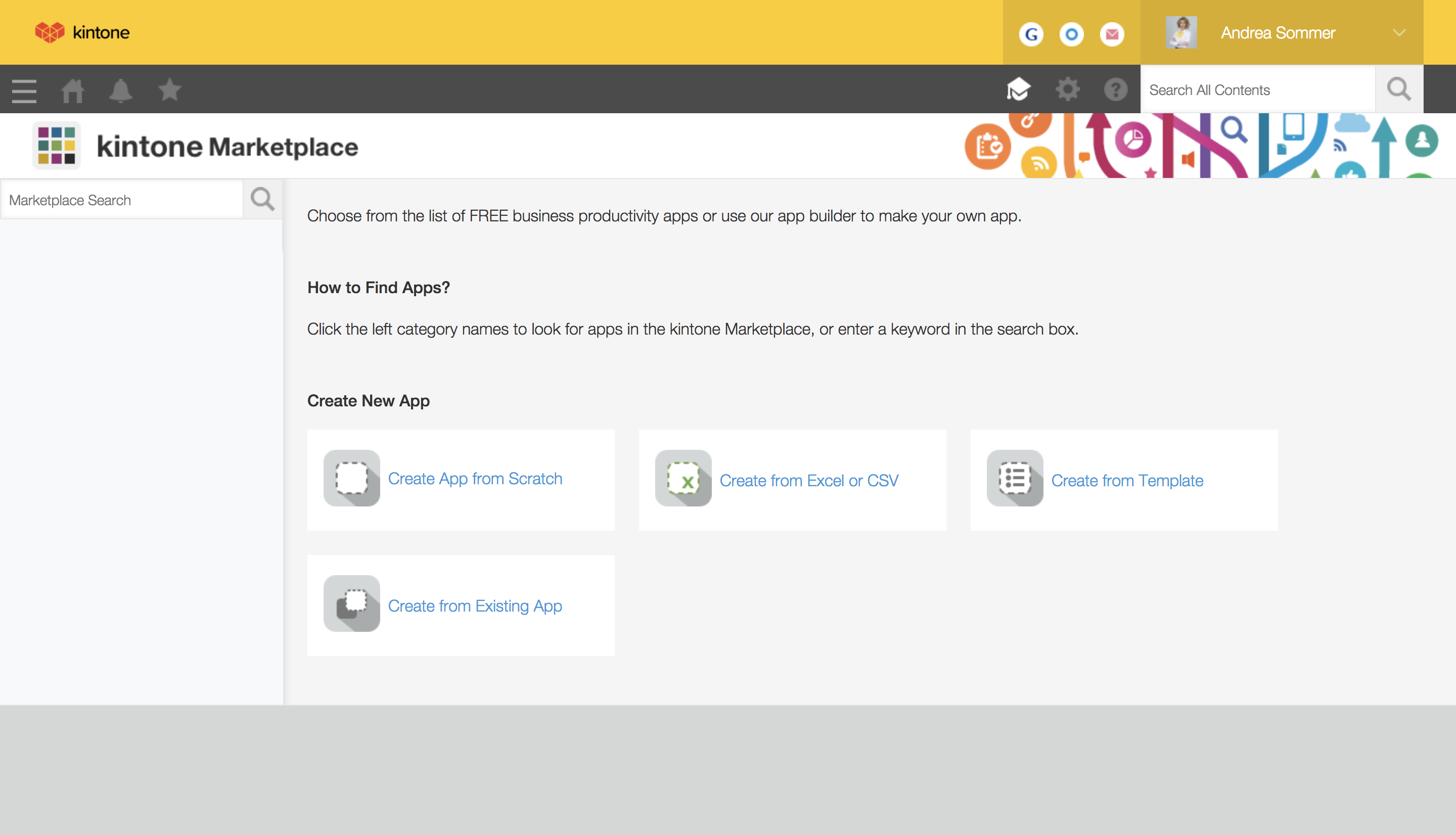
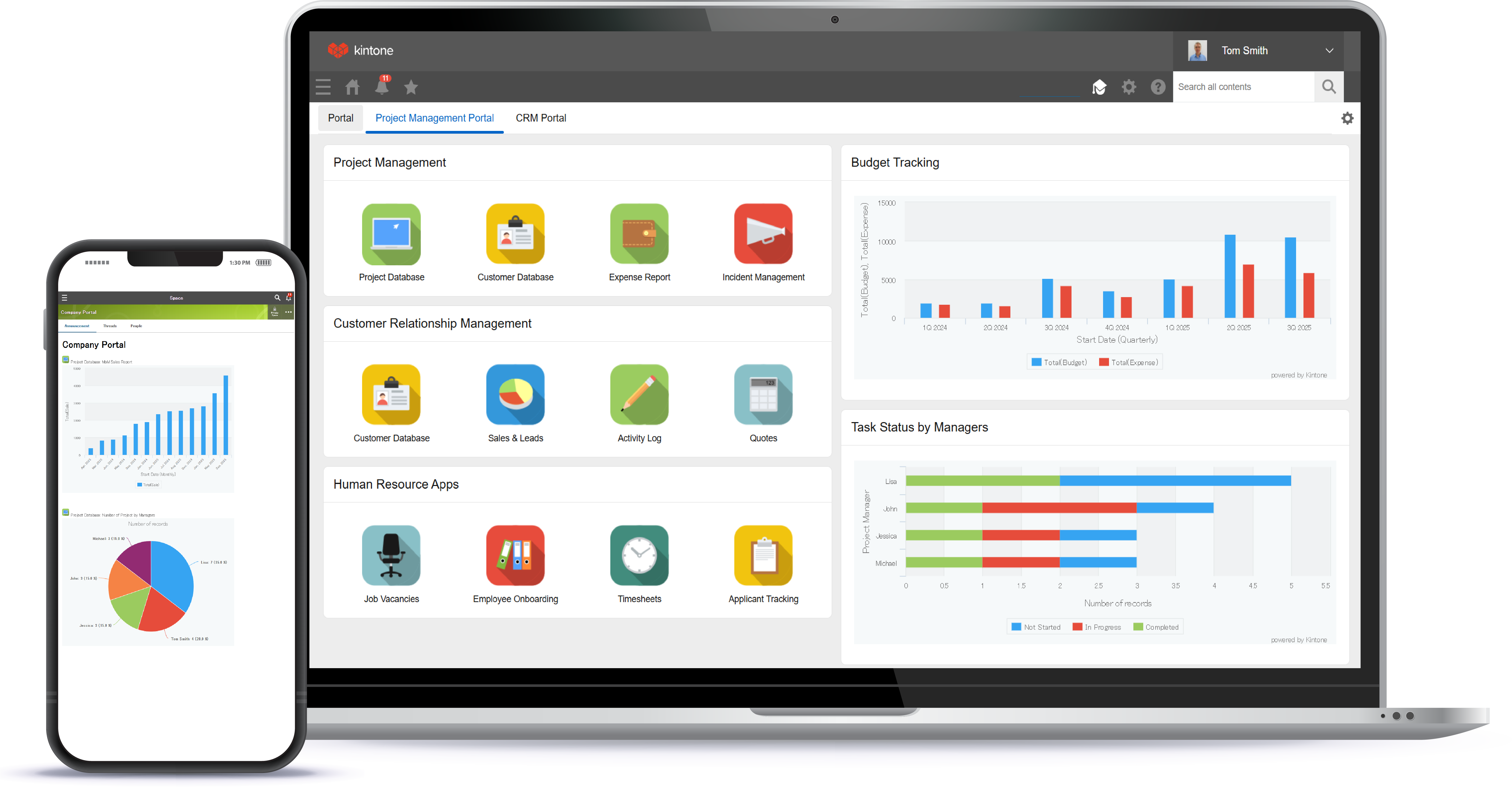
Screenshot of a view of apps from the portalScreenshot of 4 ways to build an appScreenshot of the drag and drop interfaceScreenshot of business app viewsScreenshot of Kintone appearing across desktop, and mobile

Process Street Screenshots

Screenshot of Create procedure documents in seconds. Our simple interface lets you create structured documents in seconds.  Intuitive keyboard shortcuts and drag and drop make it easy for anyone to use.Screenshot of Document your team knowledge. Use Pages to capture, organize and share your established team knowledge.  Pages is free forever for everyone in your company.Screenshot of Run processes as collaborative workflows. Quickly create and assign workflows to your team.  Track activity from the dashboard and get notified when tasks are done.Screenshot of Powered by an intuitive, no-code workflow builder. Build powerful workflows and corresponding automations with ease.